18 HUD

It would be nice to have an altitude indicator. We can also later add other UI elements like a mini-map, scoring, ammo, and fuel. It's good to plan ahead. We also want to keep in mind split-screen. So let's make a HUD (Heads Up Display) prefab that we can attach to each player's view.
-
Back in your Hierarchy add a new Game Object - UI - Event System. You just need one of these for UI stuff to work.
-
Add a new Game Object - UI - Canvas. Name this PlayerHudCanvas and drag it to the Prefabs folder
-
Open the prefab. You'll have to switch the view to Back to see the HUD elements properly.
-
Edit the Canvas Scaler settings and set UI Scale Mode to Scale With Screen Size. Set the Reference Resolution to X=1920 Y=1080. This is a standard 16x9 size. And set Match to the middle between Width and Height
-
Create a new UI - Slider object. Since it's going to show altitude, change the Direction value to Bottom To Top and set the Max Value to 400 since that's now how high we're allowed to go. Set the Value to 100.
-
Turn off Interactable. This means we don't want the player to be able to drag this slider, it's just for display. This will make the handle go grey, so adjust the Disabled Color to white with an alpha of 1.
-
Drag this slider to where you'd like to see it on your screen.
-
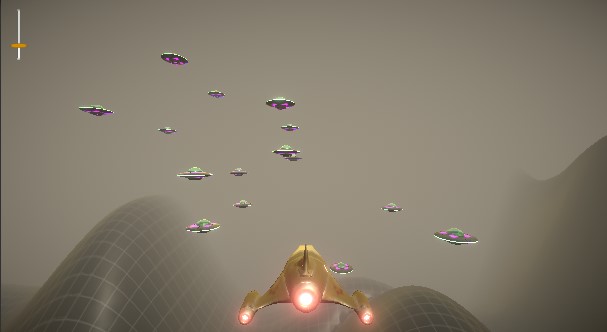
Expand the slider in the Hierarchy and you'll see it has lots of parts. Find the Handle object and change it's color to orange to match our ship's color. I'm also going to scale mine to X=3, Y=0.75

-
Select the PlayerHudCanvas object and add a new script component called PlayerHud
-
Since we'll be doing stuff with UI elements. Add this using directive at the top of the script.
using UnityEngine.UI;
-
Add a variable to reference the slider so we can change it's value, and a variable for the ship so we can get it's height.
 public Slider Altimeter;
 public GameObject PlayerShip;
-
Change the name of the Update() function to FixedUpdate() since it would be wasteful to do this every frame. Fixed update doesn't happen as often. Inside the FixedUpdate function add code to set the slider value
Altimeter.value = PlayerShip.transform.position.y;
-
Save your script, then back in Unity set the new Altimeter variable to Slider. We can't set the Player Ship value from inside this prefab.
-
Exit the prefab editor, and back in your scene hierarchy delete the PlayerHudCanvas object.
-
Open the Player prefab and drag in a PlayerHudCanvas prefab and set the Player Ship value to the Player object.