05 Fog
Adding fog to our scene will accomplish a few things.
- More spooky feeling
- Greater sense of depth. Far away UFO's will be more occluded by fog and will appear further away.
- Our small game world won't feel as claustrophobic. It won't be obvious that we're in a little sandbox.
Lighting settings is were we configure our fog. We'll set this up, even though it won't give us everything we need.
-
If we go go the Lighting window and scroll down to Other Settings there's a checkbox for Fog. Check this.
-
Change the fog Mode to Linear
-
Change the fog color to be similar to your skybox colors. My skybox is an orange sunset, so I'm going to pick a light grey fog that has a slight bit of orange.
This will give us something like this:
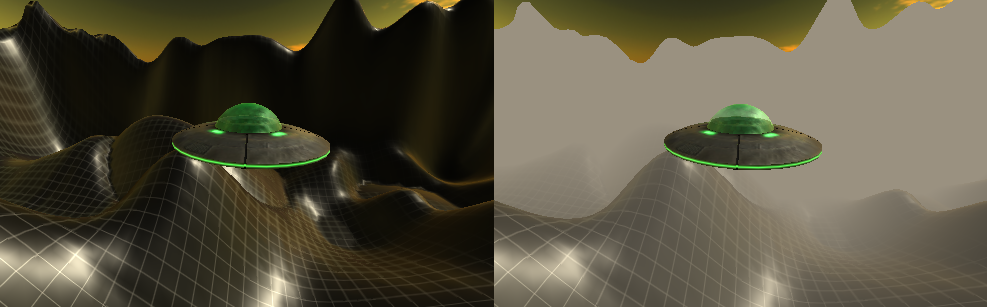
It looks OK except that the skybox does not have fog applied to it. We're going to have to change the camera rending mode from Forward to Deferred and add the fog another way, using the Post Processing stack.
-
Select the camera and in the Inspector window change Rendering Path to Deferred. The fog will disappear, but that's OK, we'll get it back.
-
Uncheck Allow MSAA (removes jagged lines) since this isn't compatible with deferred rendering. We'll also find a better way of doing this image smooting.
-
On the camera, add a component Post Processing Layer. The fog is back, but has the same skybox problem as before.
-
In the Post Processing Layer component find Deferred Fog and un-check Exclude Skybox
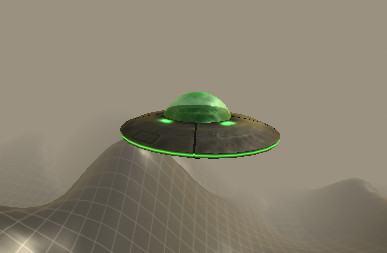
That's the stuff!