Specifying the REST Connection
On this page you can specify the REST connection:
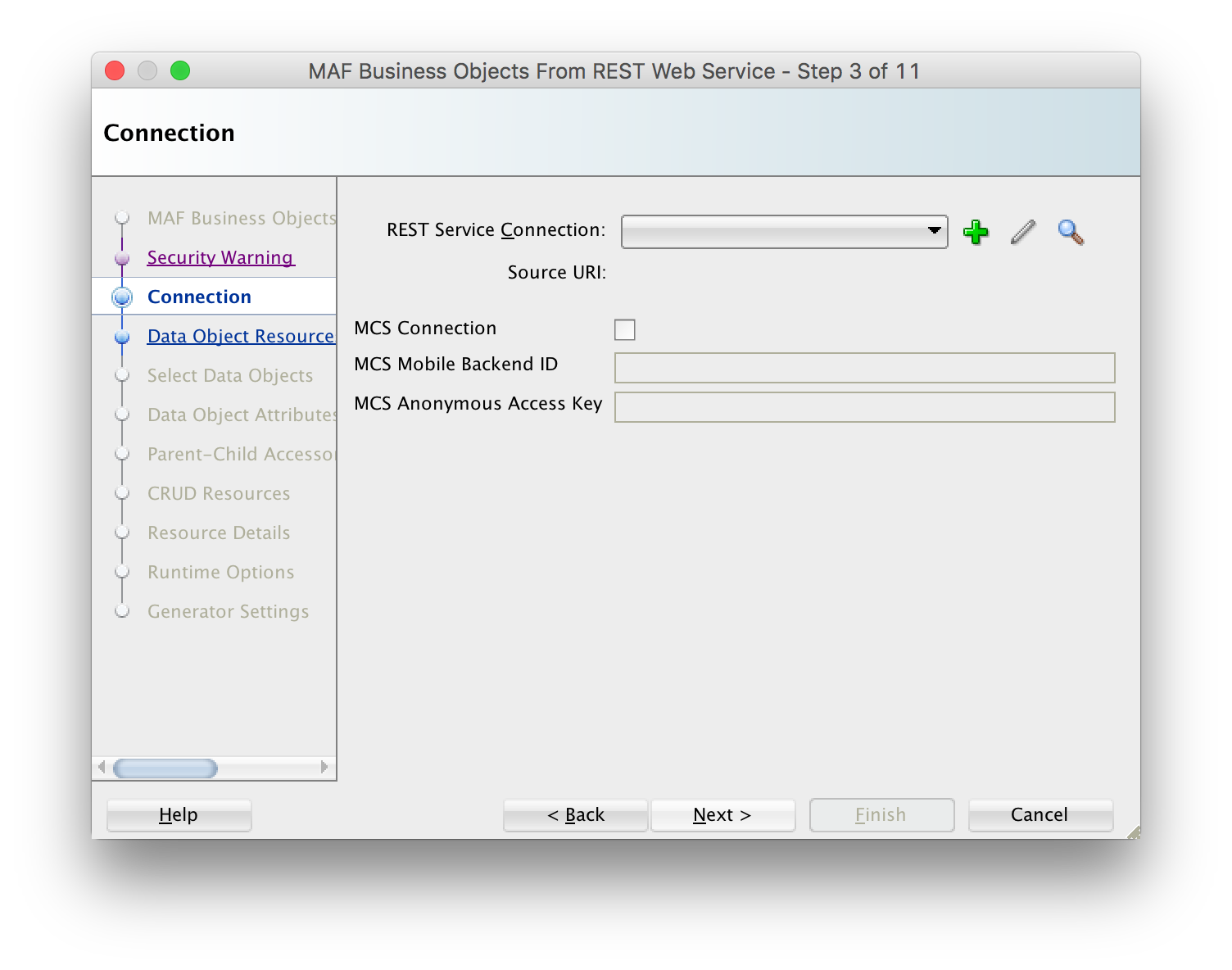
Click the plus icon and specify the name of the connection and the URL endpoint.
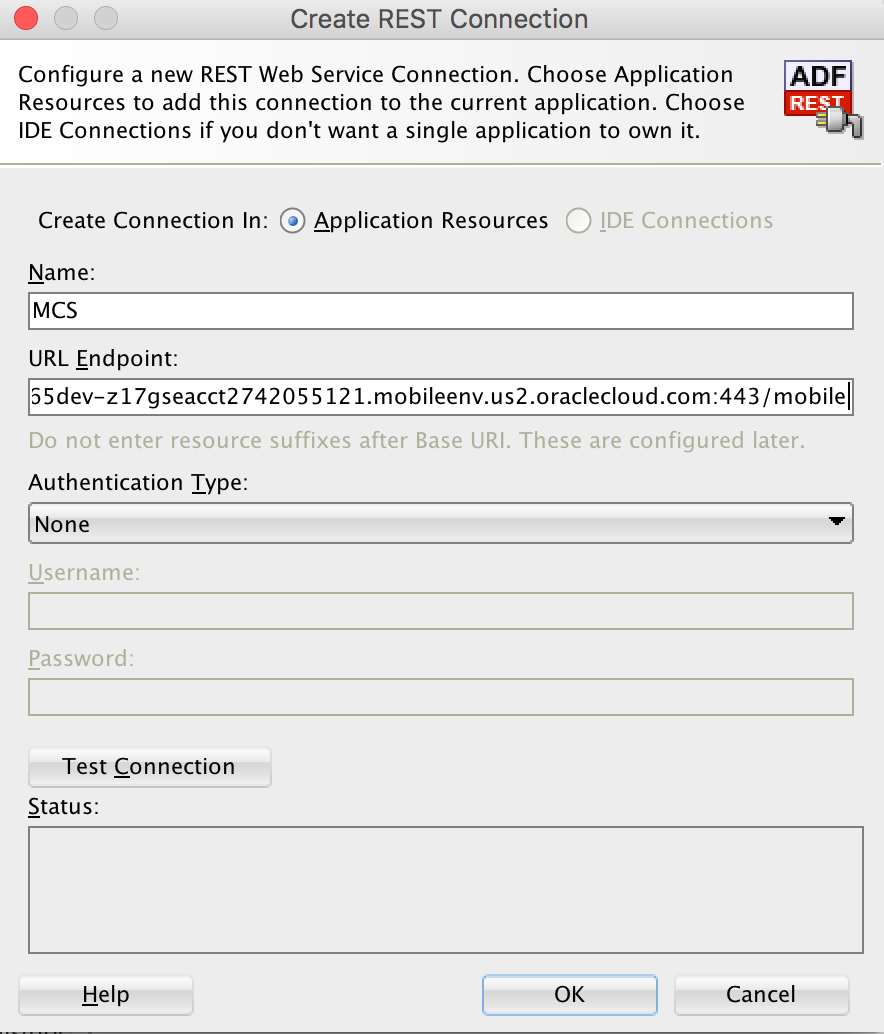
It is convenient to specify as much as possible of the REST resource URL as endpoint. In other words, the part of the URL that is the same for all resources you want to consume should be entered here. This saves you typing on subsequent wizard pages. Exception to this rule is when you specify a connection to MCS, then the URL should end with /mobile, allowing AMPA to use this connection for both custom API calls, as well as MCS platform API calls. Note that clicking the Test Connection button typically does not work here as you specified an incomplete URL. Make sure as well that your endpoint does not end with a slash (the wizard will check this before allowing you to go to the next page). If your REST resources are secured you also need to enter the authentication information in the respective fields.
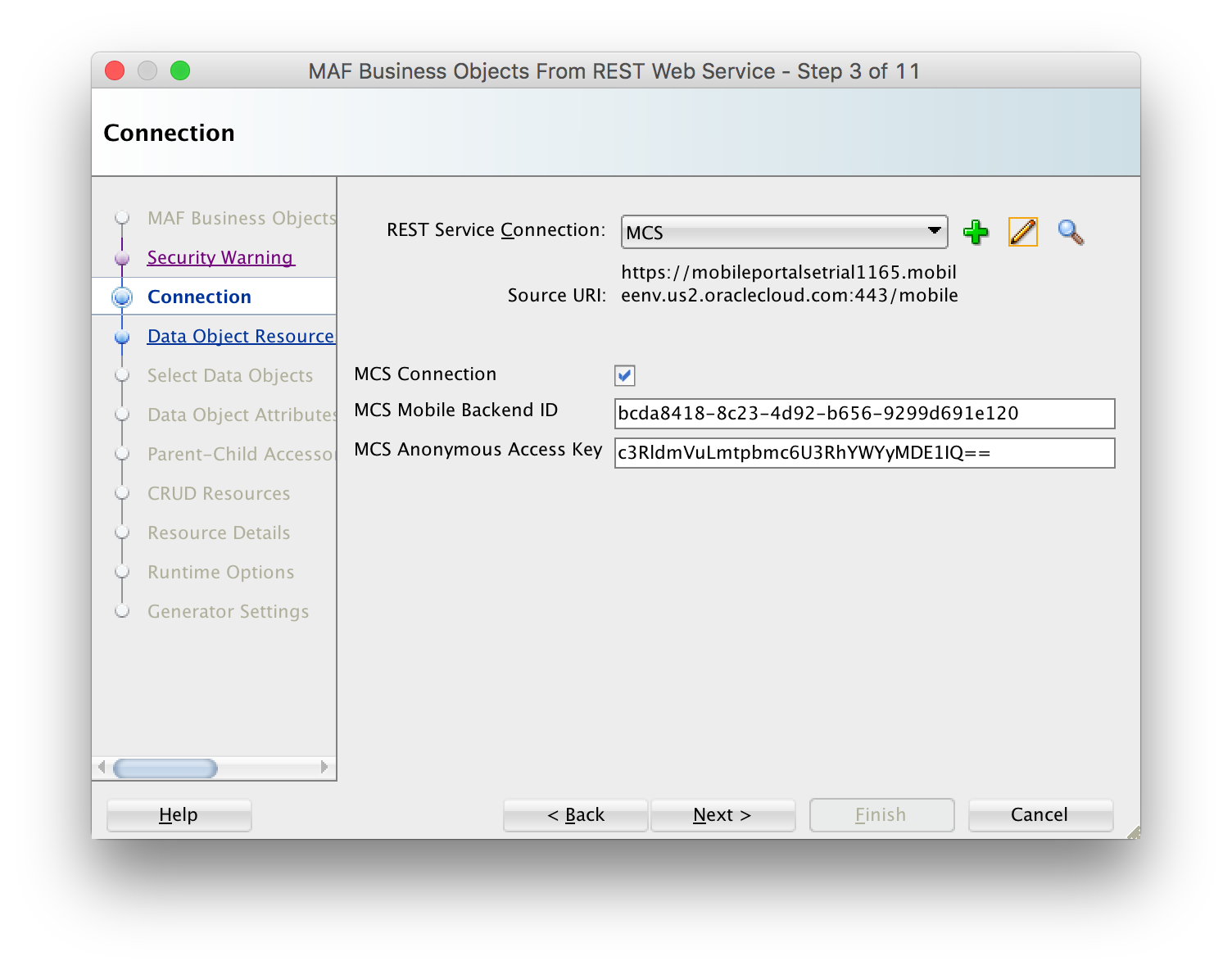
If you are connecting to Oracle's Mobile Cloud Service (MCS), you should check the MCS Connection checkbox and fill in the mobile backend ID and (anonymous) access key. The access key is used to create the Authorization header when the app is accessing MCS before you have authenticated with MCS. For example, you might want to send a startSession analytics event before the user has logged in. Note that the access key doesn't have to be the anonymous key per se, you can also use the Authorization key of an MCS user defined in the user realm of your mobile backend. This allows you to access MCS storage collections which are not accessibly for the anonymous user. You do not need to prefix the access key with "Basic ", AMPA will add or remove this prefix as needed.
If your app needs to support dynamic MCS connections, you can also specify an EL expression in the mobile backend ID and access key fields. Note that after you authenticated against MCS, MAF will automatically inject the Authorization header in every REST call based on the user login credentials, ignoring the anonymous access key that is specified here.