Debugging AMPA Source Code
Running your mobile application in debug mode is often the most efficient and effective way to diagnose and solve problems.
Since AMPA ships with the full source code, it is quite easy to debug the AMPA source code while running your application in debug mode. The AMPA library added to your ApplicationController and ViewController projects includes the path to the AMPA runtime source code zip, so you can simply use JDeveloper's Go To java Type dialog to open an AMPA source file so you can set a breakpoint. On a Mac you can access this dialog using the Command-J key combination, on a Windows machine you can use Ctrl-Minus key combination.
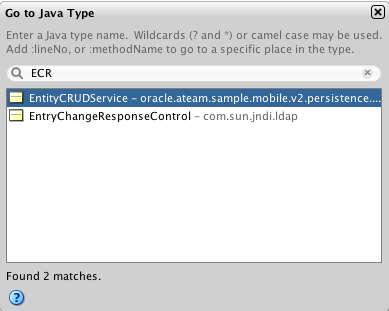
You can type in the beginning of a class name, and/or use a sequence of uppercase characters to more quickly find longer class names as shown above. Then you can use the structure pane to find the method you want and set breakpoints as desired.
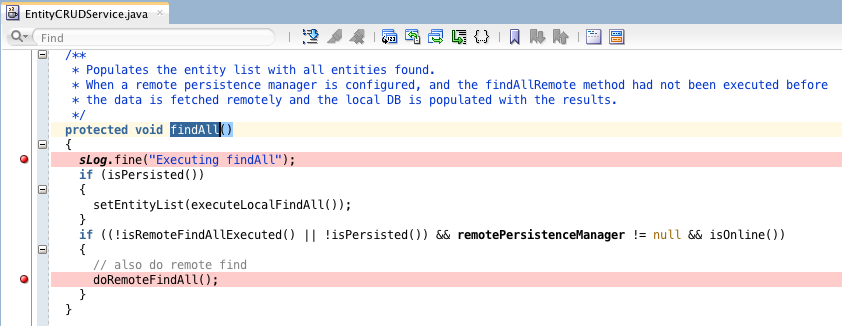
Your generated entity service classes all extend from EntityCRUDService class, so if you have no clue where to start debugging, it is a good idea to start putting some breakpoint in one of the CRUD related methods in this class, like findAll, insertEntity, updateEntity, removeEntity etc. You can the use the "Step Into" button to step into methods of other classes used in these methods. Typically, this will lead you to the DBPersistenceManager class for debugging actions against the SQLite database, or a remote persistence manager class to debug REST calls and processing of response payloads. The remote persistence managers have a deep inheritance tree as explained in section Understanding the AMPA Runtime Persistence Architecture.
Here is an overview of the classes and methods that are typically useful for setting initial breakpoints:
- EntityCRUDService:
findAll,insertEntity,updateEntity,removeEntity. - DBPersistenceManager: while there are many methods in this class, all SQL statements are executed within only two methods
executeSqlSelectandexecuteSqlDml. - RestPersistenceManager: Method
invokeRestService(String connectionName, String requestType, String requestUri, String payload,Map<String,String> headerParamMap, int retryLimit, boolean secured)handles all REST calls. - RestJSONPersistenceManager: Method
findAndProcessPayloadElementstransform a JSON object from a REST response into an entity instance. MethodgetSerializedDataObjectcontains the logic to transform an entity instance into JSON object key-value pairs typically used for POST and PUT REST calls. - AbstractRemotePersistenceManager: the
createOrUpdateEntityInstancemethod contains the logic that merges the entity instance created from response payload with existing entity instances if applicable.