Config Files for CS2 - Includes custom execs for custom gamemodes.
- Download the latest release from Github
- Extract the zip file and you will find various
.cfgfiles alongside folders inside - Open Steam
- Right click Counter Strike 2 and click
Properties - In the
Launch Optionsbox at the bottom of this window, insert the following:
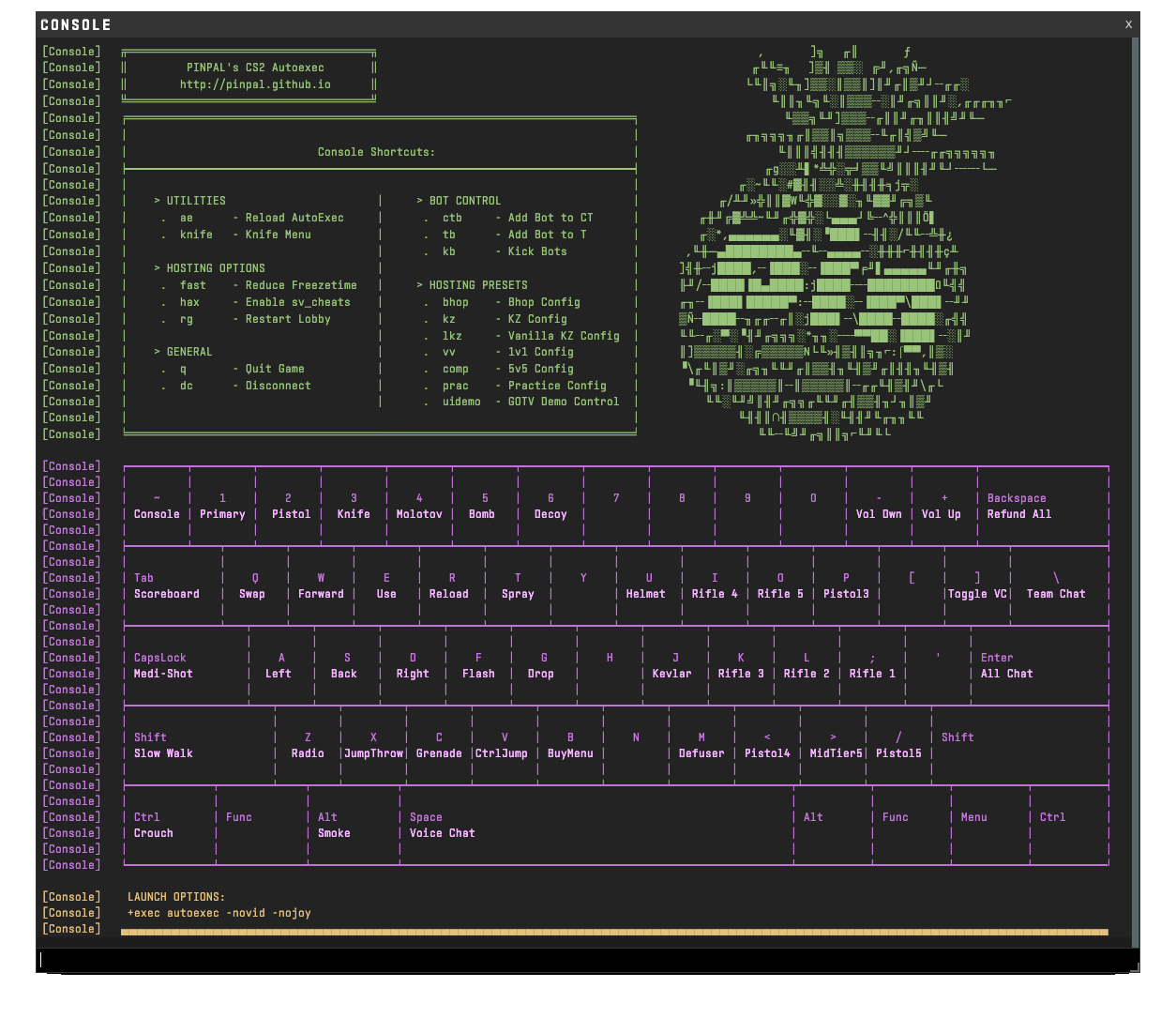
+exec autoexec -novid -nojoy
- Navigate to the
Installed Filestab along the left side - Click the
Browsebutton - In the file explorer window that opens, navigate to the folder named
game - Then navigate to the folder named
csgo - Then navigate to the folder named
cfg - Then place all
.cfgfiles AND folders from the extracted zip into this folder - Launch Counter Strike 2 and enjoy!
- Viewmodel
- Crosshair
- Grenade Crosshair
- Network Optimisations
- Performance Optimisations
- Sound Config
- Basic Keybinds
- Grenade Keybinds
- Buy Menu Binds
- Shortened Command Aliases
- Language File Simplifications
- Gamemode Execs (bhop/kz/1v1) for local hosting
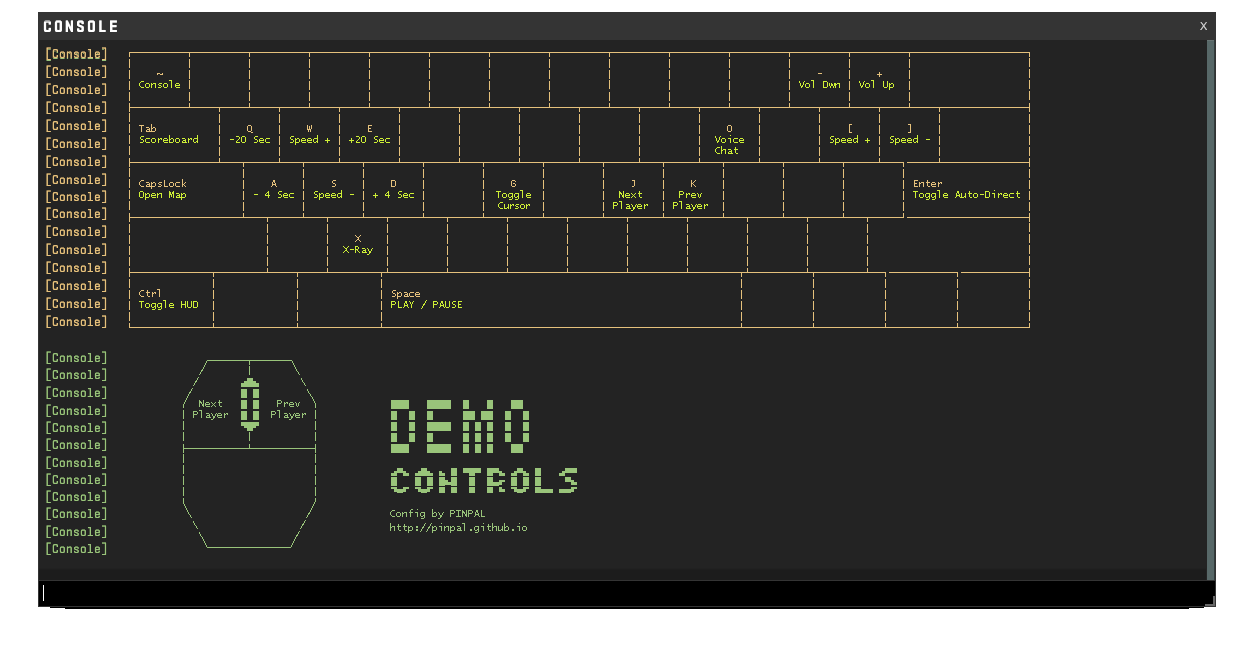
Simple type uidemo into the console to load the settings specific for watching demos. You can return to regular bindings once done by entering ae into the console.
All keyboard languages supported. This config uses the new CS2 Scancodes instead of "static" bindings.
For Example: W → scancode26
Keyboard layouts of all sizes are supported but only keys present on 60% are used.

