Added a new doc and updated existing docs #963
There are no files selected for viewing
This file contains hidden or bidirectional Unicode text that may be interpreted or compiled differently than what appears below. To review, open the file in an editor that reveals hidden Unicode characters.
Learn more about bidirectional Unicode characters
This file contains hidden or bidirectional Unicode text that may be interpreted or compiled differently than what appears below. To review, open the file in an editor that reveals hidden Unicode characters.
Learn more about bidirectional Unicode characters
This file contains hidden or bidirectional Unicode text that may be interpreted or compiled differently than what appears below. To review, open the file in an editor that reveals hidden Unicode characters.
Learn more about bidirectional Unicode characters
This file contains hidden or bidirectional Unicode text that may be interpreted or compiled differently than what appears below. To review, open the file in an editor that reveals hidden Unicode characters.
Learn more about bidirectional Unicode characters
This file contains hidden or bidirectional Unicode text that may be interpreted or compiled differently than what appears below. To review, open the file in an editor that reveals hidden Unicode characters.
Learn more about bidirectional Unicode characters
This file contains hidden or bidirectional Unicode text that may be interpreted or compiled differently than what appears below. To review, open the file in an editor that reveals hidden Unicode characters.
Learn more about bidirectional Unicode characters

This file contains hidden or bidirectional Unicode text that may be interpreted or compiled differently than what appears below. To review, open the file in an editor that reveals hidden Unicode characters.
Learn more about bidirectional Unicode characters
| Original file line number | Diff line number | Diff line change |
|---|---|---|
|
|
@@ -38,15 +38,15 @@ When automating test cases for an android application, you can capture multiple | |
| ## **Steps to Record Multiple Elements** | ||
|
|
||
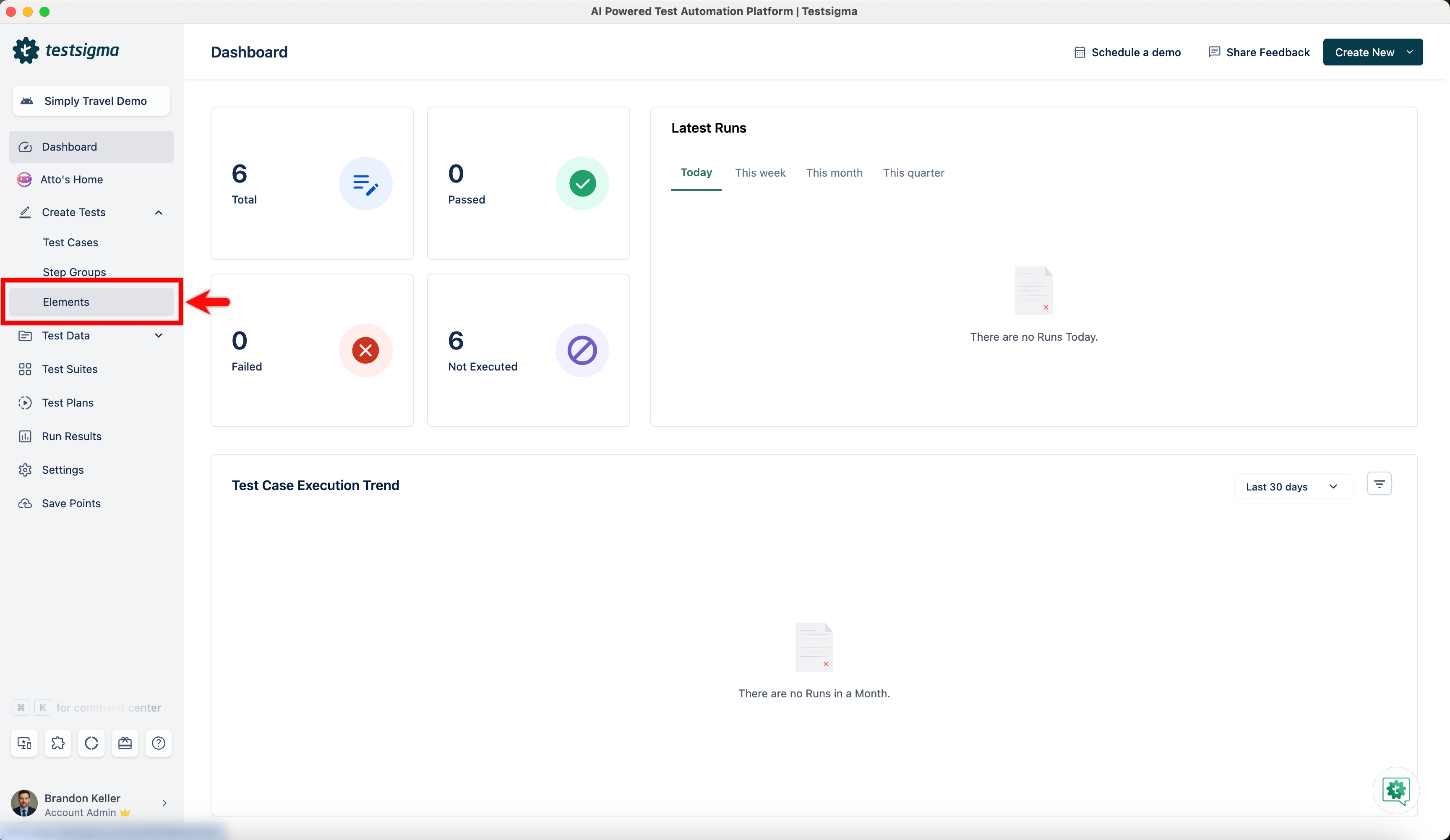
| 1. From the left navigation bar, go to **Create Tests > Elements**. | ||
|  | ||
|
|
||
|
|
||
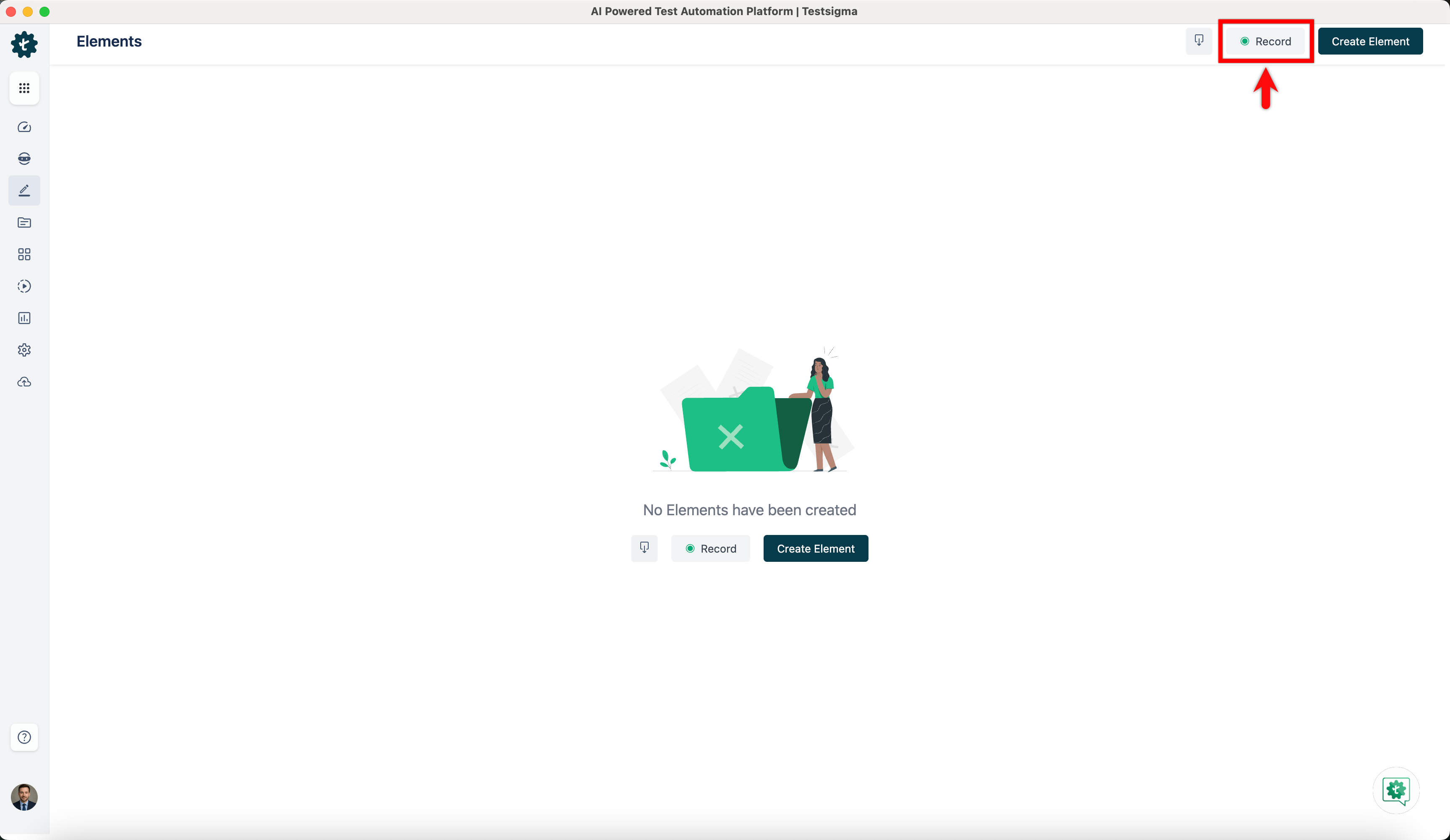
| 2. Click **Record**. | ||
|  | ||
|
|
||
|
|
||
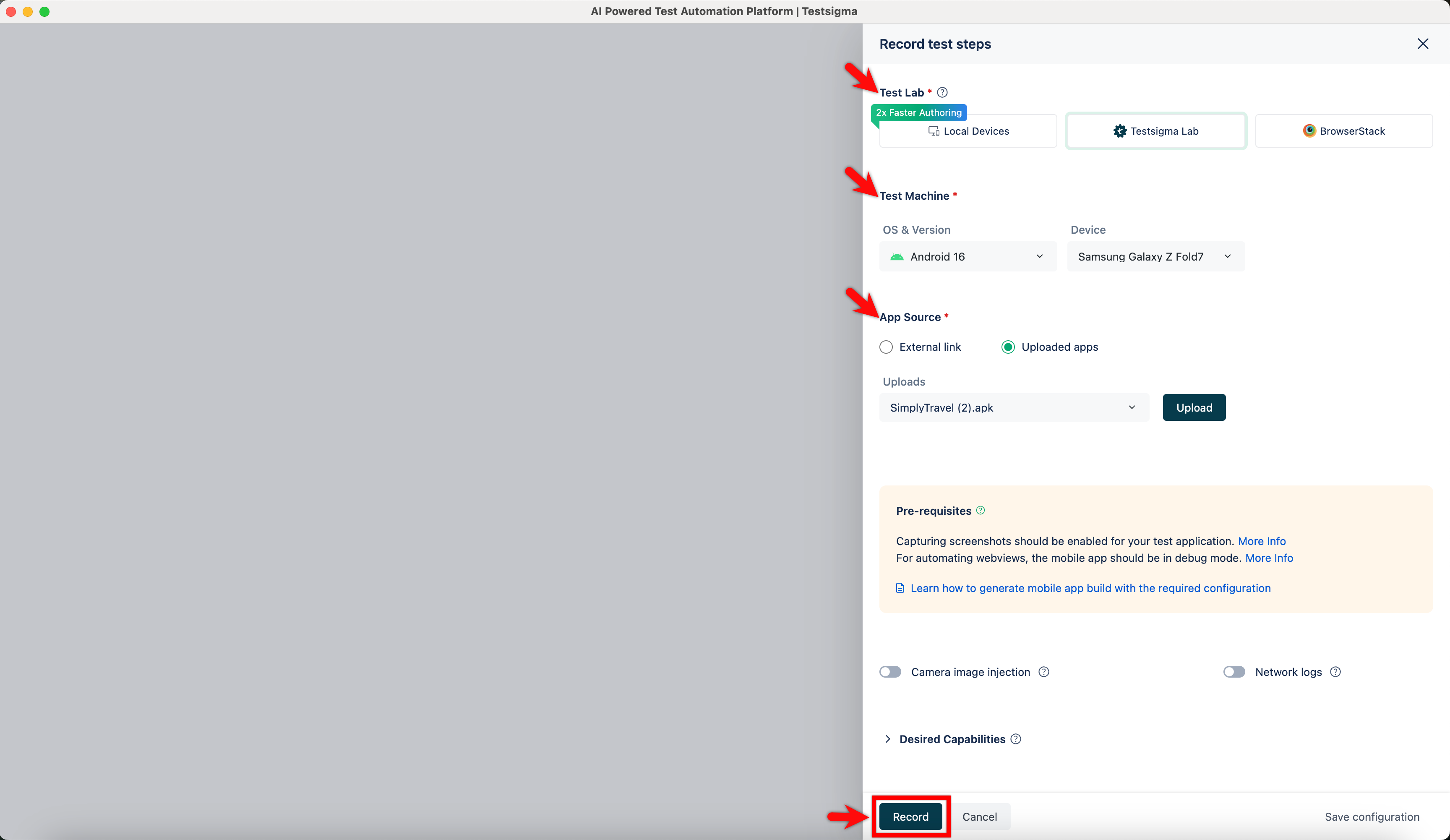
| 3. In the **Record Elements** overlay, select **Test Lab**, **Test Machine**, **Upload App Source** and click on **Record**. | ||
|  | ||
|
|
||
|
|
||
| 4. Wait for the app to load fully. | ||
|
|
@@ -55,11 +55,11 @@ When automating test cases for an android application, you can capture multiple | |
| 5. Once the app is loaded, click on element you want to capture. | ||
|
|
||
|
|
||
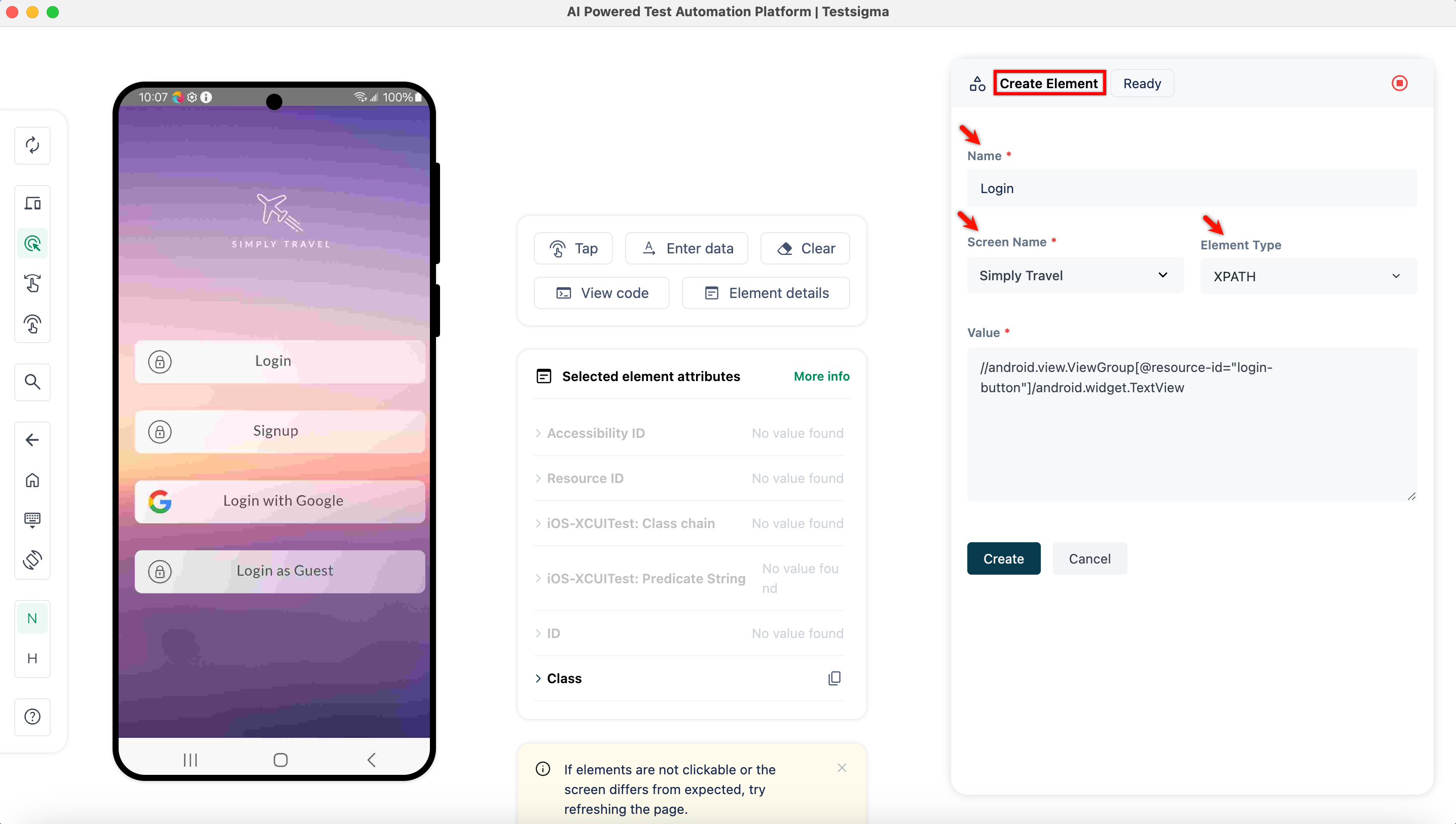
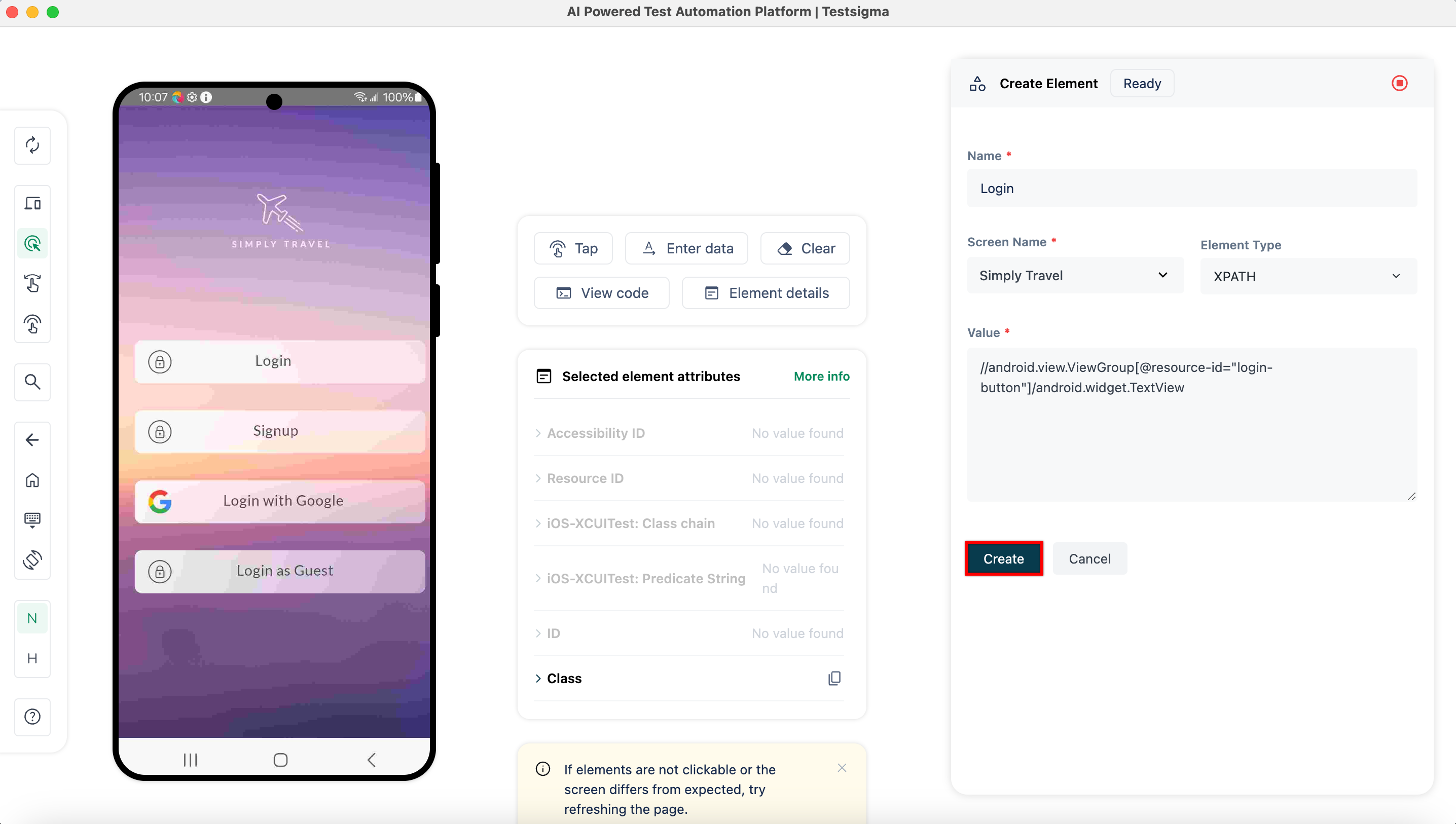
| 6. In the **Create Element** section, validate the **Name**, **Screen Name**, **Element Type**, and the **Value**. | ||
|  | ||
|
|
||
|
|
||
| 7. Click **Create**. | ||
|  | ||
|
|
||
|
|
||
|
|
@@ -69,10 +69,9 @@ When automating test cases for an android application, you can capture multiple | |
|
|
||
| 9. Repeat steps 5 to 7 for every element you want to capture. | ||
|
|
||
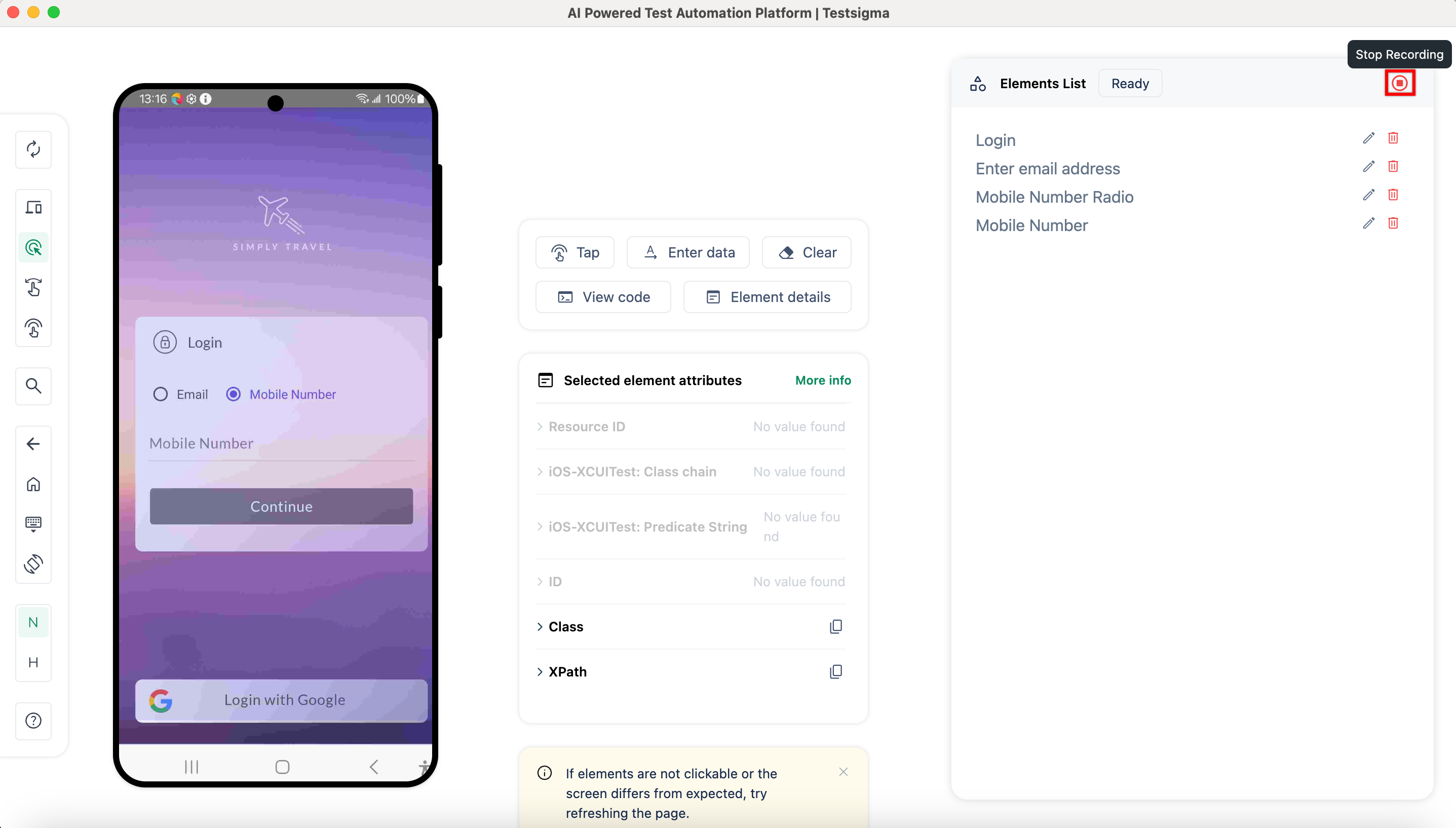
| 10. Once you have captured the elements, click **Stop Recording**. | ||
|
Contributor
There was a problem hiding this comment. Fix spacing in Step 10 for cleaner rendering. Line 72 has extra spaces ( 🤖 Prompt for AI Agents |
||
|  | ||
|
|
||
| 11. You'll be redirected to the **Elements** page, where you can see all recorded elements. | ||
|
|
||
| --- | ||
This file contains hidden or bidirectional Unicode text that may be interpreted or compiled differently than what appears below. To review, open the file in an editor that reveals hidden Unicode characters.
Learn more about bidirectional Unicode characters
| Original file line number | Diff line number | Diff line change |
|---|---|---|
|
|
@@ -36,27 +36,26 @@ In dynamic websites, elements can have varying attributes/properties across sess | |
|
|
||
| ## **Steps to Create an Element** | ||
|
|
||
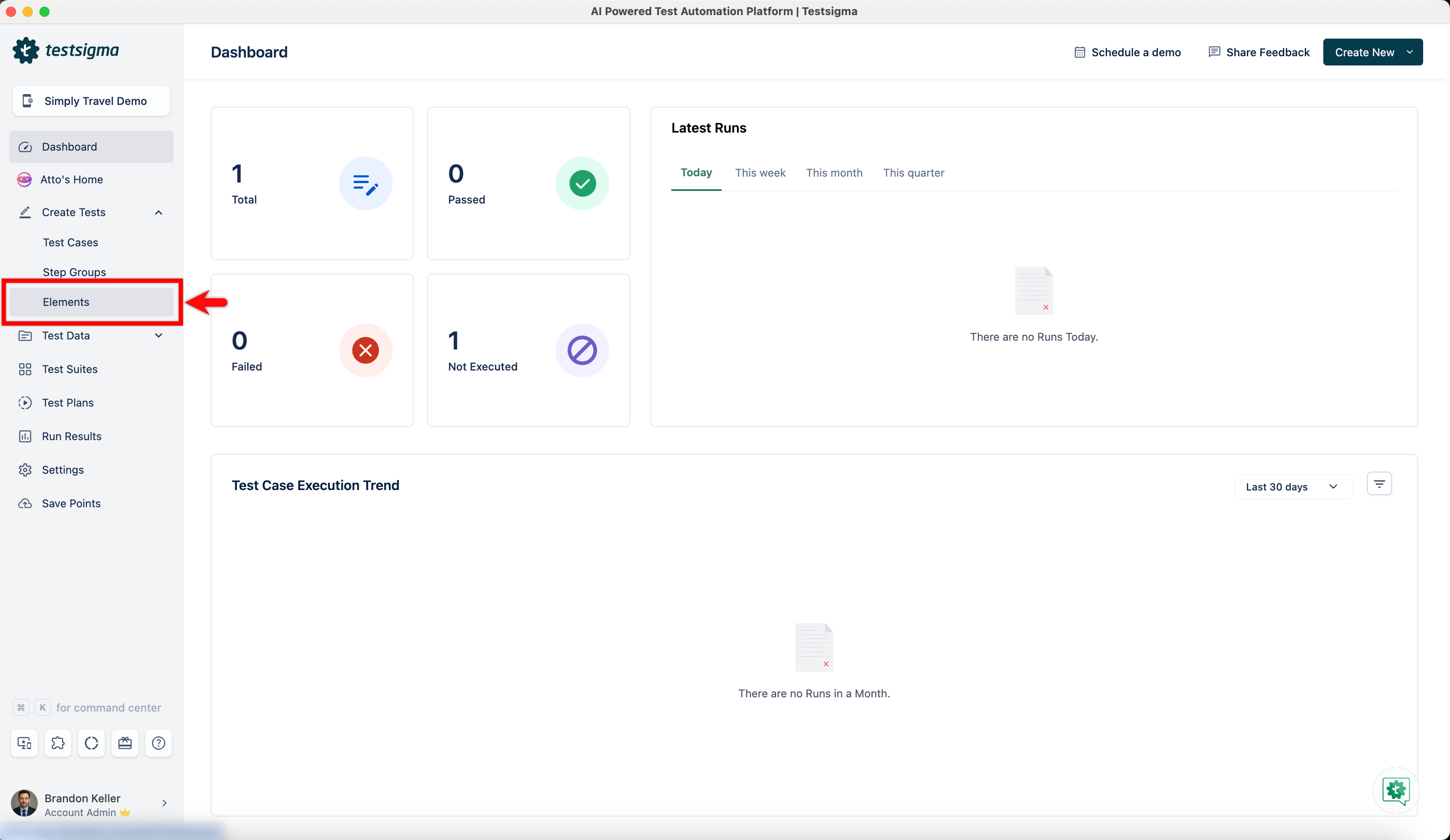
| 1. From the left navigation bar, navigate to **Create Tests > Elements**. | ||
|  | ||
|
|
||
|
|
||
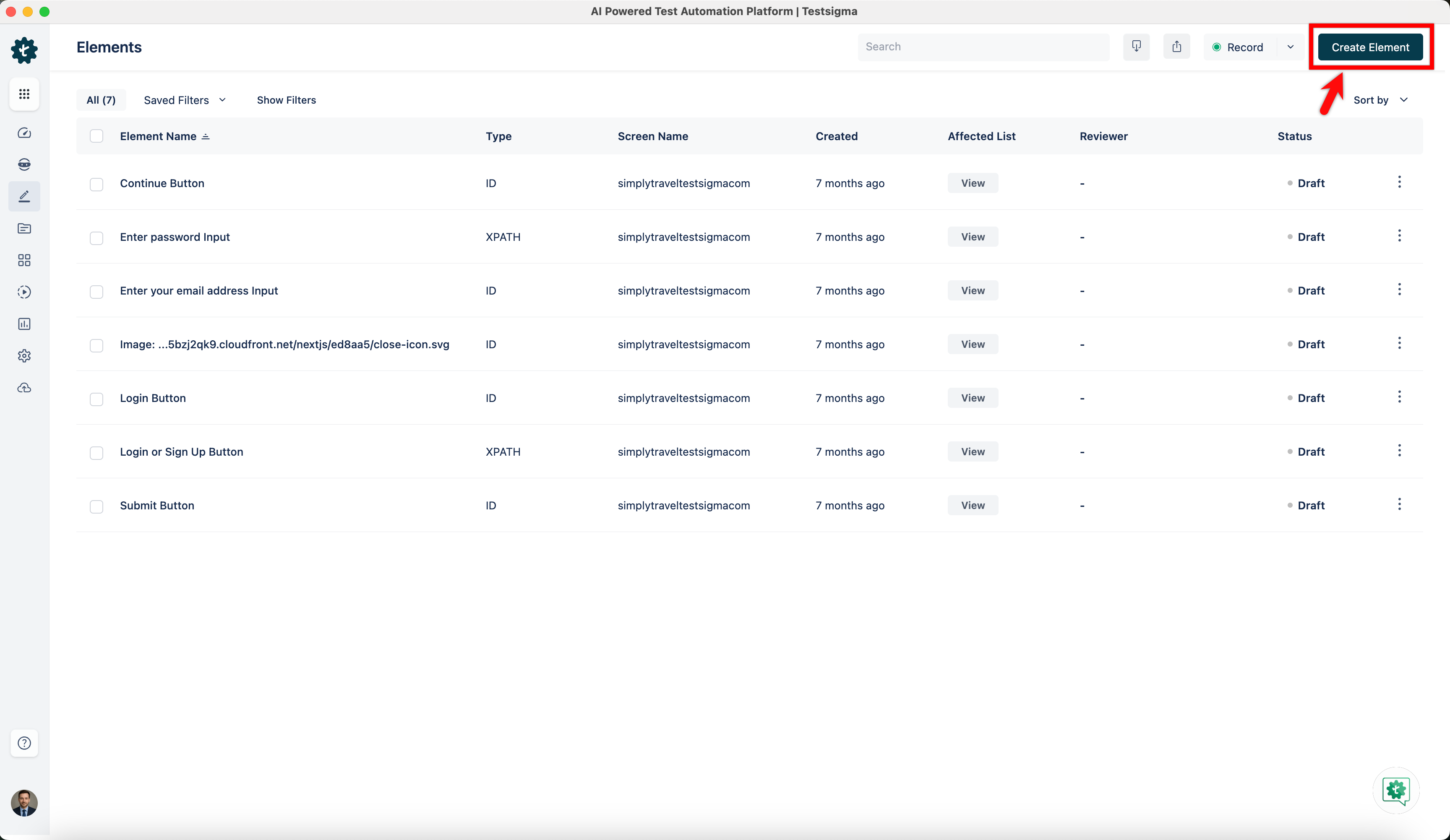
| 2. Click **Create Element**. | ||
|
Contributor
There was a problem hiding this comment. Normalize spacing in Step 2. Line 43 has an extra space before 🤖 Prompt for AI Agents |
||
|  | ||
|
|
||
|
|
||
| 3. In the **Create Element** Overlay, enter all the details: | ||
| 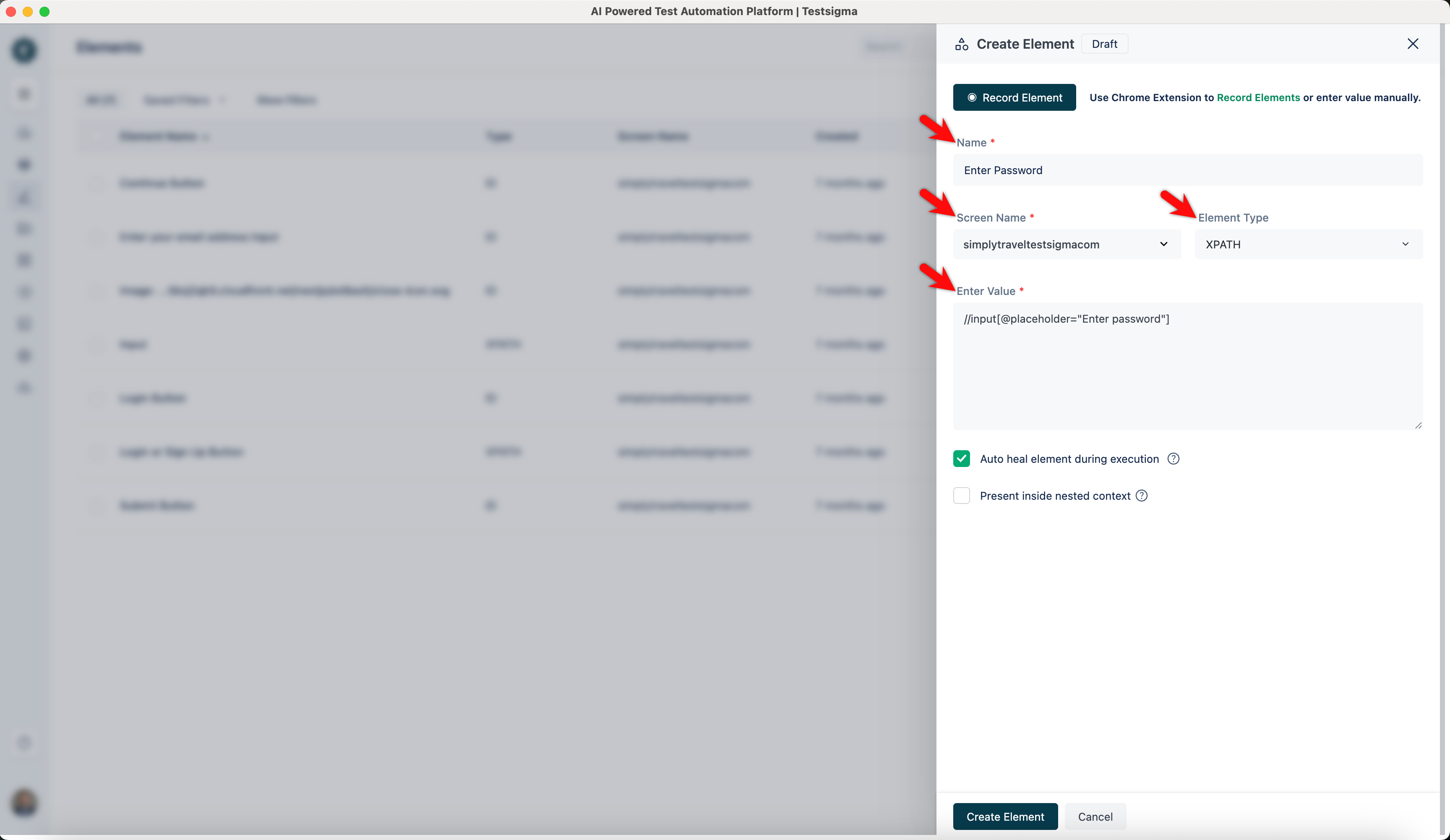 | ||
| - **Name:** Enter the name you want to give your element. | ||
| - **Screen Name:** Mention the screen that your element resides on. | ||
| - **Element Type:** There are 5 types of element types supported in Testsigma. This field is a drop-down list; you can select any of them: **XPATH**, **ID**, **Name**, **Class Name**, or **Accessibility ID**. | ||
| - **Enter Value:** Enter the value corresponding to the **Element Type** you selected. | ||
|
|
||
|
|
||
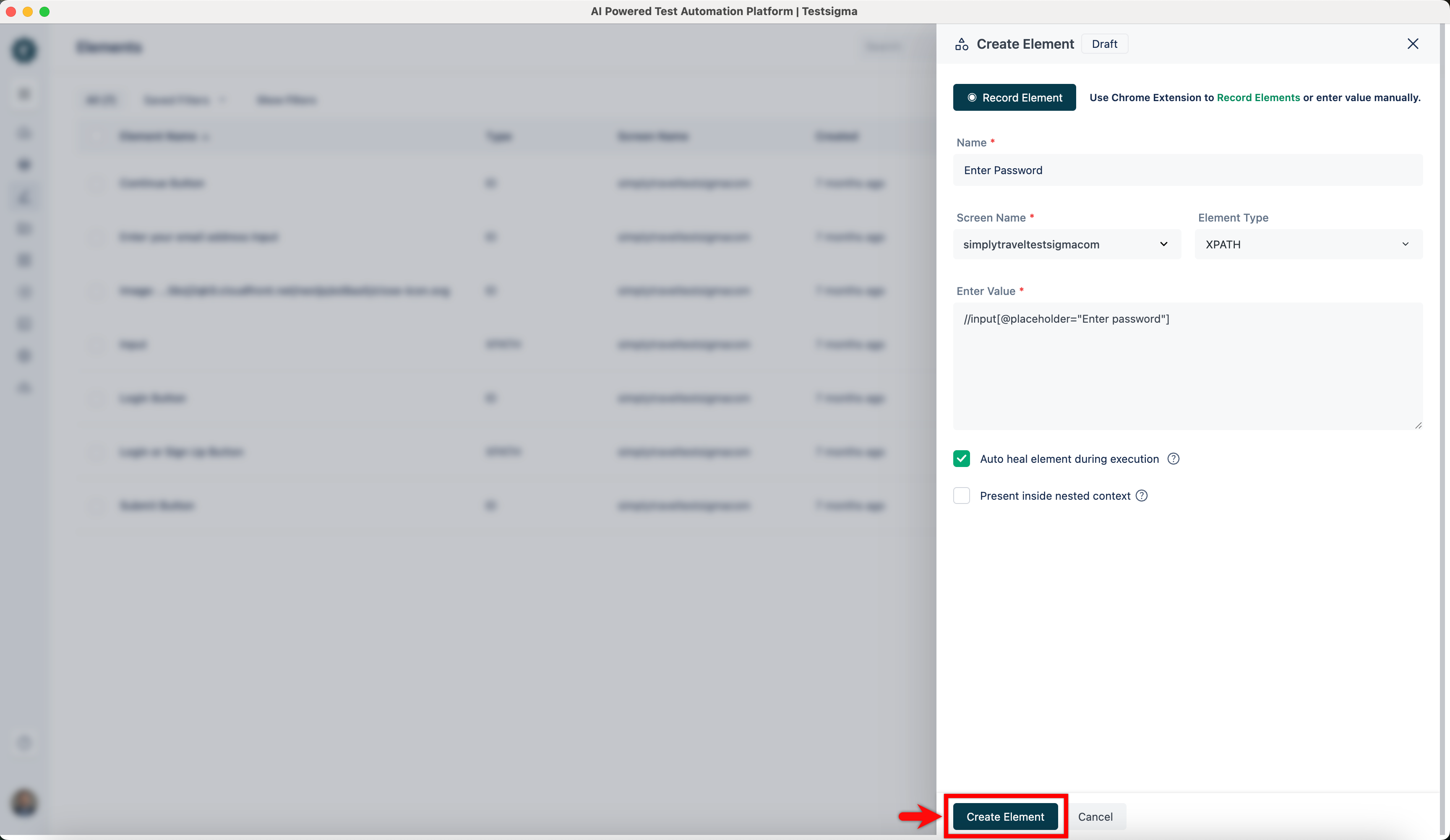
| 4. Click **Create Element**. | ||
|  | ||
|
|
||
|
|
||
| 5. The element will be saved in the elements list. | ||
|
|
||
| --- | ||
This file contains hidden or bidirectional Unicode text that may be interpreted or compiled differently than what appears below. To review, open the file in an editor that reveals hidden Unicode characters.
Learn more about bidirectional Unicode characters
| Original file line number | Diff line number | Diff line change |
|---|---|---|
|
|
@@ -40,7 +40,7 @@ Using the **Testsigma Recorder**, you can swiftly capture elements in mobile web | |
| ## **Steps to Record Elements for Mobile Web Apps** | ||
|
|
||
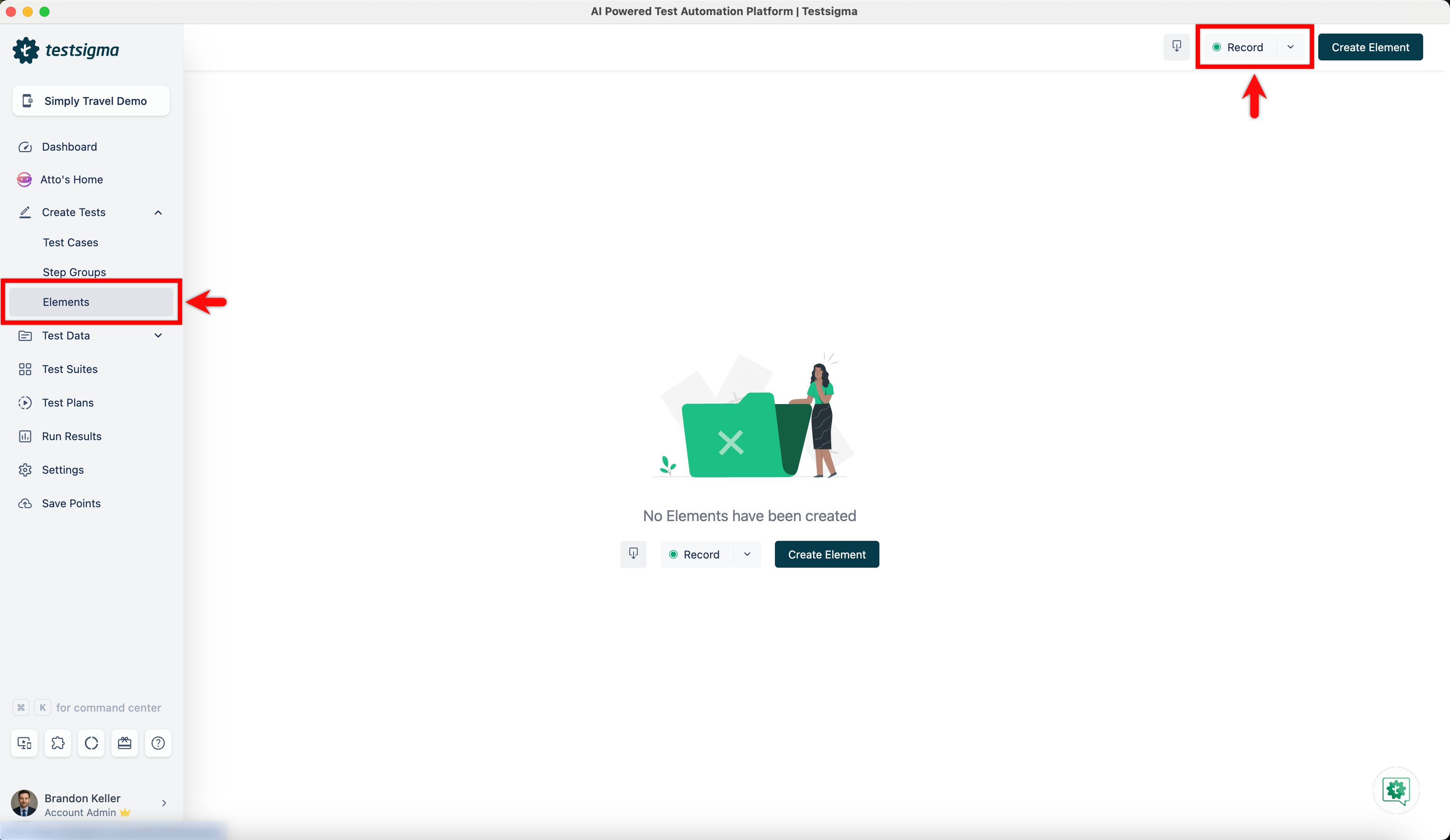
| 1. From the left navigation bar, go to **Create Tests > Elements**, and click **Record**. | ||
|  | ||
|
|
||
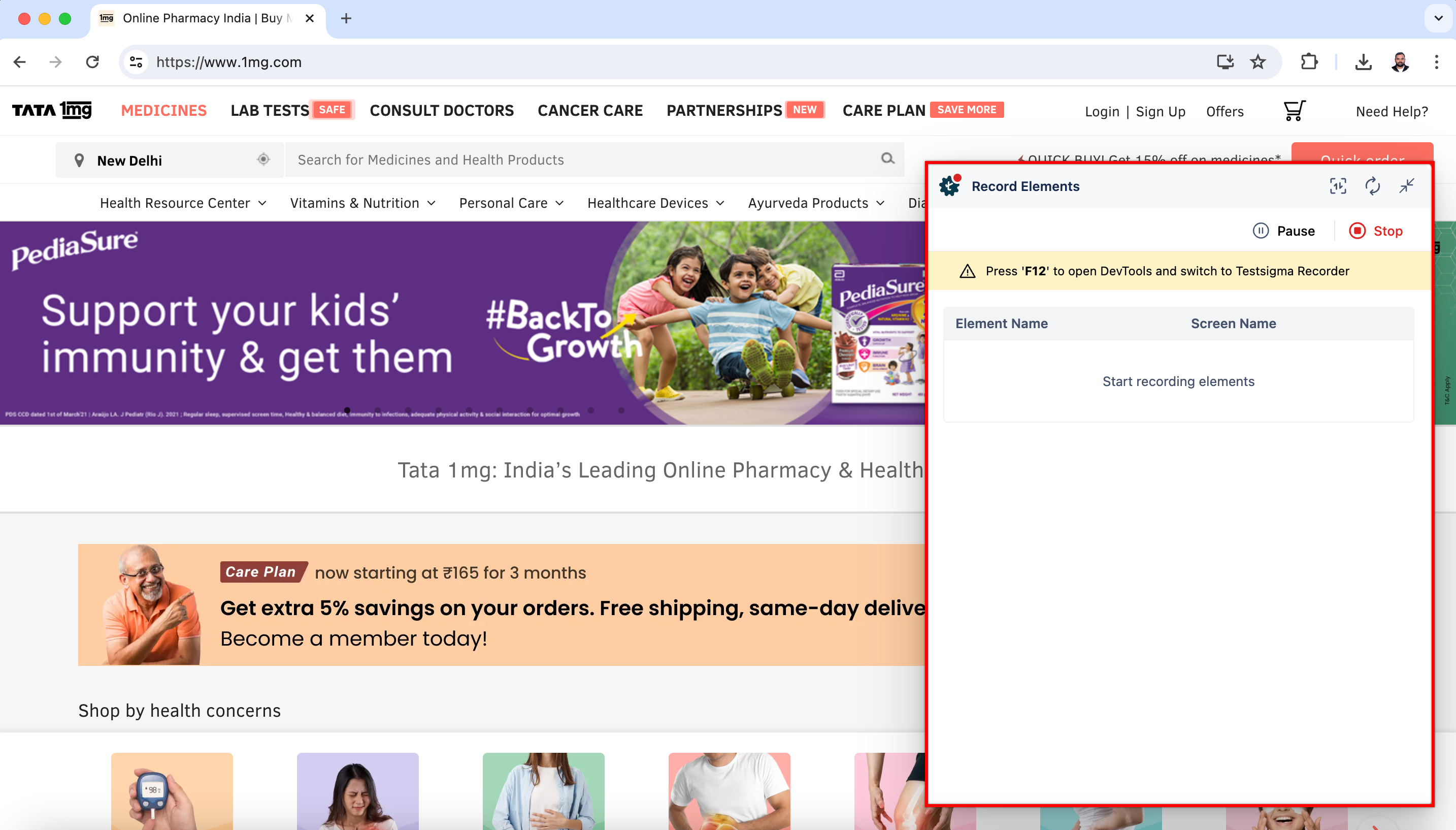
| 2. This will open a new window. Enter the URL from which you want to capture the elements. The **Testsigma Recorder** will appear and be ready to start recording. In this case, we are recording elements for the 1mg website. | ||
|  | ||
|
|
@@ -65,7 +65,7 @@ Using the **Testsigma Recorder**, you can swiftly capture elements in mobile web | |
| | Some devices might have unique characteristics that will affect element display and interaction, and adding a custom device required for your testing is necessary to identify and resolve these issues. | ||
|
|
||
|
|
||
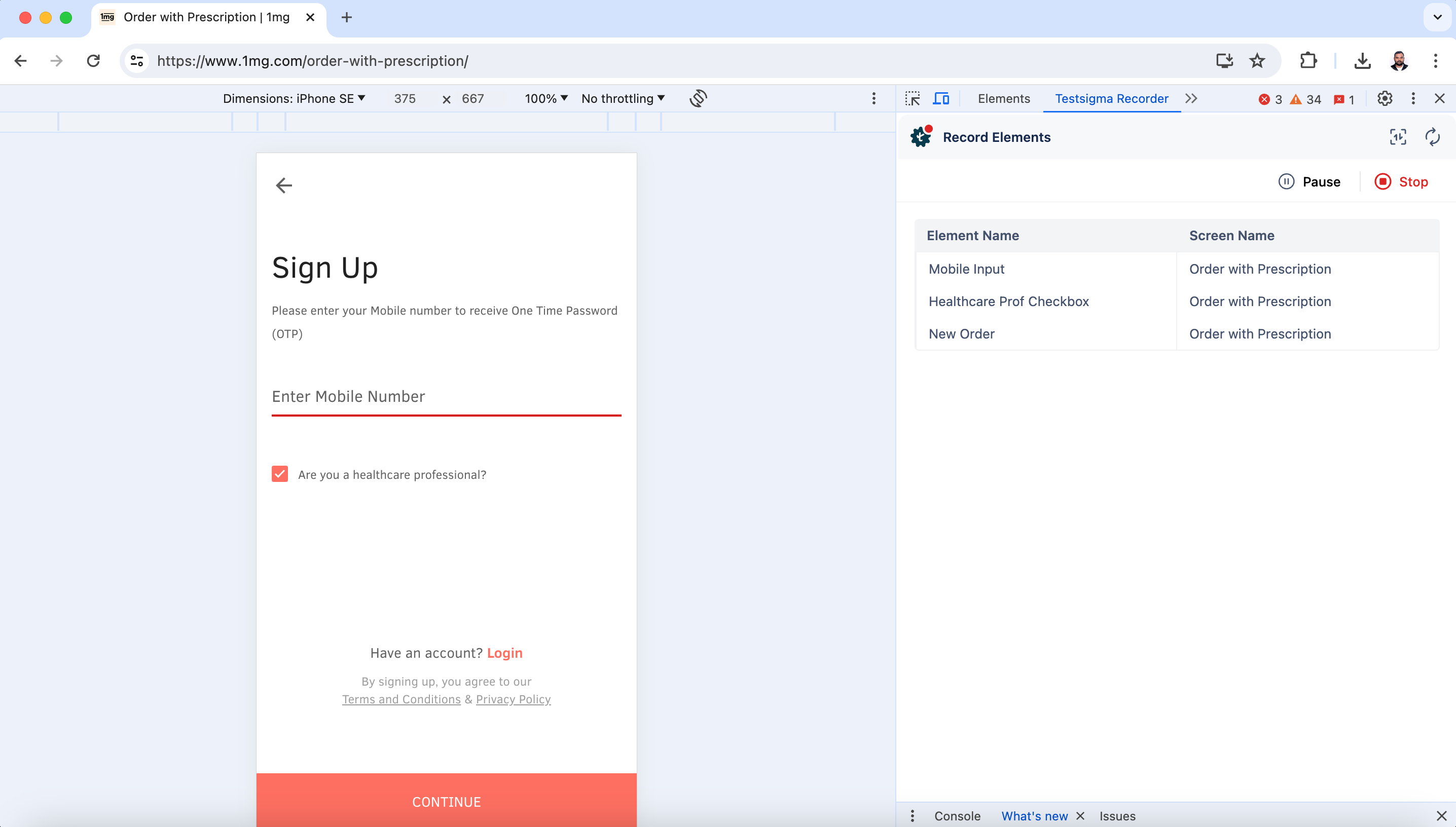
| 6. Once the dimension is selected, click directly on the elements to capture them, and click **Stop** when you are done capturing the required elements. | ||
|  | ||
|
|
||
| --- | ||
This file contains hidden or bidirectional Unicode text that may be interpreted or compiled differently than what appears below. To review, open the file in an editor that reveals hidden Unicode characters.
Learn more about bidirectional Unicode characters
| Original file line number | Diff line number | Diff line change |
|---|---|---|
|
|
@@ -35,32 +35,26 @@ Quickly view the run results of a test plan by applying filters | Learn how to a | |
| ## **Applying Filters on the Run Results Page** | ||
|
|
||
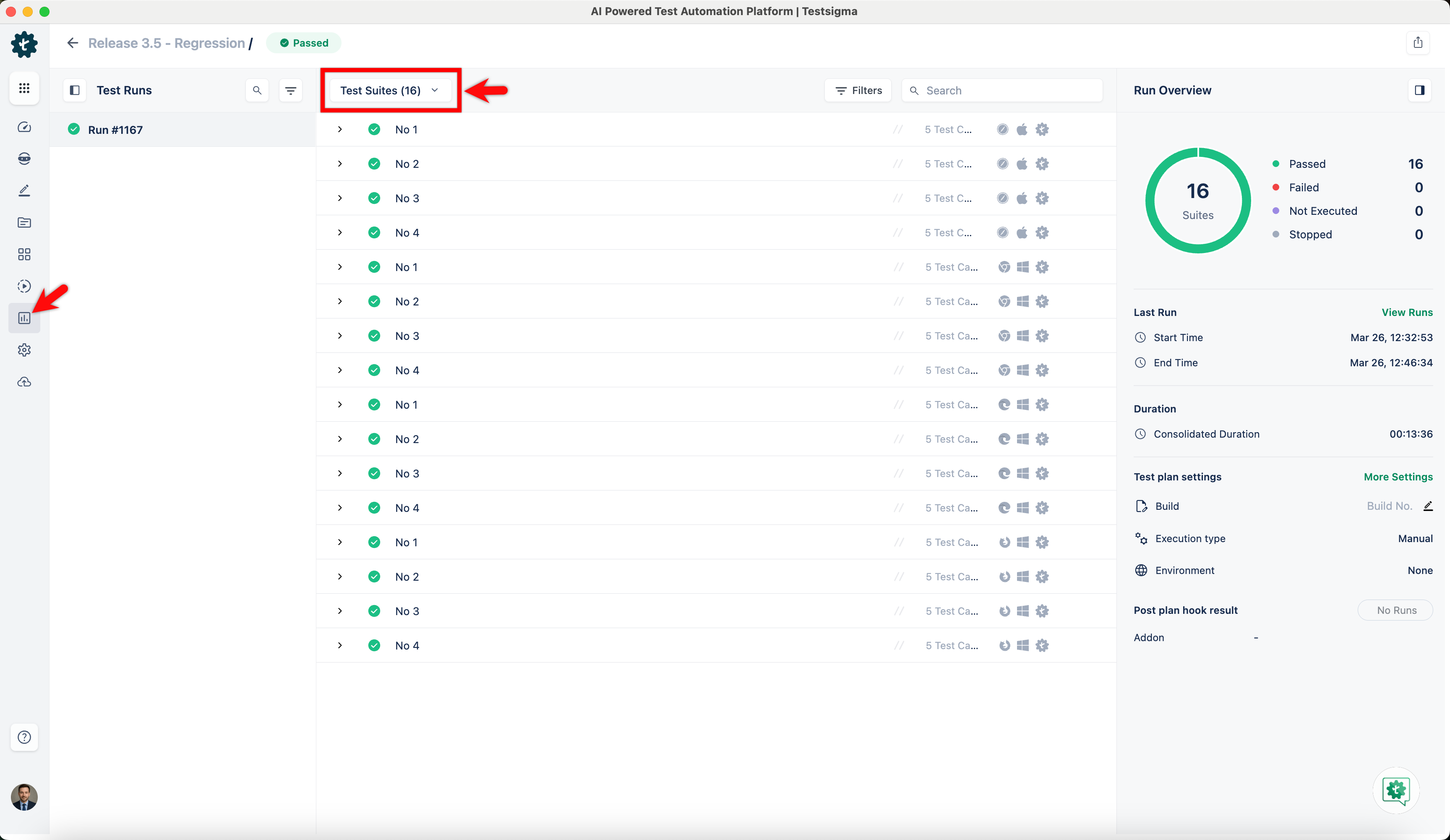
| 1. From the left navigation bar, go to **Run Results** and click on the test plan for which you want to check the results. | ||
|  | ||
|
|
||
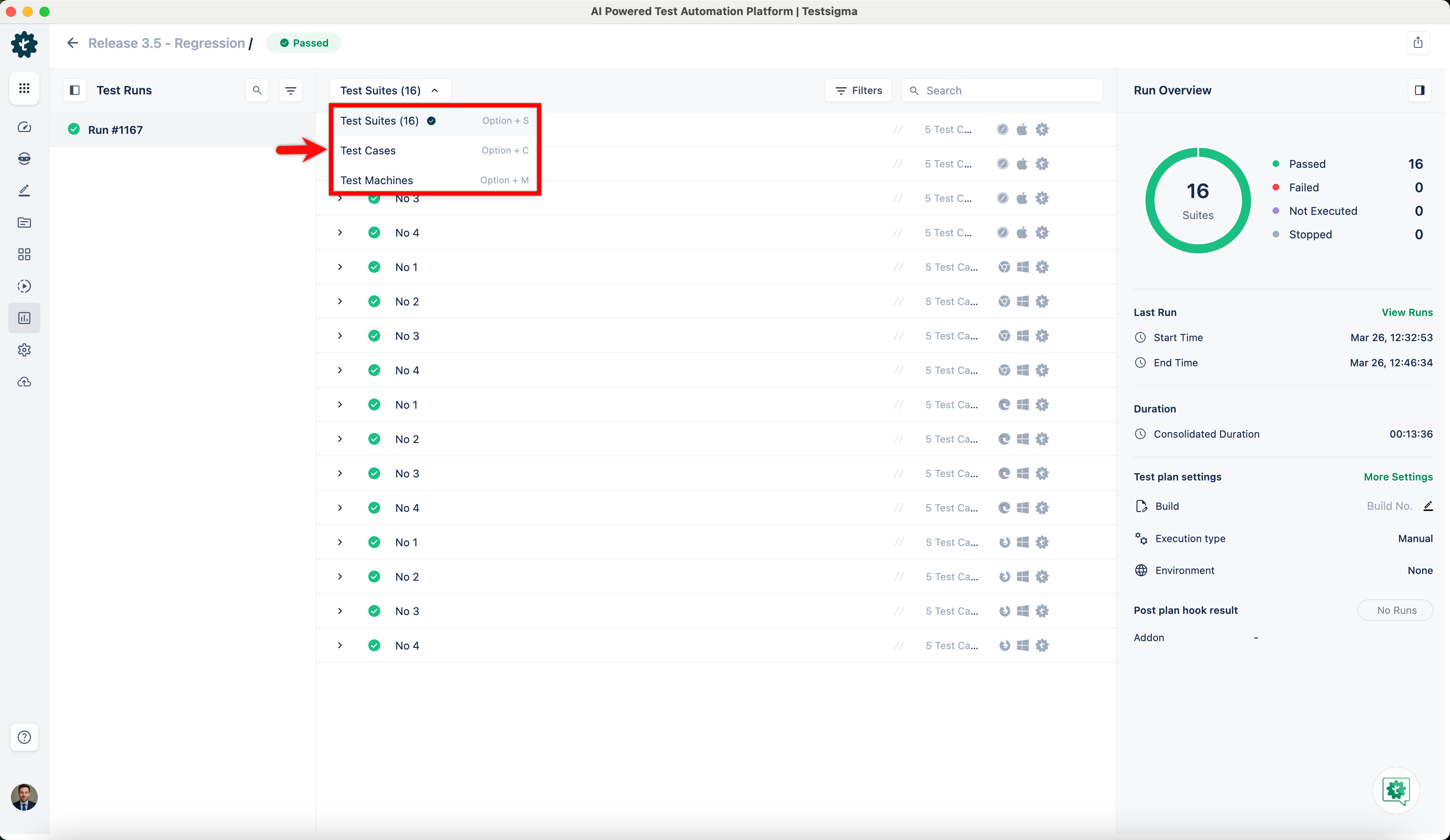
| 2. By default, you’ll see the results at test suite level. | ||
|  | ||
|
|
||
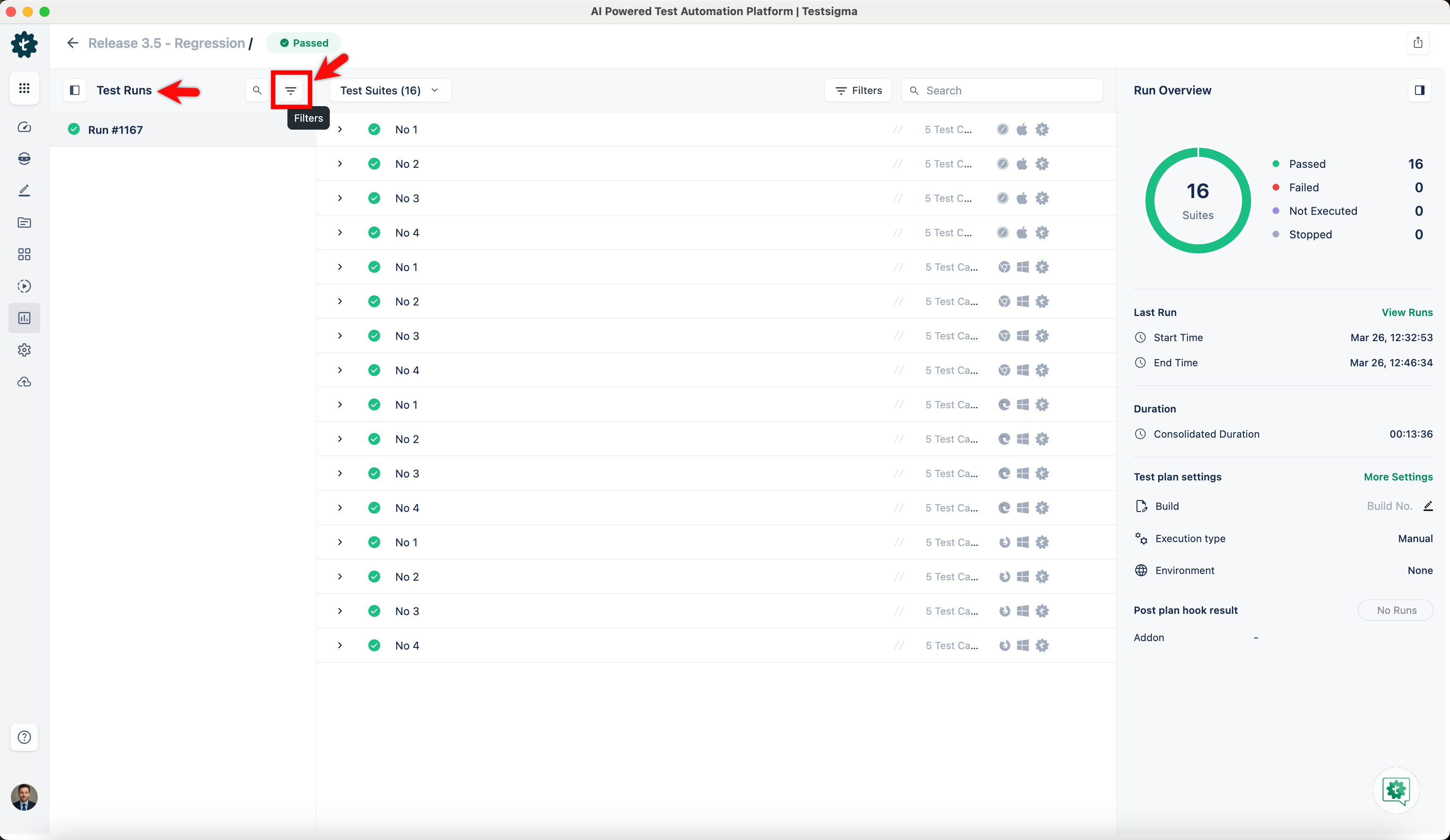
| 3. To apply filters to the **Test Runs** panel, click the **Filters** icon on the panel. | ||
|  | ||
|
|
||
| 4. Add the desired filters and click **Apply**. | ||
| 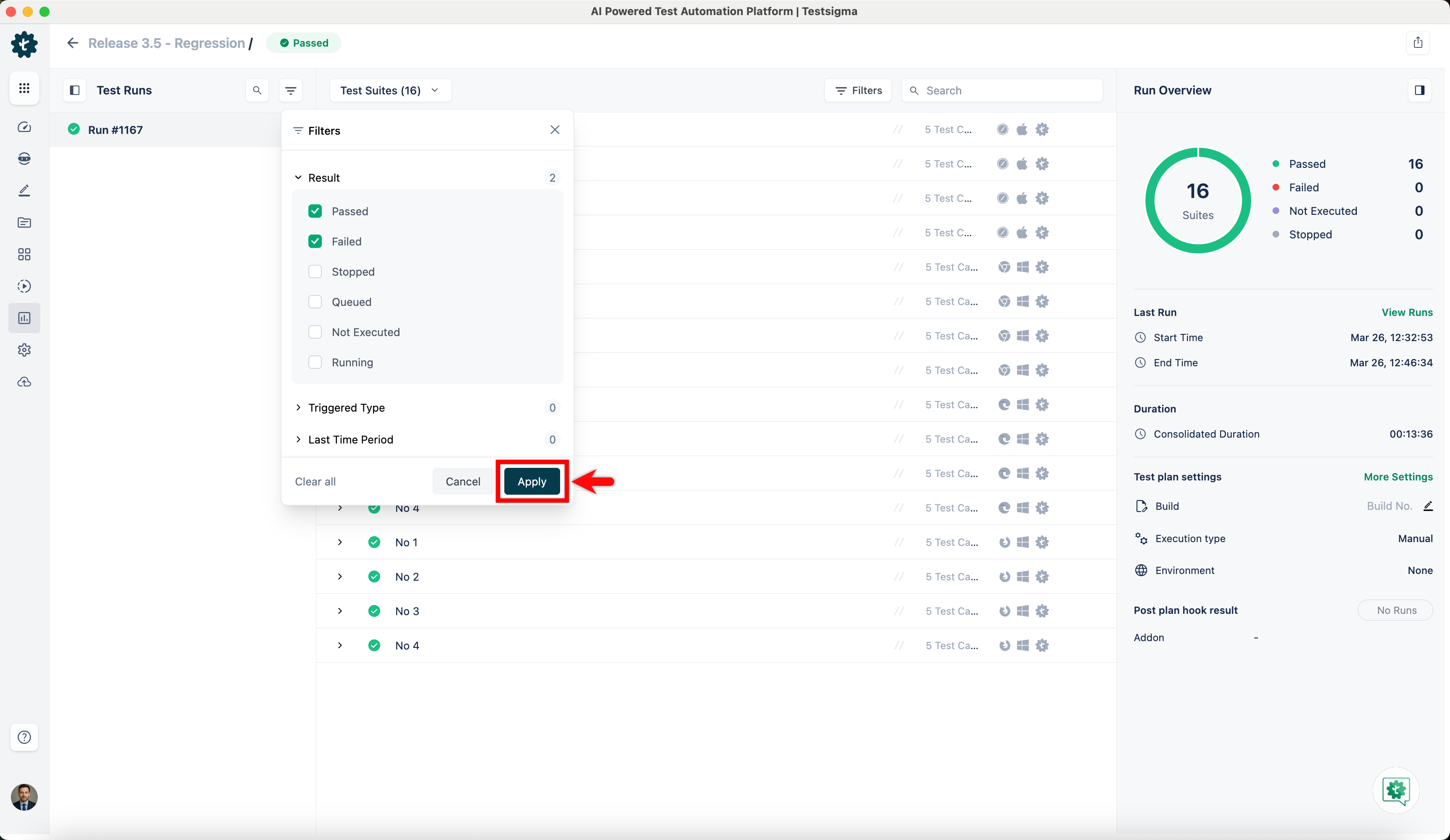 | ||
|
|
||
| 5. To apply filters to the tests, select **Test Cases, Suites, or Machines** from the dropdown menu, then click the **Filters** icon. | ||
| 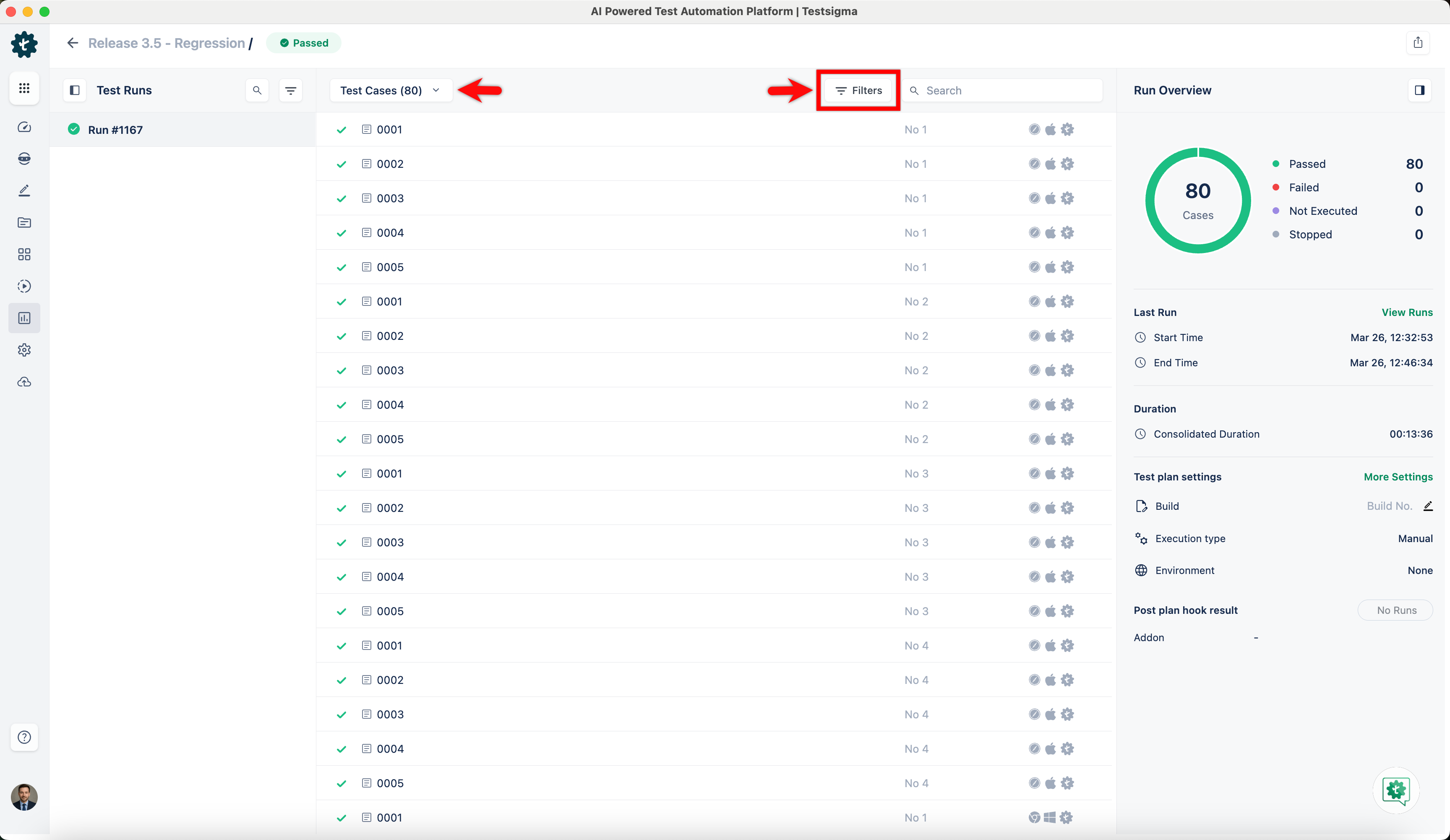 | ||
|
|
||
| 6. Add the desired filters and click **Apply**. | ||
| 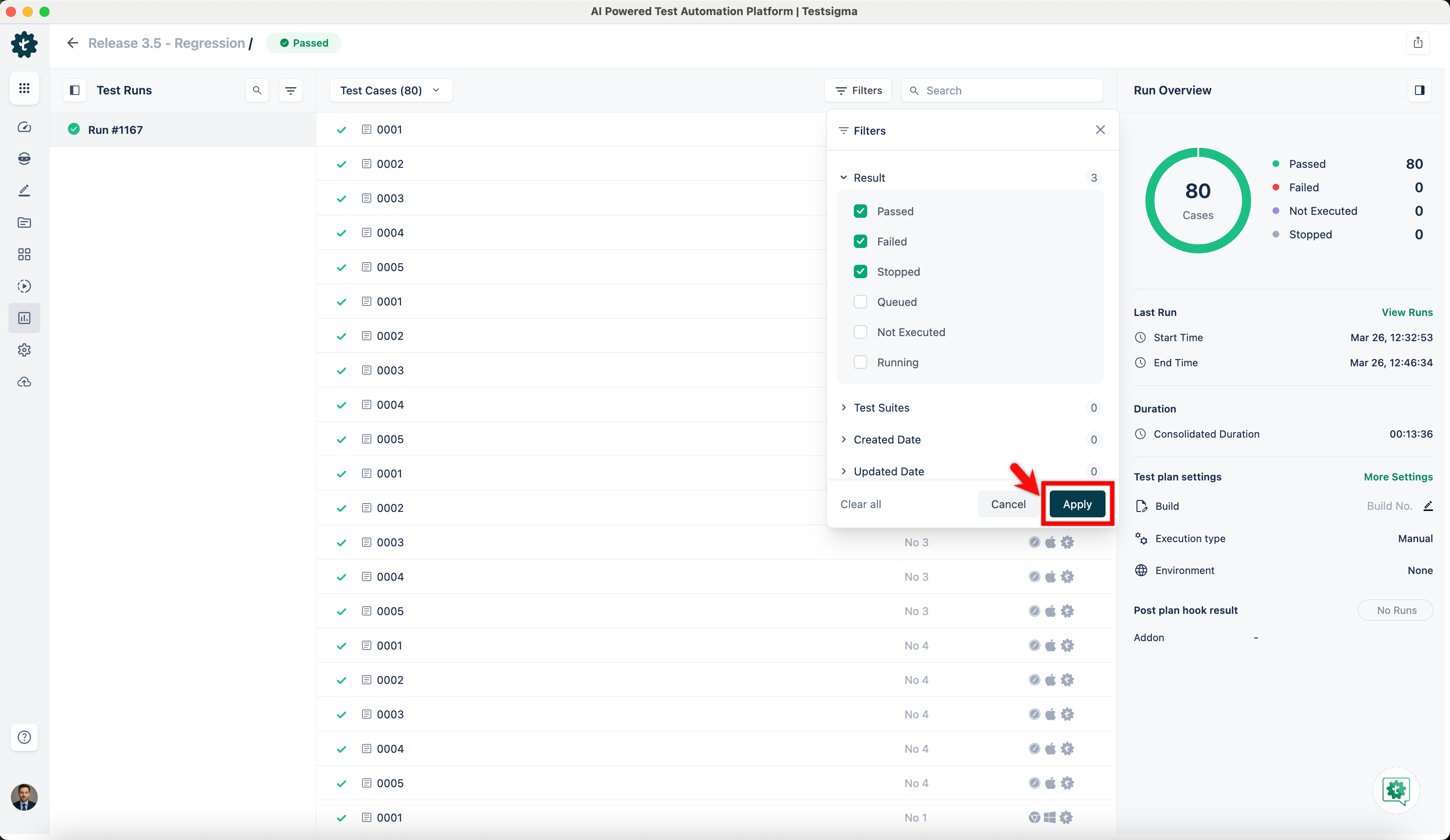 | ||
|
|
||
| 7. You can click a status in the chart within the **Run Overview** to apply additional filters on top of it. | ||
| 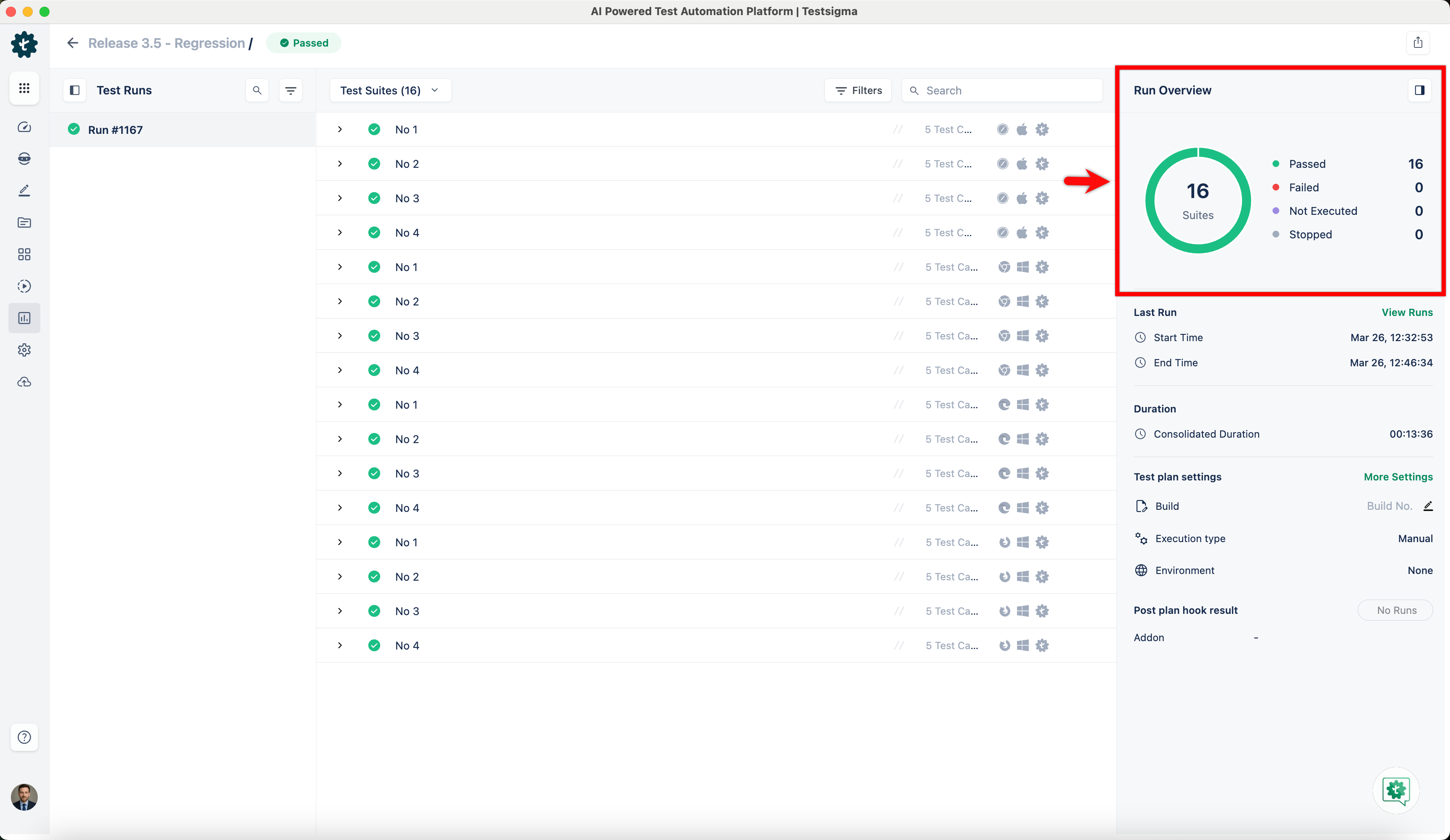 | ||
|
|
||
| *For more information on viewing and downloading results of a test plan on test case, test suite or test machine levels, refer to the [documentation on test plan run results](https://testsigma.com/docs/reports/runs/drill-down-reports/).* | ||
|
|
||
| --- | ||
Oops, something went wrong.
Oops, something went wrong.
Add this suggestion to a batch that can be applied as a single commit.
This suggestion is invalid because no changes were made to the code.
Suggestions cannot be applied while the pull request is closed.
Suggestions cannot be applied while viewing a subset of changes.
Only one suggestion per line can be applied in a batch.
Add this suggestion to a batch that can be applied as a single commit.
Applying suggestions on deleted lines is not supported.
You must change the existing code in this line in order to create a valid suggestion.
Outdated suggestions cannot be applied.
This suggestion has been applied or marked resolved.
Suggestions cannot be applied from pending reviews.
Suggestions cannot be applied on multi-line comments.
Suggestions cannot be applied while the pull request is queued to merge.
Suggestion cannot be applied right now. Please check back later.
There was a problem hiding this comment.
Choose a reason for hiding this comment
The reason will be displayed to describe this comment to others. Learn more.
Tighten wording for clarity in setup instructions.
Line 45 and Line 51 read awkwardly and may confuse users during profile configuration. Recommend a grammar cleanup.
✏️ Proposed doc wording fix
📝 Committable suggestion
🤖 Prompt for AI Agents