Setup: Lidar
The Lidar is used to measure the distance and angle of the surroundings of the Pupper.
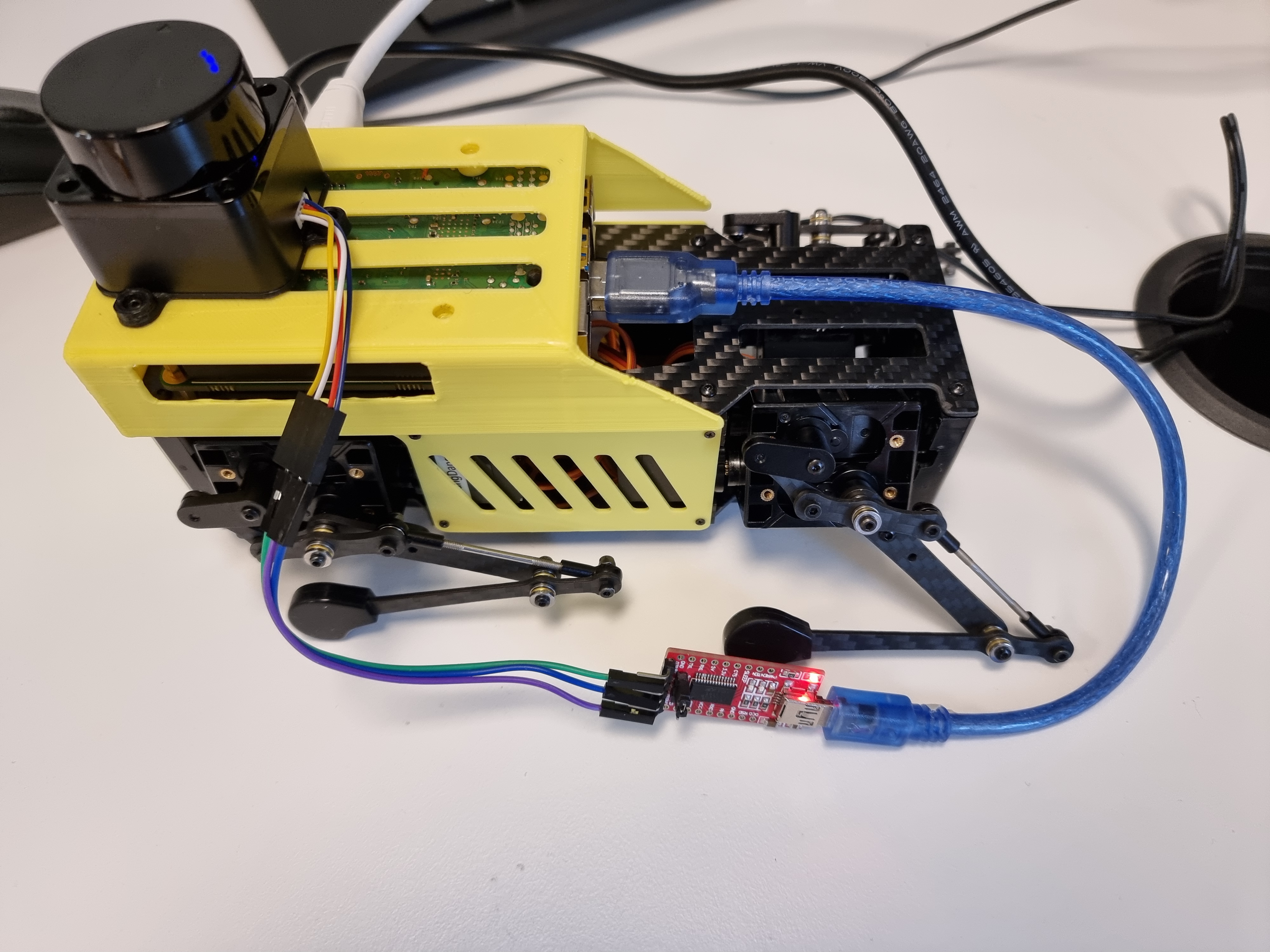
The Lidar used in this example is the Okdo Lidar hat.
It uses a low-powered infrared laser beam at 360 degrees.
A Serial Adapter Module is used to connect the Lidar to the Raspberry Pi's USB port.
For the Raspberry Pi to be able to get data from the USB port, brltty needs to be removed. "BRLTTY is a background process (daemon) which provides access to the Linux/Unix console (when in text mode) for a blind person using a refreshable braille display" Remove it and press "y" when asking to continue :
sudo apt-get remove brltty
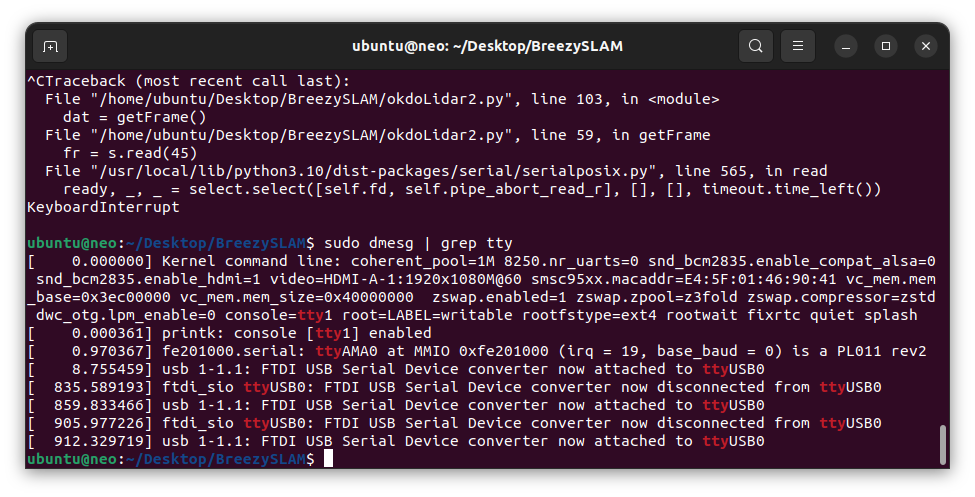
Plug in the OKDO lidar to a USB port. To find the connected Serial port use grep:
sudo dmesg | grep tty
Here it is "ttyUSB0". This info is needed when running the demo:
To use the serial port in python, pyserial is needed:
sudo pip3 install pyserial
Now the Lidar is ready to run 🏃 .