Guide: Calibration
For the Pupper to walk without falling, a good calibration is needed.
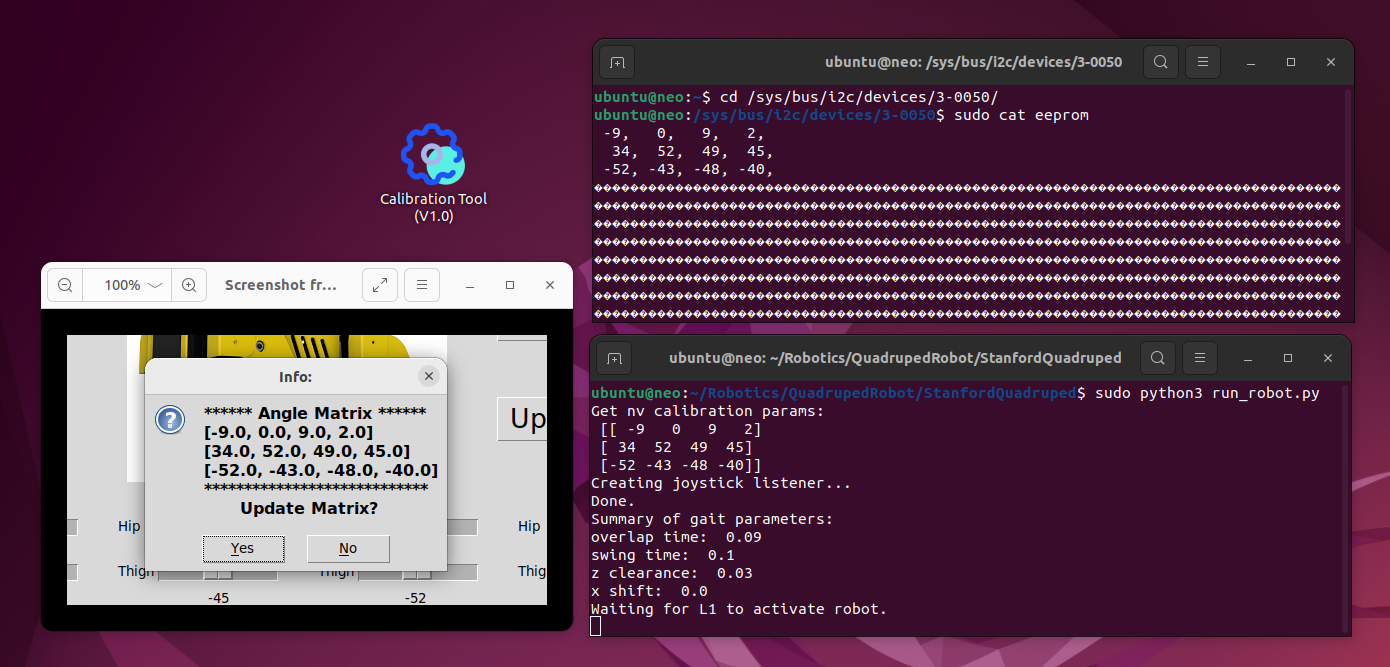
The calibration tool is located in (A shortcut is found on the Desktop):
/home/ubuntu/Robotics/QuadrupedRobot/StanfordQuadruped/
There are 3 buttons:
- Restore: Restore the servos to the factory settings.
- Reset: Restore the legs to the last saved position.
- Update: Save the current position.
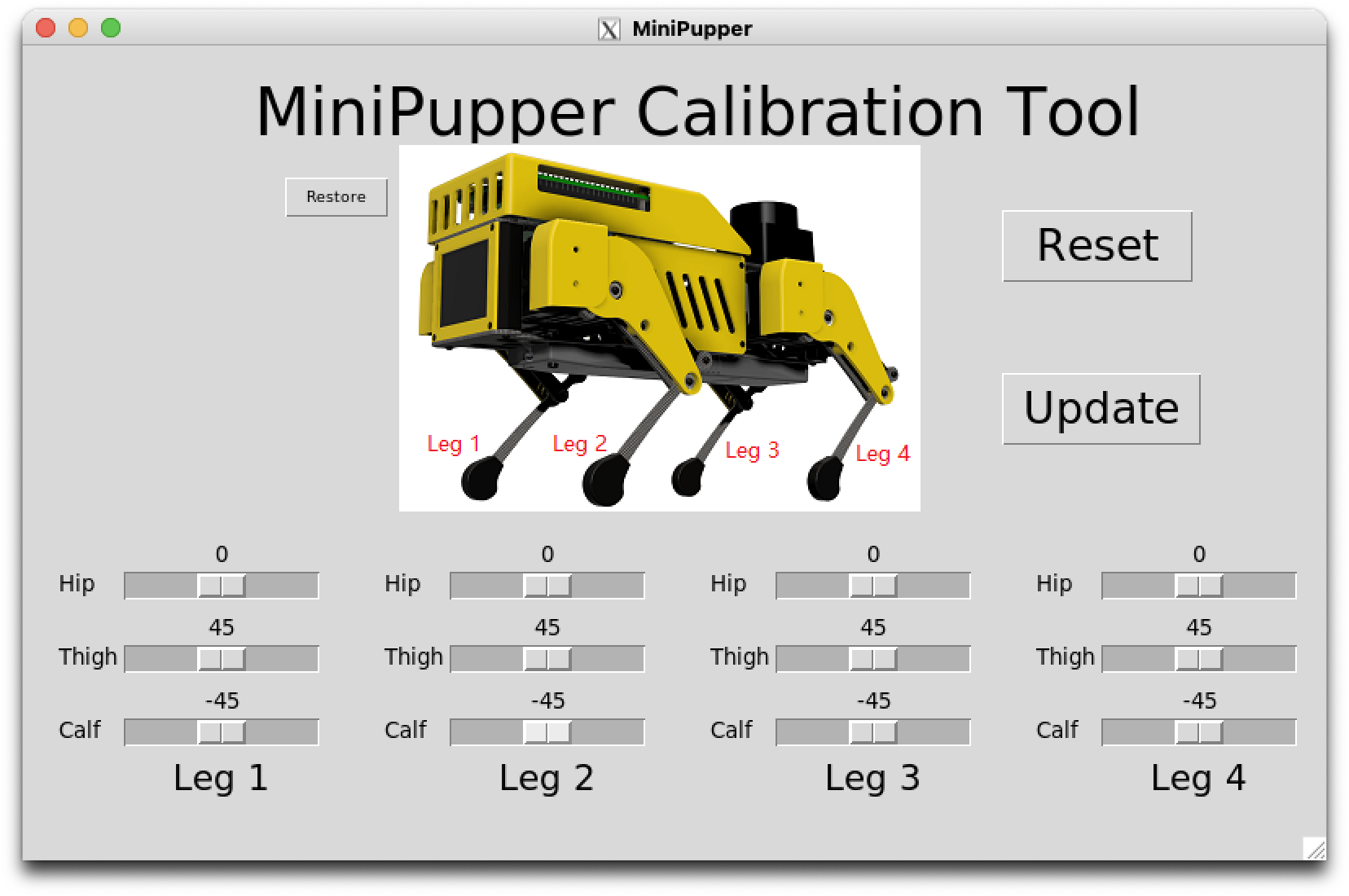
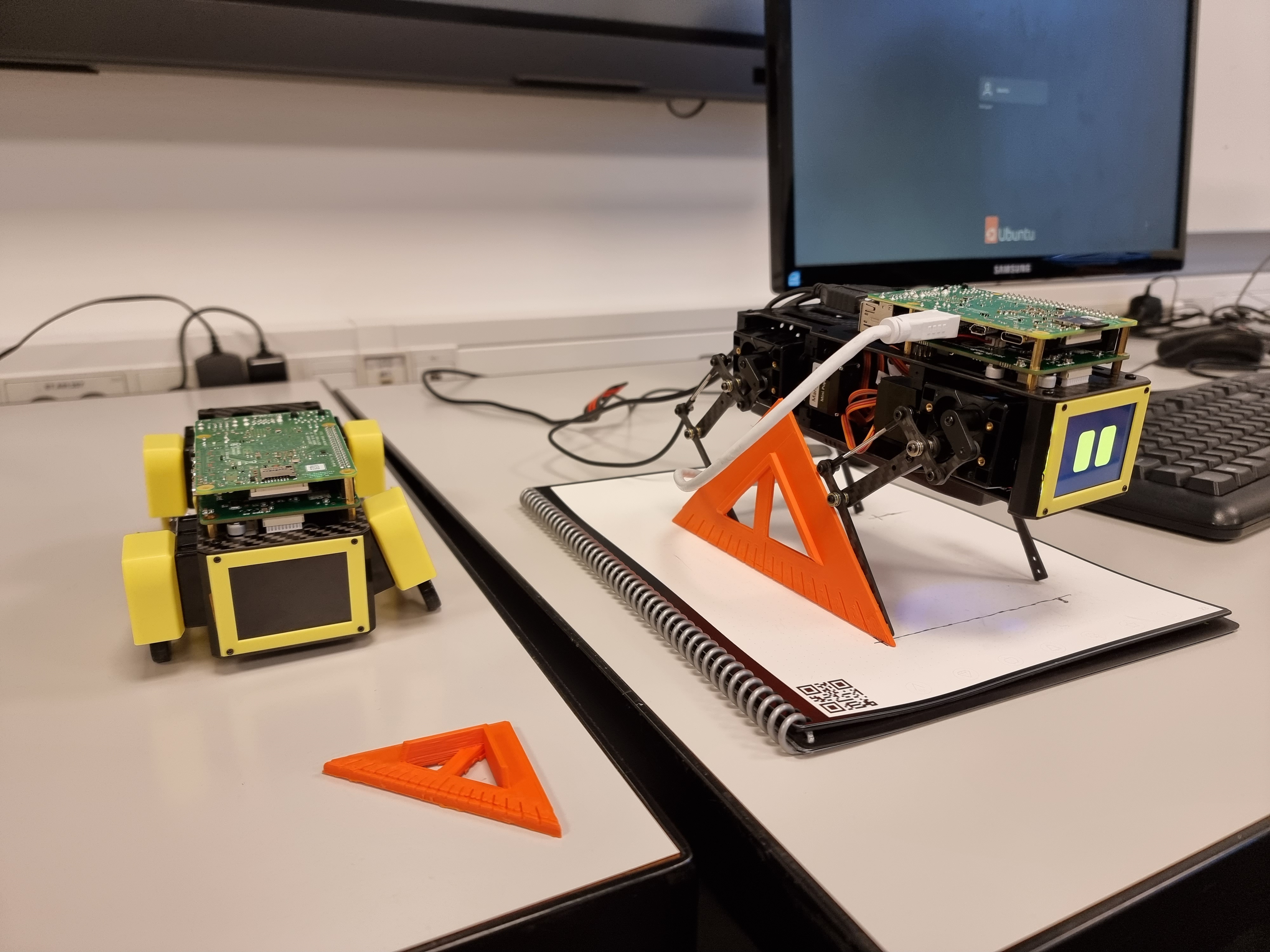
Set the Calf trying to hit the 45° to the ground, and the Thigh to make the leg 90°. Removing the rubber shoes might help. When done press update and Yes.
Close the program to complete the calibration and the settings are saved.
The tool will read and save the data to the EEPROM on the custom PCB connected to the raspberry pi:
/sys/bus/i2c/devices/3-0050/eeprom
When running run_robot.py, the program will import Config.py located on:
/home/ubuntu/Robotics/QuadrupedRobot/StanfordQuadruped/pupper/Config.py
Here the EEPROM is read and used as the current configuration when running run_robot.py