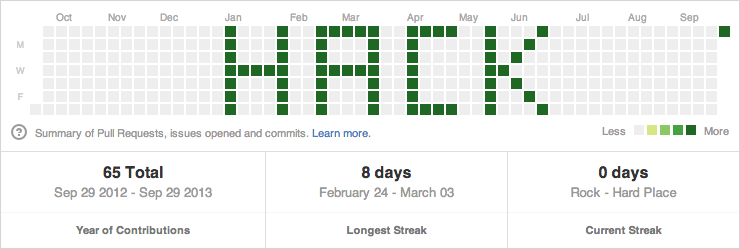









==>> First install NPM means NODE js. Link: https://nodejs.org/en/download/
Then Clone this repo: (Paste in terminal)
git clone https://github.com/zamansheikh/GitTimeChanger.git
cd GitTimeChanger
Then set require files:
python
visual Studio code
choclaty
by clicking Install additional Tools for node.js from start menu.
then install all packages :
npm install -g npm@9.6.4
npm install jsonfile@6.1.0
npm install moment@2.29.4
npm install simple-git@3.17.0
npm install random@2.2.0
then Your git clone repo:
npm init
Output Looks Like :
>> npm init

Press ^C at any time to quit.
package name: (robot)
version: (1.0.0)
description: School Hacker
entry point: (index.js)
test command:
git repository: (https://github.com/zamansheikh/GitTimeChanger.git)
keywords:
author: Zaman Sheikh
license: (ISC)
About to write to H:\Dev\Hack\GitTimeChanger\package.json:

{
    "name": "robot",
    "version": "1.0.0",
    "description": "School Hacker",
    "main": "index.js",
    "scripts": {
    "test": "echo \"Error: no test specified\" && exit 1"
},
    "repository": {
    "type": "git",
    "url": "git+https://github.com/zamansheikh/GitTimeChanger.git"
},
    "author": "Zaman Sheikh",
    "license": "ISC",
    "bugs": {
    "url": "https://github.com/zamansheikh/GitTimeChanger/issues"
},
    "homepage": "https://github.com/zamansheikh/GitTimeChanger#readme"
}
Is this OK? (yes) yes
try to commit something manually:
git Command:
    git commit -m "This is test Commit for SignIn"
    git commit -m "Check"
Then if need sign in, Please Sign in.
then run:
node indexRan.js
& BOOOOOOOOOM 🔥🔥🔥🔥🔥
Some Git Commad:
    git restore --staged *.md
    git add README.md
    git add *.md
    git add . //root folder.
