- Go to the Discord Developer Portal and click on the "New Application" button. Then, give the application a name and click "Create":
- Then, create a Bot User by navigating to the "Bot" tab under settings and clicking "Add Bot":
Click "Yes, do it!" to continue. - Disable public bot if you don't want other people to invite your bot:

- Then, copy your bot token:


⚠️ Always keep the token a secret, as that is the equivalent to your bot's password. Anyone with the token can log in as your bot.
- Get the Client ID by navigating to the "General Information" tab under settings
- Click "Copy" under Client ID
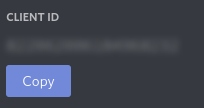
- Replace "INSERT_CLIENT_ID_HERE" with your Client ID:
https://discord.com/oauth2/authorize?client_id=INSERT_CLIENT_ID_HERE&scope=bot&permissions=3072 - Go to that URL