1. Image pre processing
Do not process images that have the following issues:
- Image is blurry, puncta not in focus.
- The worm has moved during image acquisition. This is evident in dual color images when the channels do not overlap in tissues where both channels are typically known to overlap.
- The image is not stitched properly in a seamless manner.
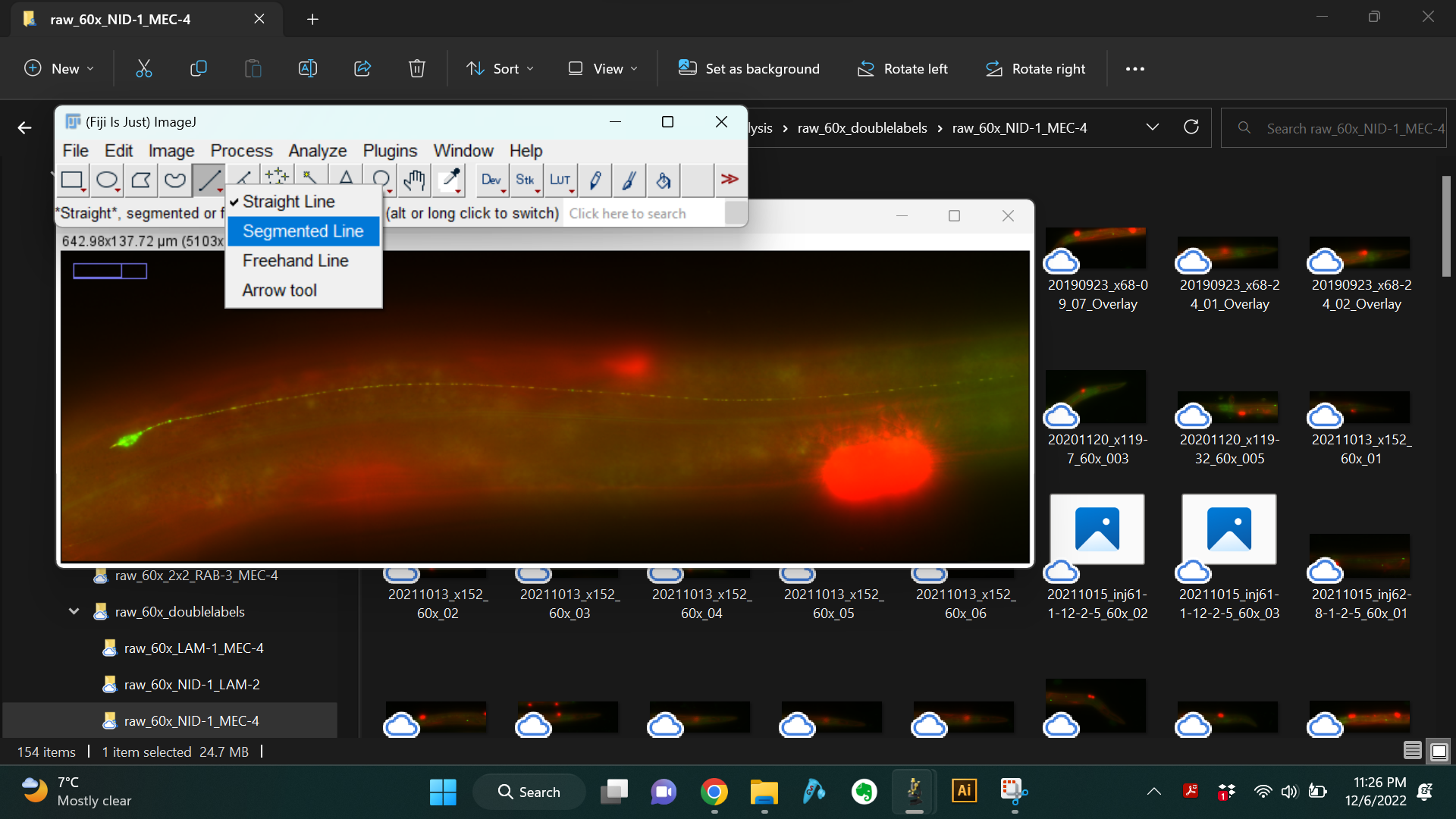
- Open the raw image in Fiji/ImageJ and use the "Segmented Line" tool to trace the neuron as shown below. Always start tracing at the part of the neurite closest to the cell body and trace all the way to the distal end of the neurite.
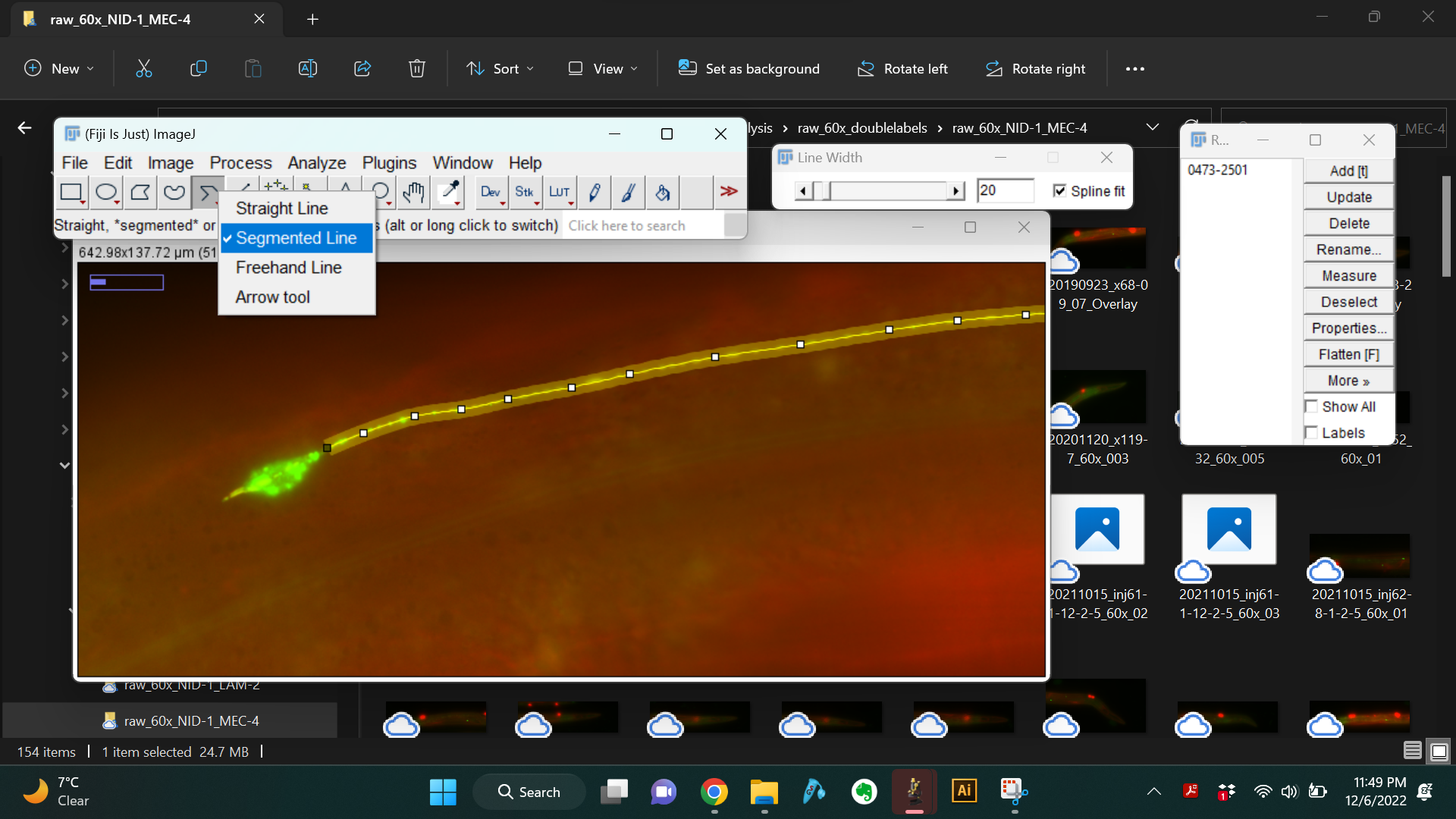
- Set the line width to 20. Also check the box next to "Spline fit" to obtain a smooth line.
- Use the "Straighten" function to generate a straightened image of the neurite.
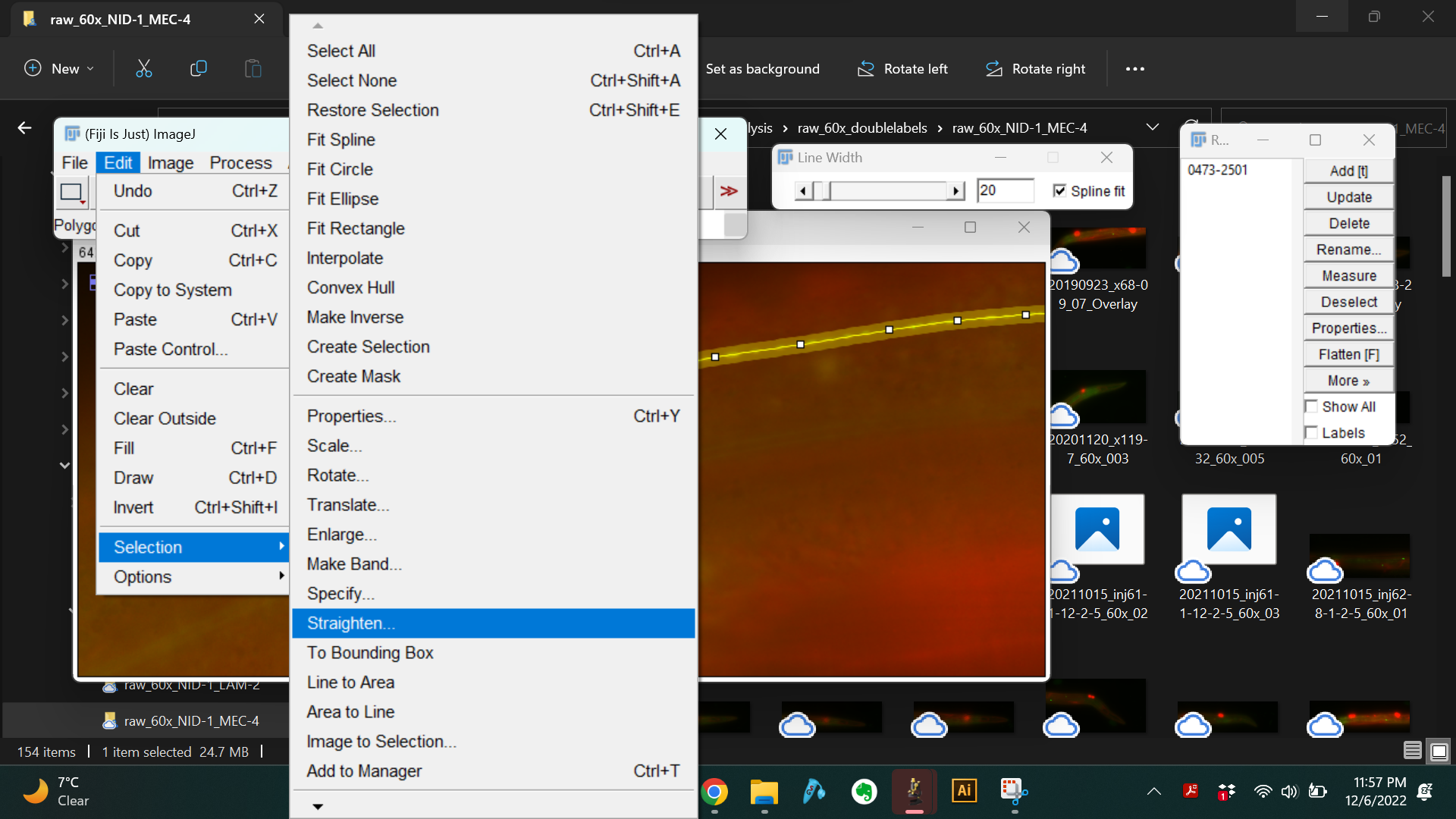
- This generates a long image that is 20 pixels wide, where the central rows of pixels contain the neurite.


- Save this straightened image file as .tif. Name the file in the following format:
- date in yyyymmdd format
- strain identifier - this could be the official strain name or other unique strain identifier if official strain name is not yet available.
- serial number (Example: 20190923_GN941_01.tif)
Save all the straightened images in the same directory to be batch processed for analysis.