Use https://github.com/wichers/esphome-comfoair to connect your ComfoAir to Homeassistant and then use this lovelace card to visualize your data!
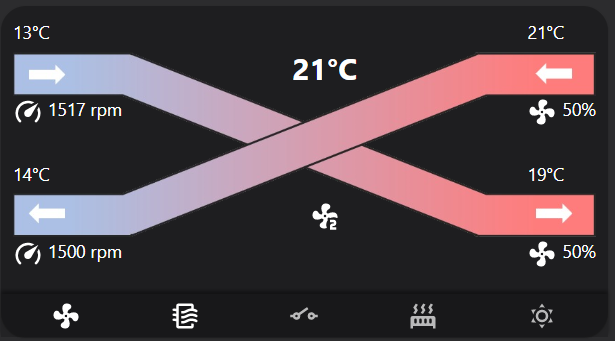


- Clone this repo into your
wwwfolder inside your configuration. So it will be:config_folder/www/lovelace-comfoair. - Edit your lovelace-ui.yaml or use the flat configuration mode in lovelace and add to the top:
resources:
  - type: module
    url: /local/lovelace-comfoair/comfoair-card.js
- Add a card with
type: 'custom:comfoair-card'andentity: 'climate.put-your-comfoair-name-here'to your UI. - Restart home assistant
- ???
- Profit!
If you prefer to manage the card via HACS:
- Open HACS in Home Assistant and add
https://github.com/wichers/lovelace-comfoairas a Custom Repository in the Lovelace category. - Find Comfoair ventilation lovelace component in the list of custom repositories and install it.
- Make sure the following resource is added to your configuration:
url: /hacsfiles/lovelace-comfoair/comfoair-card.js
type: module
- Use the card with
type: 'custom:comfoair-card'and your climate entity as shown above.