[DOCS-1921][DOCS-1927] Compare mode for media panels, updated fit & sizing settings, out of sync panel settings#2265
[DOCS-1921][DOCS-1927] Compare mode for media panels, updated fit & sizing settings, out of sync panel settings#2265mdlinville wants to merge 5 commits intomainfrom
Conversation


|
Images automagically compressed by Calibre's image-actions ✨ Compression reduced images by 75.4%, saving 619.2 KB.
|

📚 Mintlify Preview Links✨ Added (3 total)🖼️ Images (3)
📝 Changed (2 total)📄 Pages (2)
🤖 Generated automatically when Mintlify deployment succeeds |
🔗 Link Checker Results✅ All links are valid! No broken links were detected. Checked against: https://wb-21fd5541-docs-1921.mintlify.app |

|
Should we add some info about the settings for the compare mode - Variable controls and Fan out. |


I added details about fan out mode, and also updated the details above about setting the panel mode, and the fit & sizing updates you requested in DOCS-1927. PTAL! |

 mdlinville
changed the title
mdlinville
changed the title

|
LGTM |

| - **Images and videos**: Turn on or off display of full-size media. | ||
| - **Images**: When **Fit media** is turned on, resize the panel's media to fit the panel's size. | ||
| - **Images and videos**: Set **Panel mode**: | ||
| - **Gallery** (default): Specify the number of columns and whether shows a single item per step, run (default), or index. |

There was a problem hiding this comment.
Whether what shows a single item per step?
models/app/features/panels/media.mdx
Outdated
| - **Images and videos**: Turn on or off (default) **Use original size**. | ||
| - **Images and videos**: Turn on (default) or off **Fit to available space**. |
There was a problem hiding this comment.
Why three bullet points that say "Images and videos""?? If we're doing separate bullet points for various capabilities for working with Images and Videos maybe a table would be better?
There was a problem hiding this comment.
This is a complicated area of settings. Basically, which settings you will see in section and workspace settings depends on what media you have already logged. If you only logged point clouds, you can't change workspace or section level settings for images and videos, including compare mode. If you only logged images and videos, you won't see the right-hand and left-hand system options that relate to point clouds. I'll see if there is a better way to present this.
There was a problem hiding this comment.
PTAL at the adjustments :)
models/app/features/panels/media.mdx
Outdated
| - **Fan out**: Control what a row represents. | ||
| - **None**: (default): No fan-out. For each run, each grid column shows a single logged item. | ||
| - **Step**: Fan out along the step axis. For each run, each grid row shows a single logged item at a given step. | ||
| - **Index**: Fan out along the index axis. When you log several items per step (for example, `run.log({"images": [img0, img1, img2, img3]})`), each item has an index. When you fan out by index, each grid row shows shows the item logged at a given step:index combination. |
There was a problem hiding this comment.
Honestly a bit hard to visualize; do we not have screenshots to help, here?
There was a problem hiding this comment.
I replaced the single screenshot from before with three screenshots, each showing a fan-out mode and marked up to show the differences. PTAL
|
Images automagically compressed by Calibre's image-actions ✨ Compression reduced images by 74.9%, saving 2.6 MB.
|


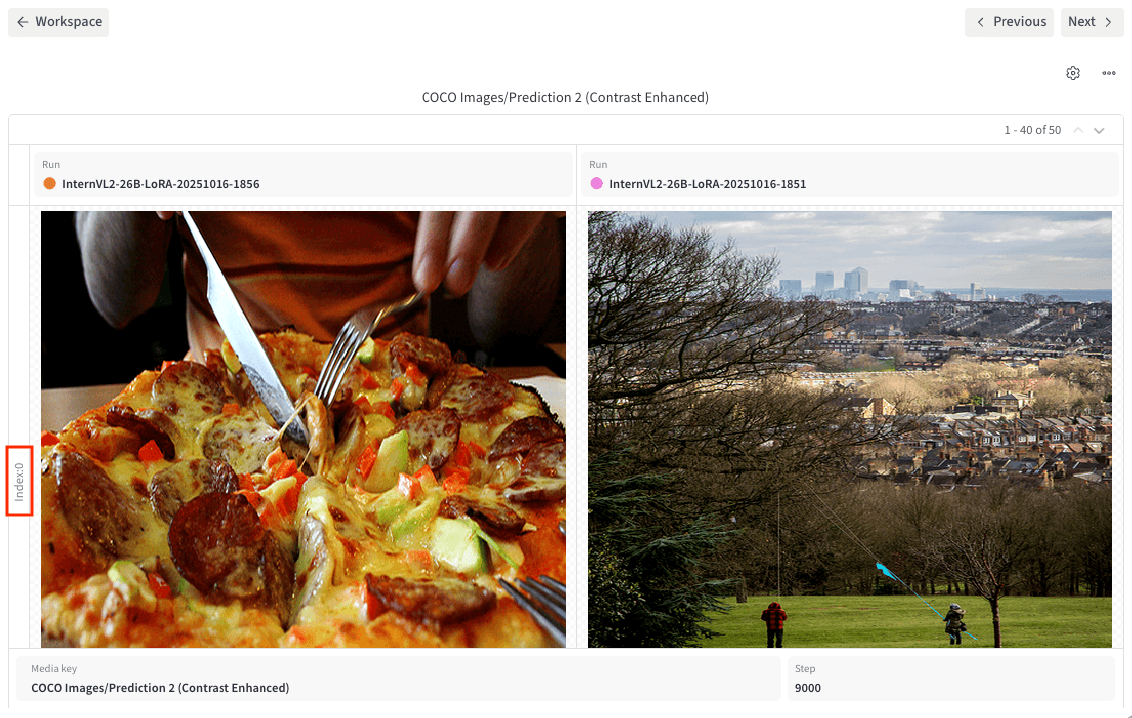
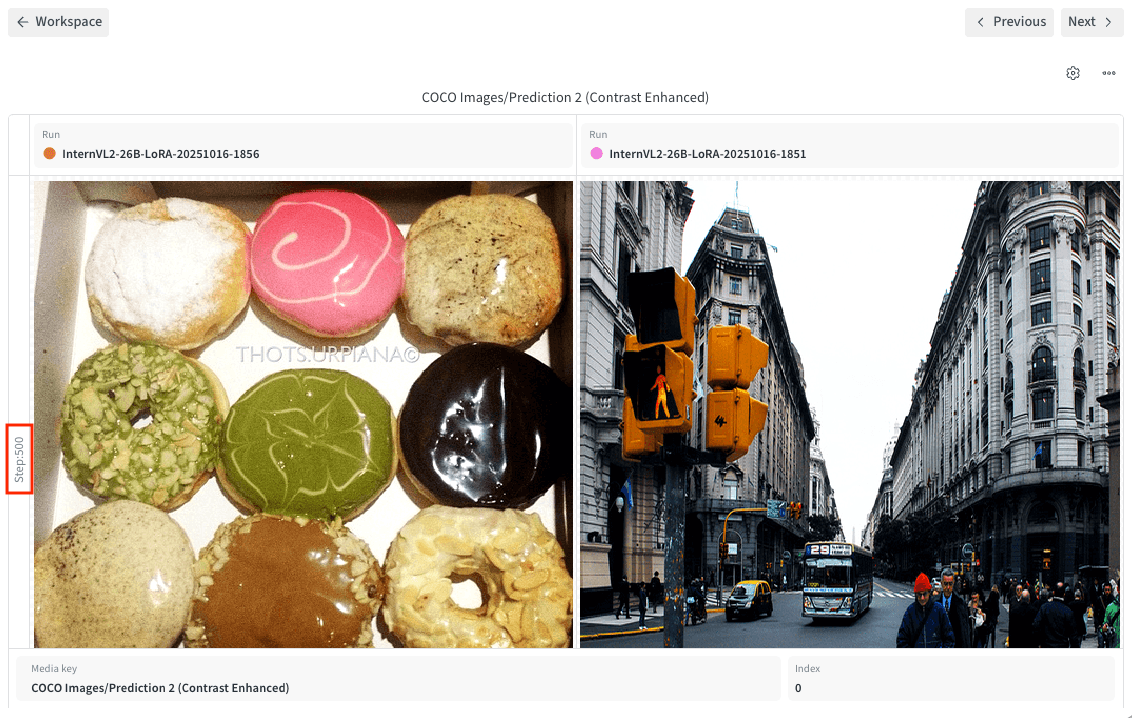
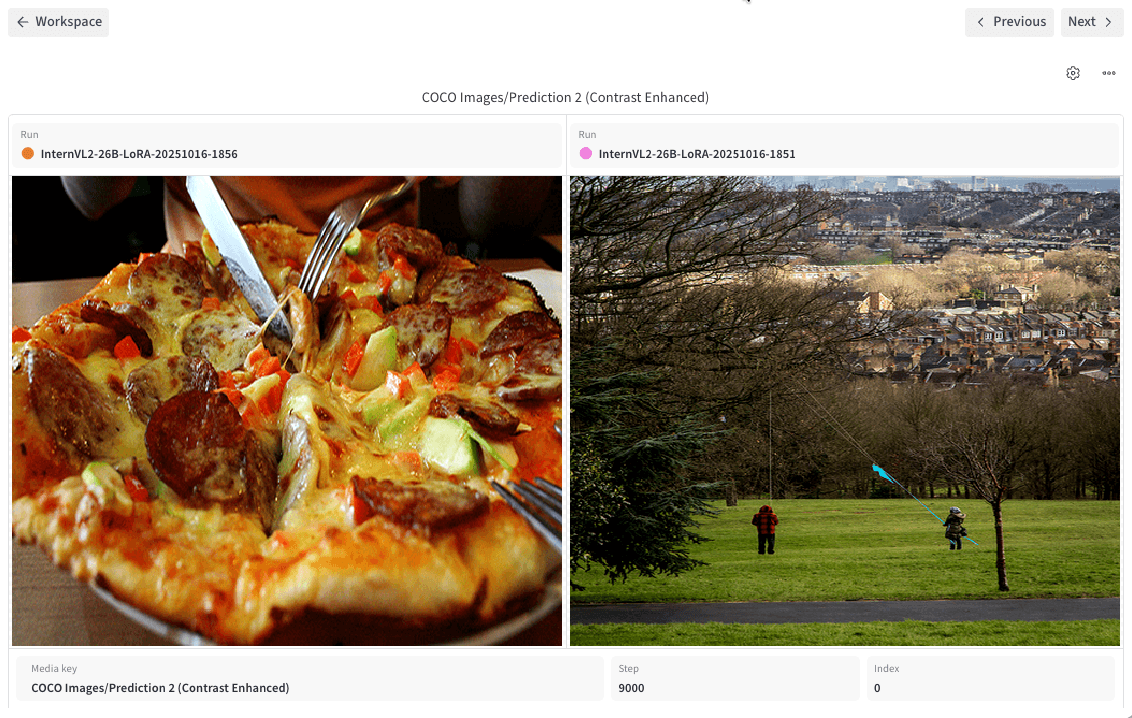
- Remove single screenshot in favor of a screenshot per fan-out mode
  with a red box showing what the row represents in each case
- Improve explanation of fan-out modes
- Adjust organization of individual media-panel settings
  to lead with the setting name, then explain the types of media
  it applies to
- Improve explanation of grid density
- Note that Use original size and Fit to available space have no
  effect in Compare mode
|
Images automagically compressed by Calibre's image-actions ✨ Compression reduced images by 74.9%, saving 2.6 MB.
|
4 participants


Description
Compare mode for media panels, updated fit & sizing settings, out of sync panel settings
Resolves DOCS-1921
Resolves DOCS-1927
Testing
mint dev)mint broken-links)