This repository contains the necessary files to configure OSPF on Cisco routers using Ansible.
- Overview
- Topology Diagram
- Variables Configuration
- Inventory and Group Variables
- Playbook Breakdown
- Closing Thoughts
This repository provides an example of how to use Ansible to configure OSPF on Cisco routers, enabling a more efficient approach to network management and automation. The playbook provided in this repository has been designed for a specific topology consisting of 6 routers and two OSPF areas.
The example is based on the following topology:
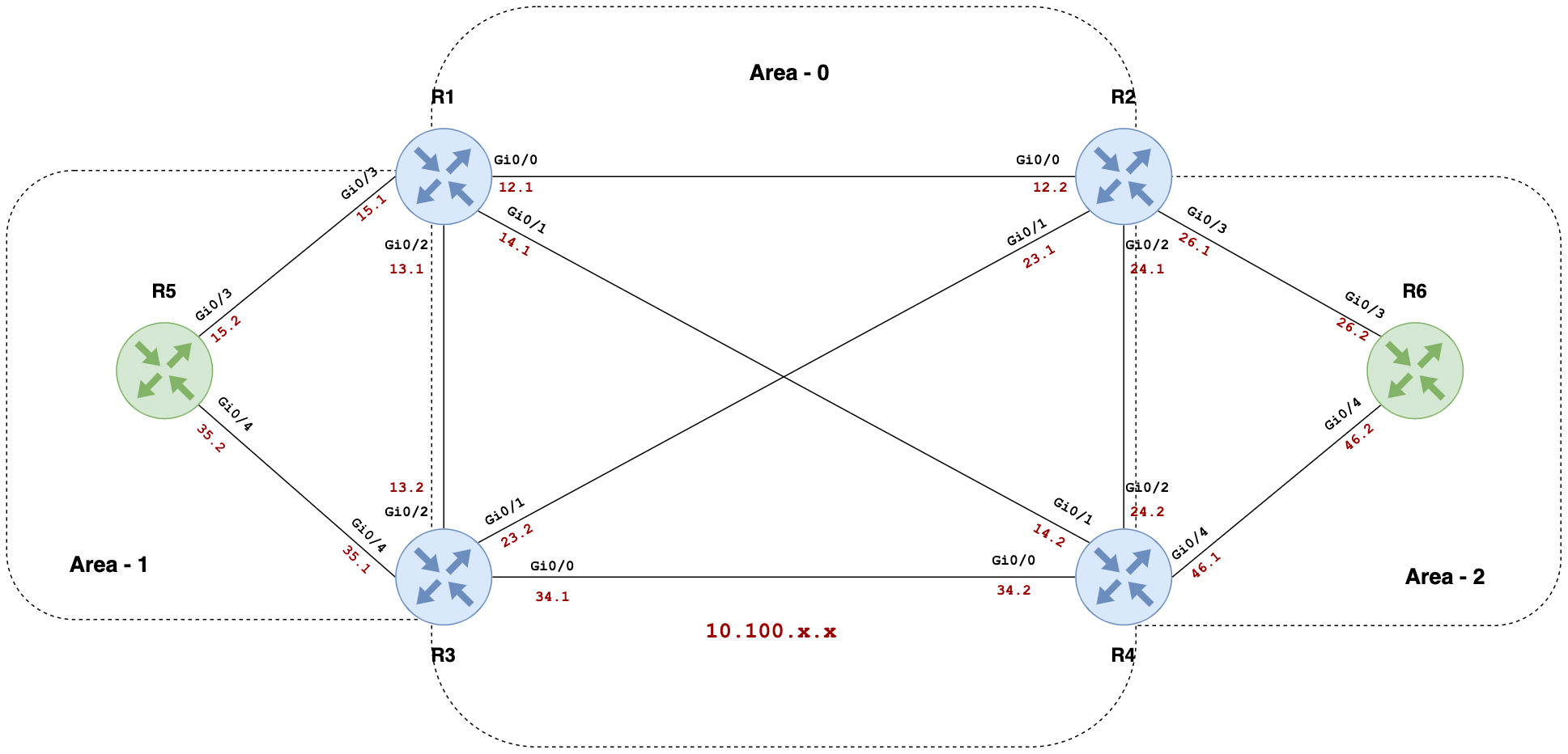
The vars.yml file contains the necessary variables to build the OSPF configurations for the routers in the topology. These include IP addresses, area information, router IDs, and interface statuses.
The inventory file lists the routers and their associated Ansible hosts. The group_vars file contains connection settings and login credentials for the routers. Note that using plaintext passwords is not recommended; use Ansible Vault for better security.
The ospf.yml playbook consists of several tasks that configure the interfaces, IP addresses, OSPF settings, and more on the routers. It uses various Ansible modules, such as cisco.ios.ios_interfaces, cisco.ios.ios_l3_interfaces, cisco.ios.ios_ospf_interfaces, and cisco.ios.ios_ospfv2.
Using Ansible for OSPF configuration on Cisco routers allows for easy updates to the topology. By simply amending the vars.yml file, changes can be made without directly accessing the CLI. The entire network topology is modeled within the vars.yml file, simplifying network management.