Releases: tonyHu08/CodeX_Telegram
Releases · tonyHu08/CodeX_Telegram
v0.1.5

v0.1.5
Release date: 2026-02-25
Highlights
/currentstability fix:- Reworked thread snapshot read into a degrade-first pipeline.
- Increased stage timeouts and removed old hard-fail behavior in busy/large threads.
- If full turns cannot be loaded in time, Telegram now gets a fallback snapshot instead of a red-cross fatal timeout.
- Native Plan mode interaction loop:
/plan on|off|statusavailable in command parser + keyboard.- Preserved callback keyboards in final responses so plan confirmations are actionable.
- Reliability hardening:
- Better retry/degrade logs for
thread/readandthread/resume.
- Better retry/degrade logs for
Regression checklist
/threadsworks repeatedly/bind latestworks/currentno hard timeout red-cross across repeated calls/statusand/usagework/plan on//plan off//plan statuswork/cancelworks
Assets
CodeX Telegram-0.1.5-arm64.dmgCodeX Telegram-0.1.5-arm64-mac.zip
v0.1.4
CodeX Telegram v0.1.4
Turn your local Codex into a Telegram-native remote workflow.
What changed
- Rebranded from Codex Bridge Desktop to CodeX Telegram
- Unified app/window/tray naming to the new brand
- Updated repository slug and all public links
- Kept compatibility for existing users (
appId, local data dir, launchd labels, keychain service unchanged)
Downloads
- DMG (recommended)
- ZIP (alternative)
Screenshots
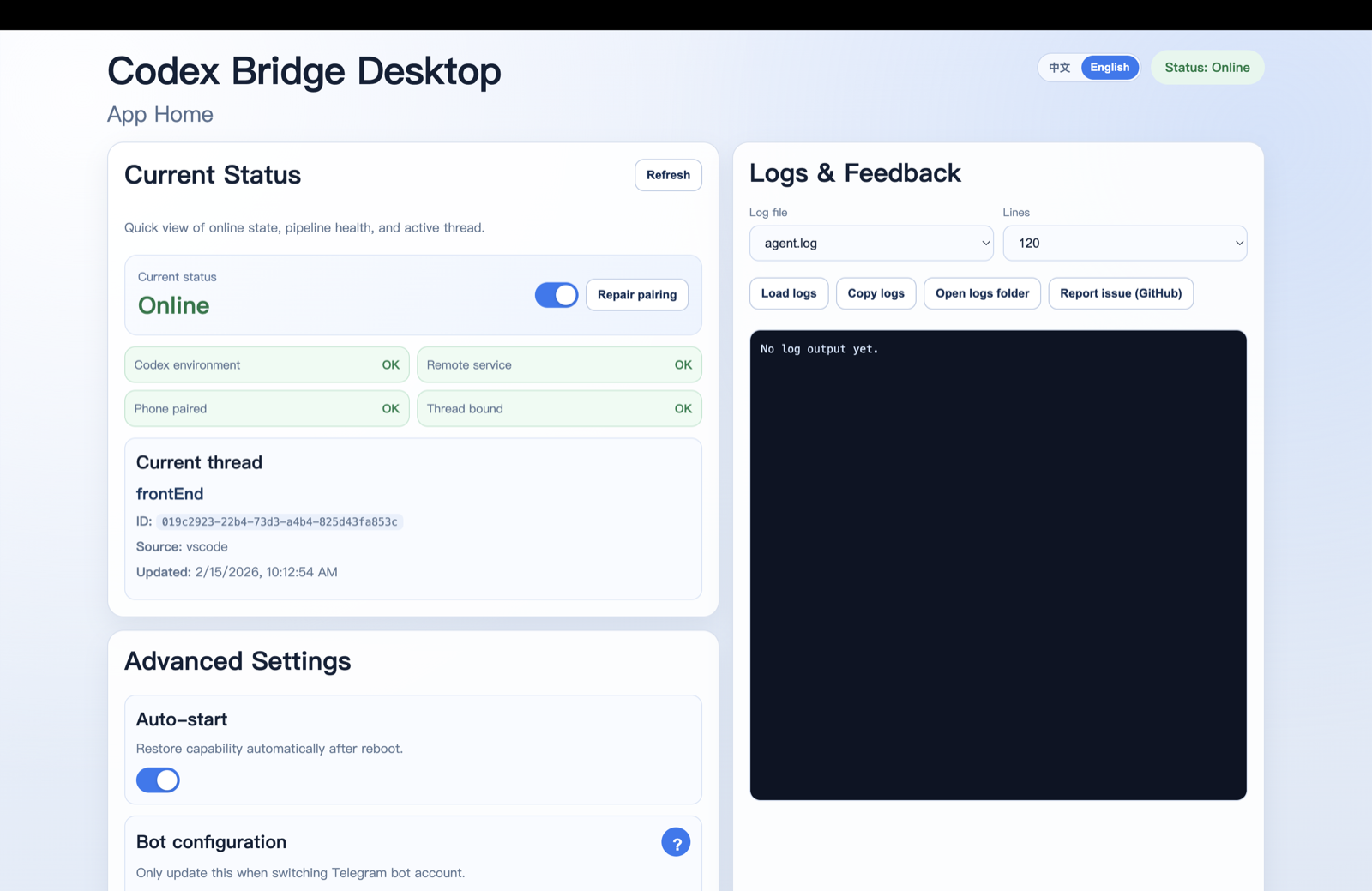
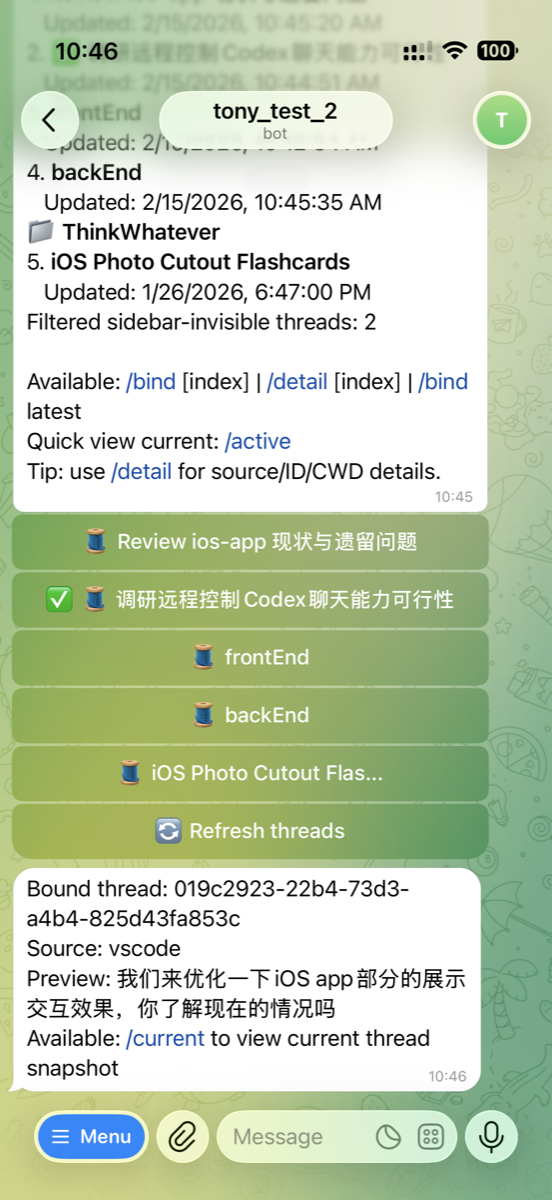
Quick start
- Download and open the app from Releases.
- Complete onboarding: environment check -> configure bot -> pair phone.
- In Telegram:
/threads-> select thread -> send your first remote prompt.
v0.1.3
Codex Bridge Desktop v0.1.3
Remote-control your local Codex threads from Telegram. Keep working while away from your Mac.
Downloads
- macOS (Apple Silicon): download the DMG below (recommended).
- Alternative: ZIP build is also available.
Highlights
- More resilient
/threads: if Codex App Serverthread/listis slow/unavailable, it degrades to the local Codex sidebar cache so you still get a fast reply. - Less ‘stuck waiting’: Keychain access is best-effort with short timeouts to avoid hangs.
- Packaging fixed: prevents recursive packaging (multi-GB DMGs).
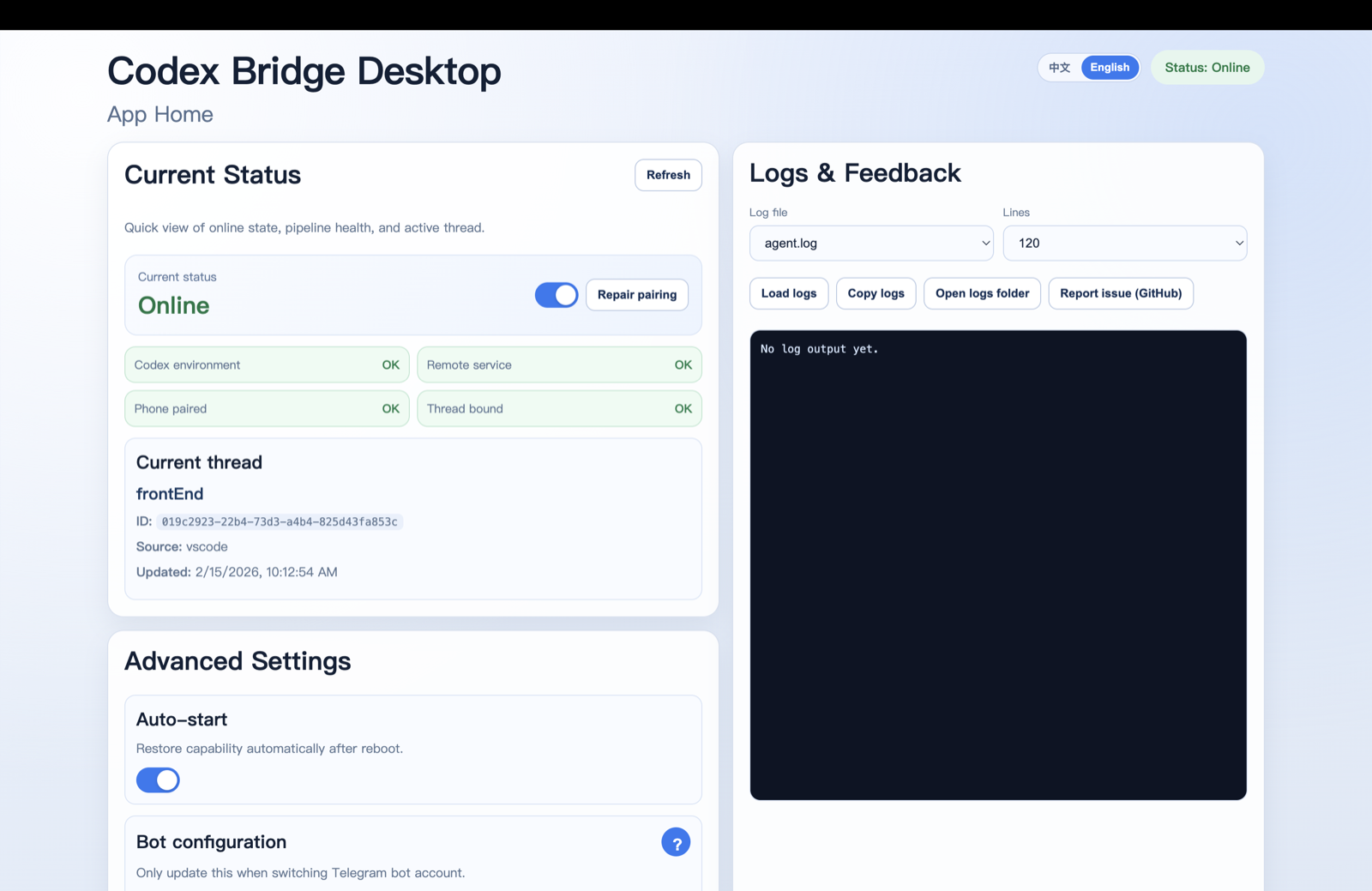
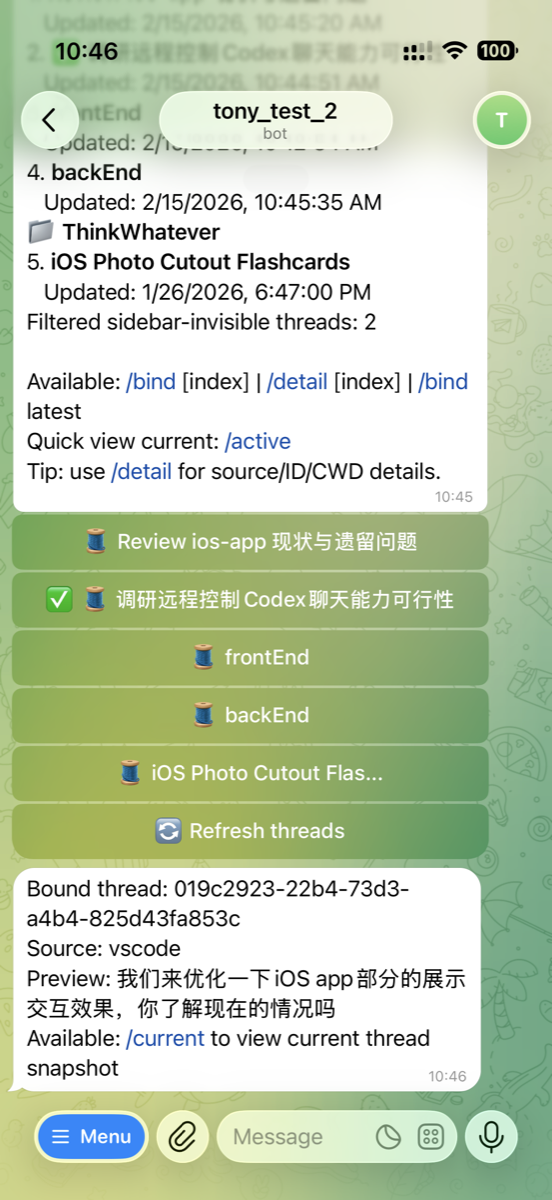
Screenshots
Quick start
- Install the app from Releases: https://github.com/tonyHu08/CodeX_Bridge/releases
- In the onboarding wizard: environment check → configure Telegram bot → pair phone
- In Telegram:
/threads→ tap a thread → send your first message
v0.1.2

Codex Bridge Desktop v0.1.2
This release focuses on growth readiness and low-friction onboarding for non-CLI users.
Highlights
- Official hosted mode is now first-class in desktop onboarding.
- Added relay APIs for device registration and anonymous analytics events.
- Added launch assets and docs for distribution and storytelling.
- Upgraded README with value-first structure, flow diagrams, and media links.
Product improvements
- Desktop supports hosted/self-host relay mode switch.
- Hosted mode no longer requires BotFather token entry in the main onboarding path.
- Added lightweight anonymous metrics pipeline (no thread/message/file content collection).
API additions
POST /v1/devices/registerPOST /v1/analytics/eventsGET /v1/analytics/summary
New docs and assets
docs/API.mddocs/LAUNCH_PLAYBOOK.mddocs/USER_STORIES.mdassets/press-kit/*.github/release-template.md
Verification
npm run typecheckpassednpm run buildpassed
Notes
- Official hosted URL defaults to
https://relay.codexbridge.appin packaged desktop builds (override via env if needed). - Existing self-host users can switch back to local relay from app settings at any time.
Codex Bridge Desktop v0.1.1
Highlights
- Redesigned README with clearer value proposition, faster onboarding, and visual workflow diagrams.
- Improved
/threadsstatus inference for Telegram thread list. - Added stronger fallback behavior for thread state probing (including degraded/timeout paths).
- Stabilized thread list command with retry on timeout.
- Continued desktop + Telegram bilingual experience (English/Chinese).
Included in this release
- Remote control local Codex from Telegram with thread binding
- Approval flow (
/approve//deny) - Usage query (
/usage, alias/limits) - Menu bar controls for remote state
Notes
If thread status is not directly observable from Codex App Server, bridge now uses safer fallback states to avoid blocking user operations.