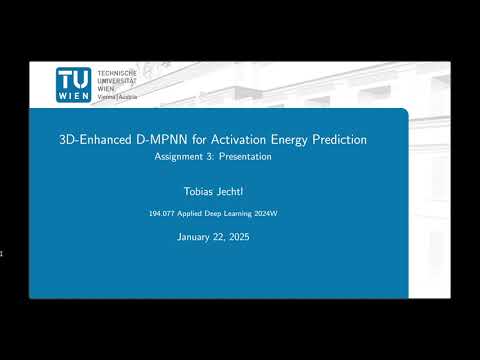
Click the image above to watch a presentation of the model, results, and a CLI demo.
CGR-MPNN-3D is a machine learning framework designed to predict activation energies for chemical reactions. The model integrates a Condensed Graph of Reaction (CGR) Message Passing Neural Network (MPNN) with additional features derived from 3D molecular fingerprints using the MACE framework. By combining 2D and 3D representations of chemical reactions, the model aims to achieve high accuracy in energy predictions.
The project builds upon the Condensed Graph of Reaction (CGR) framework described in:
Heid, Esther, and William H. Green. "Machine learning of reaction properties via learned representations of the condensed graph of reaction." Journal of Chemical Information and Modeling 62.9 (2021): 2101-2110.
For the 3D features, molecular fingerprints derived from the MACE force field are incorporated:
Batatia, Ilyes, et al. "MACE: Higher order equivariant message passing neural networks for fast and accurate force fields." Advances in Neural Information Processing Systems 35 (2022): 11423-11436.
This approach uses the Transition1x (T1x) dataset, which contains reactants, products, and transition states:
Schreiner, Mathias, et al. "Transition1x-a dataset for building generalizable reactive machine learning potentials." Scientific Data 9.1 (2022): 779.
The methodology focuses on enhancing standard graph neural networks by incorporating 3D structural information.
The pipeline processes reaction SMILES strings and extracts corresponding XYZ atom coordinates. A custom ChemDataset class constructs reaction graphs where reactant atoms are mapped to product atoms. Feature vectors are generated using RDKit to extract atomic features (symbol, degree, hybridization, etc.) and bond features.
Crucially, the Condensed Graph of Reaction (CGR) represents the superposition of reactant and product graphs. Atom features are generated by concatenating reactant atomic features with the difference between reactant and product features.
To address the limitations of 2D representations, 3D information is incorporated via atom descriptors from the MACE force field. These descriptors are extracted from the 3D geometries (reactant, product, and transition state) and added as additional atomic features in the graph.
The neural network architecture is a Directed Message Passing Neural Network (D-MPNN). It consists of multiple message-passing layers that update edge representations, followed by an edge-to-node aggregation step. Finally, a feedforward neural network (FFN) produces the activation energy prediction.

Figure 1: Illustration of the model architecture. The D-MPNN processes the condensed graph of a reaction by passing messages between atoms, followed by aggregation and a feedforward neural network to predict target properties (Heid et. al 2021).
The performance of the 3D-enhanced model was evaluated against a baseline CGR model without 3D descriptors.
The primary error metric is the Mean Squared Error (MSE) / Root Mean Squared Error (RMSE) between predicted and true activation energies.
- Baseline CGR Model: Best test RMSE of 9.21 kcal/mol.
- CGR-MPNN-3D Model: Best test RMSE of 5.14 kcal/mol.
The integration of 3D information resulted in a significant improvement in prediction accuracy, surpassing the target metric of 9.22 kcal/mol.
The following plots illustrate the correlation between predicted and true activation energies. The 3D-enhanced model demonstrates a much tighter alignment with the identity line compared to the baseline.


To set up the CGR-MPNN-3D package, follow these steps:
- Clone the repository:
git clone https://github.com/tobjec/CGR-MPNN-3D.git cd CGR-MPNN-3D - Set up a Python environment and activate it (requires Python >= 3.10):
python3 -m venv env source env/bin/activate - Install the required dependencies:
pip3 install -r requirements.txt
- Go to gitlab and install the Transition1x package to your newly created
virtual env. - Ensure CUDA is properly configured (if using GPU acceleration - strongly recommended).
If you prefer to use the model within a Docker container, follow these instructions.
- Navigate to the directory containing the
Dockerfile. - Build the image using the following command:
docker build -t cgr-mpnn-3d .Once the image is built, one can run the CLI tool in a container. The following example demonstrates running it with your data:
docker run -v /path/to/your/data:/files cgr-mpnn-3d \
  --data_path_smiles /files/demo.csv \
  --data_path_coordinates /files/demo.xyz \
  --data_path_model /files/CGR-MPNN-3D_<model_id>.pth \
  --data_path_results /files/results.txt \
--store_results --print_results/path/to/your/data: This is the local directory containing your SMILES file, coordinates file, and model file. These will be mounted to the/filesdirectory within the Docker container.
--data_path_smiles: Defaults tocli_tool/files/demo.csv--data_path_coordinates: Defaults tocli_tool/files/demo.xyz--data_path_model: Defaults tocli_tool/files/CGR-MPNN-3D_94owmnhg.pth--data_path_results: Defaults tocli_tool/results.txt--store_results: Defaults to no (not saving results)--print_results: Defaults to no (not printing results)
If you don't have the pretrained model file (.pth), you can download it:
- Visit the GitHub Releases section for this repository.
- Download the
.pthfile for the model. - Place the downloaded model file in your local data directory (
/path/to/your/data).
To train the model, use the following command-line interface (CLI):
python train.py \
  --name CGR-MPNN-3D \
  --depth 4 \
  --hidden_sizes 400 400 400 \
  --dropout_ps 0.1 0.1 0.1 \
  --activation_fn ReLU \
  --save_path saved_models \
  --learnable_skip True \
  --learning_rate 1e-4 \
  --num_epochs 50 \
  --weight_decay 1e-5 \
  --batch_size 64 \
  --gamma 0.9 \
  --data_path datasets \
  --gpu_id 0
--use_logger False--name(str): Model name (CGRorCGR-MPNN-3D).--depth(int): Depth of the GNN (default: ``3).--hidden_sizes(list of int): Hidden layer sizes (default:[300, 300, 300]).--dropout_ps(list of float): Dropout probabilities (default:[0.02, 0.02, 0.02]).--activation_fn(str): Activation function, choose from ReLU, SiLU, or GELU (default:ReLU).--save_path(str): Path to save trained model parameters (default:saved_models).--learnable_skip(bool): Use of learnable skip connections, True or False (default:False).--learning_rate(float): Learning rate for the optimizer (default:1e-3).--num_epochs(int): Number of training epochs (default:30).--weight_decay(float): Weight decay regularization (default:0).--batch_size(int): Batch size for training (default:32).--gamma(float): Learning rate decay factor (default:1).--data_path(str): Path to dataset directory (default:datasets).--gpu_id(int): Index of GPU to use (default:0).--file_path(str): Path to save training outcomes (default:parameter_study.json).--use_logger(str): Whether to use a WandB logger or not (default:False).
The required datasets will be downloaded and processed automatically if not available. Training results will be logged, and the trained model will be saved in the specified --save_path directory. Hyperparameter metadata and test results will be dumped into a JSON file.
To test the model, use the following CLI:
python test.py \
  --path_trained_model saved_models/CGR-MPNN-3D_model.pt \
  --data_path datasets \
  --save_result True \
--gpu_id 0--path_trained_model(str): Path to trained model to be tested.--data_path(str): Base directory for datasets (default:datasets).--save_result(bool): Flag to save test result (default:False).--gpu_id(int): GPU ID to use for testing (default:0).
The test loss (RMSE) will be printed, and results can be optionally saved in a JSON file if --save_result is set to True.