Releases: starrdye/workable
Workable v0.1.1 — Personal Workflow Mapper

🚀 Workable v0.1.1 — Personal Workflow Mapper
Workable is a personal workflow engine that uses AI to transform plain-English descriptions into structured, interactive process maps. Spot bottlenecks, organise tasks, and optimise your daily routines — all in one unified canvas.
✨ What's Included in v0.1.1
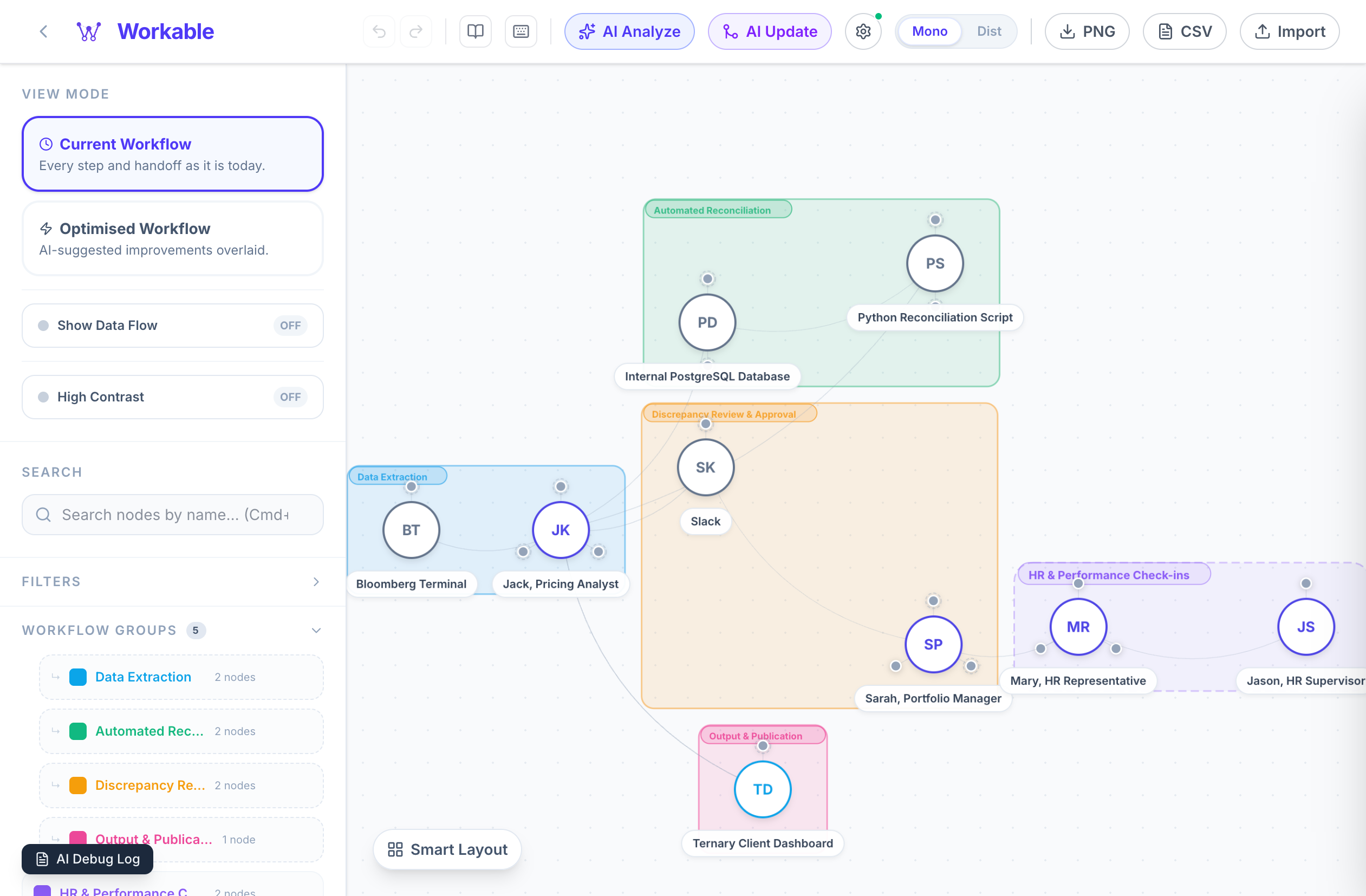
🧠 AI-Powered Graph Generation
Transform a paragraph of text into a complete, structured process map in seconds.
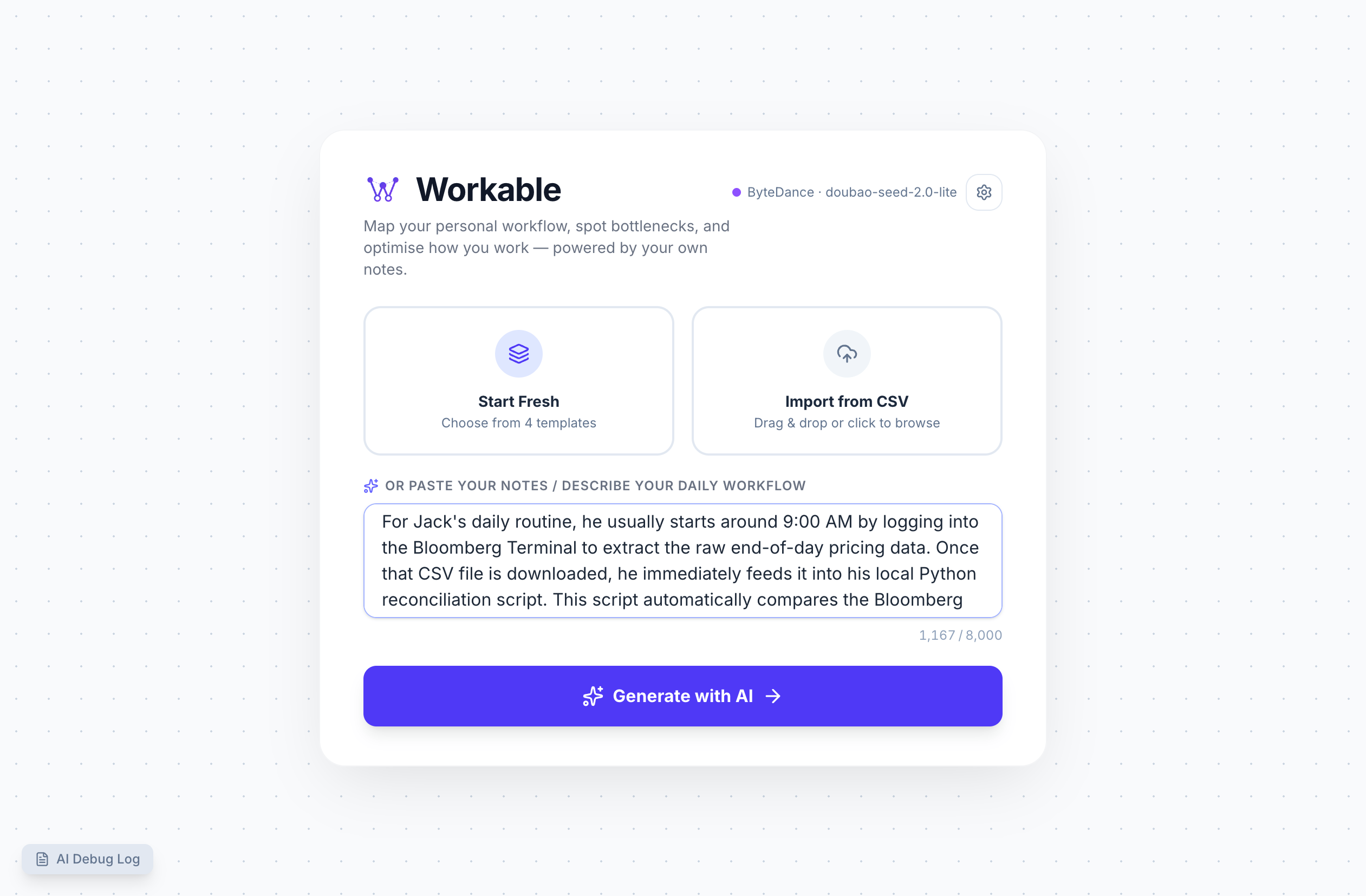
- Describe your workflow in plain English — no technical syntax required
- The engine automatically identifies nodes, roles, directed edges, and logical groups
🔍 AI Bottleneck Analysis
Stop guessing where your process is failing. Run the optimiser to see structural risk.
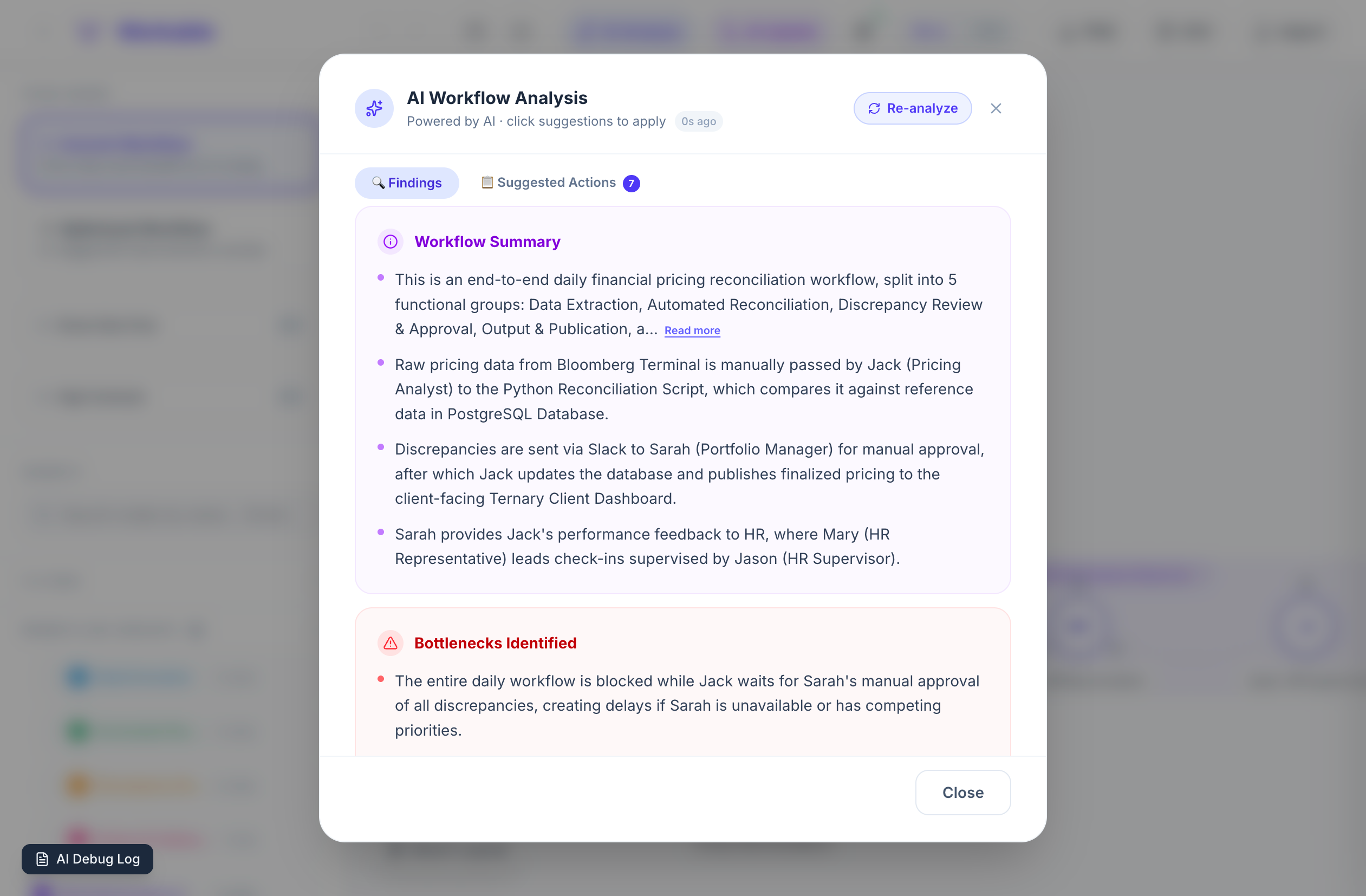
- The AI identifies "single points of failure" and structural risks in your workflow
- Receive specific, actionable recommendations to optimise throughput and reduce risk
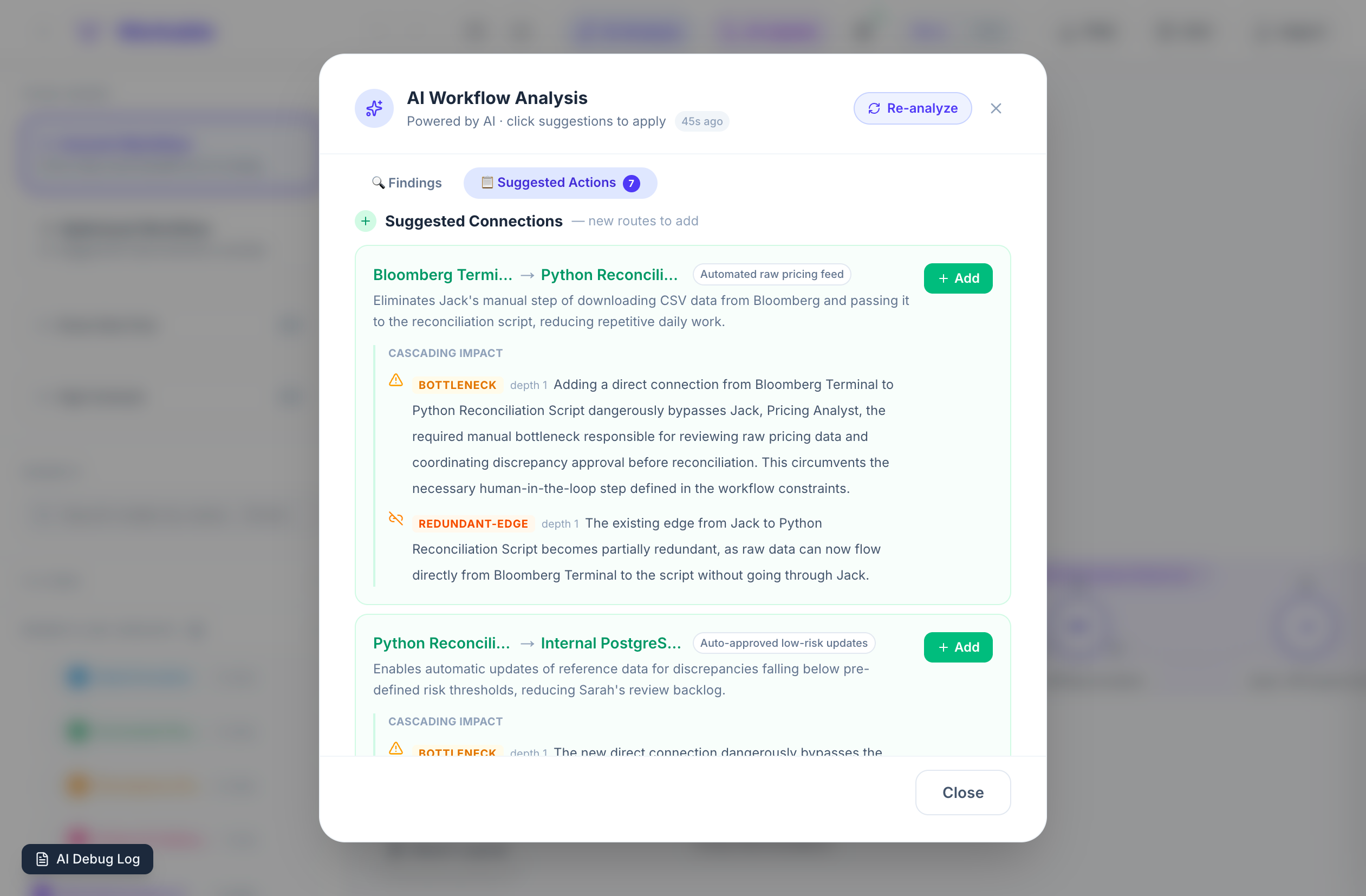
🔀 AI Update & Patching
Modify your workflow by just describing the change — no need to rebuild from scratch.
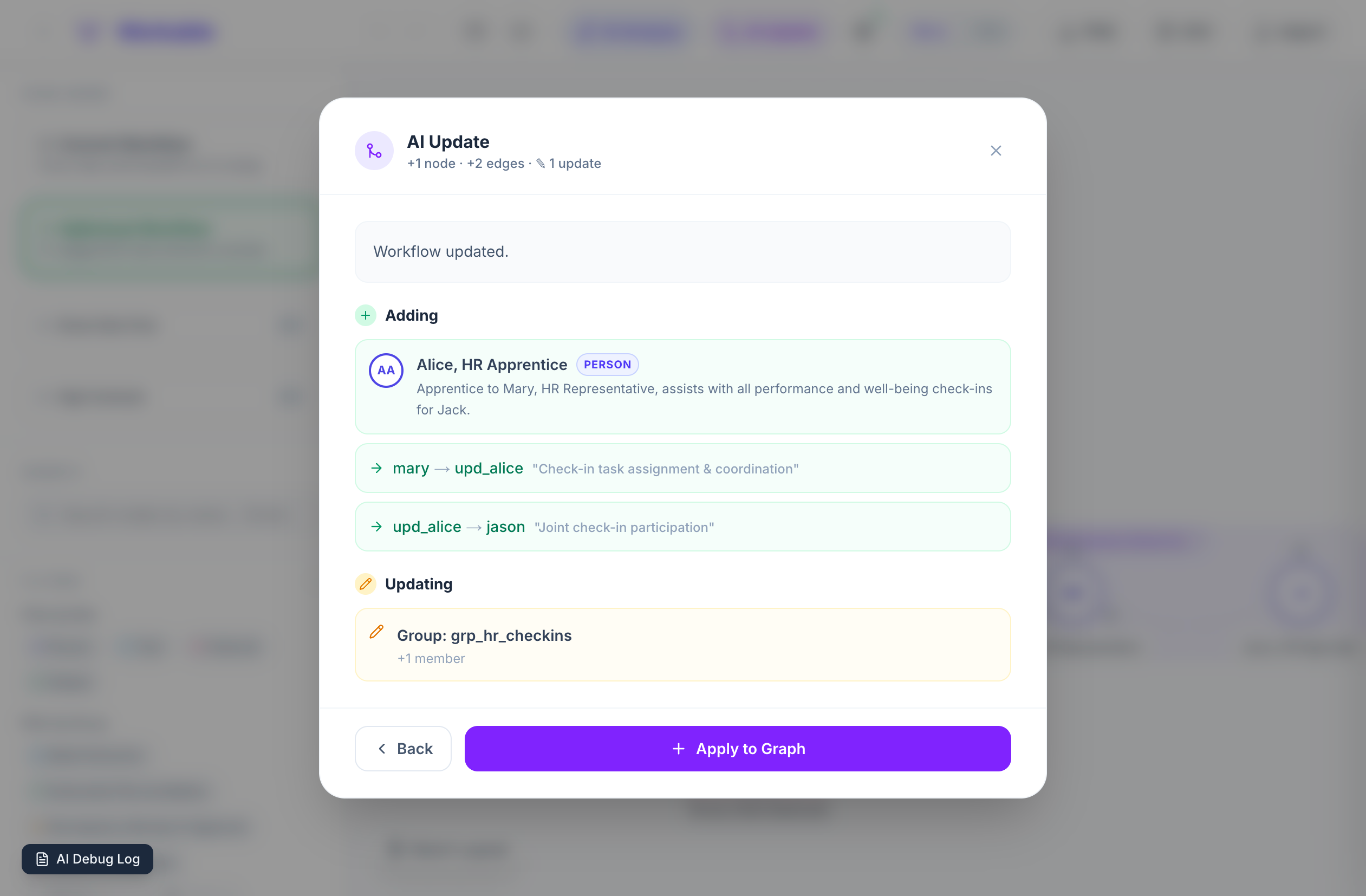
- See a precise preview of additions, removals, and updates before committing them
- The workflow reflows automatically to incorporate changes without a full rebuild
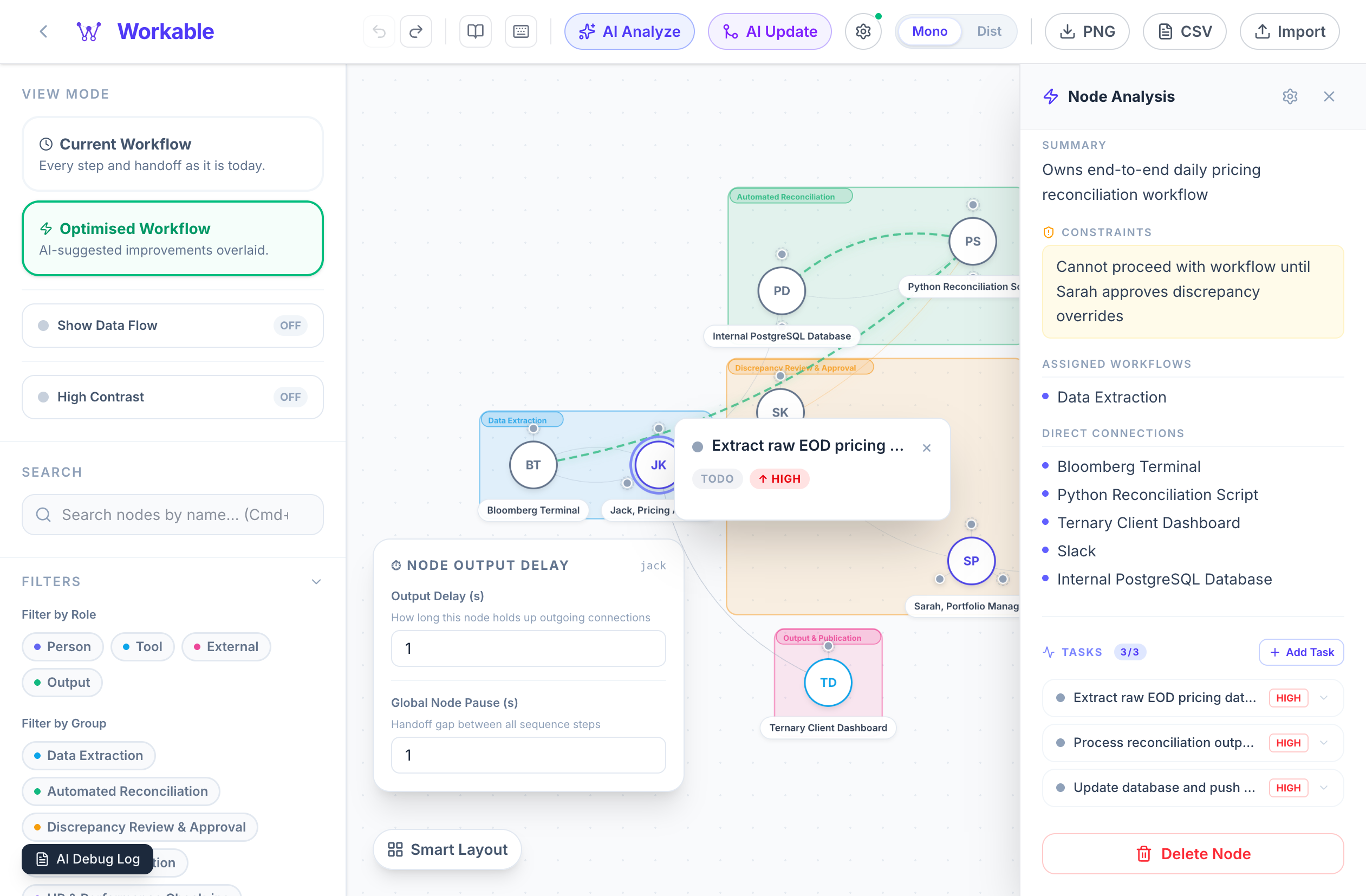
🔬 Interactive Exploration & Tasks
Click any node to reveal its deep-dive profile, constraints, and assigned tasks.
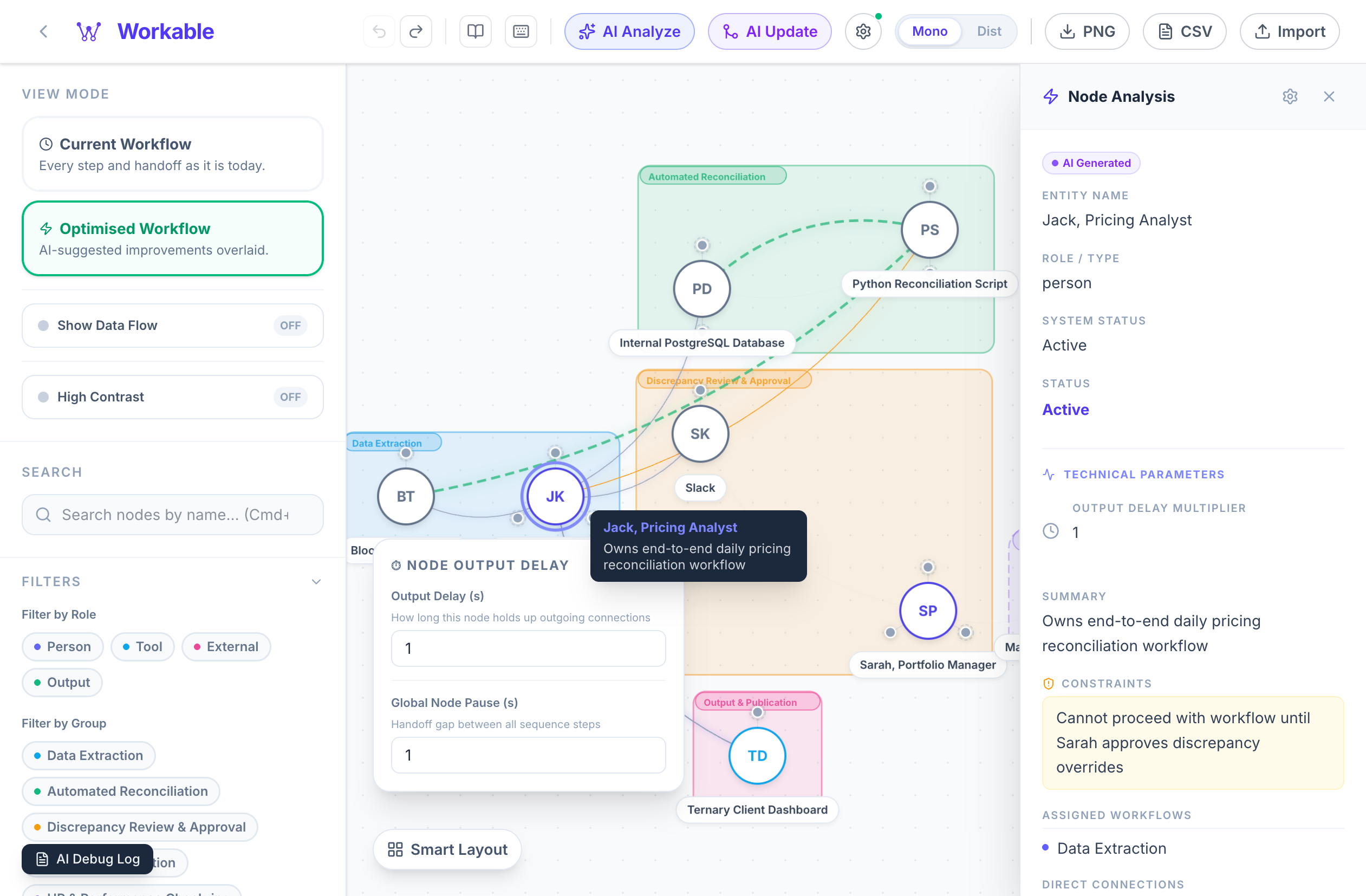
- Access entity profiles, constraints, and connection summaries in a persistent panel
- Task dots orbit each node — click one for a quick-view popup with status, priority, and description
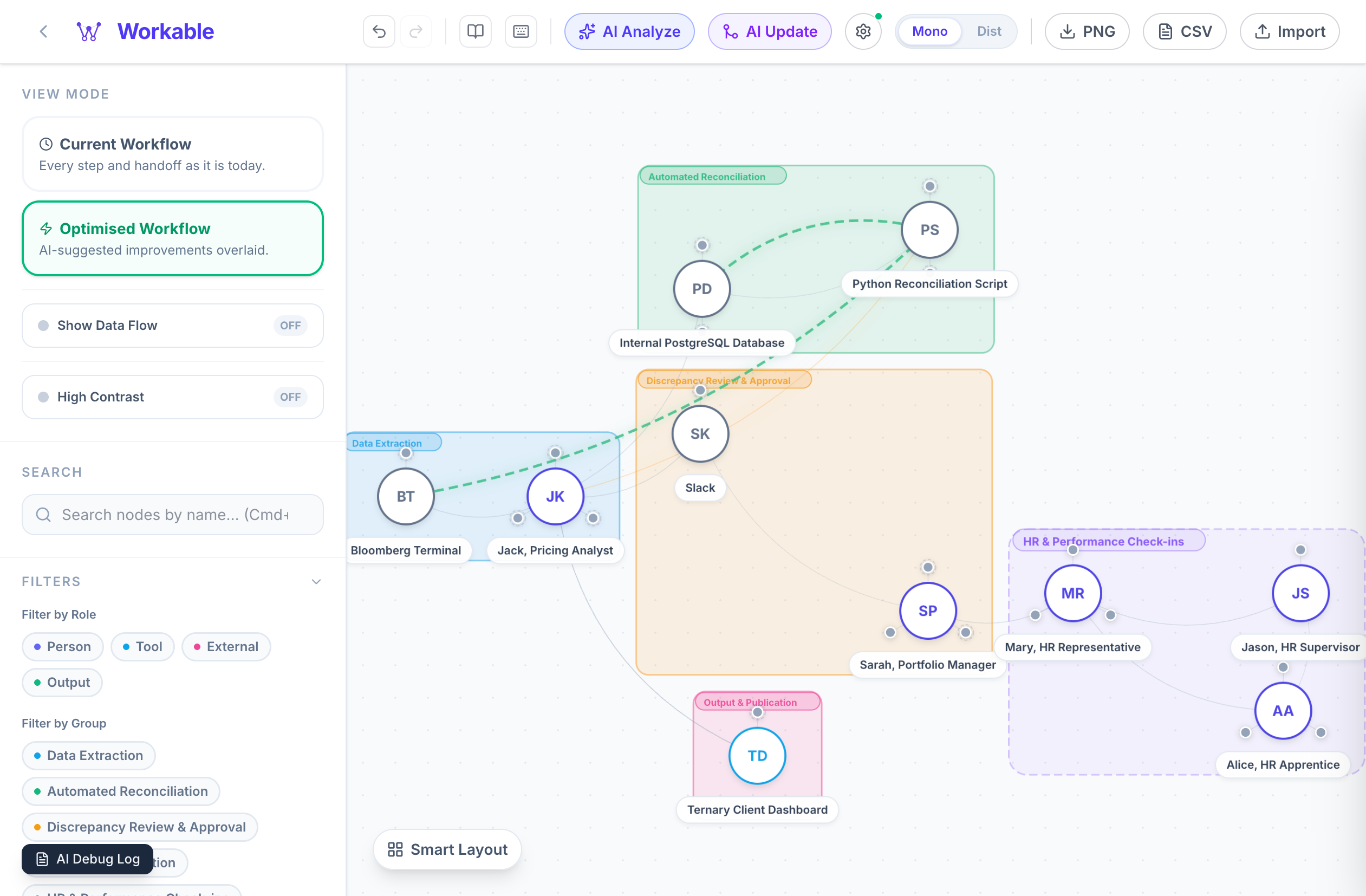
✅ Optimised Workflow View
Toggle between the Current Workflow and Optimised Workflow to see AI-suggested improvements overlaid on your canvas.
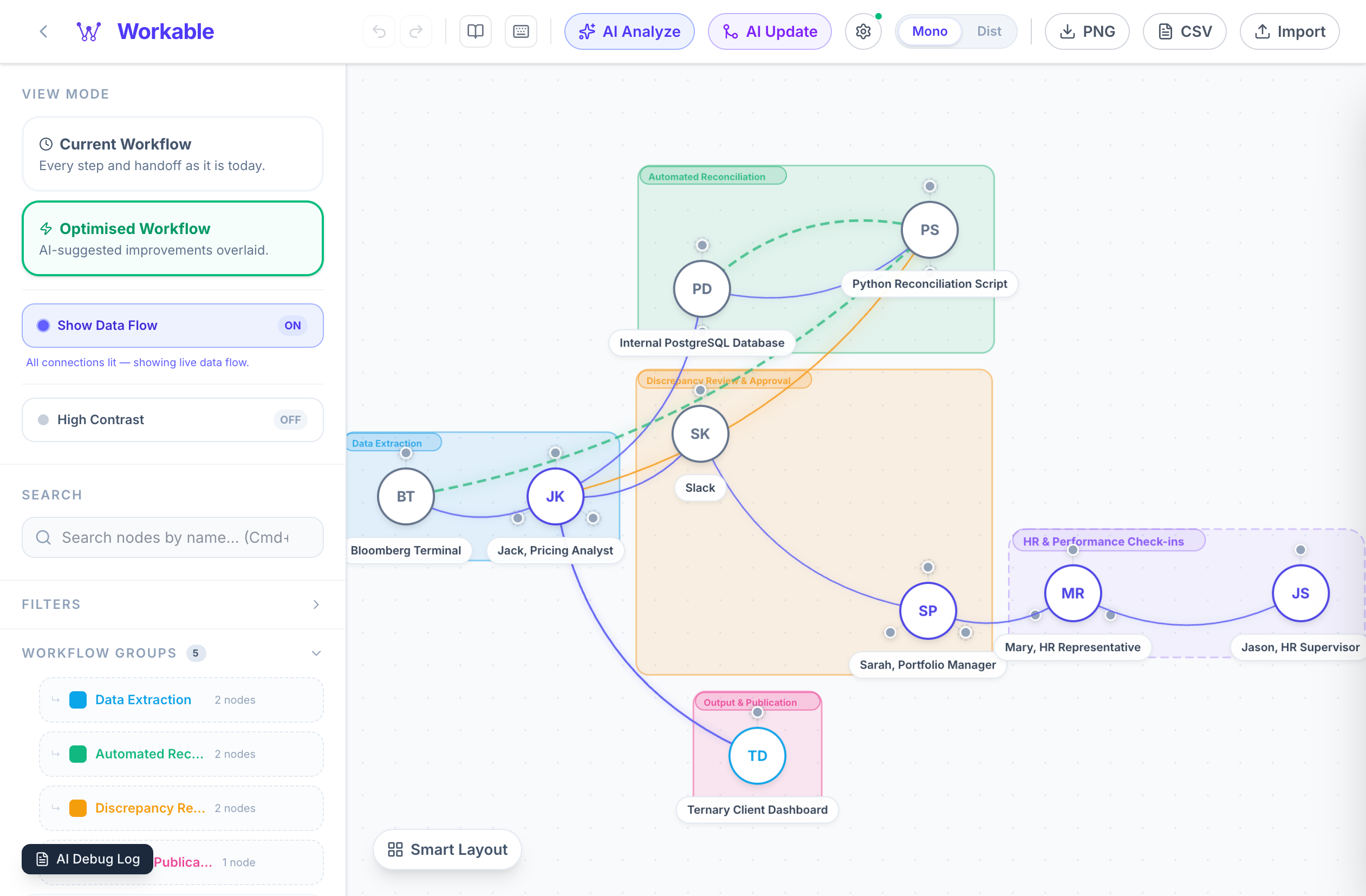
- New connections appear as dashed emerald arcs; deprecated ones fade out
- The optimised overlay is non-destructive until you apply it
🗺️ Flexible Canvas Views
Toggle between the standard Process Map (hierarchical flow) and the Ecosystem Hub (radial dependency web).
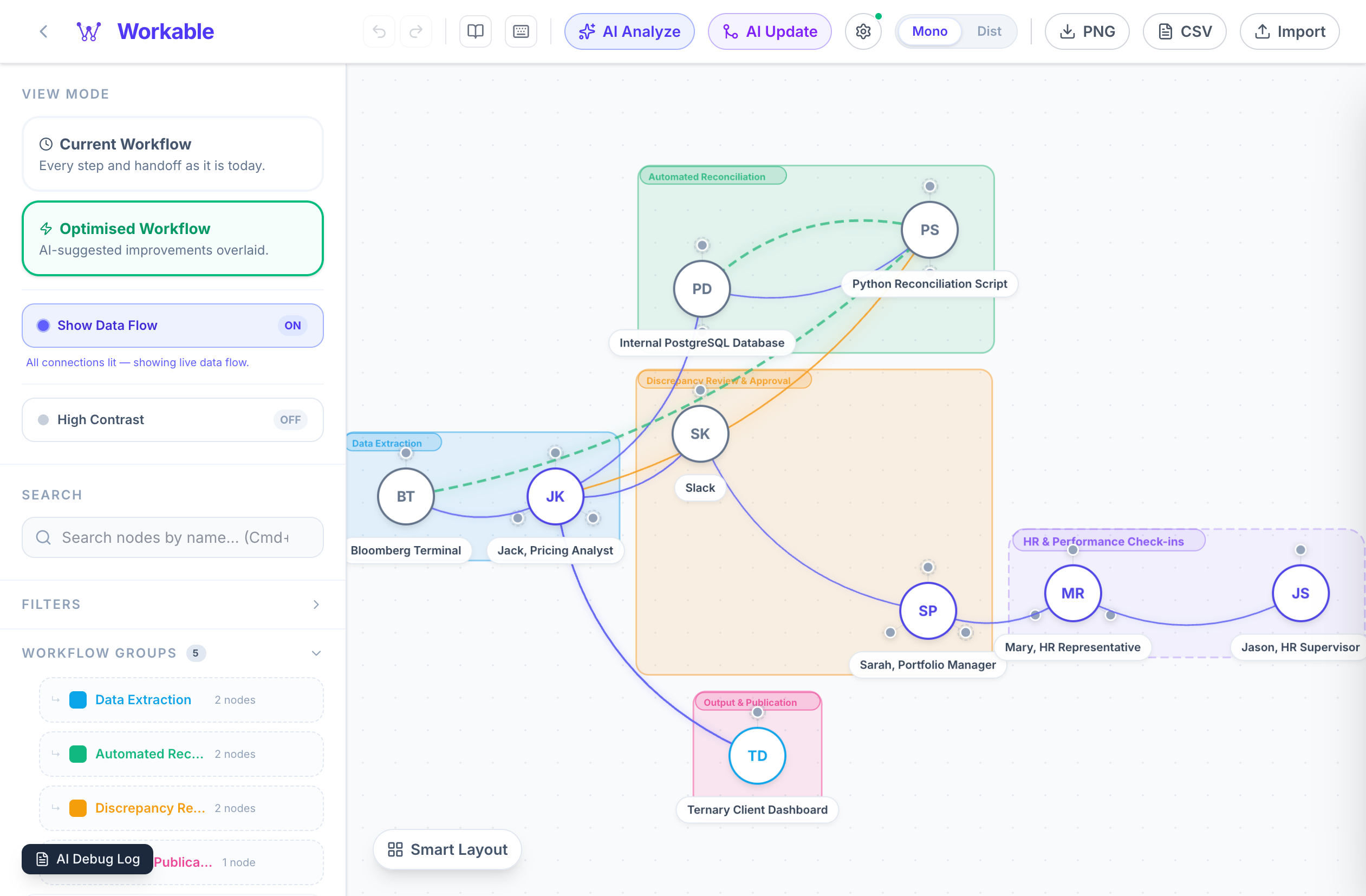
- Quickly spot influence hubs and dependency rings that regular charts hide
🔎 Search & Role Filters
Search by node name or filter the canvas by role type (Person, Tool, External, Output) and workflow group.
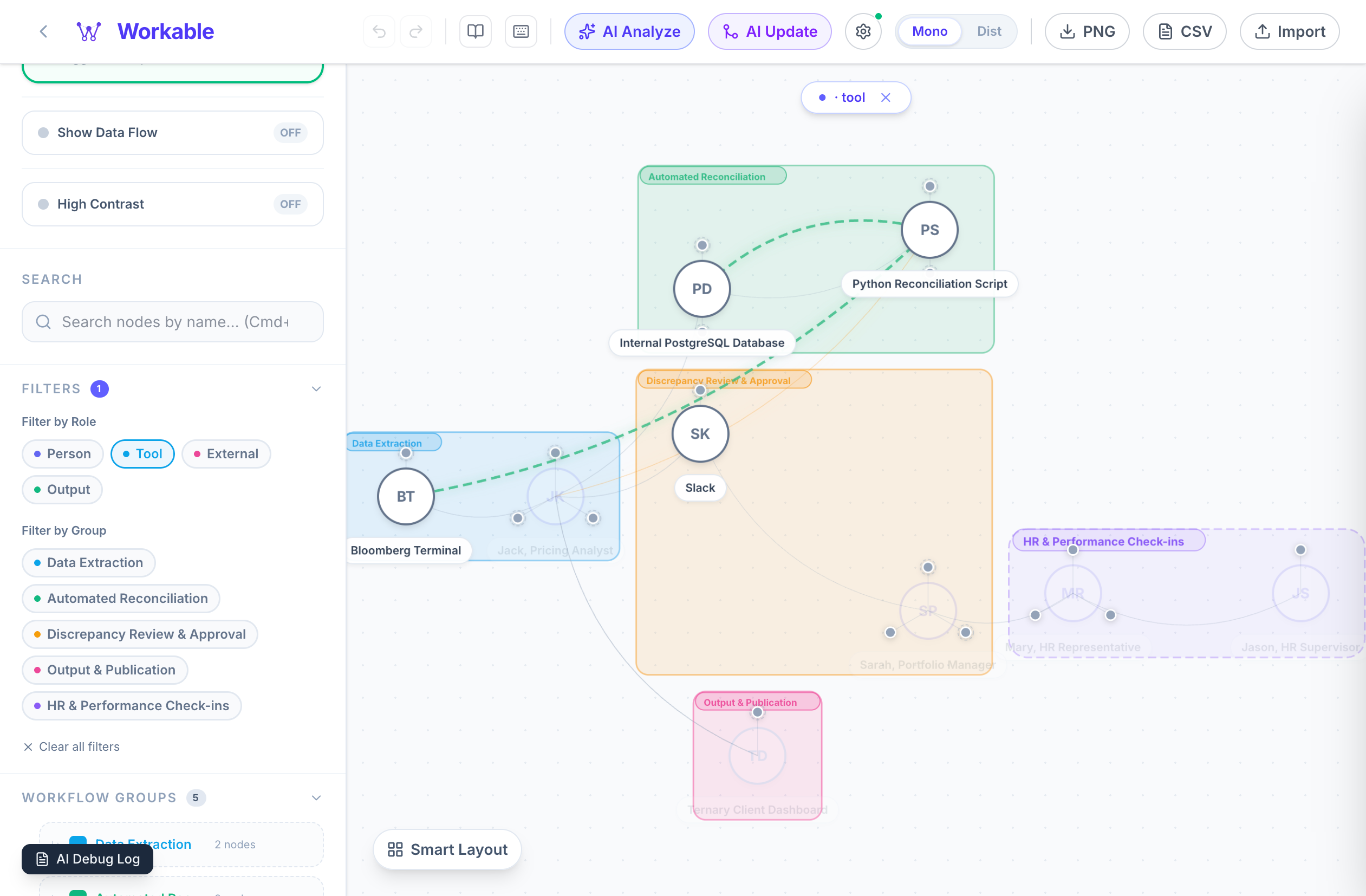
- Non-matching nodes dim, so your focus stays sharp
- Combine role and group filters to isolate any slice of your process instantly
🖱️ Right-Click Node Editing
Right-click any node to set output delay, assign it to workflow groups, add manual connections, or delete it.
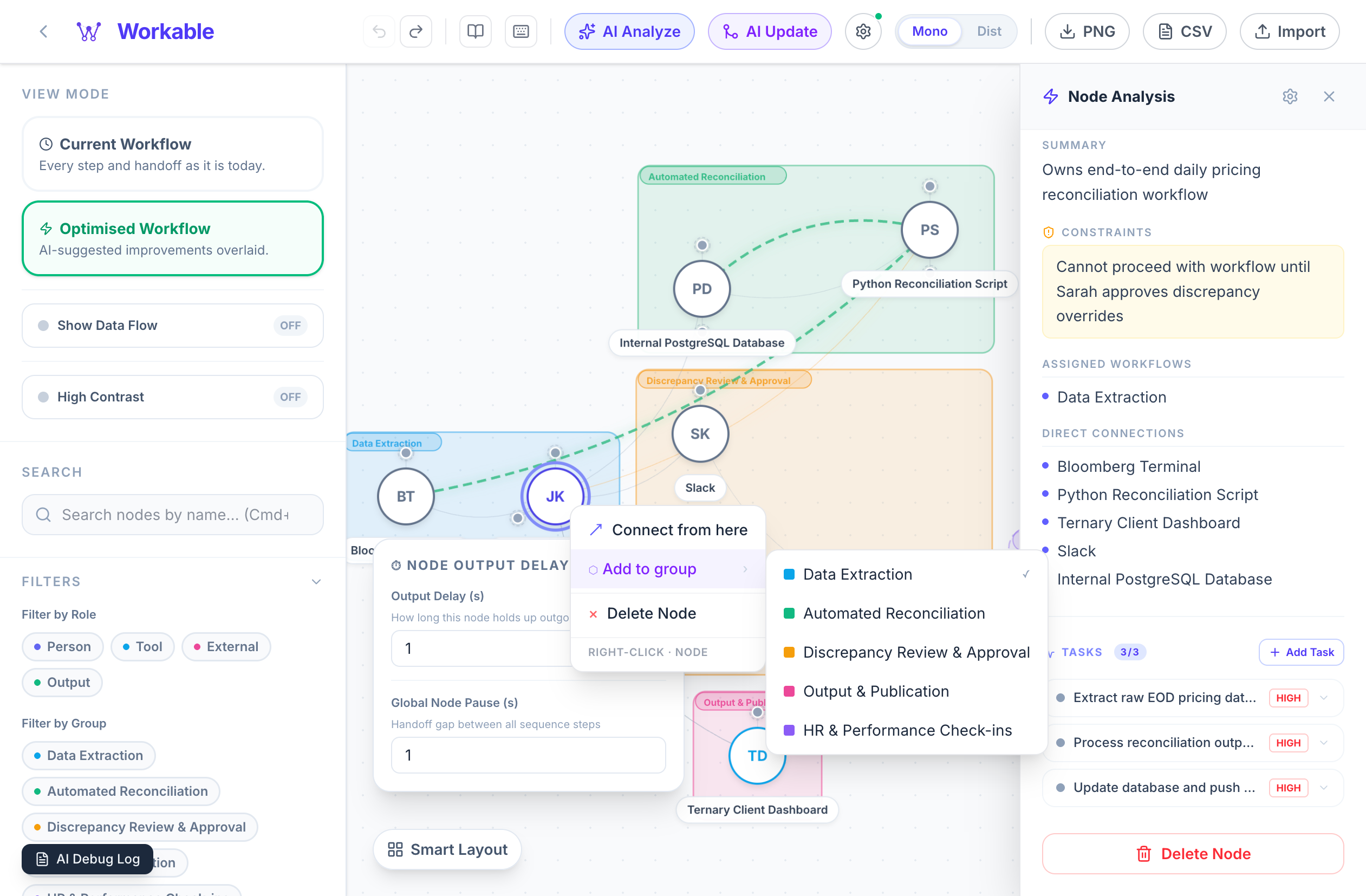
- Every structural edit is reflected immediately — no save button, no page reload
💾 Workflow Library
Name and save any canvas state to the built-in Workflow Library.
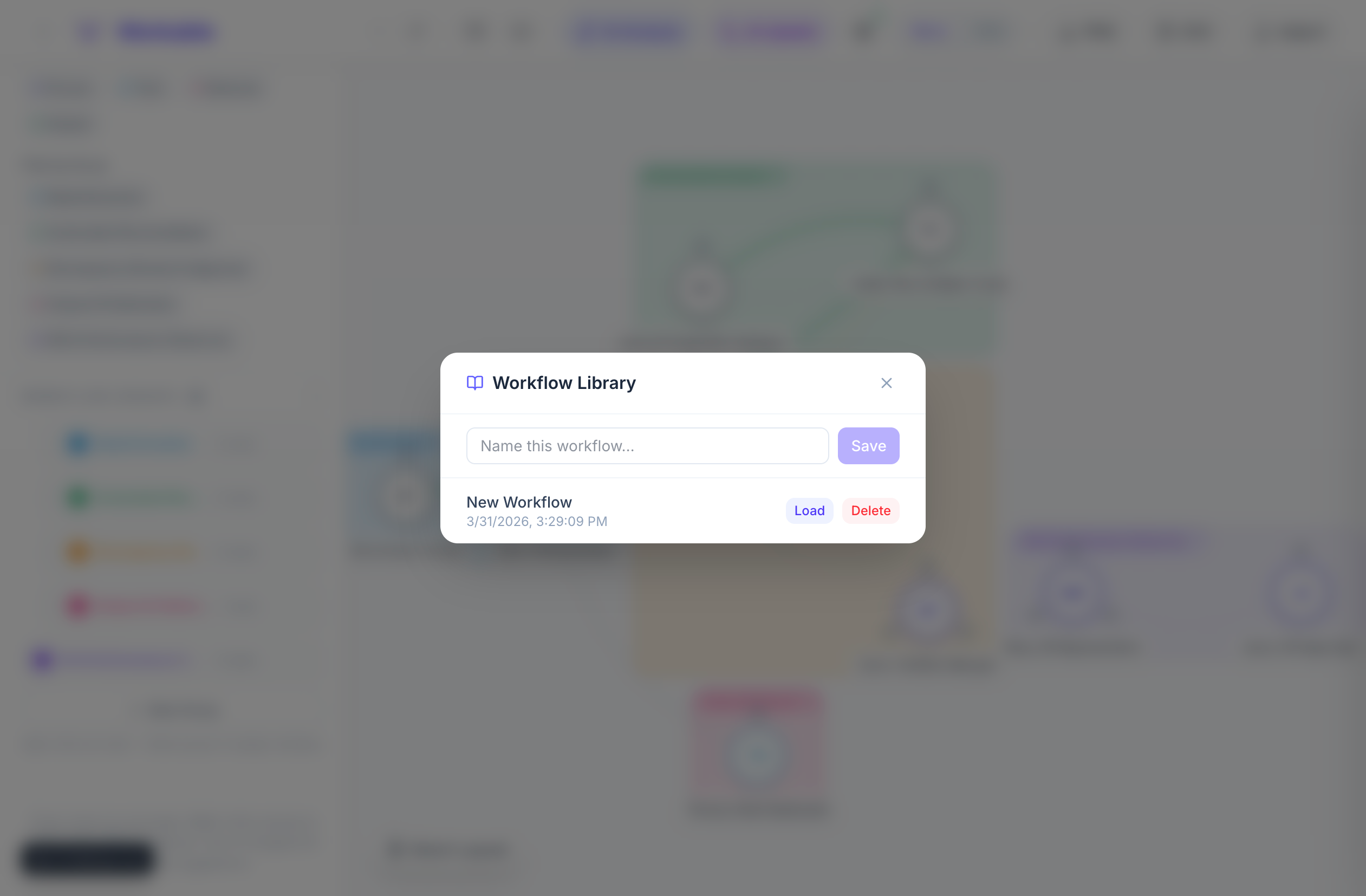
- Load back any saved workflow instantly, or delete old versions
- Snapshots are stored locally in your browser — no account or cloud sync required
🤖 AI Providers
Workable is provider-agnostic. Swap between them any time to compare results.
| Provider | Models | Notes |
|---|---|---|
| Anthropic Claude | claude-opus-4-6, claude-sonnet-4-6 , claude-haiku-4-5 |
Best overall reasoning and JSON fidelity |
| Google Gemini | gemini-2.0-flash, gemini-1.5-pro, gemini-1.5-flash |
Fast, reliable, and generous free tier |
| ByteDance Doubao | doubao-seed-2.0, doubao-pro-32k, and more |
High-performance via pay-per-use or Coding Plan |
AI Setup: Click the gear icon in the header, select your provider, and paste your API key (stored locally in your browser).
🚀 Quick Start
# 1. Clone and install
git clone https://github.com/starrdye/workable.git
cd workable
npm install

# 2. Start the dev server
npm run dev
# → http://localhost:3000
🛠️ Tech Stack
- Next.js 16 · React 19 · TypeScript 5 · Tailwind CSS 4
- AI: Anthropic Claude · Google Gemini · ByteDance Doubao
- License: AGPL-3.0