
Keyboard Layouter is a plugin for KiCad(pcbnew). This plugin places switch footprints in the location specified by JSON of Keyboard Layout Editor.
I have confirmed that it works with pcbnew version (5.1.0)-1 release build on Windows.
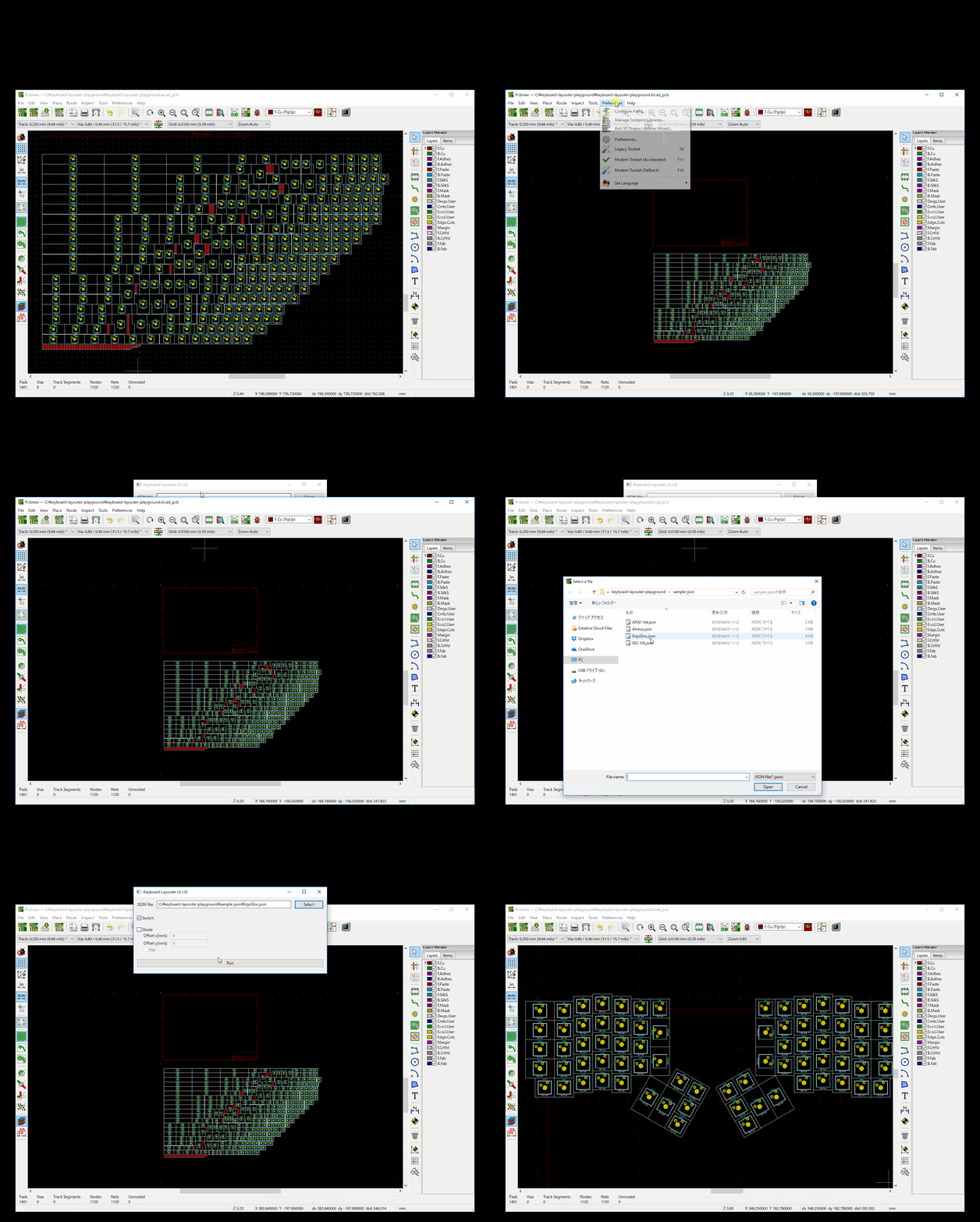
Download keyboard_layouter.py and put it to the following directory:
- Windows:
%APPDATA%/Roaming/kicad/scripting/plugins - macOS:
~/Library/Application Support/kicad/scripting/pluginsor~/Library/Preferences/kicad/scripting/plugins - Linux:
~/.kicad/scripting/pluginsor~/.kicad_plugins
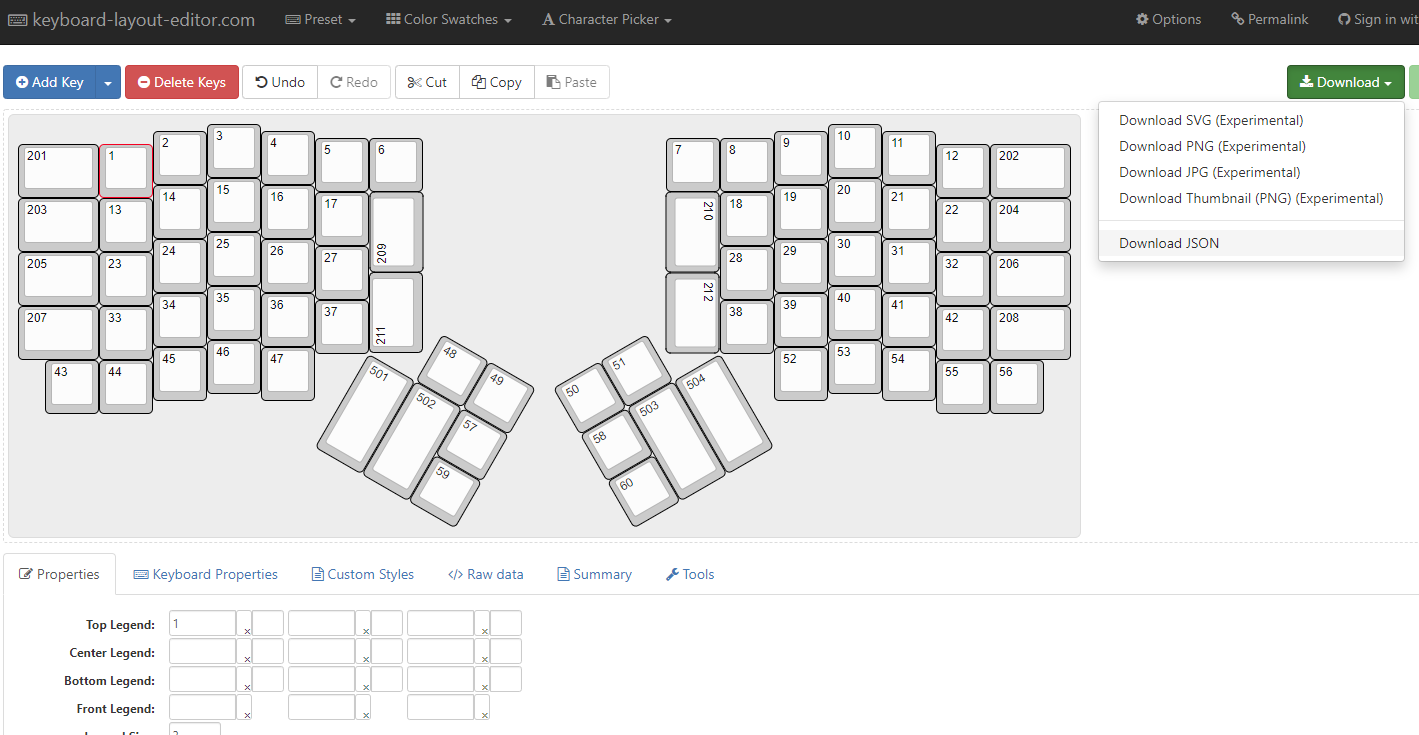
Make keyboard layout at Keyboard Layout Editor. Top left legend should be the reference number of the switch footprint. And download JSON file.
I have created keyboard-layouter-playground so that you can quickly try the Keyboard Layouter plugin. This repository has sample-json and sample netlist.
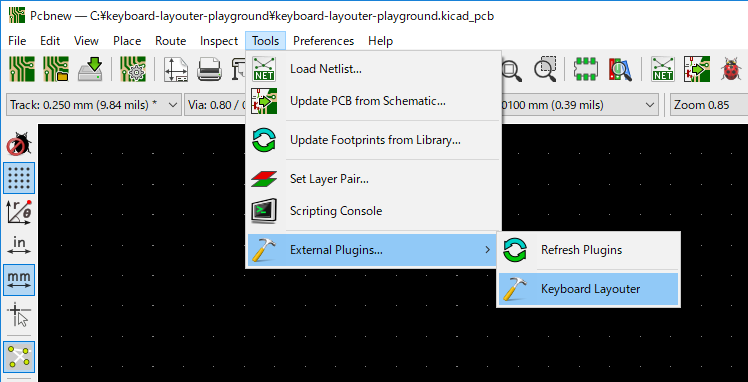
Open Pcbnew and choose "Tools" -> "External plugins" -> "Keyboard Layouter".
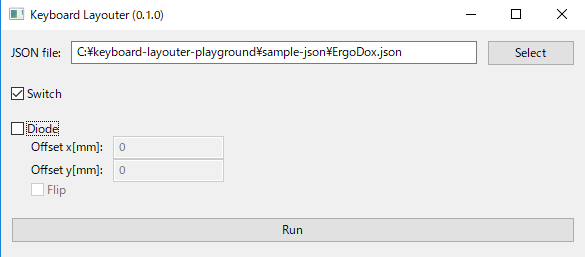
Select your JSON file and push "Run" button.
Supported switch footprints are Cherry MX in kicad-footprints/Button_Switch_Keyboard.pretty only. Therefore, the size of switch that can be used is limited to the following.
- 1.00u (1 x 1)
- 1.25u (1.25 x 1)
- 1.50u (1.5 x 1)
- 1.75u (1.75 x 1)
- 2.00u (2 x 1, 1 x 2)
- 2.25u (2.25 x 1)
- 2.75u (2.75 x 1)
- 6.25u (6.25 x 1)
- ISO Enter
This software is released under the MIT License, see LICENSE.