
Notification Database
This application lets you setup a database that can be queried and written to using Curl commands and also view it as a sortable and searchable table. It uses MariaDB as a database backend and php to execute the queries to the database. This is being created as a way for me to keep track of my homeserver notifications for historical purposes and so I can graph data in the future.
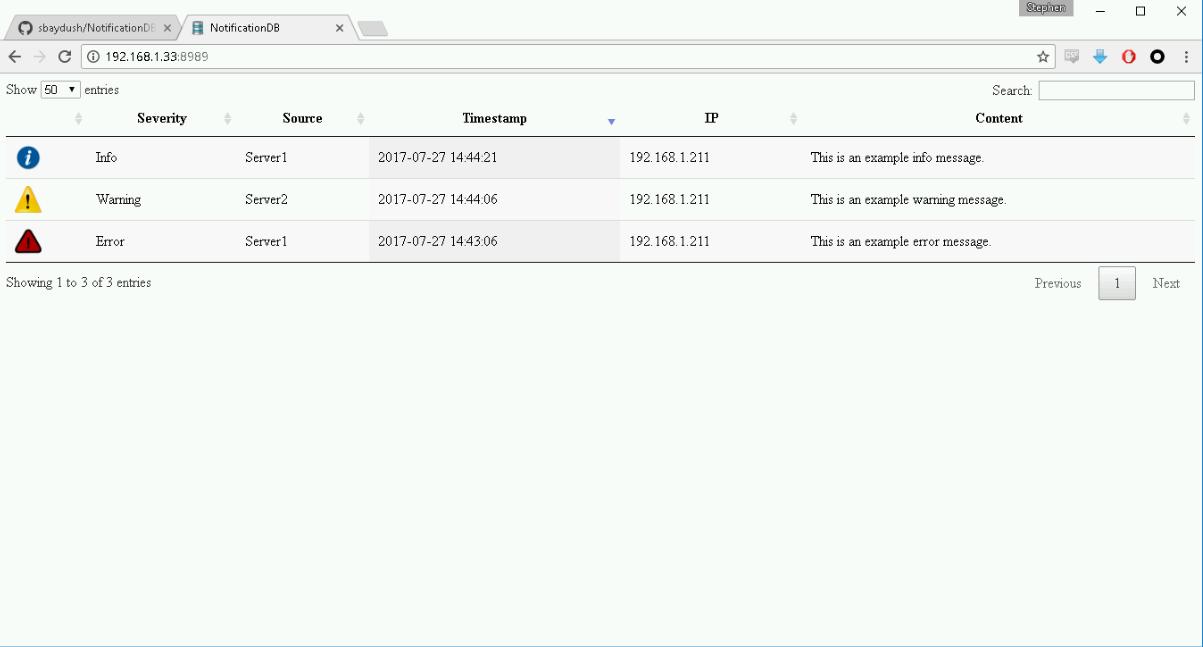
INSTALLATION:
There is an install_centos7.sh and an install_ubuntu16.sh install script that will install the application for you on centos7/rhel7 or ubuntu 16.04 LTS respectively. If you need to run this on another distribution, please follow the below manual steps.
Manual Install: You will need to install the following: MariaDB server and client tools (mysql client) HTTPD webserver php php-mysql
After the above dependencies are installed do the following:

1) copy the conf/notificationdb.conf file to /etc/httpd/conf.d/ folder
2) copy all files and folders under webfiles/ to /opt/notificationdb/html folder
3) start mariadb service
4) create a database called NotificationDB
5) import the database/NotificationDB.sql file into the database
6) Open firewall port on the server (default is 8989 which is changable in the notificationdb.conf file.
7) Start httpd service
8) If you used a different database name or username/password, modify the settings.conf file in the /opt/notificationdb/html/config folder to reflect the new settings
9) Visit the url of your server (example: http://192.168.1.100:8989/)
EXAMPLES: (example server is using 192.168.1.100 as its IP and port 8989 as its port)
Curl command to add row to database:
curl http://192.168.1.100:8989/api.php -X POST -d '{"Source":"Server1","Severity":"Error","Content": "'"This is an example error message"'."}'
Curl command to add row to database using htaccess for password authentication:
curl http://192.168.1.100:8989/api.php -u user1:password1324 -X POST -d '{"Source":"Server1","Severity":"Error","Content": "'"This is an example error message"'."}'
View database via webpage: http://192.168.1.100:8989/