English | Chinese
This is the Plus version of CLIProxyAPI, adding support for third-party providers on top of the mainline project.
All third-party provider support is maintained by community contributors; CLIProxyAPI does not provide technical support. Please contact the corresponding community maintainer if you need assistance.
The Plus release stays in lockstep with the mainline features.
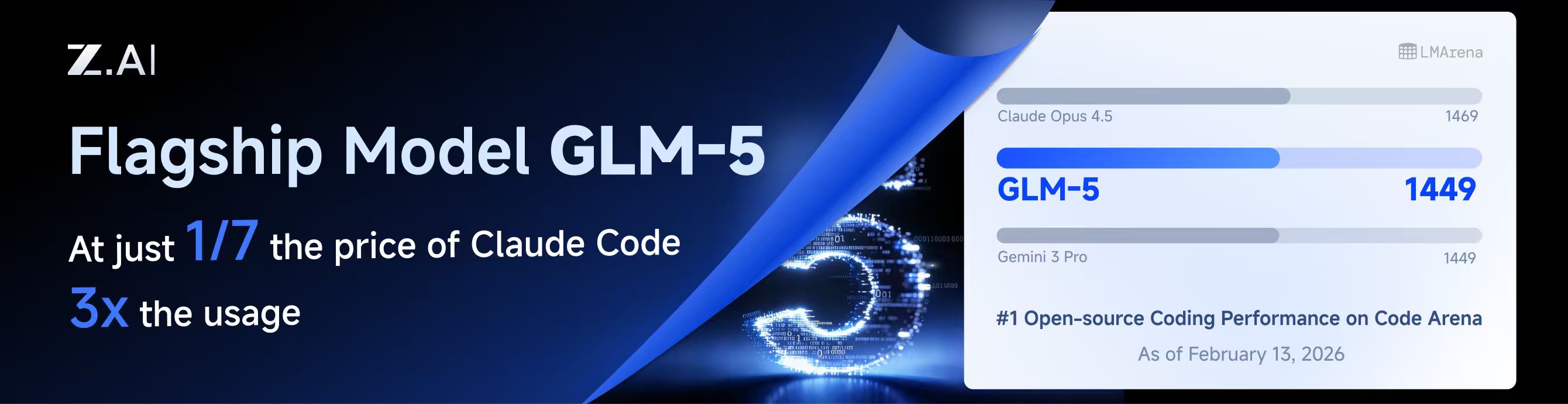
GLM CODING PLAN is a subscription service designed for AI coding, starting at just $10/month. It provides access to their flagship GLM-4.7 & (GLM-5 Only Available for Pro Users)model across 10+ popular AI coding tools (Claude Code, Cline, Roo Code, etc.), offering developers top-tier, fast, and stable coding experiences.
Note: Google/GitHub login is not available for third-party applications due to AWS Cognito restrictions.
AWS Builder ID (recommended):
# Device code flow
./CLIProxyAPI --kiro-aws-login

# Authorization code flow
./CLIProxyAPI --kiro-aws-authcode
Import token from Kiro IDE:
./CLIProxyAPI --kiro-importTo get a token from Kiro IDE:
- Open Kiro IDE and login with Google (or GitHub)
- Find the token file:
~/.kiro/kiro-auth-token.json - Run:
./CLIProxyAPI --kiro-import
AWS IAM Identity Center (IDC):
./CLIProxyAPI --kiro-idc-login --kiro-idc-start-url https://d-xxxxxxxxxx.awsapps.com/start

# Specify region
./CLIProxyAPI --kiro-idc-login --kiro-idc-start-url https://d-xxxxxxxxxx.awsapps.com/start --kiro-idc-region us-west-2
Additional flags:
| Flag | Description |
|---|---|
--no-browser |
Don't open browser automatically, print URL instead |
--no-incognito |
Use existing browser session (Kiro defaults to incognito). Useful for corporate SSO that requires an authenticated browser session |
--kiro-idc-start-url |
IDC Start URL (required with --kiro-idc-login) |
--kiro-idc-region |
IDC region (default: us-east-1) |
--kiro-idc-flow |
IDC flow type: authcode (default) or device |
Access the Kiro OAuth web interface at:
http://your-server:8080/v0/oauth/kiro
This provides a browser-based OAuth flow for Kiro (AWS CodeWhisperer) authentication with:
- AWS Builder ID login
- AWS Identity Center (IDC) login
- Token import from Kiro IDE
# Create deployment directory
mkdir -p ~/cli-proxy && cd ~/cli-proxy

# Create docker-compose.yml
cat > docker-compose.yml << 'EOF'
services:
  cli-proxy-api:
    image: eceasy/cli-proxy-api-plus:latest
    container_name: cli-proxy-api-plus
    ports:
      - "8317:8317"
    volumes:
      - ./config.yaml:/CLIProxyAPI/config.yaml
      - ./auths:/root/.cli-proxy-api
      - ./logs:/CLIProxyAPI/logs
    restart: unless-stopped
EOF

# Download example config
curl -o config.yaml https://raw.githubusercontent.com/router-for-me/CLIProxyAPIPlus/main/config.example.yaml

# Pull and start
docker compose pull && docker compose up -dEdit config.yaml before starting:
# Basic configuration example
server:
  port: 8317

# Add your provider configurations herecd ~/cli-proxy
docker compose pull && docker compose up -dThis project only accepts pull requests that relate to third-party provider support. Any pull requests unrelated to third-party provider support will be rejected.
If you need to submit any non-third-party provider changes, please open them against the mainline repository.
This project is licensed under the MIT License - see the LICENSE file for details.