Create local administrators using the SAMR API, operating at a lower level than net.exe, PowerShell's New-LocalUser or NetUserAdd API.
It requires Administrator privileges and if the user exists, it gets added to the group but the password is not updated.
There are 4 implementations in this repo (C#, Python, Rust and Crystal), but there are public versions in other languages such as C++ by @M0nster3 or BOF file by @AgeloVito.
This code serves as complement to this blog post about different techniques to create local accounts.
The arguments are:
-
-u, --username- Username to create (required) -
-p, --password- Password for the user (required) -
-g, --group- Group name (default: "Administrators") -
-v, --verbose- Enable verbose -
-h, --help- Show help message
# Basic usage
adduser.exe -u <username> -p <password>

# Specify group
adduser.exe -u <username> -p <password> -g <group>

# Verbose output
adduser.exe -u testuser -p MyPass123 -g Administrators -v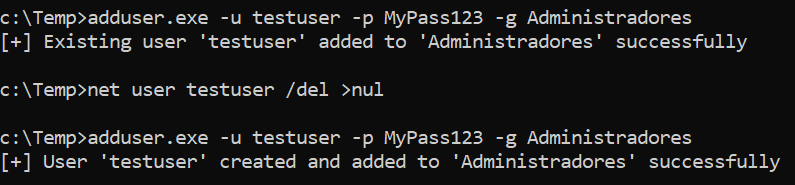
The tool uses the following SAMR protocol calls:
- SamConnect - Connect to the SAM server
- SamEnumerateDomainsInSamServer - Enumerate domains
- SamLookupDomainInSamServer - Get domain SIDs
- SamOpenDomain - Open domain handles
- SamCreateUser2InDomain - Create the user account
- SamSetInformationUser - Set user password
- SamLookupNamesInDomain - Find admin group
- SamOpenAlias - Open group handle
- SamRidToSid - Convert RID to SID
- SamAddMemberToAlias - Add user to group
Compile using Visual Studio or msbuild.
cd Crystal
crystal build adduser.cr --release
.\adduser.exe -u testuser -p MyPass123 -v
You can use the Python script:
cd Python
python adduser.py -u testuser -p MyPass123 -v
Or create a stand-alone binary with:
cd Python
pyinstaller -F adduser.py
.\dist\adduser.exe -u testuser -p MyPass123 -v
cd Rust && mkdir target
cargo build --release
.\target\release\adduser.exe -u testuser -p MyPass123 -v