Dotfiles are for macOS and Linux to setup my development environment.
Install dotfiles, run:
git clone https://github.com/qingshan/dotfiles.git ~/.dotfiles
cd ~/.dotfiles
make
For macOS or Debian desktop, one more step:
make desktopFor AI CLI tools, run:
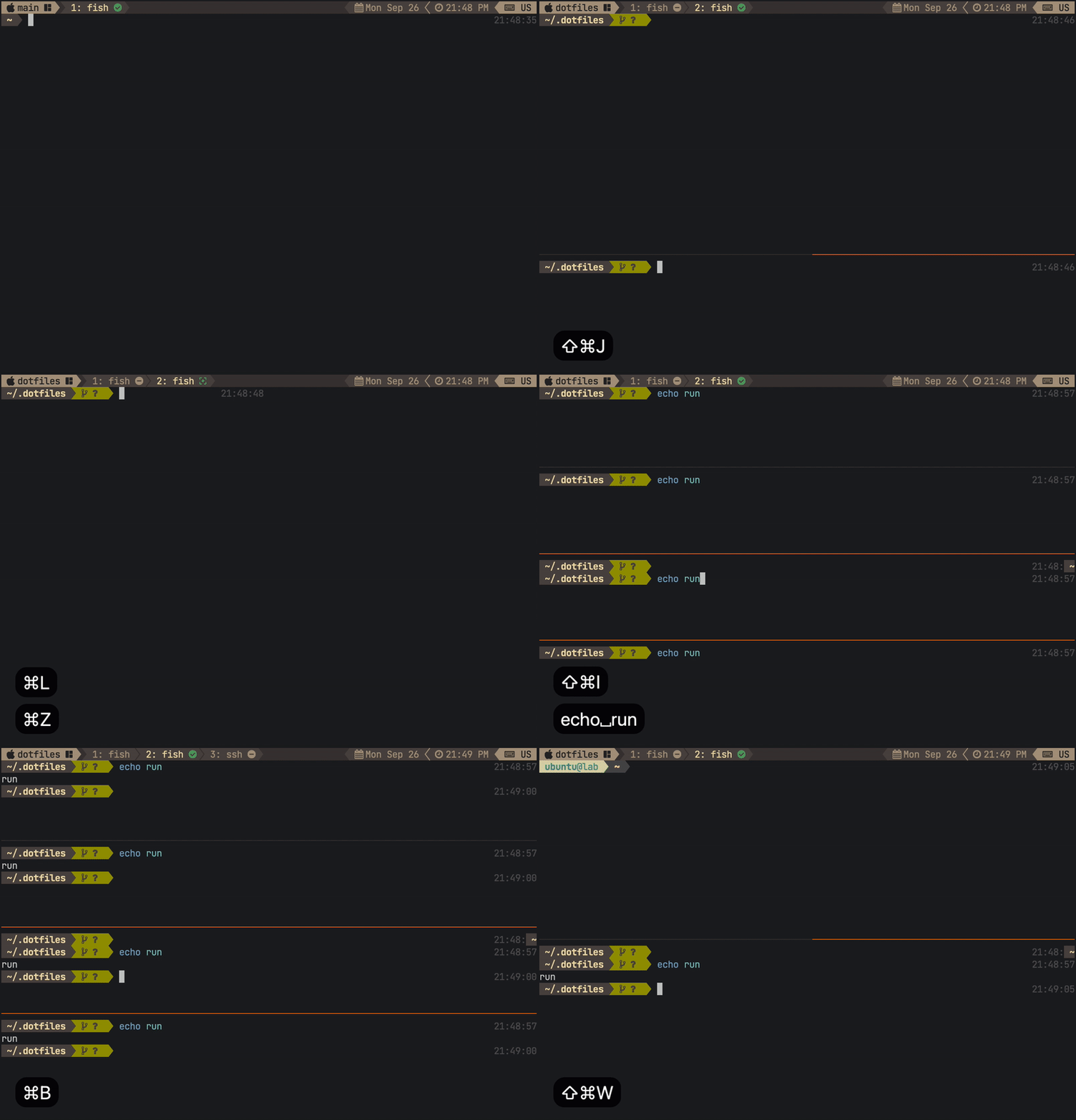
make aiTerminal shortcuts:
Suitable for all kinds of purpose:
- Desktops
- Development Environments
- Servers/VMs
- Containers
Both desktops use same key bindings, go to Desktop Cheatsheet.
IDEs:
- IntelliJ IDEA with IdeaVim for Java
- Zed for Rust and Python
Languages:
- Rust: cargo
- Python: uv
- Java: ant, maven
- Nodejs
Containers:
- Apple Container
- Docker
Version Control:
- Git
- LazyGit
- Github CLI
AI:
- Google Gemini CLI
- Github Copilot CLI
- OpenCode
- Debian 13, Ubuntu 24.04
- Rocky Linux 8+, CentOS 8+
- bash
- zsh
- fish
zsh as default shell on macOS:
~/.zprofileand~/.profileis sourced in login shell.~/.zshrcis sourced in interactive shell.
bash as default shell on macOS:
~/.bash_profileand~/.profileis sourced in login shell.~/.bashrcis sourced in interactive shell.
fish as interactive shell in interactive mode of zsh or bash, without setting it as user's default shell.
so update ~/.profile for user environment which will be available for all shells.
Fish shell integration with:
- starship
- fzf
- zoxide
- direnv
- lsd
- bat
- fd
- ripgrip
- jq
- just
- alacritty, ghostty, ssh runs user's default shell as interactive login shell.
- tmux runs inside an existing shell session, runs fish as interactive non-login shell.
alacritty as default terminal integrated with tmux, use iTerm2-like key bindings. go to Terminal Cheatsheet for key bindings.
ghosttty as quick terminal.
Tmux supercharges development workflow:
- key bindings
- menu
- launcher
- popup
- Google Gemini CLI
- Github Copilot CLI
ssh serverstarts interactive login shell.ssh server commandnon-interactive non-login shell.echo command | ssh serverstarts non-interactive login shell. You can also start one withssh server bash -l -c command.
- JetBrains Mono Nerd Font
- zk for cli notes: journal/inbox/notes
- Obsidian for tech notes
- Apple Notes for personal notes
- mdbook for publish notes: qingshan/notes
~/workfor work projects.~/codefor personal projects.~/Documentsfor cloud sync documents.~/Publicfor local grouped resources.
Use Docker on Linux or Apple container on macOS to build linux/debian/Dockkerfile to test dotfiles on latest version of Debian.
run server test
make server-testor run desktop test
make deskop-test