


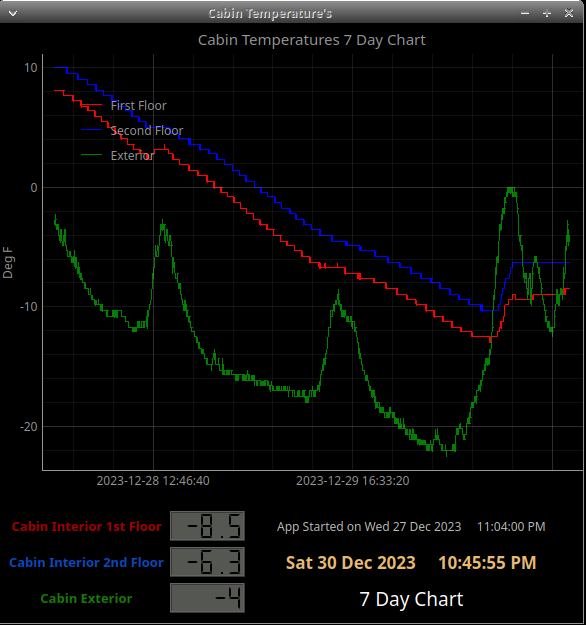
A simple PYQT5 interface with a 7 day live chart and current readout for the XW-110 wireless temperature sensors.
Uses ModBusTCP for communication with the sensors.
Chart and readout are updated every 5 seconds. Chart will hold 7 days of data.
It has no ability to hold values after closing. Data is held only when running.
Tested with pymodbus 3.12.1
https://www.controlbyweb.com/xw110/
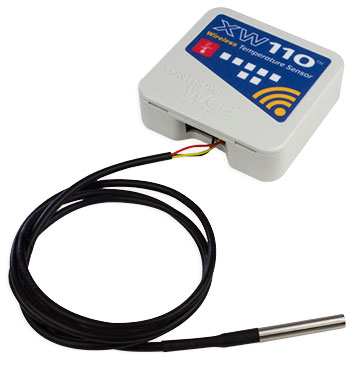
The XW-110 is an easy-to-use wireless temperature sensor with a built-in web server.
Users can view current temperature using a web browser, smartphone app,
or the XW-110 can send temperature information via email.
The XW-110 can be easily and quickly mounted to a wall or any other workable surface.
It is recommended to use a Python virtual environment to avoid conflicts with system packages.
# Create and activate a virtual environment
python3 -m venv XW110
source XW110/bin/activate

# Install dependencies
pip install pymodbus
pip install pglive
For the PYQT5 GUI file, PyQt5 is also required. Install it via your distro package manager before activating the venv, or install it inside the venv:
# Option 1 — system package (recommended)
sudo apt install python3-pyqt5

# Option 2 — inside the venv
pip install PyQt5
To run with the venv active:
source XW110/bin/activate
./ModBus-PYQT5-XW-110P.py    # GUI version
./Modbus-XW-110P-CLI.py       # CLI version
When using the PYQT5 files you only need to run the python file. The .ui will load automatically.
You can also edit the .ui file with Qt Designer which is part of PyQt5.
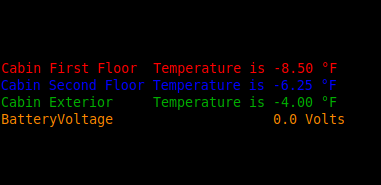
The CLI file displays all three sensor temperatures and battery voltage with a flicker-free
continuous refresh every 5 seconds. Temperature trend arrows (↑/↓) indicate direction of travel.
Sensor names, refresh interval, and IP address are all configurable variables at the top of the file.
Press Ctrl+C to exit cleanly.