- HiAuction : 지역기반 중고 물품 경매 서비스
- 같은 동네에 사는 유저들끼리 중고 물품을 경매를 통해 판매하고 직거래 할 수 있는 서비스
- 김재현 - 2017113301
- 김태원 - 2017112351
- 나현준 - 2017114482
- OS : window10 x64
- IDE : IntelliJ IDEA 2021.2.3 (Ultimate Edition)
- DBMS : oracle 19c
- Web Server : Tomcat 8.5.72
- JAVA : jdk-1.8.0_311
- github에서 pull한 경우
-
링크를 통하여 JSP 프로젝트를 생성합니다.(링크)
프로젝트 이름은 DB_Team_phase4으로 합니다.
-
File - Project Structure - Libraries에 ojdbc8과 tomcat lib에 있는 모든 jar파일들을 추가합니다.
-
index.jsp 파일을 지웁니다.
-
git pull 명령어를 통해 코드를 내려받습니다.git pull 오류시 git pull origin 브런치명 --allow-unrelated-histories를 실행합니다
-
db_final.dump 파일을 통해 데이터베이스를 복원합니다.데이터베이스 유저 이름과 비밀번호는 DBTeam7/comp322로 해야합니다.
복원 명령어 - imp userid=DBTeam7/comp322 FILE="db_final.dump파일 경로"
-
서버를 실행시킵니다.
- 따로 제출한 zip 파일의 압출을 풀어 실행할 경우
-
zip 파일 해제 후 intellij로 폴더 엽니다
-
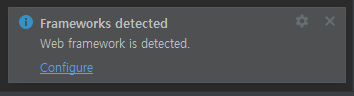
우측 하단에 아래와 같이 뜨면 configure 누릅니다
-
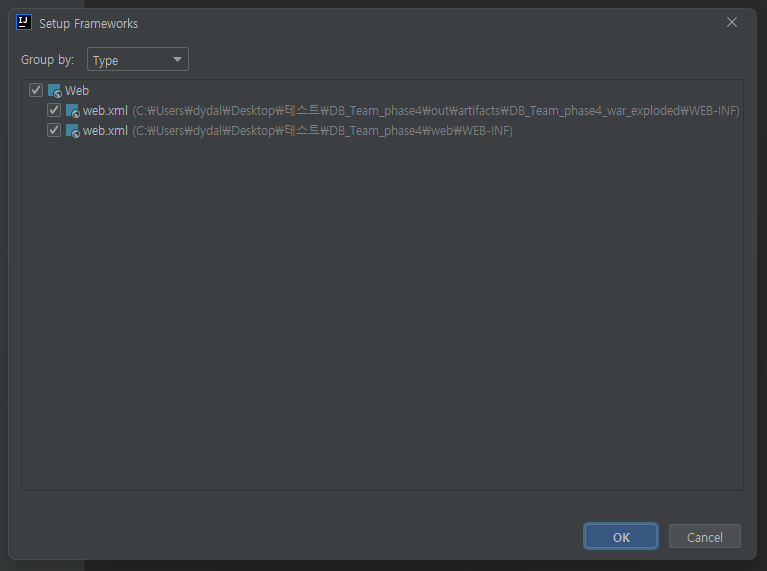
아래와 같이 한 후 OK를 누릅니다
-
-
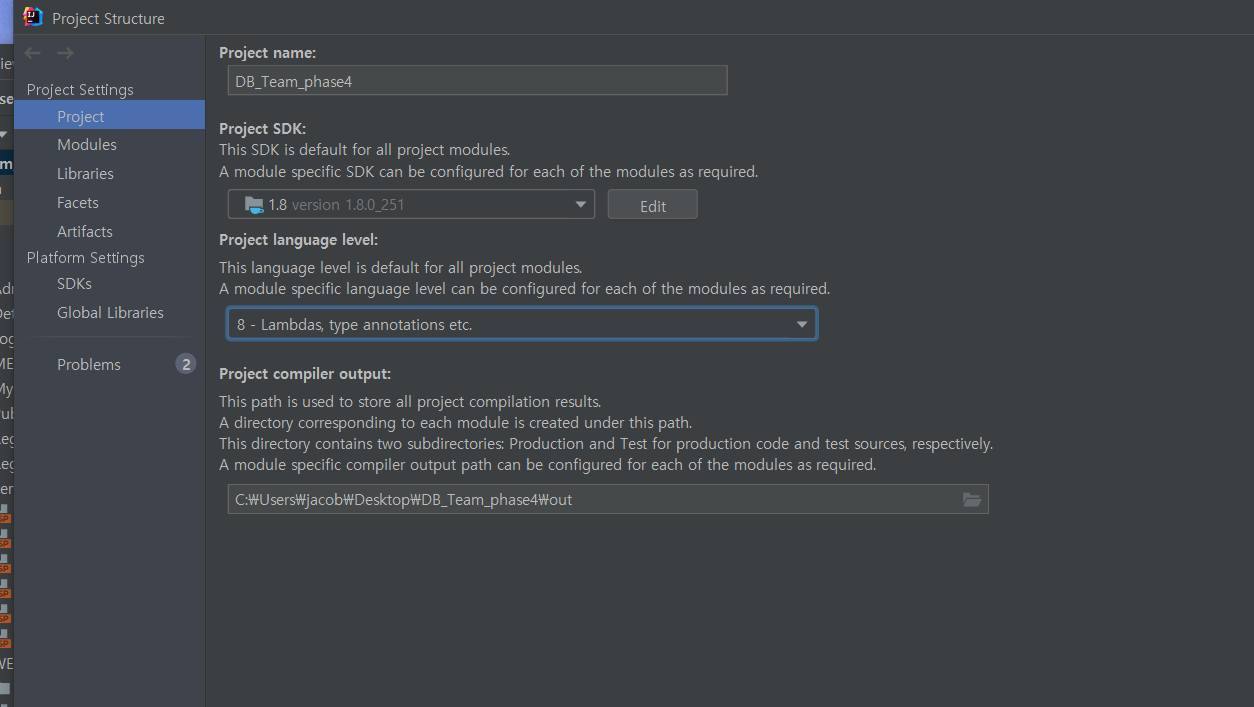
JDK 설정
file - project structure - project에서 SDK를 1.8로 language level을 8로 설정
-
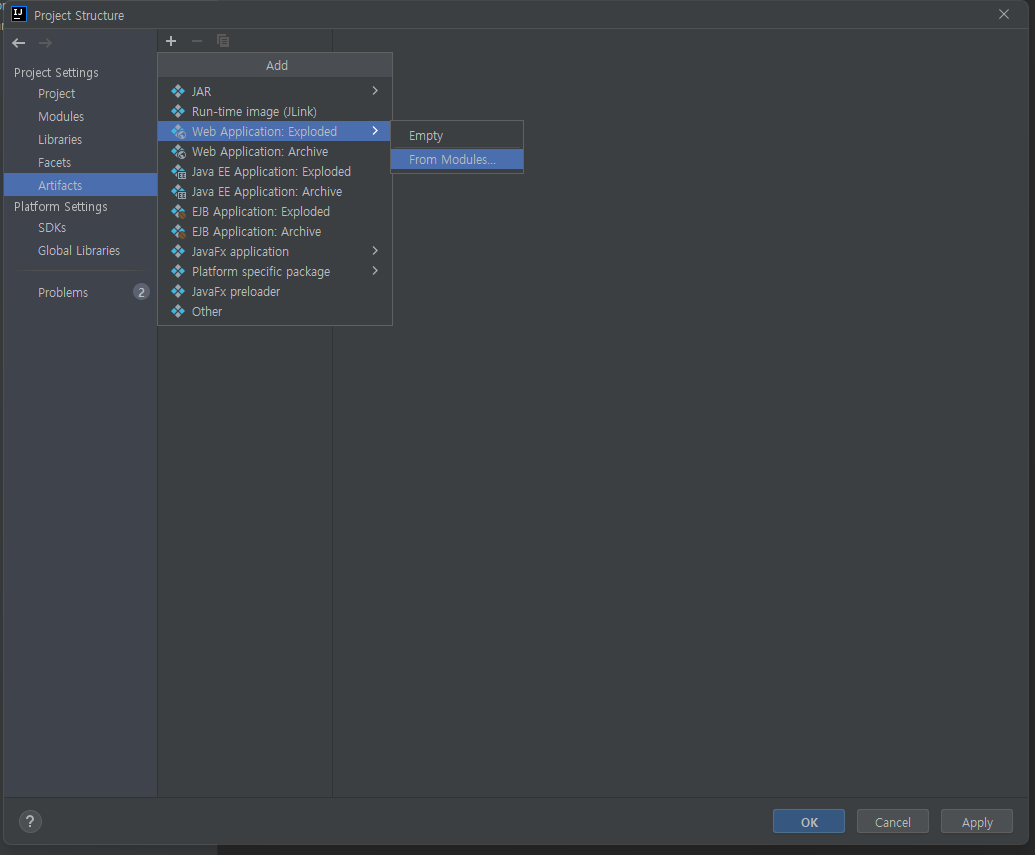
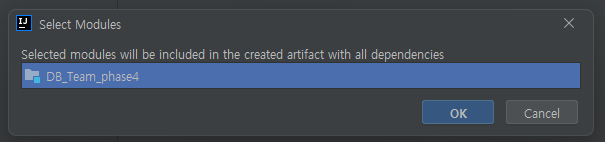
File-Project Structure-Artifact에서 Web Application: Exploed 누르고 From Modules을 클릭합니다
-
아래와 같이 뜨면 OK를 누릅니다
-
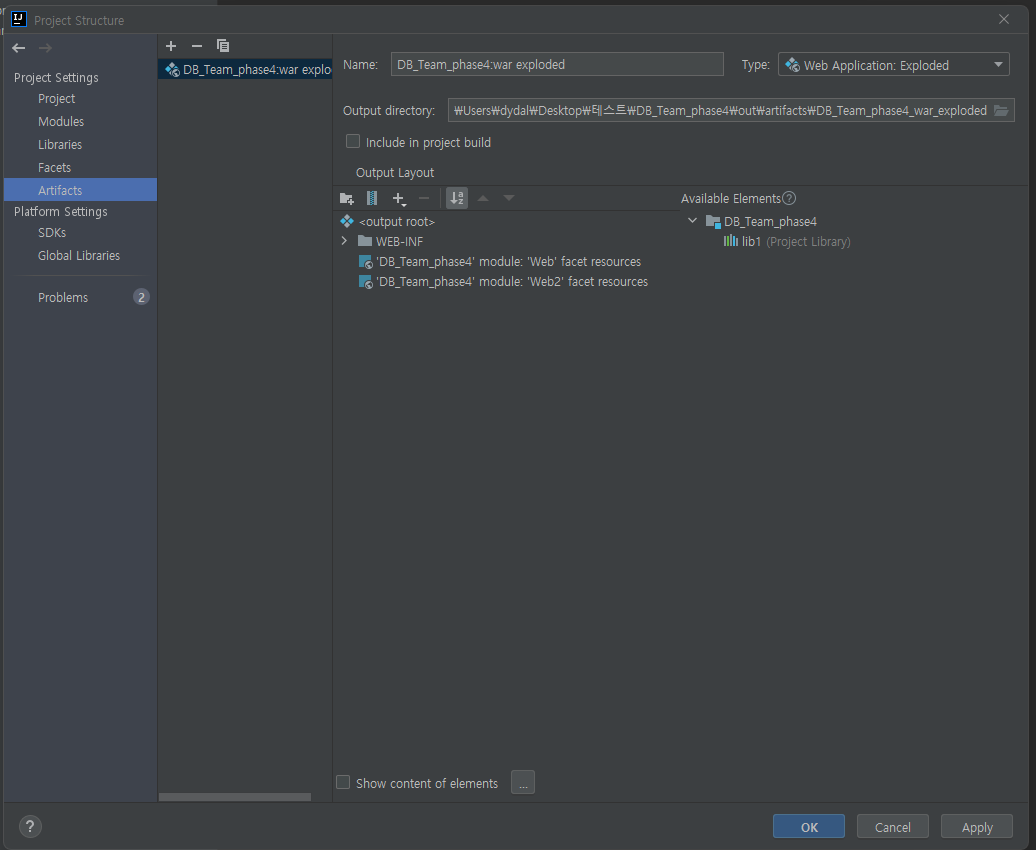
확인 후 OK를 누릅니다
-
-
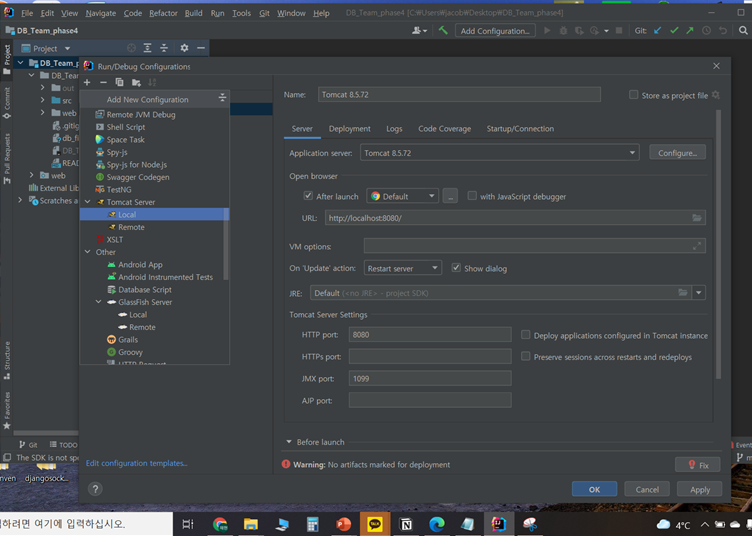
상단 add configuration에서 Add new → Tomcat Server Local을 추가합니다
-
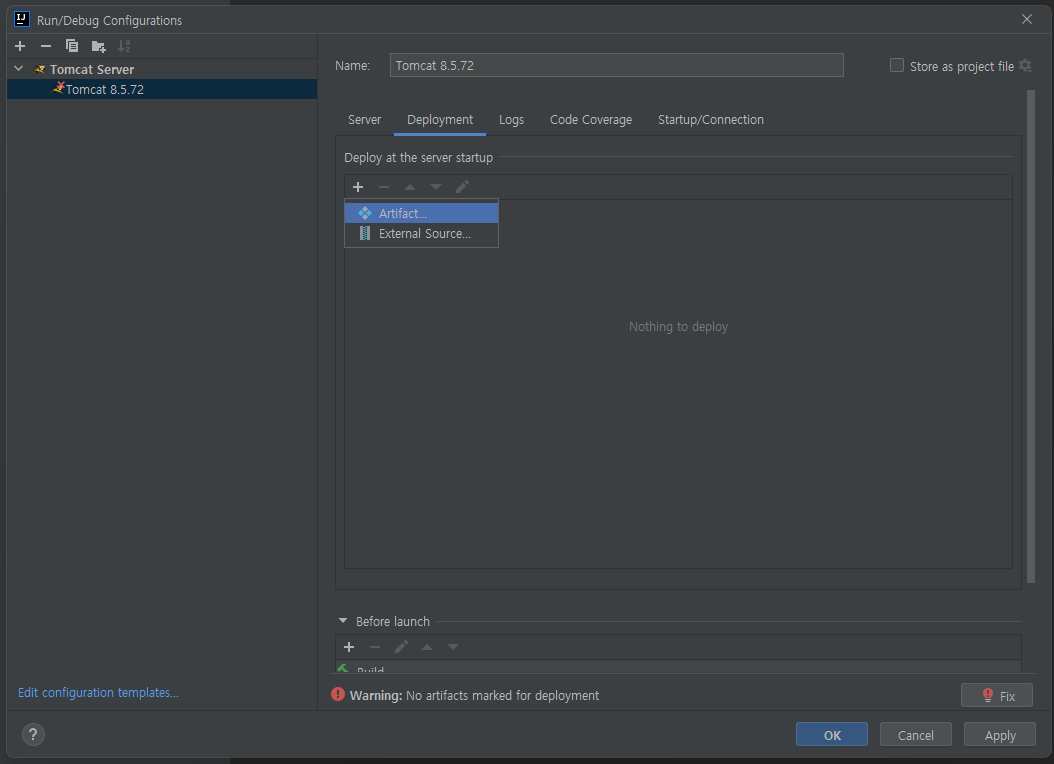
Deployment 탭으로 이동하여 Artifact를 누릅니다
-
아래와 같이 뜨면 Server 탭으로 갑니다
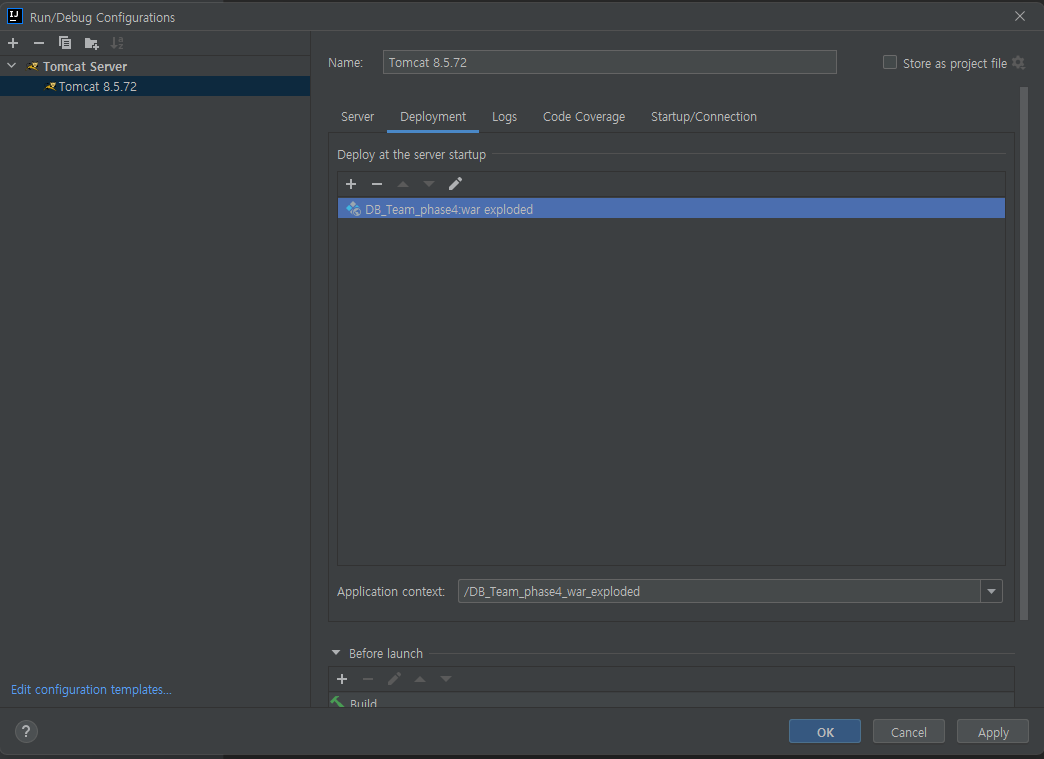
-
Server 탭의 정보가 아래와 같이 올바른지 확인 후 OK를 누릅니다
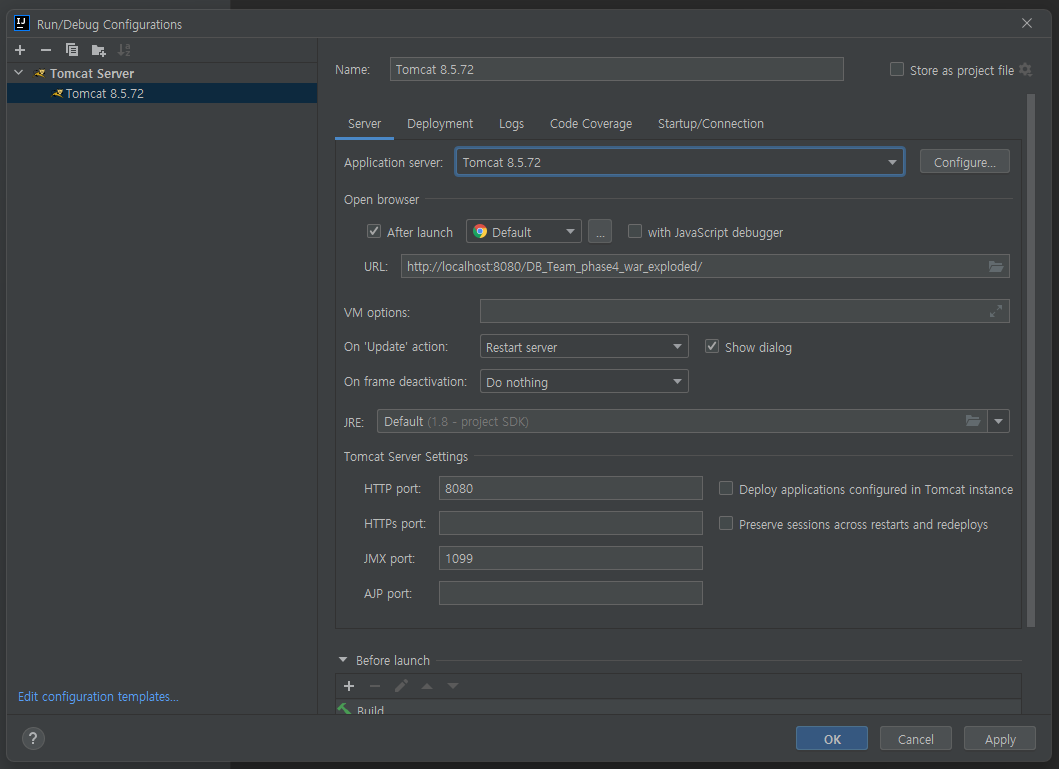
-
실행시키면 아래와 같이 확인가능합니다
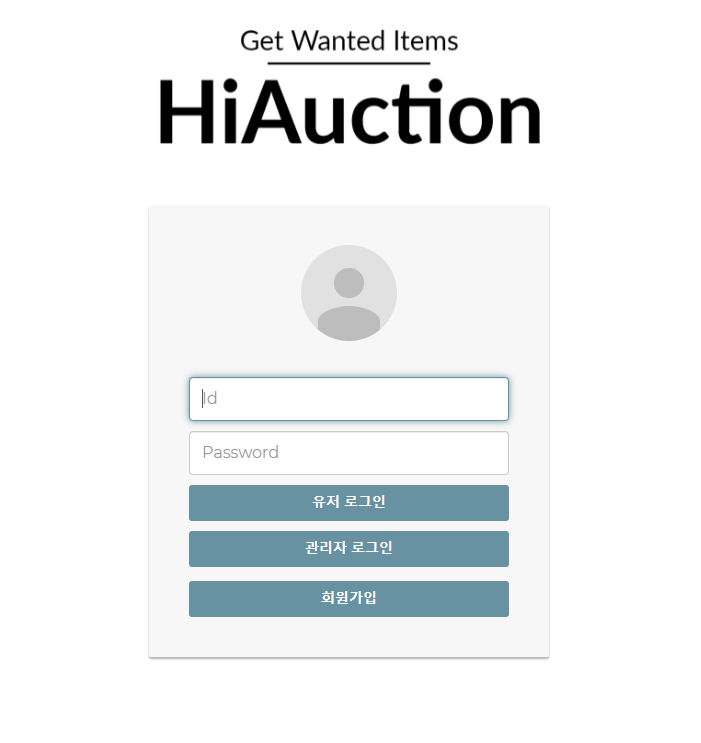
-