- Go to the repo and grab the
EVA2.tfffile and theevaFontCSS.cssfile - Download the RAW file for both and put them in the same repo (Or simply clone the repo)
- Click on the
eva1.tfffile and clickInstall - Go to Oxygen and go to Options -> Preferences
- Look up
Document Type Associationand double clickTEI P5underDocument Type. Make sure it is enabled as well - This step creates a new document type. Name it whatever you want. Go to the Author Tab. Then, go to the plus sign and click it
- Look for the
evaFontCSS.cssfile in your documents. Title it whatever you'd like. Then clickOK - Click
OK - Click
Applyand thenOK - Add
<?xml-stylesheet type="text/css" href="evaFontCSS.css"?>to the top portion of your document like so - You're done! Your Author Mode should now look like this, with everything within the
<line>element now being in Voynichese and everything else in English!


Clone this repo onto your computer by doing the following:
git clone https://github.com/newtfire/voynichTEI.git
This is a list of programs I used in order to complete this project:
NOTE: This step is only if you plan to use the entire ZL3b-n.txt document and not just the herbal section. If you are only using the herbal section, feel free to skip this, as the herbal.txt file already did this for you!
In PyCharm, create a VoynichTEI project, and open replaceAscii.py (Located here inside the python directory).
Run the file, and you should now have a ZL3b-n_updated.txt file (Located here inside the ixml directory).
Go into your Bash shell and go to the VoynichTEI directory
To get an output on the entire ZL3b-n document, in your shell, type the following:
blitz ixml/translit.ixml transliterationFiles/ZL3b-n_updated.txt > xml/outputXML.xml
If you just want the herbal section instead, type the following:
blitz ixml/translitHerbal.ixml transliterationFiles/herbal.txt > xml/outputXMLherbal.xml
This sends the text documents through the invisible xml file and makes it into an XML file!
Now we need to send the output XML file through an XSLT file. You will need OxygenXML to do this.
In Oxygen, open your outputXML.xml file and the ixmlOut-to-TEI.xsl document (Located here in the xslt directory).
Switch to the XSLT Debugger Perspective, which is located at the top right of the screen:

In the top left corner, put outputXML.xml or outputXMLherbal.xml in the XML input, and ixmlOut-to-TEI.xsl in the XSL input like so:

When you are ready, put the filepath to where you would like your output file saved. Here, I just wrote outputTEI.xml as an example:

Press the run button:

Now you have it as a proper TEI file!
- Quire 1

- Quire 2

- Quire 3

- Quire 4

- Quire 5

- Quire 6

- Quire 7

- Quire 8
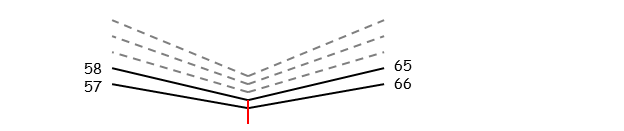
- Quire 9

- Quire 10

- Quire 11

- Quire 12

- Quire 13
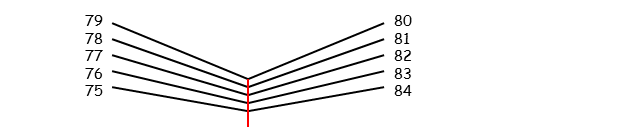
- Quire 14

- Quire 15
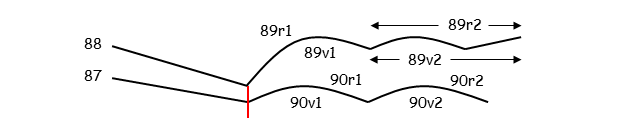
- Quire 17

- Quire 19
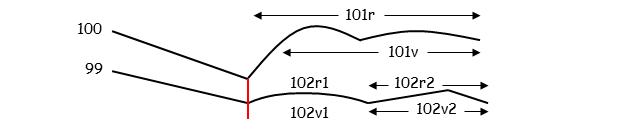
- Quire 20
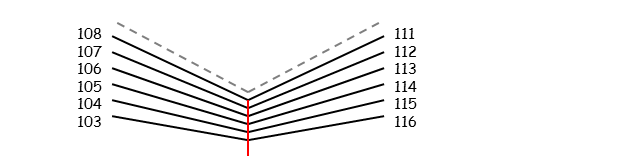
- The latest release of the Zandbergen-Landini transliteration of 1999 in the IVTFF 2.0 format.
- It is a complete transliteration, including all 5389 loci that have been identified in the MS. It uses the Eva alphabet, including the high-ascii extensions.
- The file has been corrected in numerous places. Some parts of the text inside folds of the pages still need to be added.
- The first stable version of a reference transliteration, which was created automatically as a combination of the GC and ZL transliterations, in the IVTFF 2.0 format.
- The original file was defined using the STA alphabet, and the present file is a simplification/approximation using Basic, not-capitalised Eva.
- Beinecke Library high-res images of the Voynich manuscript
- Transliteration files directory
- Layout of the Manuscript images
- Voynich Manuscript Website