A comprehensive and modular system for automated configuration of Linux development environments, with support for multiple distributions and window managers.
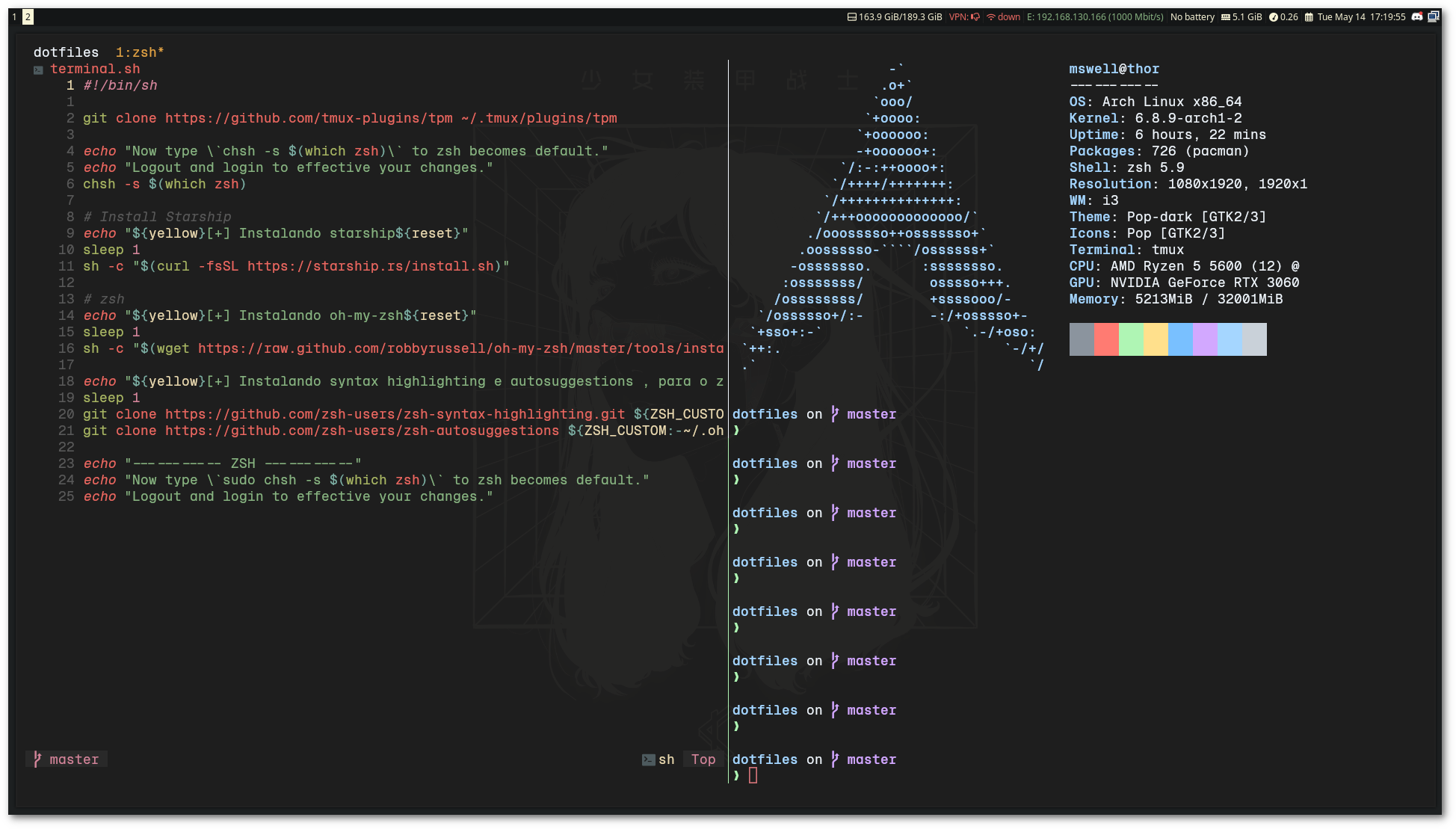
This project offers a complete solution for setting up development environments, including:
- Multiple Linux distributions (Ubuntu, Arch Linux)
- Various window managers (Hyprland, i3wm, Qtile)
- Development tools (Python, Go, Neovim)
- Security tools (pentest/hacking tools)
- Optimized configurations for terminal and editors
- Custom templates for reconnaissance and security testing
- Linux system (Ubuntu 20.04+, Arch Linux)
- Git
- curl
- sudo (for system package installation)
git clone https://github.com/mswell/dotfiles.git
cd dotfiles
./install.shThe install.sh script offers 7 main options:
| Option | Description | Target |
|---|---|---|
| [1] Ubuntu VPS | Complete setup for Ubuntu Server | Servers, web development |
| [2] Archlinux with Hyprland | Arch Linux + Wayland + Hyprland | Modern desktop, Wayland |
| [3] Install Hacktools | Pentest/security tools | Security testing, CTF |
| [4] Install Pyenv | Python environment with pyenv | Python development |
| [5] Archlinux with i3wm | Arch Linux + i3 Window Manager | Tiling desktop, X11 |
| [6] Archlinux WSL | Arch Linux on Windows Subsystem | WSL, cross-platform development |
| [7] Archlinux DE | Arch Linux + Desktop Environment | Traditional desktop environment |
Each distribution has its own setup directory with specialized scripts:
setup/
├── ubuntu/          # Ubuntu scripts (base.sh, devel.sh, apps.sh, terminal.sh)
├── ArchHypr/        # Arch + Hyprland (base.sh, apps.sh, fonts.sh, terminal.sh)
├── ArchI3wm/        # Arch + i3wm (base.sh, apps.sh, fonts.sh, terminal.sh)
├── ArchWSL/         # Arch WSL (base.sh, apps.sh, terminal.sh)
└── ArchDE/          # Arch Desktop Environment (base.sh, apps.sh, fonts.sh, terminal.sh)
pyenv_install.sh: Python version managementinstall_golang.sh: Go language installationinstall_hacktools.sh: Security toolsterminal.sh: Terminal configurationcopy_dots.sh: Copy configuration files
- Python: pyenv for multiple versions
- Go: Installation and configuration
- Neovim: Modern editor with Lua
- Git: Optimized configurations
- Tmux: Terminal multiplexer
- ZSH: Shell with Powerlevel10k
- Kitty: GPU-accelerated terminal
- WezTerm: Modern terminal
- Ghostty: Wayland-native terminal
- Fish: Alternative shell
- Hyprland: Wayland compositor
- i3wm: Tiling window manager
- Qtile: Python window manager
- Waybar: Wayland status bar
- Nuclei: Vulnerability scanner
- Custom templates: Personalized templates
- Recon tools: Reconnaissance tools
- MongoDB integration: Database for results
- Catppuccin: Modern theme
- Tokyo Night: Dark theme
- Cyberdream: Cyberpunk theme
- Oxocarbon: Minimalist theme
config/
├── zsh/              # ZSH configurations
│   ├── functions.zsh    # Custom functions
│   ├── alias.zsh        # Aliases
│   ├── custom.zsh       # Custom workflows
│   └── .zshrc           # Main file
├── kitty/            # Kitty themes
├── wezterm/          # WezTerm configurations
├── hypr/             # Hyprland configuration
├── i3/               # i3wm configuration
├── nvim/             # Neovim configuration
└── themes/           # Additional themes
functions.zsh: Utility functionscustom.zsh: Custom workflow configurationsalias.zsh: Productivity aliases
Ideal for servers and web development:
./install.sh # Choose option 1Modern desktop with Wayland:
./install.sh # Choose option 2./install.sh # Choose option 3./install.sh # Choose option 4This dotfiles includes a complete reconnaissance toolkit for bug bounty hunters, with modular ZSH functions that automate the recon workflow.
┌──────────────────────────────────────────────────────────────────────────┐
│                           RECON WORKFLOW                                 │
├──────────────────────────────────────────────────────────────────────────┤
│                                                                          │
│  workspaceRecon "target.com"  ← Creates workspace: target.com/YYYY-MM-DD │
│         │                                                                │
│         ▼                                                                │
│  ┌────────────────────────────────────────────────────────────────────┐  │
│  │                    SUBDOMAIN ENUMERATION                           │  │
│  │  subdomainenum     → subfinder, amass, crt.sh → dnsx resolve       │  │
│  │  subPermutation    → alterx + puredns (permutations)               │  │
│  │  Output: clean.subdomains                                          │  │
│  └────────────────────────────────────────────────────────────────────┘  │
│         │                                                                │
│         ▼                                                                │
│  ┌────────────────────────────────────────────────────────────────────┐  │
│  │                        PORT SCANNING                               │  │
│  │  naabuRecon        → Top 100 ports scan                            │  │
│  │  naabuFullPorts    → Full port range (excl. common)                │  │
│  │  Output: naabuScan                                                 │  │
│  └────────────────────────────────────────────────────────────────────┘  │
│         │                                                                │
│         ▼                                                                │
│  ┌────────────────────────────────────────────────────────────────────┐  │
│  │                        HTTP PROBING                                │  │
│  │  getalive          → httpx probe, categorizes by status code       │  │
│  │  Output: ALLHTTP, 200HTTP, 403HTTP, Without404                     │  │
│  └────────────────────────────────────────────────────────────────────┘  │
│         │                                                                │
│         ▼                                                                │
│  ┌────────────────────────────────────────────────────────────────────┐  │
│  │                       CRAWLING & DATA                              │  │
│  │  crawler           → gospider, waybackurls, gau, katana            │  │
│  │  JScrawler         → JavaScript file discovery                     │  │
│  │  getjsurls         → JS URL extraction + validation                │  │
│  │  secretfinder      → Secrets in JS files                           │  │
│  └────────────────────────────────────────────────────────────────────┘  │
│         │                                                                │
│         ▼                                                                │
│  ┌────────────────────────────────────────────────────────────────────┐  │
│  │                    VULNERABILITY SCANNING                          │  │
│  │  Nuclei Scans      → exposureNuc, GitScan, XssScan, nucTakeover    │  │
│  │  xsshunter         → Multi-tool XSS detection                      │  │
│  │  bypass4xx         → 403/401 bypass attempts                       │  │
│  │  prototypefuzz     → Prototype pollution testing                   │  │
│  └────────────────────────────────────────────────────────────────────┘  │
│                                                                          │
└──────────────────────────────────────────────────────────────────────────┘
| Function | Description | Input | Output |
|---|---|---|---|
workspaceRecon <domain> |
Creates organized workspace by date | domain | domain/YYYY-MM-DD/ |
wellSubRecon |
Complete subdomain enum pipeline | domains |
clean.subdomains |
subdomainenum |
Passive enum (subfinder, amass, crt.sh) | domains |
all.subdomains, clean.subdomains |
subPermutation |
Generates permutations with alterx + puredns | clean.subdomains |
permutations.txt |
subtakeover |
Detects subdomain takeover | clean.subdomains |
subtakeover.txt |
| Function | Description | Input | Output |
|---|---|---|---|
naabuRecon |
Port scan top 100 ports | clean.subdomains |
naabuScan |
naabuFullPorts |
Full port scan | clean.subdomains |
full_ports.txt |
getalive |
HTTP probe + categorization | naabuScan |
ALLHTTP, 200HTTP, 403HTTP |
screenshot |
Screenshots with aquatone | ALLHTTP |
aqua_out/ |
| Function | Description | Input | Output |
|---|---|---|---|
crawler |
Multi-tool crawler | Without404 |
crawlerResults.txt |
JScrawler |
Discovers JS files | 200HTTP |
crawlJS, JSroot/ |
getjsurls |
Extracts and validates JS URLs | crawlerResults.txt |
js_livelinks.txt |
secretfinder |
Searches secrets in JS | js_livelinks.txt |
js_secrets_result |
getdata |
Saves all responses | ALLHTTP |
AllHttpData/ |
| Function | Description | Tags/Template |
|---|---|---|
exposureNuc |
Detects exposures | exposure |
GitScan |
Detects exposed .git | git |
XssScan |
XSS scan | xss |
nucTakeover |
Subdomain takeover | takeover |
graphqldetect |
Detects GraphQL endpoints | graphql-detect |
swaggerUIdetect |
Detects Swagger UI | swagger |
APIRecon |
API reconnaissance | custom workflow |
OpenRedirectScan |
Open redirect | redirect |
lfiScan |
LFI vulnerabilities | lfi |
| Function | Description | Input | Output |
|---|---|---|---|
xsshunter |
XSS multi-scanner (airixss, freq, xsstrike) | domains |
airixss.txt, FreqXSS.txt |
bypass4xx |
Bypass 403/401 | 403HTTP |
4xxbypass.txt |
prototypefuzz |
Prototype pollution | ALLHTTP |
notifications |
Corstest |
CORS misconfiguration | roots |
CORSHTTP |
smuggling |
HTTP Request Smuggling | hosts |
smuggler_op.txt |
fufdir <url> |
Directory fuzzing | URL | stdout |
fufapi <url> |
API endpoint fuzzing | URL | stdout |
| Function | Description |
|---|---|
getfreshresolvers |
Downloads updated DNS resolvers list |
getalltxt |
Downloads jhaddix's all.txt wordlist |
certspotter <domain> |
Fetches subdomains via CertSpotter |
crtsh <domain> |
Fetches subdomains via crt.sh |
ipinfo <ip> |
IP information via ipinfo.io |
# Complete automated recon
wellRecon

# API-focused recon
newRecon

# Nuclei scans only
wellNuclei# 1. Setup workspace
workspaceRecon example.com
# 2. Complete subdomain enumeration (includes permutations)
wellSubRecon
# 3. Port scan + HTTP probe
naabuRecon
getalive
# 4. Crawling and JS collection
crawler
getjsurls
secretfinder
# 5. Vulnerability scanning
exposureNuc
XssScan
nucTakeover
bypass4xxThe system includes a vast collection of tools for:
- Web Application Security
- Network Reconnaissance
- Vulnerability Assessment
- Penetration Testing
- Custom Nuclei Templates
- Create directory in
setup/ - Add base.sh, apps.sh, terminal.sh scripts
- Update menu in install.sh
- Document changes
- Edit files in
config/ - Setup scripts copy automatically
- Test changes before committing
- Fork the project
- Create a feature branch (
git checkout -b feature/AmazingFeature) - Commit your changes (
git commit -m 'Add some AmazingFeature') - Push to the branch (
git push origin feature/AmazingFeature) - Open a Pull Request
This project is licensed under the MIT License. See the LICENSE file for details.
Wellington Moraes
MIT © 2024 Wellington Moraes
- Portuguese (Português) - Versão em português
- English - English version