
Quickly switch between multiple desktops.
If you use Emacs desktop, this library allows you to "jump" quickly
between multiple saved desktops by autocompleting or selecting desktop
name. If there is any desktop currently loaded it is previously saved
using session-save.
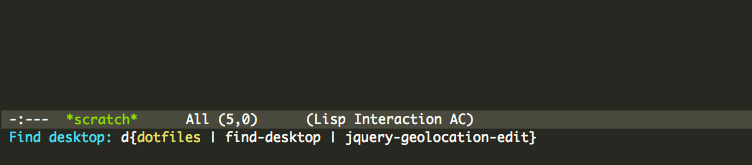
Inspired by an awesome find-file-in-project.
- Linux or OS X
This library depends on GNU find for initial desktop list search. You
can get around this requirement if you have
fd-desktops-file file ready in place.
- Tested on Emacs >= 24, though it will probably work on earlier versions too
Drop the find-desktop.el file somewhere in your
Emacs lisp path (e.g., ~/.emacs.d/lisp) and add to your .emacs file:
(require 'find-desktop)Run find-desktop to see it in action. If you have many files, first
run might be slow since find will scan your $HOME directory for
.emacs.desktop files. Results are then cached to fd-desktops-file
file so subsequent runs are much faster. Recommended binding:
(global-set-key (kbd "C-x C-d") 'find-desktop)Directory name is used for a desktop name. If there are duplicated desktop names, parent directory name is used to distinguish between them.
Desktop list is saved to fd-desktops-file file, which is
~/.emacs.desktops.list by default. To add or remove desktops, edit
this file. File content is a simple list of directory paths, for
example:
/Users/milos/projects/mapc
/Users/milos/github/dotfiles
/Users/milos/github/find-desktop
/Users/milos/github/jquery-geolocation-edit
/Users/milos/github/mapcBug reports and pull requests welcome.