

Read in: Italian





A fork of version 2026.1 with extensions and improved features.
A companion tool for when you travel into the planes. PlanarAlly Plus is a web tool that adds virtual battlemaps with various extras to your TTRPG/D&D toolbox.
- Watabou — Import maps from Watabou City Generator and One Page Dungeon. Automatic setup of images and walls.
- Documents — Upload and view PDF documents. Share documents with players.
- AI Generator — Connect to AI models (OpenRouter, Google AI Studio) for characters, stories, maps, and more.
- MapsGen — Procedural generation of dungeons and buildings for tabletop maps. Two modes: dungeon (classic, warren, temple…) and building (house, tavern, inn…). Automatic walls, doors, and AI-realistic transform.
- Compendium — Install multiple knowledge bases (JSON), search in character sheets and elsewhere.
- Character Sheet — D&D 5e character sheets for tokens (view/edit; DM sees all, players see their own).
- Assets Installer — Install asset pack ZIPs. Features an organized folder tree and automatic pack naming.
- Time Manager — Timer and countdown with audio alert; runs in the background when the modal is closed.
- Guide — Integrated documentation and user guide (IT/EN).
- Ambient Music — Playlists and ambient audio from assets.
- Global ESC to Close — Close any active extension or modal with a single press of the ESC key.
- Standardized UI — Consistent look and feel across all extensions with top-aligned loading bars and unified layout.
Self hosting: You can run this software wherever you like without having to rely on an external service
Offline support: This tool can be used in a completely offline set-up for when you play D&D in a dark dungeon.
Simple layers: Organize your scenes in layers for easier management.
Infinite canvas: When a limited workspace is still not enough!
Dynamic lighting: Increase your immersion by working with light and shadows.
Player vision: Limit vision to what your token(s) can see. Is your companion in a different room, no light for you!
Initiative tracker: Simple initiative tracker
Floors!: Look down upon lower floors when standing on a balcony!
This tool is provided free to use and is open source.
Typically only one person in your group should have to download and install PA, alternatively you can use a publicly hosted version.
Releases of PlanarAlly Plus can be found on the release page.
For more information on how to use/install PA, see the documentation.
Scripts in the scripts/ folder verify prerequisites, install dependencies, and start the PlanarAlly Plus server:
- Linux/macOS:
./scripts/run.sh - Windows (PowerShell):
.\scripts\run.ps1 - Windows (Command Prompt):
scripts\run.bat
Prerequisites: Node.js 20+, Python 3.13+, uv.
The project includes a Dockerfile and a docker-compose.yml file ready for use.
- Ensure you have Docker and Docker Compose installed.
- Run:
docker compose up -d
- The server will be accessible at
http://localhost:8000.
To start the project in Portainer:
- Go to Stacks > Add stack.
- Choose a name (e.g.,
planarally). - Paste the contents of the
docker-compose.ymlfile (found in the project root) into the browser editor. - Click Deploy the stack.
Note
The first build may take a few minutes as it needs to compile the frontend and install Python dependencies.
The launcher in launcher/ is a desktop app that downloads the repo ZIP, extracts it and starts the server. You don't need to rebuild it when the code changes; the executable stays valid.
- Start: downloads (if needed), extracts, starts server
- Update: re-downloads the ZIP and re-extracts
- Stop/Restart: server control
See launcher/README.md for ZIP URL configuration (fork, branch) and build instructions.
User documentation can be found here.
If you wish to contribute to the docs, they are hosted in a different repository.
If you want to contribute to this project, you can do so in a couple of ways.
If you simply have feedback, or found a bug, go to the issues tab above. First see if your feedback/bug/issue already exists and if not create a new issue!
If you want to contribute to the actual codebase, you can read more about how to setup a development environment in the CONTRIBUTING document.
If you want to contribute some gold pieces, feel free to checkout my Patreon
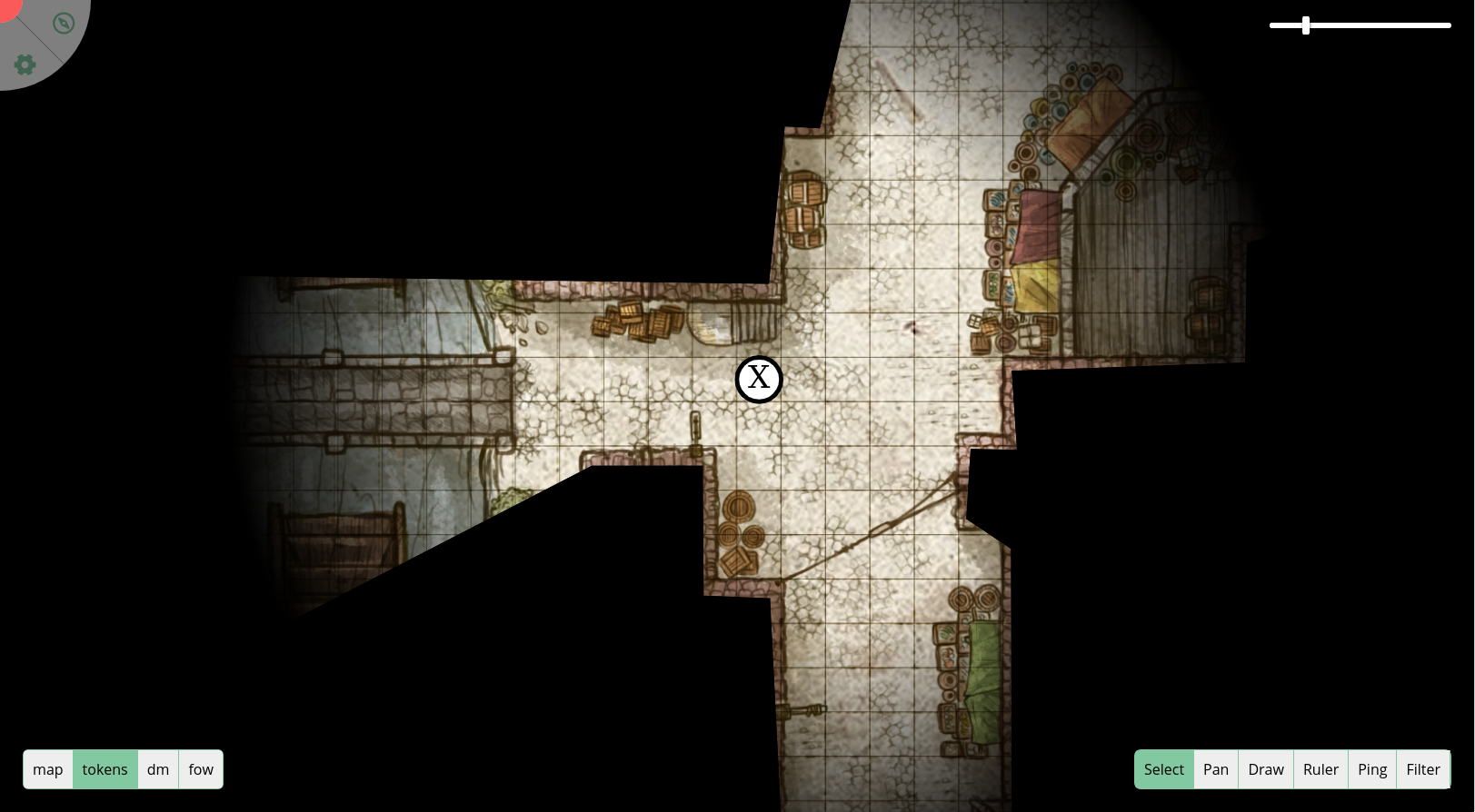 Credits to Gogots for the background map used source