Home
TADES - Tatting Design made easy with this tool!
Via short textual description a graphical output is given. This output shows a manual for tatting objects - other names are: Occhi, _Frivolité _or in German: Schiffchenspitze.
This tool delivers some examples to get to know the feateres. Current status is in development, but you can use it already. Here is an example how the tool looks like. I used an example from pinterest, which I adapted as I used it when I worked on this beautiful snowflake myself:
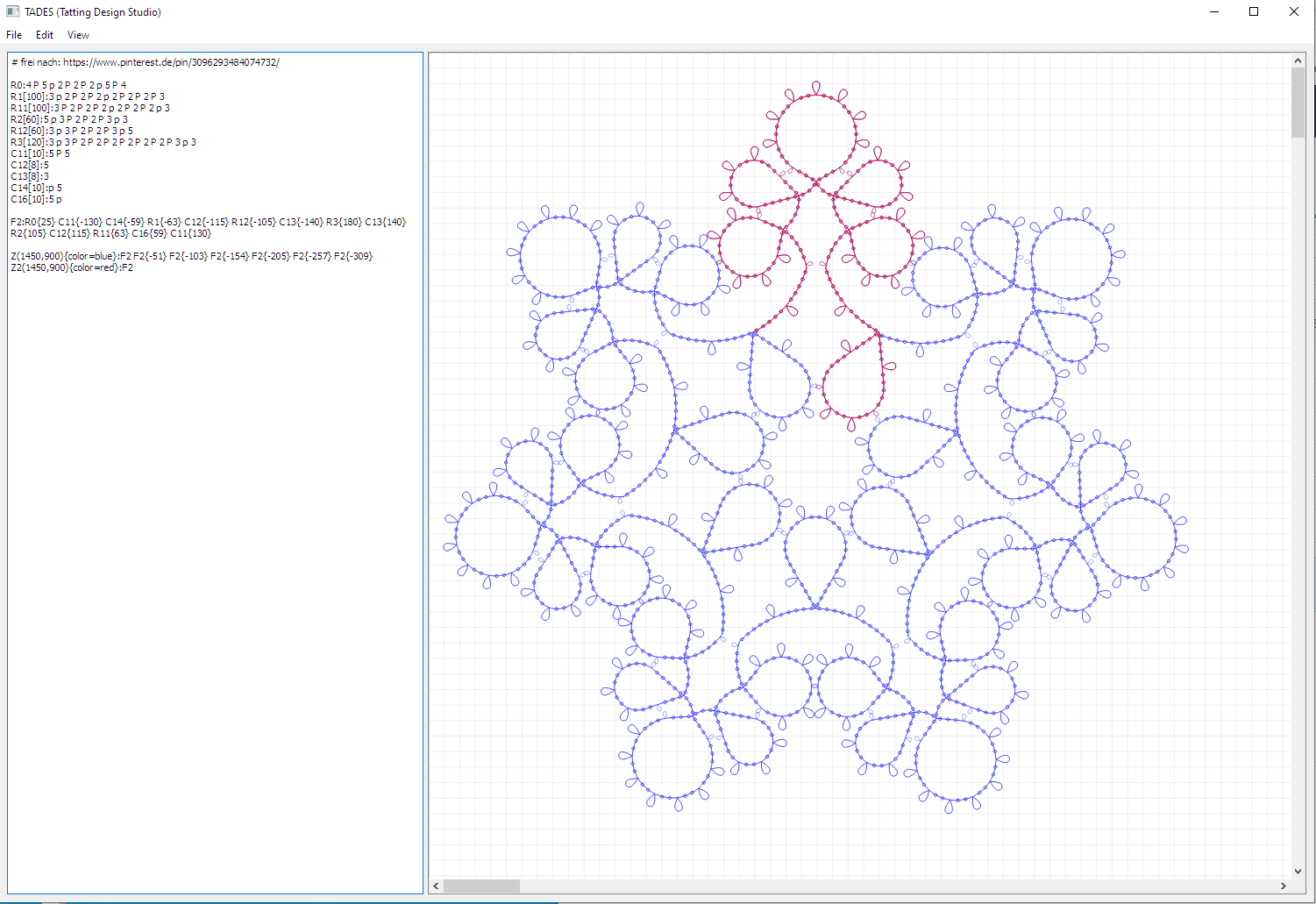
The usage is very simple:
- Describe repeating objects once >> use a R and a number describing a ring, use a C and a number describing a chain
- Rings and Chains consist of number of double knots, decorative picots: P, small connection picots: p
As a sample, the following lines would show such a ring:
R0:2 P 2 p 3 P 3 p 2 P 2
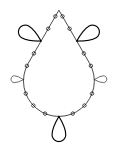
If you want to get a ring that is more similar to a circle ore a thinner ring, add a value in brackets giving the angle of the ring in degree, meaning an integer value between 1 and 179. Default value is 60. As example, the following image bases on an angle of 80 degrees:
R1[80]:2 P 2 p 3 P 3 p 2 P 2
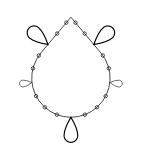
The same comes with chains:
C0:2 P 2 p 3 P 3 p 2 P 2
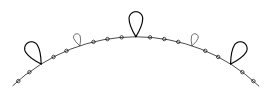
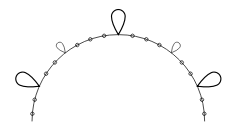
You can change the curvation by giving a number in brackets, which is the ratio of width divided by height as integer value starting with 2. Default value is 5. As the smallest allowed ratio is 2, this is the largest curvation and looks like this:
C1[2]:2 P 2 p 3 P 3 p 2 P 2
Combining rings and chains can be done via figures. In a figure (the name may not start with "C", "R" or "TEXT") in a similar syntax existing obcjects are combined, which may be rings, chains or other previously defined figures. Example: a ring and a chain are defined. Then, both are combined in _figure _F1:
R1[80]:2 P 2 p 3 P 3 p 2 P 2
C1[3]:2 P 2 P 2 P 2
F1:R1 C1{15}
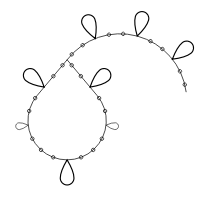
As we can see in the example, there is a new syntax object included: curly braces. In such braces added to a ring, chain or figure, this objects is rotated by the angle (in degrees) which is described inside the braces.
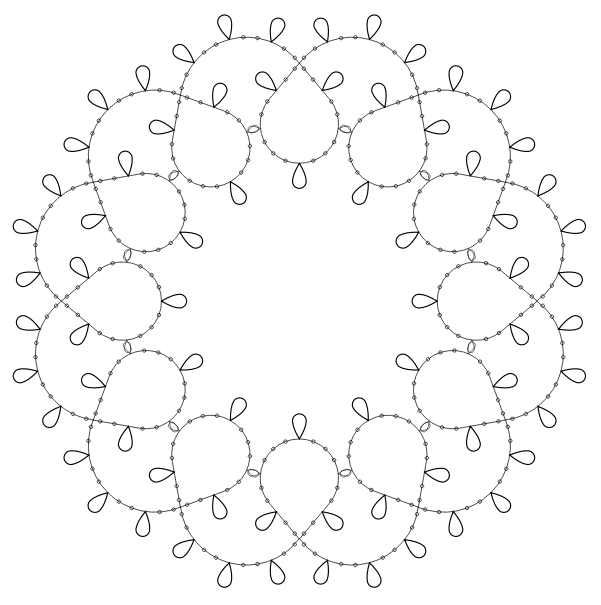
When we now add a new figure consisting of above defined figure F1 several times with appropriate rotation, we can get a new beautiful template:
Z:F1 F1{30} F1{60} F1{90} F1{120} F1{150} F1{180} F1{210} F1{240} F1{270} F1{300} F1{330}
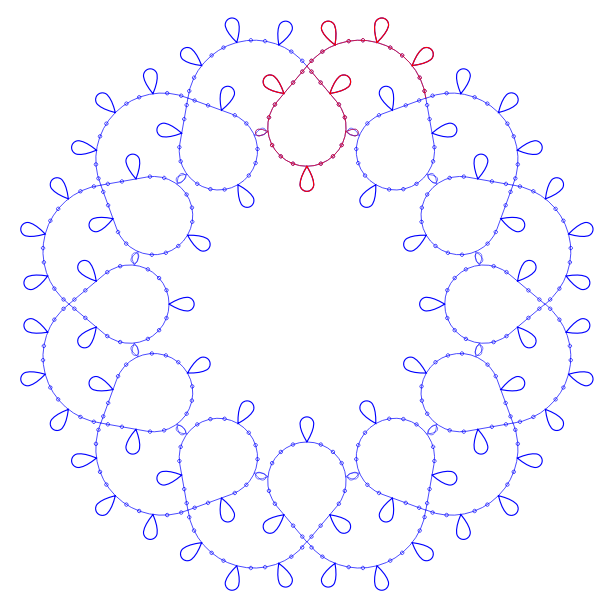
Output can be done with colors:
Z1(650,300){color=blue}:Z
Z2(650,300){color=red}:F1