ScanMyPaper is a lightweight, modern desktop scanning utility for Linux built with .NET 9.0 (Avalonia). It utilizes the native SANE backend (scanimage) to discover devices and perform scans, generating quick previews and saving documents as images or single page PDFs.
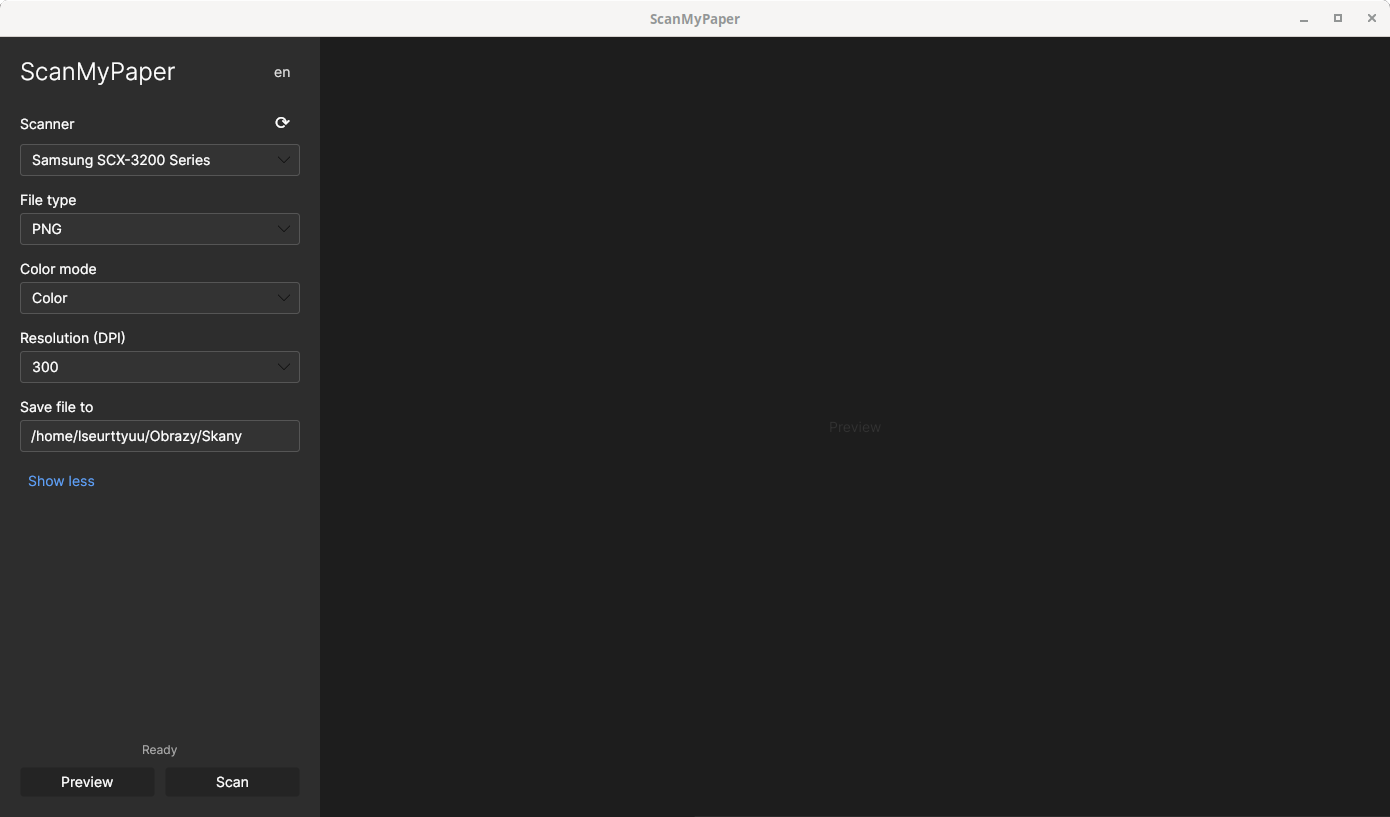
For years, I used the Windows Scan app from the Microsoft Store on Windows 10. I appreciated its interface and efficiency — it simply did its job (one-click scanning and auto-saving). It was one of the few apps I felt Microsoft got right.
After switching completely to Linux, I couldn't find an alternative that offered the same simplicity and "snappiness". I decided to create an app (assisted by AI) that mimics the Windows Scan UI and behavior: a simple interface, single-click scanning, and automatic file saving. This repository is an attempt to provide that same convenience on Linux.
ScanMyPaper offers functionality similar to the Windows Scan app:
- Quick Previews: See your document before the final scan.
- Multiple Formats: Scan and save single pages as PNG, JPG, or PDF.
- Auto-naming: Files are automatically named (e.g.
Scan_20251212 (3).jpg) to prevent overwriting. - Persistent Settings: Your preferences and last-used save path are stored in a configuration file.
- Localization: Available in English and Polish.
- SANE: Ensure
scanimageis installed and available on your PATH. - Notifications (optional):
notify-sendis used for desktop notifications.
- Config file:
~/.config/ScanMyPaper/config.json - Scanners database:
~/.local/share/ScanMyPaper/scanners_cache.json
- Download the latest
.AppImagefile from the Releases section. - Make the file executable:
chmod +x ScanMyPaper.AppImage - Run the app.
- Clone the repo:
git clone https://github.com/lseurttyuu/ScanMyPaper - Navigate to the folder.
- Run
dotnet build - Run
dotnet run
If you would like to add features or fix bugs, feel free to open a Pull Request or an Issue.
Please Note: This app is simple by design and is intended to remain that way. It is not meant to be a replacement for complex tools like gscan2pdf. I am generally only interested in adding features that are present in the original Windows Scan app. Complex features like OCR or multi-page document management are out of scope.
This project wouldn't be possible without these amazing open-source libraries and tools:
- .NET 9 - The underlying framework.
- Avalonia UI - For creating the cross-platform user interface.
- SANE - Scanner Access Now Easy (
scanimage) handles the hardware communication on Linux. - CommunityToolkit.Mvvm - Provides the MVVM architecture helpers (RelayCommand, ObservableProperty).
- QuestPDF - Used for generating PDF files from scanned images.
- Newtonsoft.Json - Used for storing scanner capabilities cache and configuration.