A Blade & Soul plugin to hide the skills for selected classes to provide a cleaner screen in combat without hiding party members.
Auto Detect Mode now automatically identifies your class and hides all skills and Soul Cores from other players—including those of the same class—for a cleaner, less cluttered combat view.
Essential party utilities and buffs (Soulburn, Polarity, Uplift, HMB, Stealth, Projectile Resists, Grabs, Bard Tree etc.) remain visible.
This is Enabled by default. You can deactivate it anytime via the in-game UI.


- (NEO SERVER) Show/hide skills for specific classes.
- (LIVE SERVER) Show/hide skills for specific specializations of classes.
- Preset Profiles
- Switch profiles during gameplay without loading screens.
- Does not hide party buffs or party protection skills. (Soulburn, Polarity, Uplift, HMB, Stealth proc.)
- Does not hide Assassin taxi flower by default. Can be hidden in config.
- Does not hide Warlock TD by default. Can be hidden in config.
- Can completely hide SoulCores in config.
- Does not hide projectile resists by default. Can be hidden in config.
- Does not hide party relevant Grab/Grapple/Fixate animations by default. Can be hidden in config.
- Does not hide bard tree by default. Can be hidden in config.
BNSR/
└── Binaries/
    └── Win64/
        ├── plugins/
        │   └── DatafilePluginloader.dll
        └── datafilePlugins/
            └── AnimationFilter.dll
- Assumes a basic plugin setup Bns Unpacked by tomato
- Place DatafilePluginloader.dll in your plugins folder
- Create a datafilePlugins folder next to the plugins folder if it doesnt exist yet
- Place AnimationFilter.dll in your datafilePlugins folder
- Ingame hit the
Insertkey to open the Plugin Ui
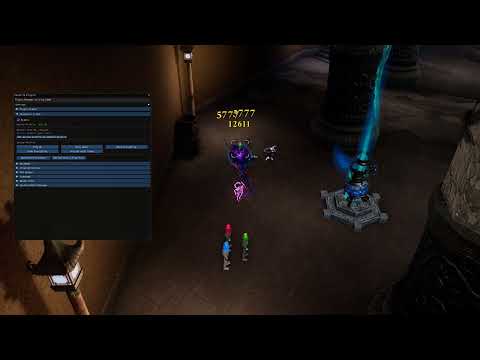
- The config file is located at:
Documents/BNS/animfilter_config.xmlorDocuments/BNS/animfilter_config_live.xml - On first launch a default config will be created.
- If the Documents directory is not found or is not writable for any reason, the config will silently fall back to
%LOCALAPPDATA%/BnS - You can also check the example config file: animfilter_config.xml
- You can add multiple profiles for different scenarios
- The profiles can be edited in-game using the pluginloader gui (insert key)
You can set extra options for a profile.
- Hide Bard tree
- Hide Assassin taxi
- Hide Time Distortion
- Hide Soulcores
- Hide Projectile Resists
- Hide Grab/Grapple/Fixate animations
<extra_options hideGrabs="true" hideSoulCores="true" hideProjectileResists="true" hideTree="true" hideTaxi="true" hideTD="true" />- Requires DatafilePluginloader to work