SparkStock Pro is a powerful, full-stack Inventory Enterprise Resource Planning (ERP) system designed to optimize business operations with a sleek, modern interface. Built with a React 19 frontend and a Node.js/Express backend, it offers robust user management, company oversight, customer relations, and insightful analytics.
Website: SparkStock Pro Live Demo
-
Super Admin
- Email: superadmin@gmail.com
- Password: superadmin
-
Sub Admin
- Email: subadmin@gmail.com
- Password: subadmin
| Feature | Description |
|---|---|
| 🔐 Secure Authentication | JWT-based login with role-based access (Super Admin, Sub Admin). |
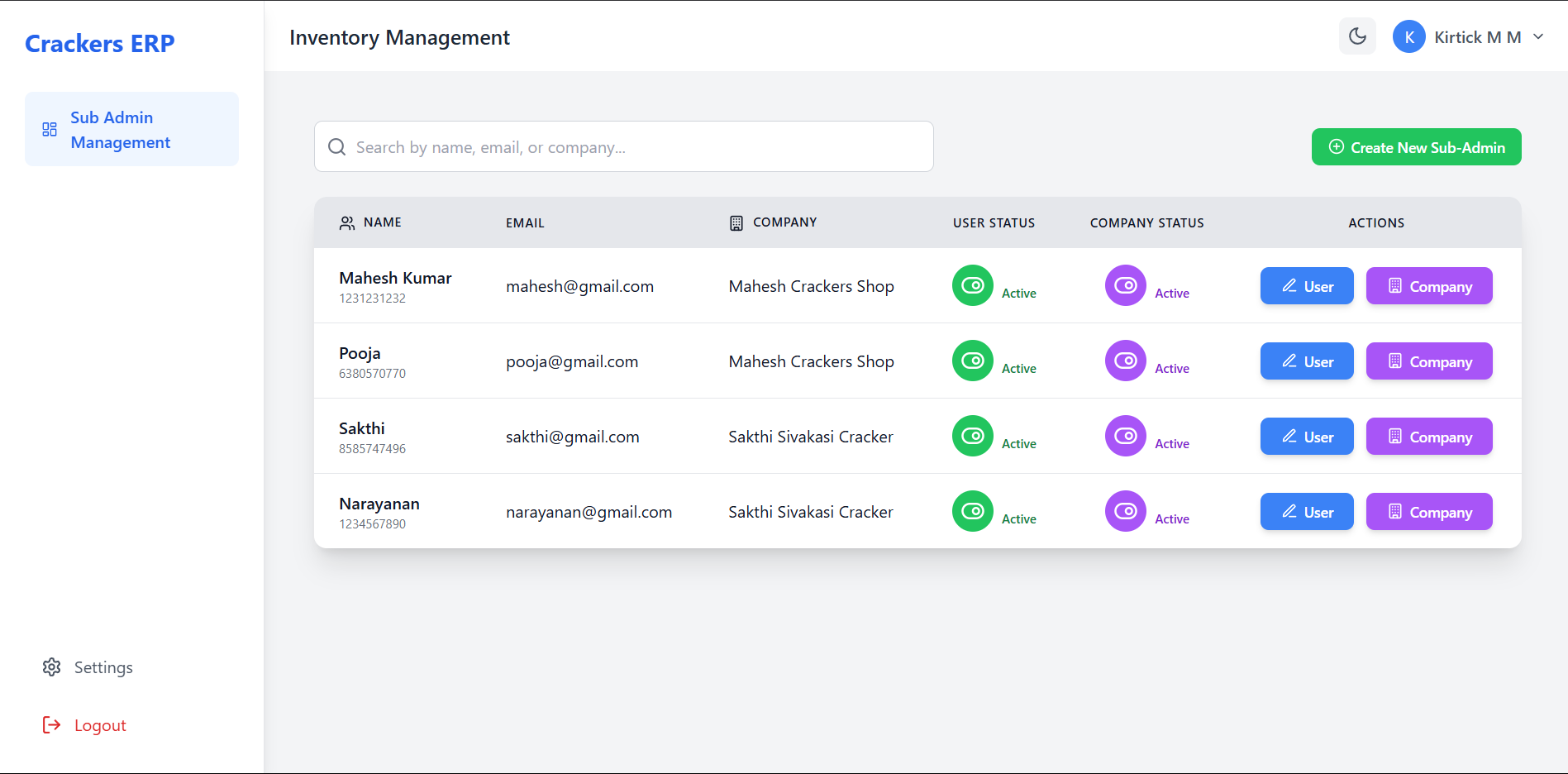
| 👑 Super Admin Panel | Manage Sub Admins, create/edit companies, and control activation status. |
| 🏢 Company Management | Create, update, and toggle company profiles with ease. |
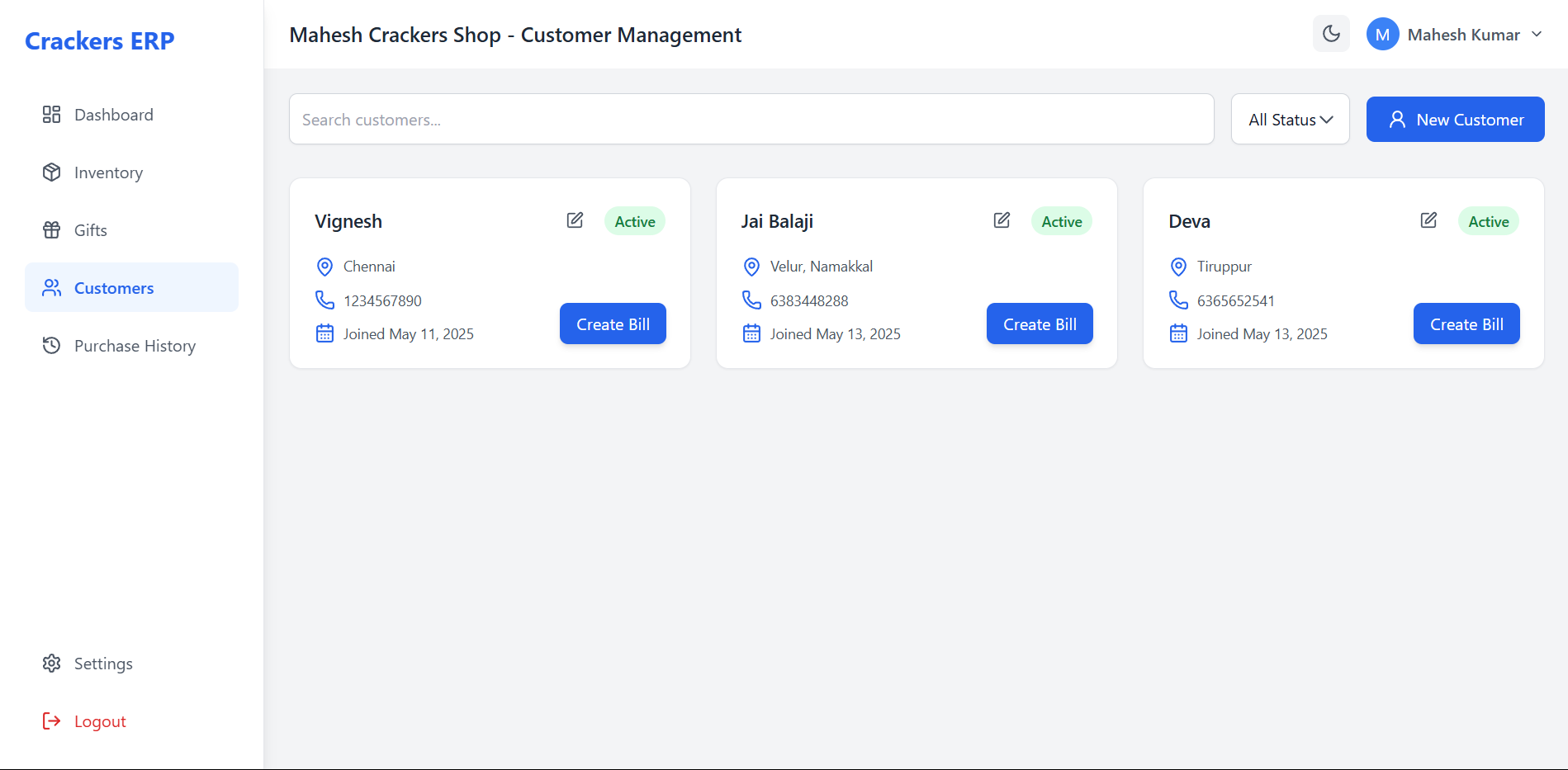
| 🤝 Customer Management | Add, edit, and track customer details, orders, and status (active/inactive). |
| 📦 Inventory & Orders | Manage products, stock, orders, and generate PDF invoices. |
| 🎁 Gift Box Management | Create and manage custom gift box offerings. |
| 🛒 Cart Functionality | Streamlined order creation with cart integration. |
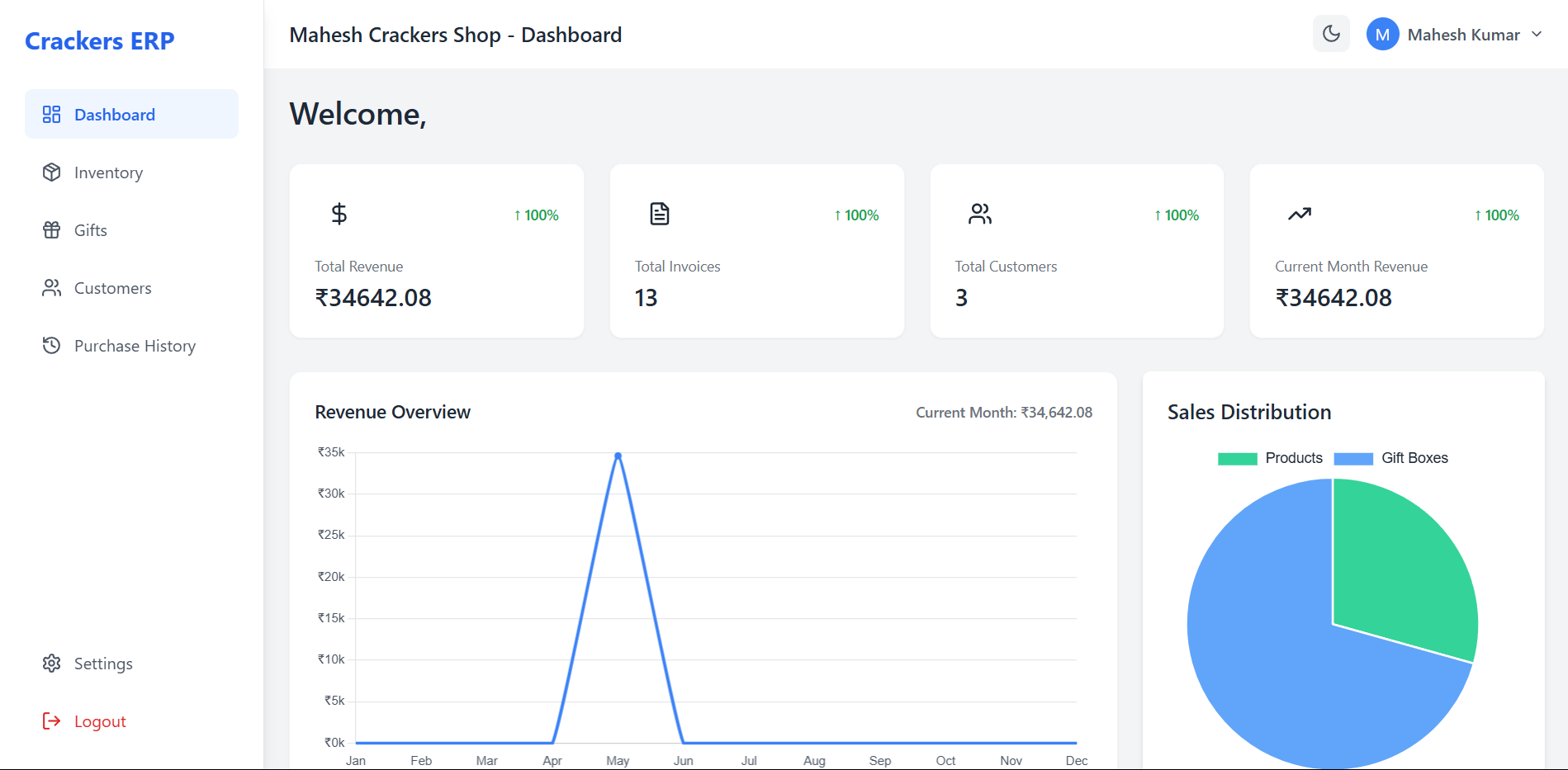
| 📊 Analytics Dashboard | Visualize revenue, invoices, customers, and sales trends with Chart.js. |
| 🖨️ PDF Invoices | Auto-generate and upload invoices to Cloudinary. |
| 🌈 Responsive UI | Modern, responsive design with TailwindCSS and theme toggle (Light/Dark). |
- Framework: React 19 (with Vite)
- Styling: TailwindCSS, Custom CSS
- State Management: React Context API
- Routing: React Router DOM
- HTTP Client: Axios
- Animations: Framer Motion
- Charts: Chart.js (via react-chartjs-2)
- Icons: Lucide React, React Icons
- Notifications: React Toastify
- Framework: Node.js, Express.js
- Database: MongoDB (Mongoose ODM)
- Authentication: JSON Web Tokens (JWT)
- Middleware: CORS, Morgan
- File Storage: Cloudinary (for PDFs)
- Utilities: Moment.js, Dotenv
Follow these steps to set up SparkStock Pro locally for development or testing.
- Node.js (v14+)
- npm or yarn
- MongoDB (local or cloud instance)
- Git (for cloning)
- Navigate to the backend directory:
cd backend - Install dependencies:
npm install
- Create a
.envfile in thebackenddirectory with:PORT=5000 DATABASE=mongodb://localhost:27017/final-crackers-db JWT_SECRET=your_jwt_secret CLOUDINARY_CLOUD_NAME=your_cloud_name CLOUDINARY_API_KEY=your_api_key CLOUDINARY_API_SECRET=your_api_secret
- Start the backend server:
Or, with
node index.js
nodemonfor development:The server runs atnodemon index.js
http://localhost:5000.
- Navigate to the frontend directory:
cd frontend - Install dependencies:
npm install
- Create a
.envfile in thefrontenddirectory with:VITE_BASEURL=http://localhost:5000/api
- Start the frontend server:
Access the app at
npm run dev
http://localhost:5173(or as indicated in the terminal).
- Setup: Create an initial Super Admin via the database or a setup script (if provided).
- Capabilities:
- Manage Sub Admins (create, edit, activate/deactivate).
- Create and assign companies to Sub Admins.
- Oversee system-wide operations.
- Access: Assigned by Super Admin, tied to a specific company.
- Capabilities:
- Monitor company metrics (revenue, orders, customers).
- Manage customers and their order history.
- Create invoices and manage inventory/gift boxes.
- Responsive: Adapts seamlessly to all screen sizes.
- Theming: Toggle between Light and Dark modes.
- Animations: Smooth transitions powered by Framer Motion.
- Styling: Clean, modern design with TailwindCSS.


We welcome contributions to enhance SparkStock Pro! To contribute:
- Fork the repository.
- Create a feature branch:
git checkout -b feature/your-feature
- Commit your changes:
git commit -m "Add your feature" - Push to your branch:
git push origin feature/your-feature
- Open a Pull Request.
Ensure your code follows the project's style guide and passes all tests.
For questions or support, reach out via GitHub Issues.
Happy Managing! 🚀