





Modular · Composable · Tokenized
Monolithic pickers ship everything. DateForge ships only what you use.
Build exactly the calendar your product needs: start with a tiny date grid, then add navigation, ranges, multi-select, time, presets, manual input, track pickers, themes, appearances, and layout rules as separate modules. The module mix, selection modes, visual tokens, and focused props unlock ~2.0 trillion built-in calendar configurations without forcing you into one prebuilt picker.
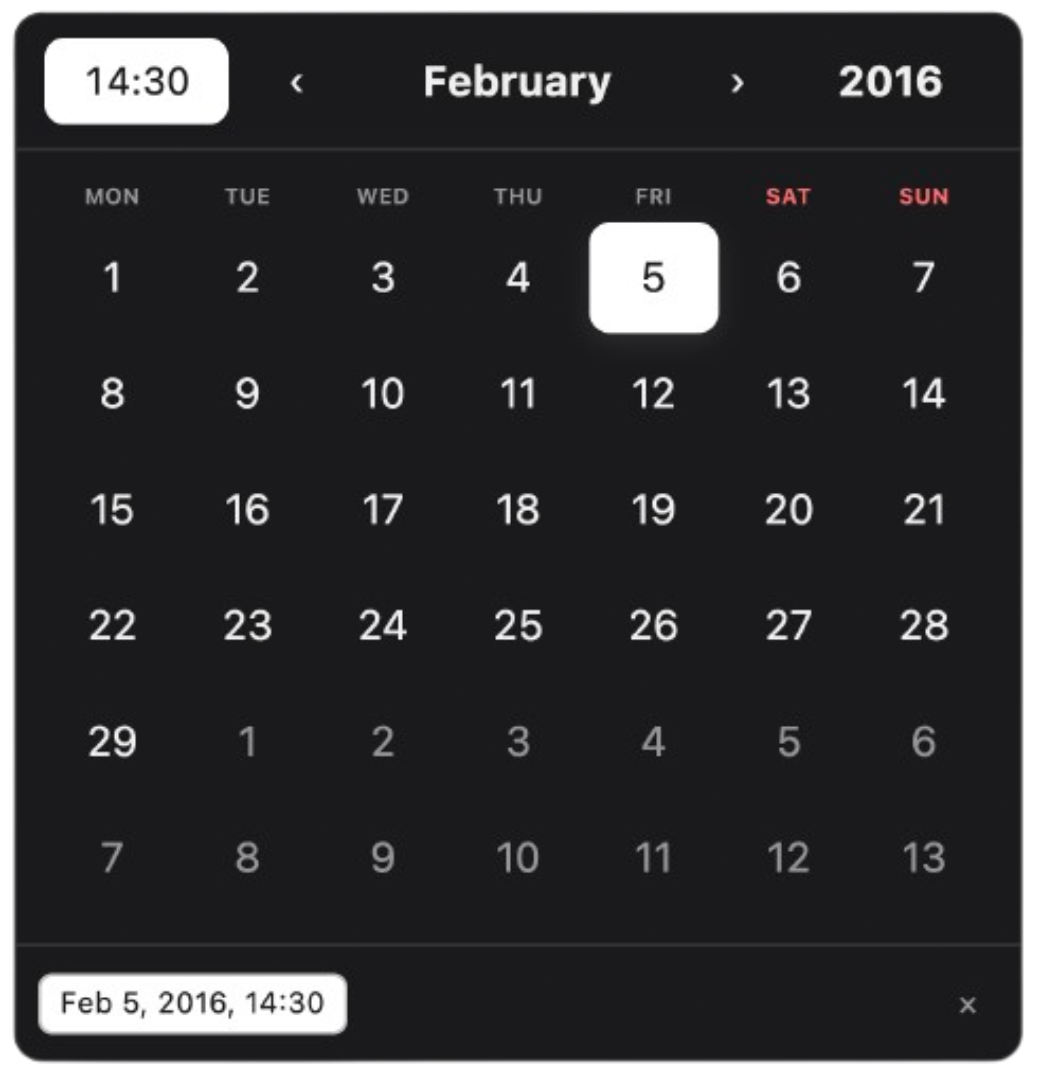
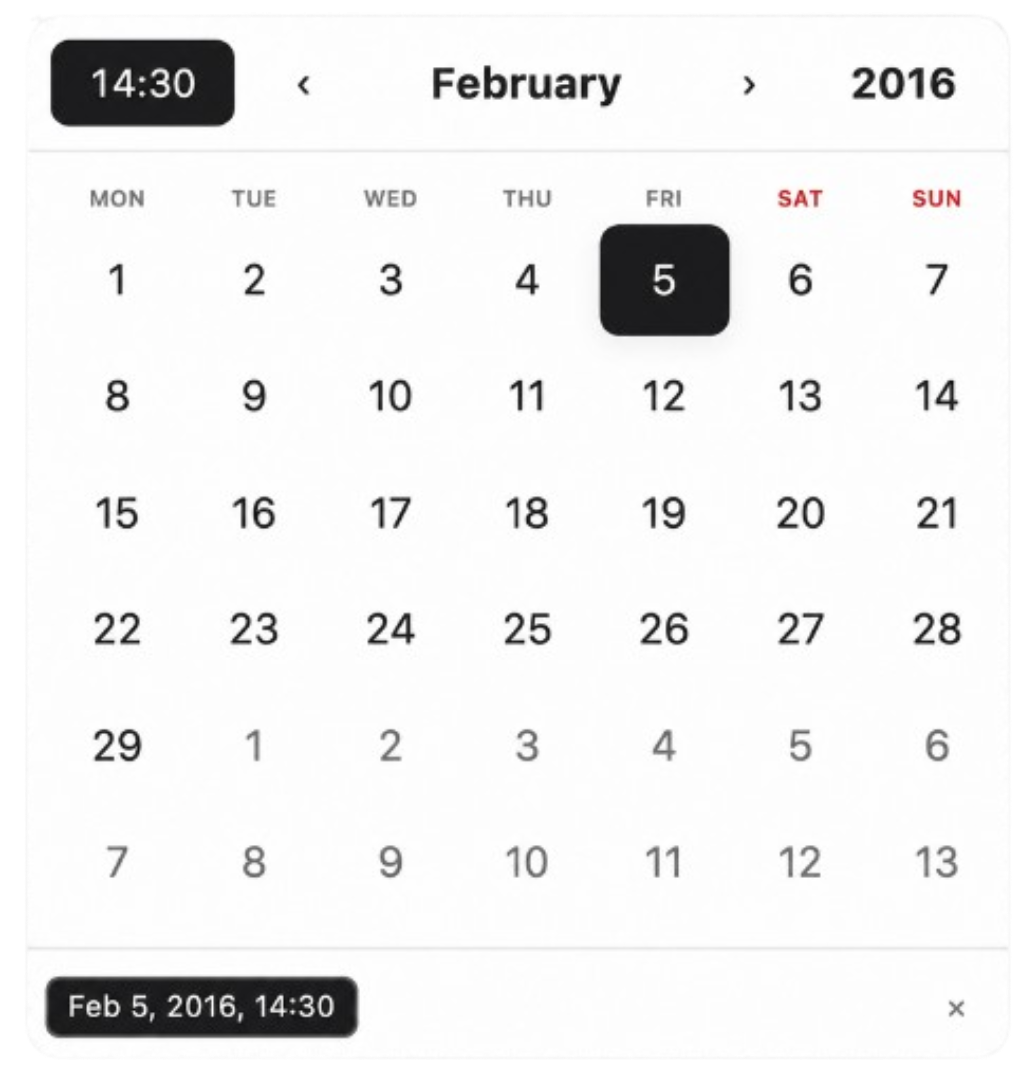
- Modular by design — compose only the modules you need: days, nav, selected-date chips, presets, manual input, months/years grids, time grids, and mobile-friendly tracks.
- Deeply customizable — mix
single,multiple, andrangemodes with prop-level behavior, CSS-grid placement, themes, appearances, gradients, timezone handling, and tokenized styling. - Scales from minimal to complex — use two components for a clean date picker, or assemble a full product calendar with time selection, range constraints, shortcuts, read-only states, and custom layouts.
- Built for serious apps — accessible interactions, SSR-safe defaults, React 18/19 support, zero runtime dependencies, and tree-shakeable module entry points.
Start minimal. Scale infinitely. Add only the modules you need.
npm i @dateforge/react-calendarNo global CSS import is required — styles are bundled into the modules and apply automatically.
| Module | Use it for |
|---|---|
CalendarNav |
Month/year navigation, popups, clear, optional time |
CalendarDays |
Classic month grid for single, multiple, and range |
CalendarSelectedDates |
Selected-date chips, overflow, per-chip clear |
CalendarInfo |
Selection metrics, relative hints, empty text, home / clear |
CalendarManualInput |
Typed dates, keyboard-first editing, per-date remove |
CalendarPresets |
Shortcuts like Today, Last 7 days, custom ranges |
CalendarTimeGrid |
Inline hour/minute/second selection |
CalendarMonthsGrid |
Month-only picking or fast month jumps |
CalendarYearsGrid |
Year-only picking or fast year jumps |
CalendarDaysTrack |
Scrollable day track for compact/mobile layouts |
CalendarMonthsTrack |
Scrollable month track |
CalendarYearsTrack |
Scrollable year track |
import { useState } from "react";
import { Calendar } from "@dateforge/react-calendar";
import { CalendarNav, CalendarDays } from "@dateforge/react-calendar/modules";

export function Example() {
  const [date, setDate] = useState<Date | null>(null);

  return (
    <Calendar mode="single" value={date} onChange={setDate}>
      <CalendarNav showMonthPicker compactYears />
      <CalendarDays />
    </Calendar>
  );
}