E-commerce Website using Django
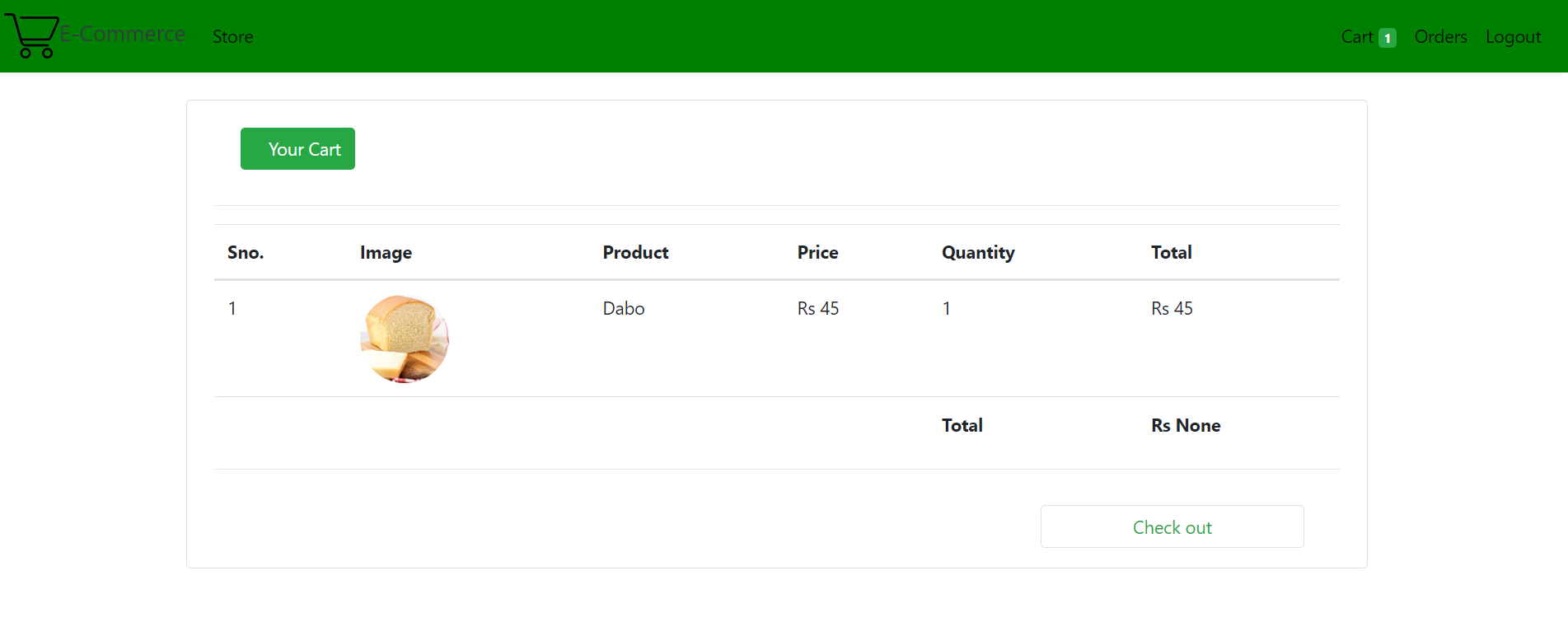
This project deals with developing a Virtual website ‘E-commerce Website’. It provides the user with a list of the various products available for purchase in the store. For the convenience of online shopping, a shopping cart is provided to the user. After the selection of the goods, it is sent for the order confirmation process. The system is implemented using Python’s web framework Django. To develop an e-commerce website, it is necessary to study and understand many technologies.
Scope: The scope of the project will be limited to some functions of the e-commerce website. It will display products, customers can select catalogs and select products, and can remove products from their cart specifying the quantity of each item. Selected items will be collected in a cart. At checkout, the item on the card will be presented as an order. Customers can pay for the items in the cart to complete an order. This project has great future scope. The project also provides security with the use of login ID and passwords, so that no unauthorized users can access your account. The only authorized person who has the appropriate access authority can access the software.
Technologies used in the project: Django framework and SQLite database which comes by default with Django.
Required Skillset to Build the Project: Knowledge of Python and basics of Django Framework.
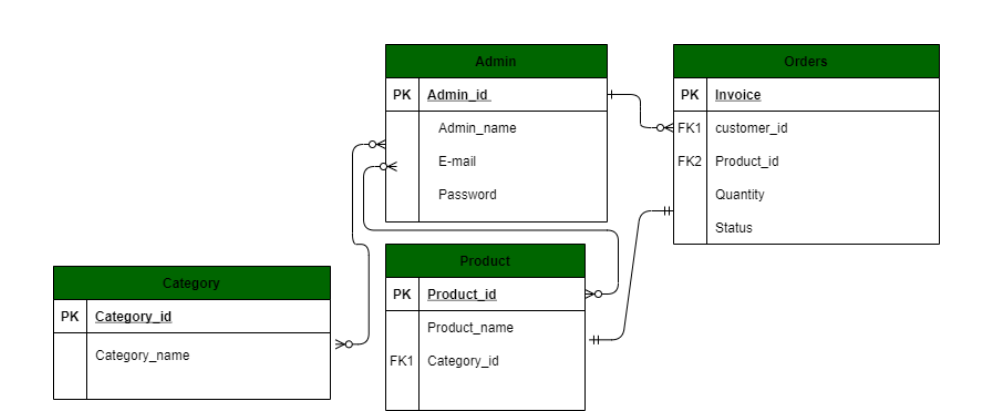
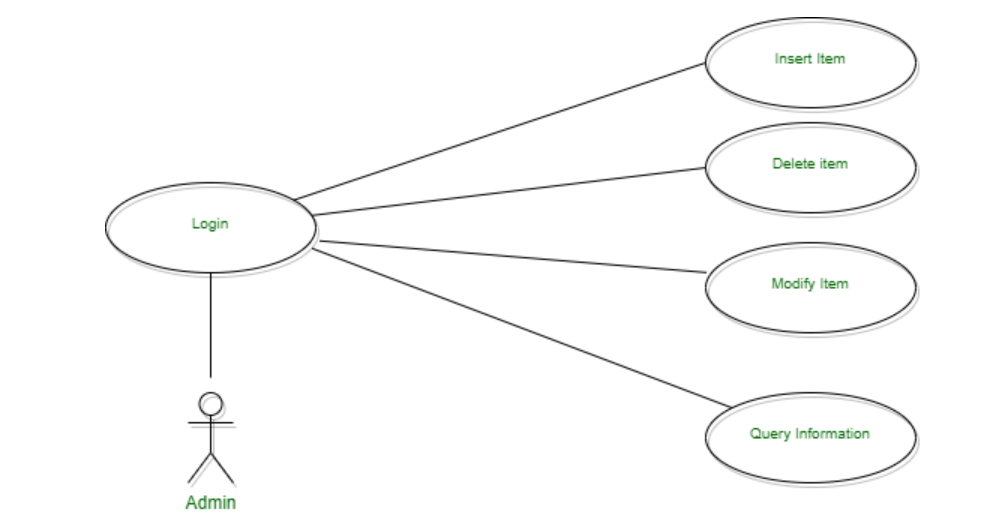
ER and Use-Case Diagrams Customer Interface:
1.Customer shops for a product
2.Customer changes quantity
3.The customer adds an item to the cart
4.Customer views cart
5.Customer checks out
6.Customer sends order


Admin Interface:
1.Admin logs in 2.Admin inserts item 3.Admin removes item 4.Admin modifies item
**Step by Step Implementation: **
Create Normal Project: Open the IDE and create a normal project by selecting File -> New Project. Install Django: Next, we will install the Django module from the terminal. We will use PyCharm integrated terminal to do this task. One can also use cmd on windows to install the module by running python -m pip install django command Check Installed Django version: To check the installed Django version, you can run the python -m django -version command as shown below. Create Django Project: When we execute django-admin startproject command, then it will create a Django project inside the normal project which we already have created here. django-admin startproject ProjectName. Check Python3 version: python3 –version Run Default Django webserver:- Django internally provides a default webserver where we can launch our applications. python manage.py runserver command in terminal. By default, the server runs on port 8000. Access the webserver at the highlighted URL.
The below screenshot shows the required models that we will need to create. These models are tables that will be stored in the SQLite database.

Front of app