Home
Welcome to the supraworld wiki! Also see my Supraland and SupraTools wikis. Also see Modding and Playthrough articles.
The map was updated to 10596 (8 April 2026).
- Live map: https://joric.github.io/supraworld/
- Source code: https://github.com/joric/supraworld/
If you want a secret finder in the game, I've implemented a minimap for all games, see SupraTools#minimap.
UE4SS for UE5.6 has been released (see #972), we can write Lua noclip mods now, read the Modding article for details.
- Example link to wiki: https://supraverse.fandom.com/wiki/Hay, example backlink: http://joric.github.io/supraworld/#Hay.
- Use
-dx11game option to disable "nextgen" renderer. Assign integrated GPU to browser and/or lower game priority.
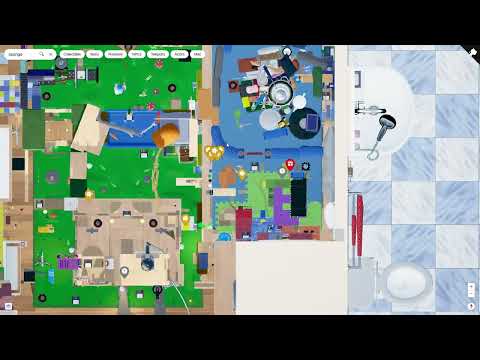
- Since 10596 you can upload .sav file to parse, save loader uses regexps for now (was .json until 9016).
- The default save path is
%LocalAppData%\Supraworld\Saved\SaveGames\Supraworld\.
The .sav uses 3rd party plugin's struct with native serialization, see #80. There's also SaveGame.json in the same folder.
- Json is an exact copy of the savegame. We essentially save it twice atm. Json is just easier for debug purposes. But takes longer to read/write. so we dont use it for gameplay (Malte).
According to Supraworld/Plugins/Supraworld.json the custom save plugin is called "Dynamic Save" by Dream Seed, it links to GitHub here: https://github.com/BenVlodgi/UE-ValueStorePlugin (similar paid Dynamic Save System costs $119.99).
- The JSON savefile has human-readable
TotalProgress_Stats, you may try finding missing progress (script). - Example dynamic-save json from 7925, if you don't have one: SaveGame.json
JSON saves were removed in 9016 (7925 still has it). The new loader just uses regexps, there is no "Dynamic Save" plugin deserializer just yet. Note that uesave can serialize UE5.4 property tags now: https://github.com/localcc/gvas/issues/134. I'd really recommend SupraTools minimap feature, it's really handy, better than an online map.
- Extract json with FModel,
Supraworld/Plugins/GameFeatures/Supraworld/Supraworld/Content/Maps/Supraworld.umap. - Extract png (hdr) with FModel,
Supraworld/Plugins/Supra/PlayerMap/Content/Textures/T_SupraworldMap*.uasset. - Use scripts int the
scriptsdirectory to make tiles and gzip the map (github doesn't allow files larger than 100M). - You can also use my CUE4Parse.CLI to extract assets (see export_assets.cmd).
- You can generate mapping file from UE4SS GUI console: Dampers - Generate .usmap file (see SupraTools for details).
The map has versioning (bottom of the screen). I update notable public releases only.
- You can also track updates here: https://store.steampowered.com/news/app/1869290?updates=true
- Full history and patchnotes are here (time in UTC): https://steamdb.info/app/1869290/patchnotes/
- Supraland wiki: https://github.com/joric/supraland/wiki
- Community maps: https://supragamescommunity.github.io/maps/
- Steam: https://store.steampowered.com/app/1869290/Supraworld/
- Supraland Discord: https://discord.com/invite/6Fjhjxhtvp
- Maps wiki: https://github.com/joric/maps/wiki/
- UE5.6 .sav parsing issue: https://github.com/trumank/uesave-rs/issues/80
- Jonathan Blow plays Supraworld: https://youtu.be/xgANFB85J2Q
- SupraTools wiki: https://github.com/joric/SupraTools/wiki