
A macOS app for running safe, parallel AI computer-use workers in isolated environments

Hivecrew is a native macOS app for delegating real desktop work to AI workers running inside dedicated macOS virtual machines.
You can hand off work from a central dashboard, watch workers operate live, step in when needed, and review exactly what happened afterward. The goal is not just "agent demos." The goal is to make AI workers practical for real, recurring work on your Mac.
Hivecrew is built around five core ideas:
- Safe: workers stay isolated from your host, sensitive actions can require approval, and local file changes can be reviewed before they are applied
- Capable: workers can use files, web tools, skills, retrieval-backed context, voice coordination, and external tools to complete real workflows
- Intuitive: you describe the work in plain language, review plans visually, and manage everything from one dashboard
- Parallel: multiple workers can run at once, the same task can be compared across models, and recurring work can be scheduled to run automatically
- Transparent: live screenshots, activity feeds, session traces, and review flows make agent behavior visible instead of opaque
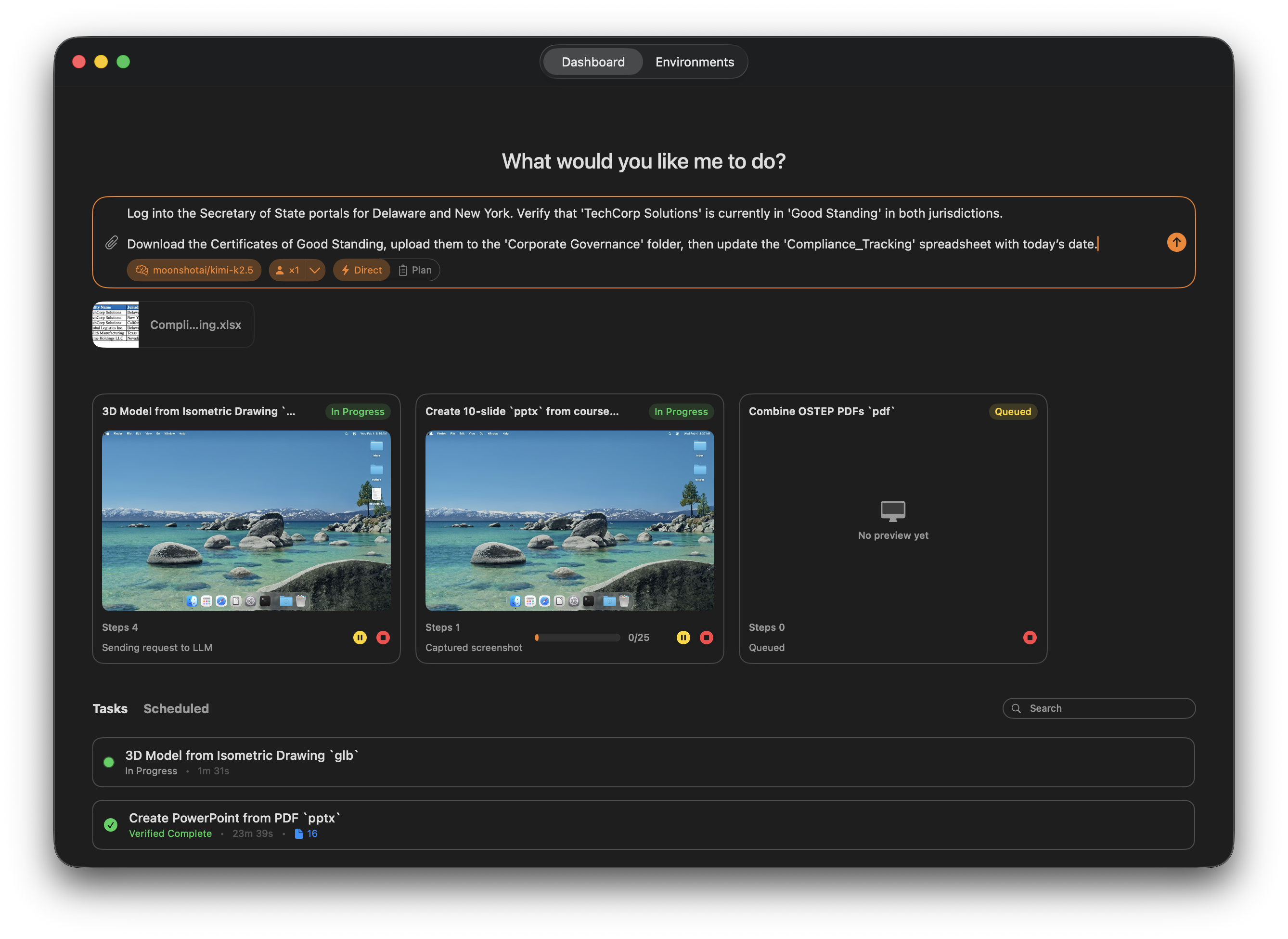
Central dashboard for dispatching work, reviewing runs, and supervising active agents
- What Hivecrew Is Good At
- Featured Experiences
- Core Values
- A Typical Workflow
- Requirements
- Installation
- Build from Source
- API
- Contributing
- License
Hivecrew is best for high-leverage work where you want a capable worker to turn intent into a polished outcome while you stay in the loop.
- Voice or video-guided creation, like "Create a 3D model of this bottle of champagne"
- Turning rough briefs into polished deliverables, like decks, reports, and strategy docs
- High-context research and analysis that combines browsing, local files, and synthesis
- Parallel creative or operational work across multiple workers, models, or devices
Hivecrew has a dedicated Call tab for live voice coordination.
- To get work done, just talk, no need to type out verbose instructions
- Talk exclusively with a coordinator, not directly to workers
- See transcript, status, and active workers together
- Answer worker questions without dropping back into a text-only flow
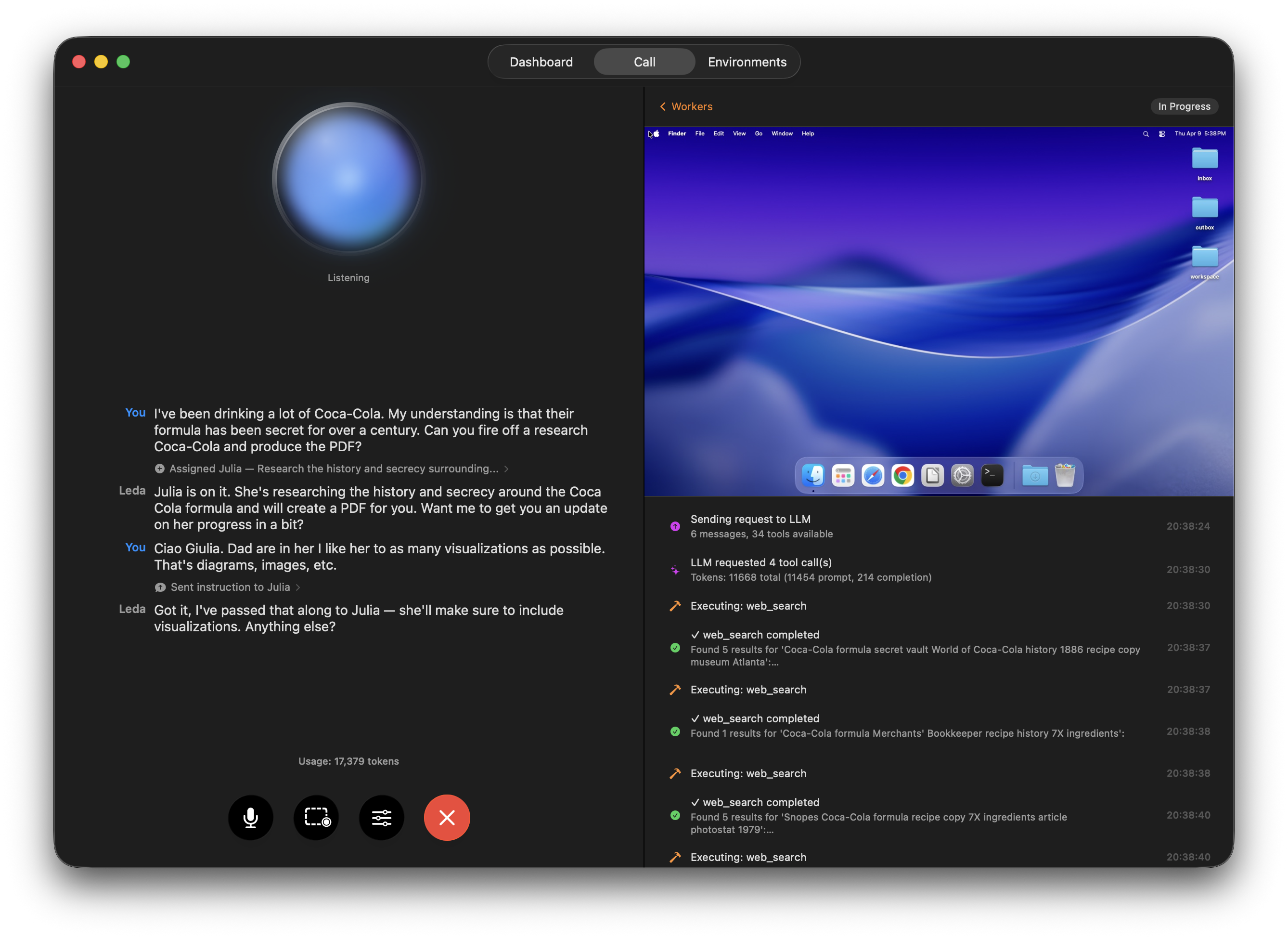
Use the Call tab to coordinate active workers conversationally while seeing transcript, status, and task context together
Use Hivecrew when you want to watch work unfold live, whether that is testing a web app, building a deliverable, or supervising a longer task.
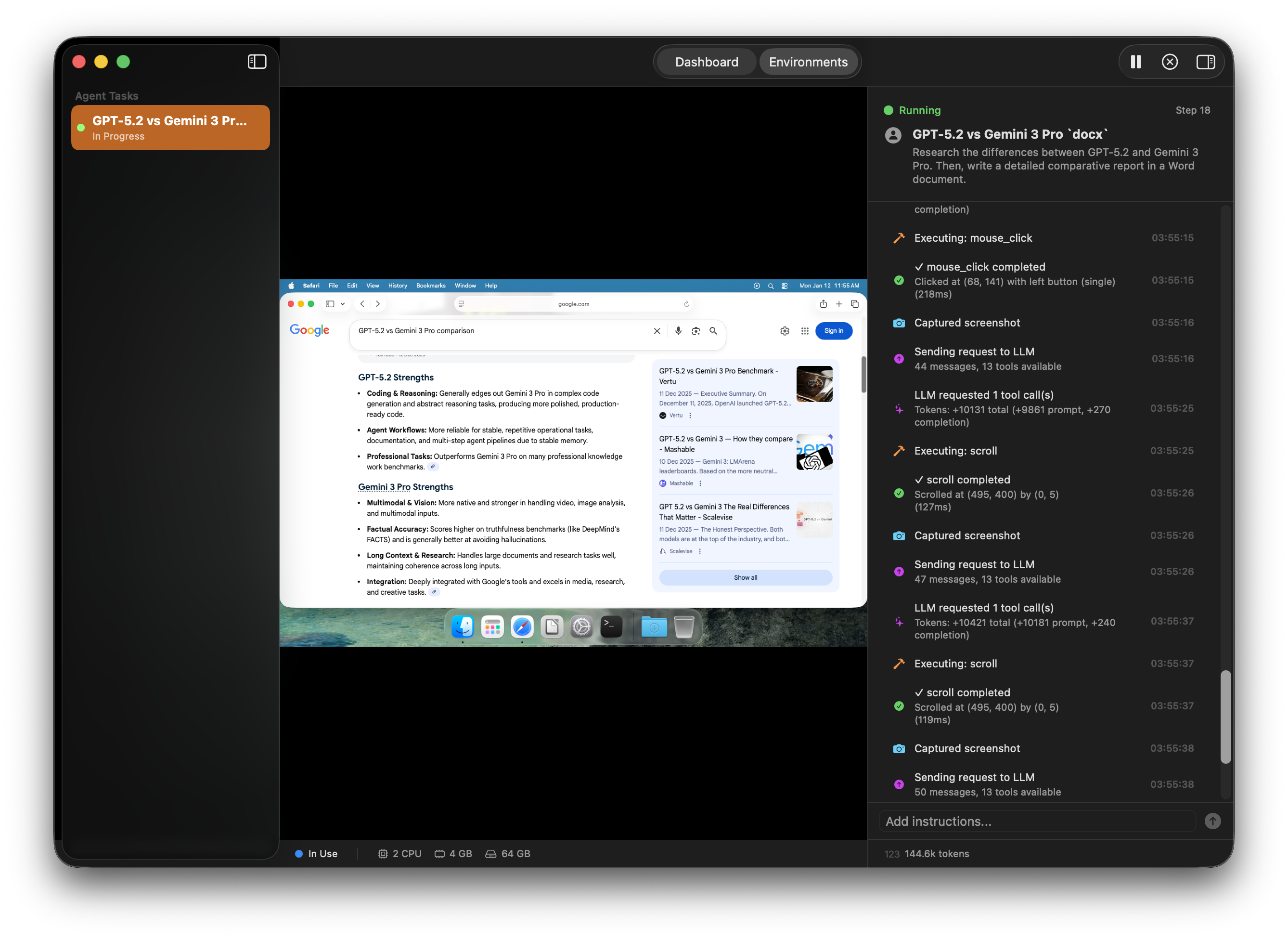
Watch active workers live while they operate inside isolated environments
Hivecrew also fits recurring work like weekly reports, scheduled audits, and routine checks.
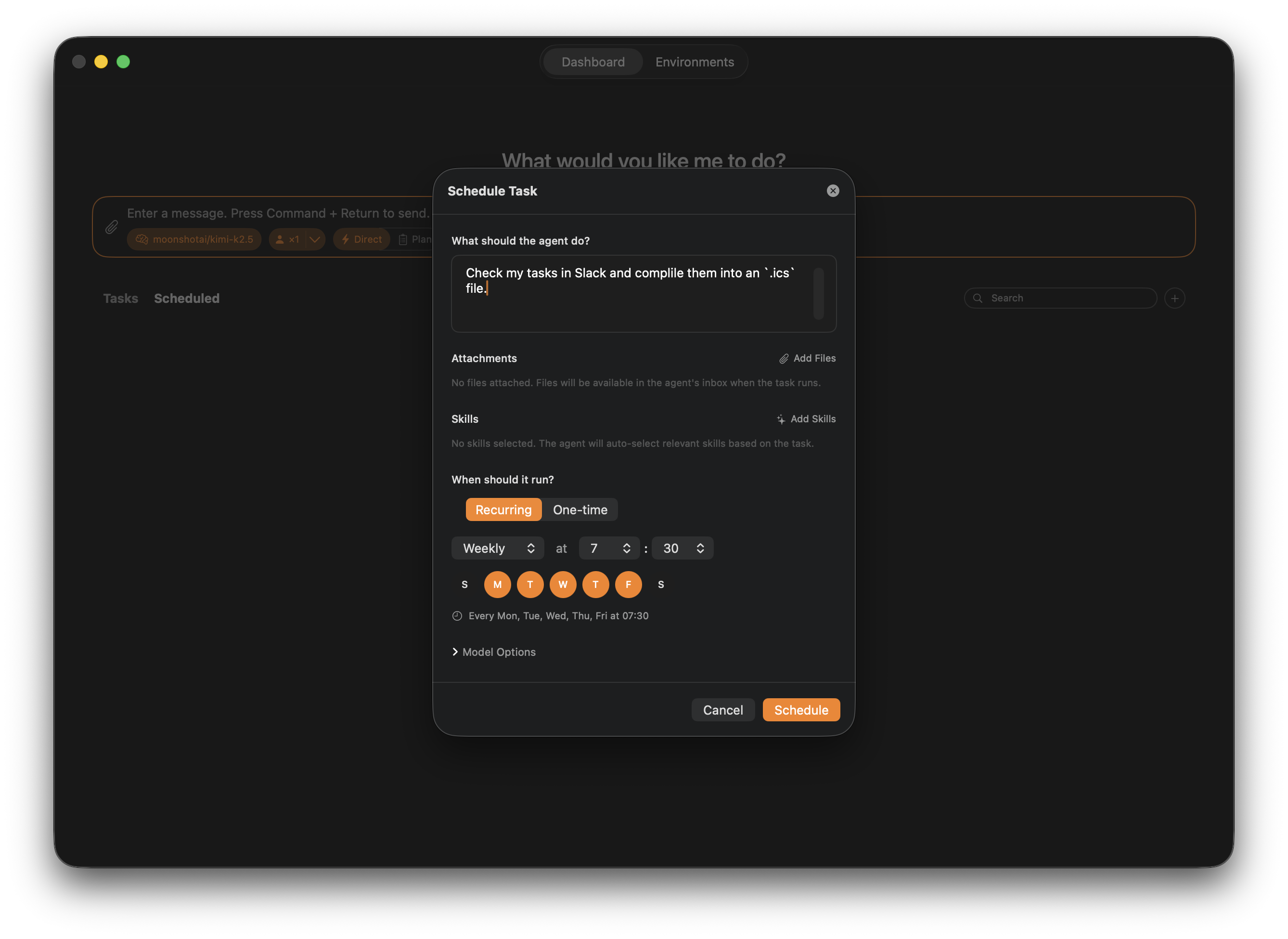
Turn repeatable workflows into scheduled or recurring runs
For ambiguous or high-value work, Hivecrew lets you compare providers and models instead of trusting a single run.
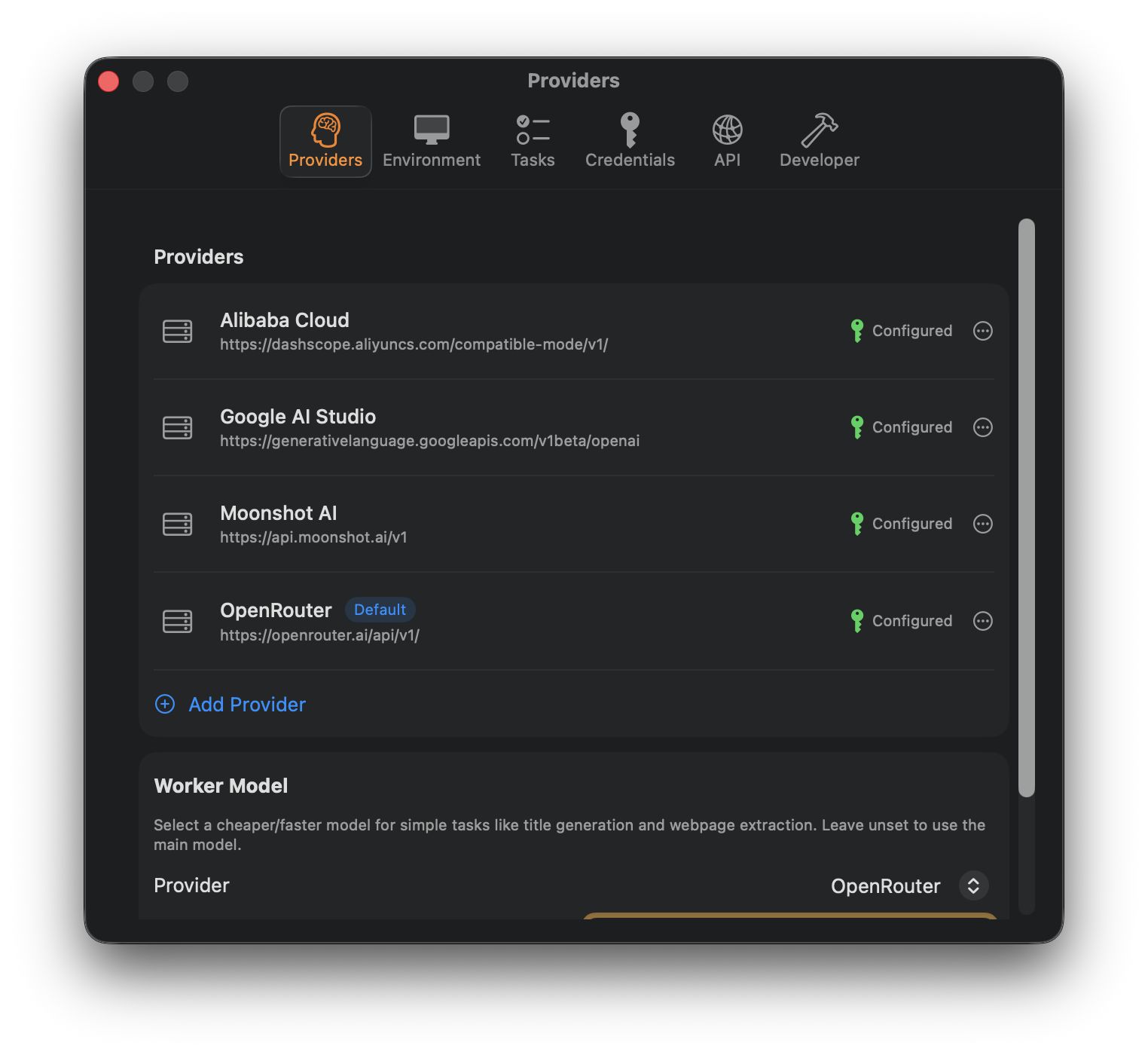
Configure multiple providers and compare outcomes across different models
- Isolated macOS VMs keep agent activity off your host.
- Approvals, intervention, and direct takeover keep humans in control.
- Local file changes can be reviewed before they are applied.
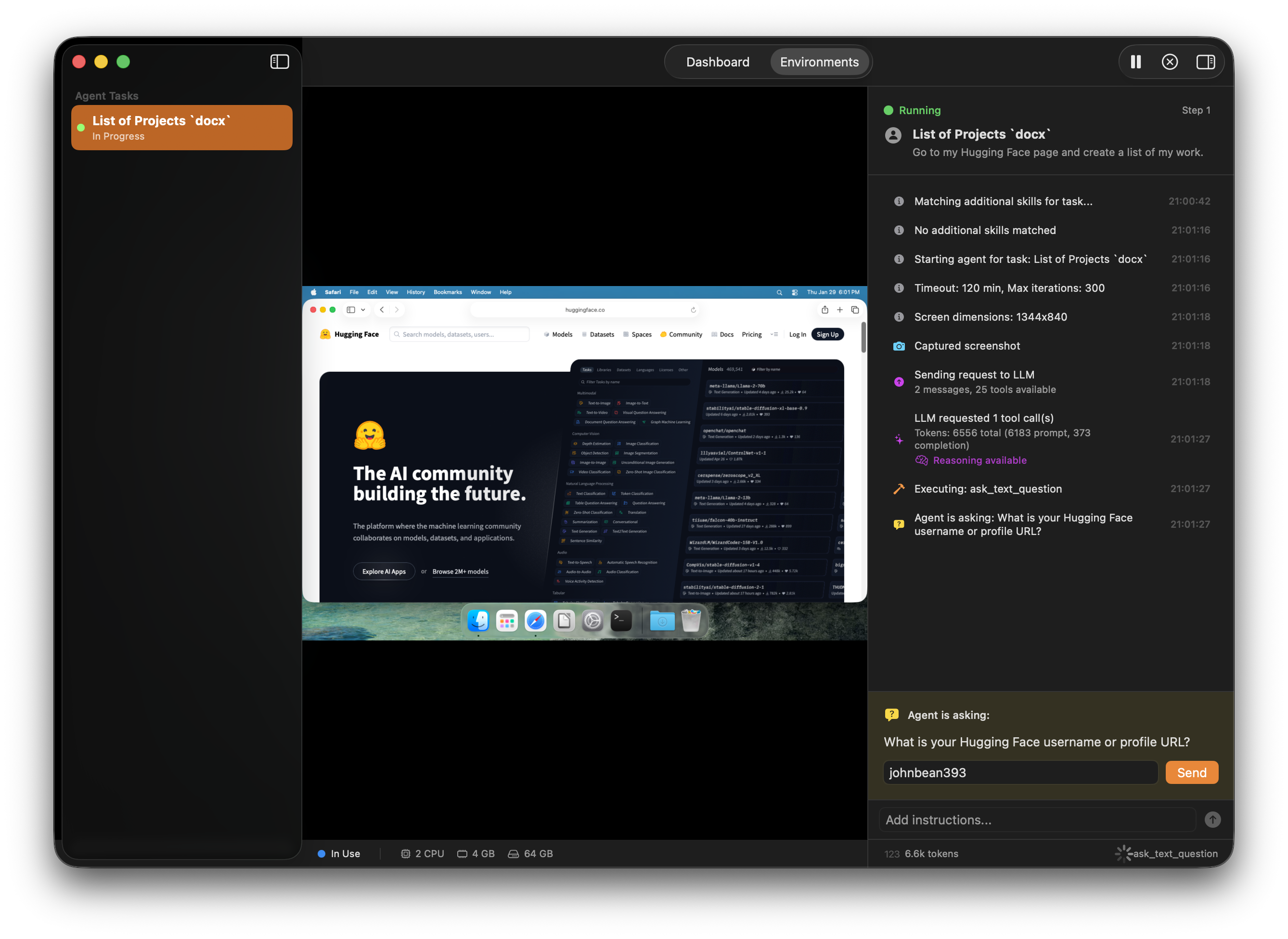
Pause, intervene, answer questions, approve actions, and keep a human in the loop
- Voice mode is a first-class way to coordinate workers.
- Workers can use files, retrieval-backed context, skills, web tools, and image generation.
- Browser access, API access, and a Python SDK extend Hivecrew beyond the desktop app.
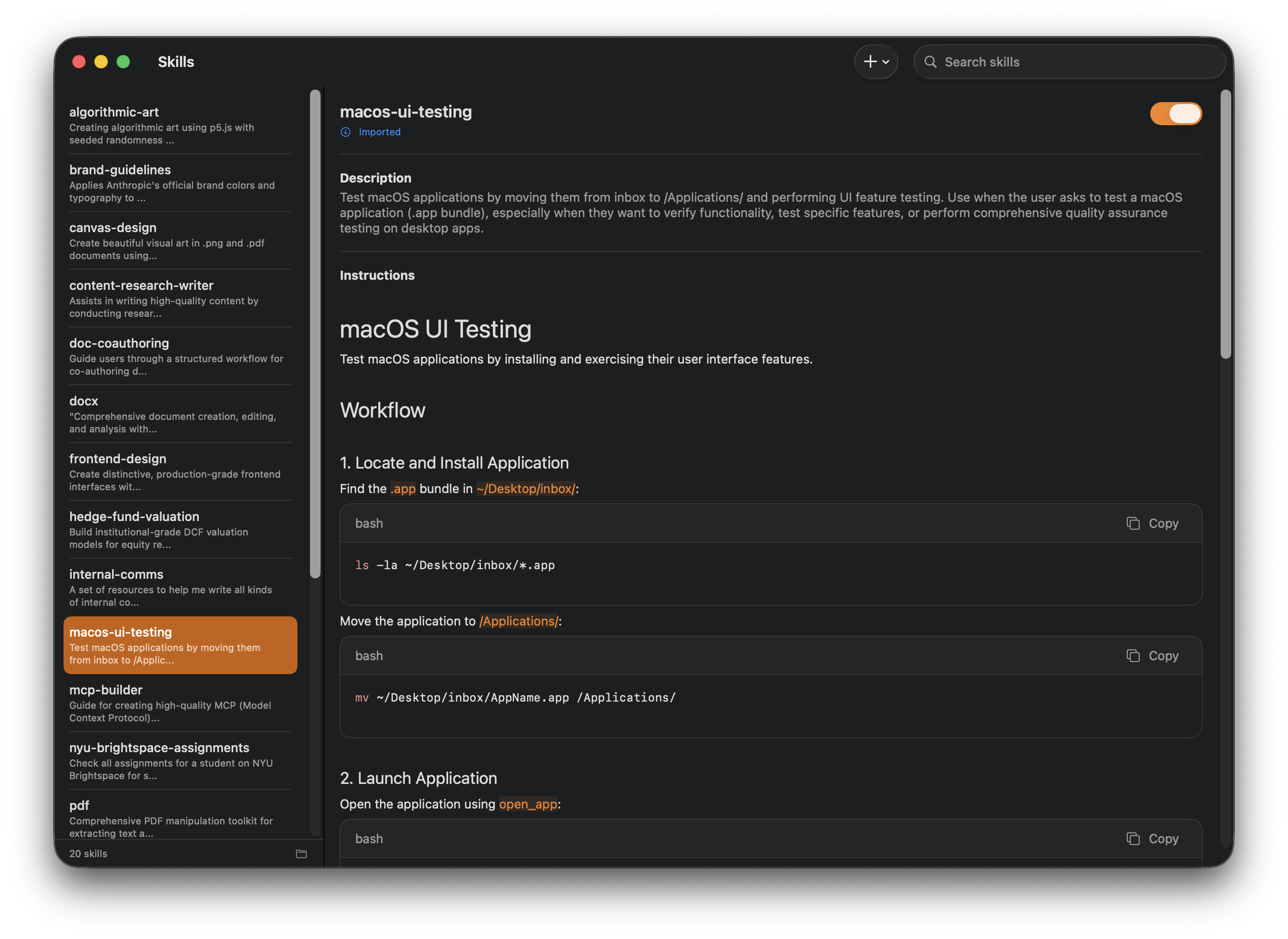
Reusable skills help workers take on more specialized tasks without rewriting instructions every time
- The dashboard is the command center for creating, tracking, and reviewing work.
- Plan-first mode makes the agent's approach visible before execution.
- Voice and web access make supervision easier away from the main prompt bar.
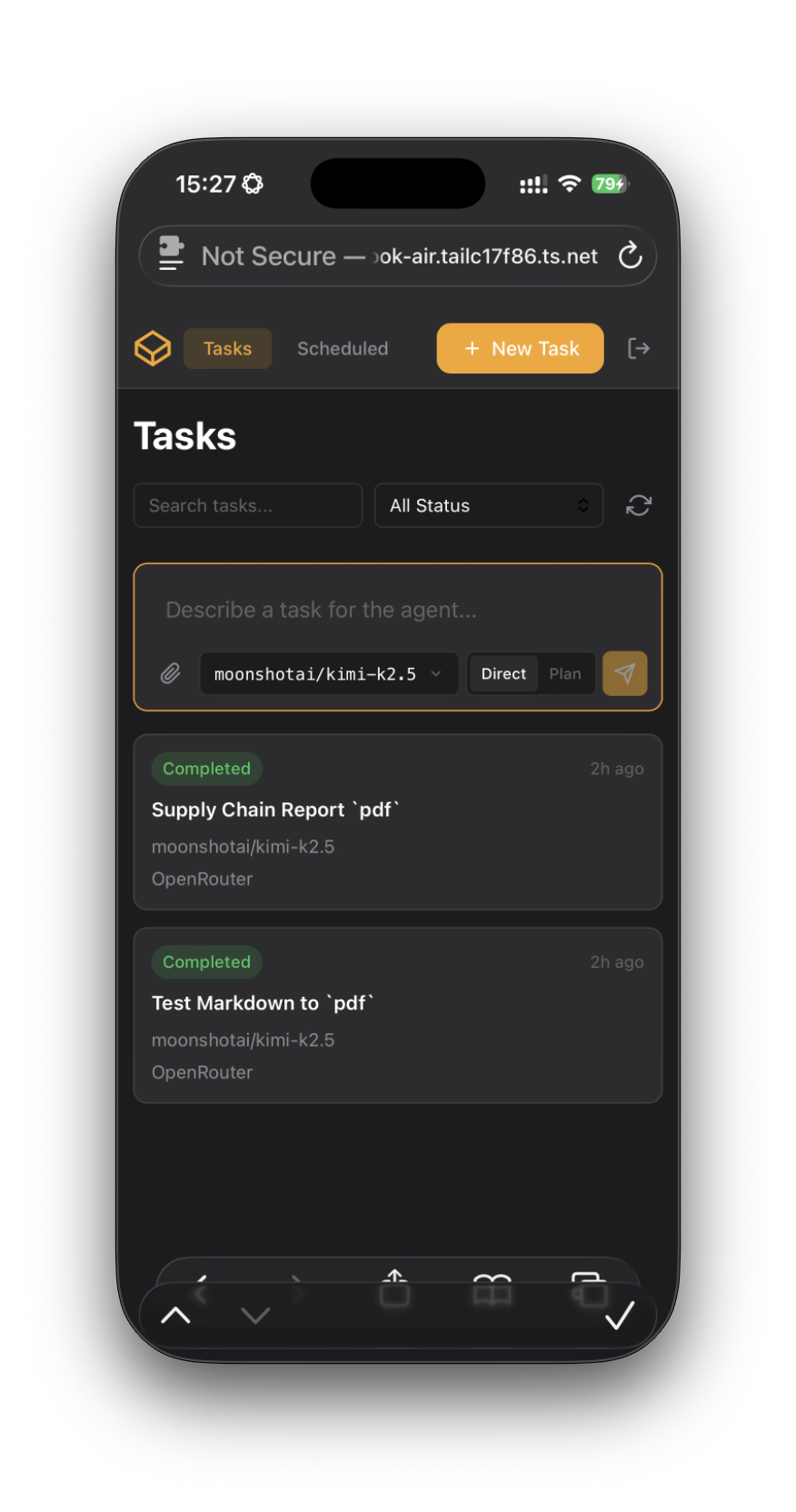
Remote browser access makes it practical to monitor and manage work away from your desk
- Run multiple workers at once.
- Compare the same task across models or repeated attempts.
- Use scheduling and remote machines to extend ongoing execution capacity.
Active environments make it easy to watch several workers operate at once
- Live screenshots and activity streams show what workers are doing.
- Session traces show what happened after the run.
- Review flows make approvals, questions, and file changes explicit.
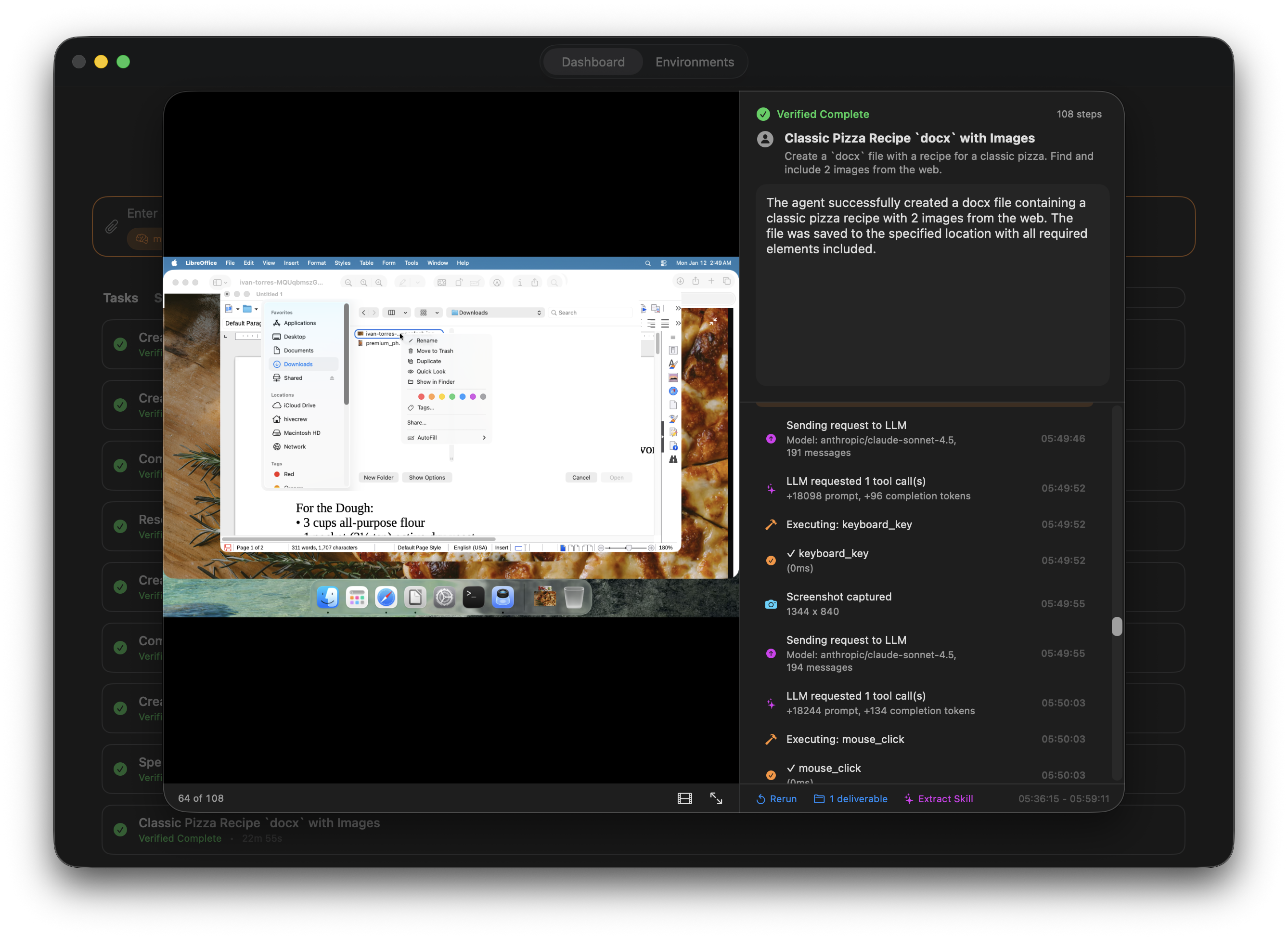
Session traces provide a readable audit trail instead of a black box
- Describe the task in plain English from the dashboard.
- Attach files, accept suggested context from your own indexed materials, or reference previous work.
- Choose whether to execute directly or review a plan first.
- Let one worker or several workers run in parallel.
- Watch progress live, answer questions, or step in if the worker needs help.
- Review the result, inspect the trace, apply file changes if needed, and rerun or continue from the task if you want another pass.
- macOS Sequoia (15.0) or later
- Apple Silicon Mac (M1 or newer)
- At least 16GB RAM recommended for running concurrent agents
- Roughly 64GB free disk space per VM (total 192GB free disk space)
- Download the latest release from the releases page
- Double-click the downloaded
Hivecrew.dmgfile - Drag the
Hivecrewapp intoApplications - Open Hivecrew and complete onboarding
- Clone the repository:
git clone https://github.com/johnbean393/Hivecrew.git
cd Hivecrew- Open the workspace in Xcode:
open Hivecrew.xcworkspace- Build from Xcode or from the command line:
xcodebuild -workspace Hivecrew.xcworkspace -scheme Hivecrew -configuration Debug -destination 'platform=macOS' buildNote: Building requires the Virtualization entitlements needed for macOS VMs. The bundled cloudflared binary lives at Hivecrew/Hivecrew/Resources/cloudflared/cloudflared; if you need to replace it, see Hivecrew/Hivecrew/Resources/cloudflared/README.md.
Hivecrew includes a REST API for programmatic task control and remote workflows. Enable it in Settings → Connect, then generate an API key.
For endpoint-by-endpoint examples, including schedules, provider management, web UI auth, and event streaming, see guides/api-use.md.
pip install hivecrewExample: Automated UI Testing
from hivecrew import HivecrewClient

client = HivecrewClient()  # Uses HIVECREW_API_KEY env var

result = client.tasks.run(
    description="""
    Test the login flow:
    1. Open Safari and go to https://staging.example.com
    2. Click "Sign In" and enter test@example.com / testpass123
    3. Verify the dashboard loads and shows "Welcome back"
    4. Take a screenshot and save it to the outbox
    """,
    provider_name="OpenRouter",
    model_id="your-provider/model-id",
    output_directory="./test-results",
    timeout=600.0
)

if result.was_successful:
    print(f"Test passed: {result.result_summary}")
else:
    print(f"Test failed: {result.result_summary}")
Example: Scheduled Task with File Attachments
from hivecrew import HivecrewClient

client = HivecrewClient()

schedule = client.schedules.create(
    title="Weekly Sales Report",
    description="""
    Process the attached sales data files:
    1. Open the CSV files and analyze the data
    2. Create a summary report with key metrics
    3. Generate charts for revenue trends
    4. Save the report as PDF to the outbox
    """,
    provider_name="OpenRouter",
    model_id="your-provider/model-id",
    files=["./data/sales_q1.csv", "./data/sales_q2.csv"],
    recurrence={
        "type": "weekly",
        "days_of_week": [2],  # Monday (1=Sunday, 7=Saturday)
        "hour": 9,
        "minute": 0
    }
)

print(f"Scheduled task created: {schedule.id}")
print(f"Next run: {schedule.next_run_at}")
See the hivecrew-python repository for full documentation.
Contributions are welcome. Areas where help would be especially valuable:
- Additional tools and integrations
- Reliability and testing improvements
- UX improvements around supervision, review, and scheduling
- Documentation and examples
MIT License