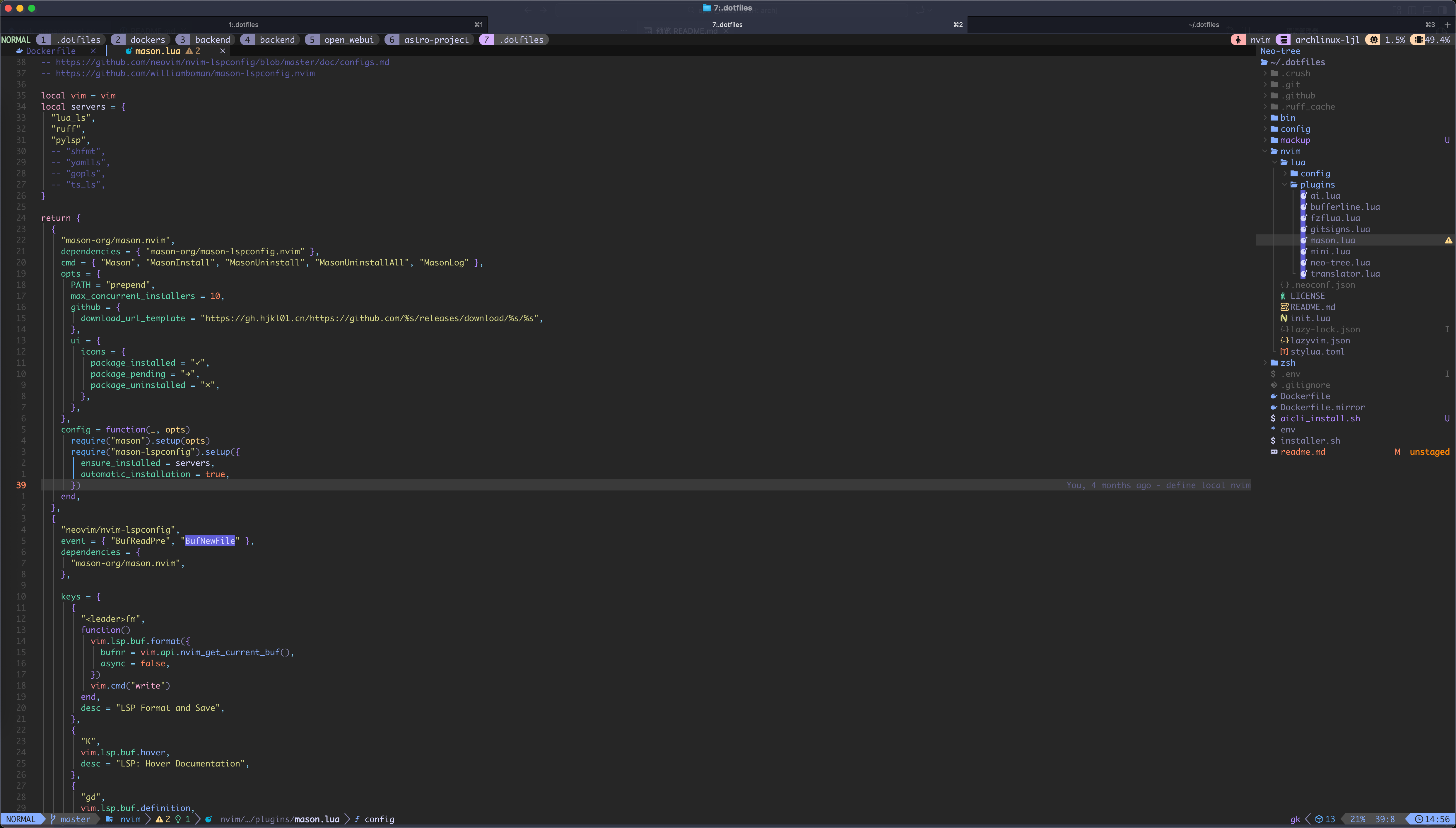
💡 现代化开发环境配置 - 基于 Zsh + Neovim + Tmux + Ghostty 的高效工作流
🎯 核心工具
📝 编辑器
🖥️ 终端
🔧 开发环境
🔧 配置项
📁 路径
🎯 功能
⭐ 特点
Shell 环境 zsh/Zsh 配置与主题
自定义主题 + 智能别名
编辑器配置 nvim/Neovim + LazyVim
LSP + 语法高亮 + 插件管理
终端复用 config/tmux.confTmux 会话管理
插件系统 + 快捷键优化
现代终端 config/ghostty.configGhostty 终端设置
GPU 加速 + 主题定制
输入法 config/rime/Rime 中文输入
自定义词库 + 快捷输入
开发工具 config/Git/Docker/Python
统一配置 + 环境优化
# 🎯 一键安装核心依赖 (Ubuntu/Debian)# 🐧 使用 asdf 管理多版本环境~ /.asdf
📦 类别
🛠️ 工具
📝 说明
🌟 必需性
核心环境 git zsh neovim tmux基础开发工具链
⭐⭐⭐
版本管理 asdf多语言环境管理
⭐⭐
编辑器增强 ripgrep fzf styluaNeovim 搜索与格式化
⭐⭐
剪贴板支持 xclip/xselLinux X11 剪贴板
⭐
WSL 专用 win32yank.exeWindows 剪贴板桥接
⭐ (WSL)
中文输入 fcitx5-rime中文输入法
⭐ (可选)
# 🚀 克隆配置仓库~ /.dotfiles
cd ~ /.dotfiles
# 🔗 智能链接配置文件# 🐚 切换到 Zsh Shell$( which zsh)
# 🇨🇳 使用 GitHub 镜像加速 (国内用户推荐)" https://gh.hjkl01.cn/https://github.com" " https://github.com" # 🔄 重新加载配置source ~ /.zshrc
# 🎉 验证安装echo " ✅ Dotfiles 安装完成!" echo " 📁 配置位置: ~/.dotfiles" echo " 🐚 当前 Shell: $SHELL "
💡 提示 : 安装完成后重启终端或运行 source ~/.zshrc 使配置生效。
🛠️ 工具
📝 功能
🌟 推荐指数
🚀 安装命令
lsd 现代化 ls
⭐⭐⭐⭐⭐
cargo install lsd
zoxide 智能目录跳转
⭐⭐⭐⭐⭐
cargo install zoxide
fd 友好 find 替代
⭐⭐⭐⭐
cargo install fd-find
delta Git diff 美化
⭐⭐⭐⭐
cargo install git-delta
lazygit TUI Git 客户端
⭐⭐⭐⭐⭐
cargo install lazygit
yazi 现代文件管理器
⭐⭐⭐⭐⭐
cargo install yazi
dust 目录大小分析
⭐⭐⭐
cargo install dust
broot 交互式目录树
⭐⭐⭐⭐
cargo install broot
# 🎨 安装主题和图标$( which zsh)
🔍 工具
📊 用途
⭐ 特点
htop 进程监控
交互式界面
ncdu 磁盘分析
可视化占用
tree 目录树
结构化显示
proxychains-ng 网络代理
终端代理支持
# 📦 安装 fcitx5-rime (Arch Linux)# 🚀 自动化部署工具cd rime-auto-deploy && ./installer.rb
# 🌐 添加到 ~/.profile 或 /etc/environmentexport GTK_IM_MODULE=fcitx
export QT_IM_MODULE=fcitx
export XMODIFIERS=" @im=fcitx" # 🍎 macOS 重载配置\ Methods/Squirrel.app/Contents/MacOS/Squirrel --reload
# 🐍 Python 镜像加速 (添加到 ~/.zshrc)export PYTHON_BUILD_MIRROR_URL=" https://registry.npmmirror.com/-/binary/python" # 📦 Node.js 镜像加速export NODE_BUILD_MIRROR_URL=" https://npmmirror.com/mirrors/node" # 🦀 Rust 镜像加速export RUSTUP_DIST_SERVER=" https://rsproxy.cn" export RUSTUP_UPDATE_ROOT=" https://rsproxy.cn/rustup"
🐍 语言
🌐 官方源
🇨🇳 镜像源
⚡ 加速比
Python ~5分钟
~30秒
10x
Node.js ~3分钟
~20秒
9x
Rust ~8分钟
~45秒
11x
⌨️ 快捷键
🎯 功能
📝 说明
prefix + I安装插件
Install plugins
prefix + U更新插件
Update plugins
prefix + alt + u卸载插件
Uninstall plugins
# ⏰ 设置定时任务 (每天 8:50 自动更新)echo " 50 8 * * * git -C $HOME /.dotfiles pull" | crontab -
# 🎯 手动更新cd ~ /.dotfiles && git pull && bash ./installer.sh link
# 🧹 清理缓存和插件~ /.local/share/nvim/ ~ /.cache/nvim/
# 🔍 检查配置# 🚀 重新安装
🚨 问题
🔧 解决方案
✅ 验证
插件加载失败 清理缓存重装
:Lazy health
LSP 不工作 检查语言服务器
:LspInfo
语法高亮异常 更新 treesitter
:TSUpdate
# 📥 下载 win32yank~ /.local/bin/
chmod +x ~ /.local/bin/win32yank.exe
# 🔗 配置 Neovim 剪贴板echo ' let g:clipboard = {"name": "win32yank", "copy": {"+": "win32yank.exe -i --crlf"}, "paste": {"+": "win32yank.exe -o --lf"}}' >> ~ /.config/nvim/init.lua
graph TD
    A[.dotfiles/] --> B[config/]
    A --> C[nvim/]
    A --> D[zsh/]
    A --> E[bin/]
    A --> F[scripts/]
    A --> G[installer.sh]
    A --> H[Dockerfile]

    B --> B1[gitconfig]
    B --> B2[tmux.conf]
    B --> B3[ghostty.config]
    B --> B4[alacritty.toml]
    B --> B5[rime/]

    C --> C1[lua/config/]
    C --> C2[lua/plugins/]
    C --> C3[LazyVim/]

    D --> D1[zshrc]
    D --> D2[alias.zsh]
    D --> D3[git.sh]
    D --> D4[languages.sh]
    D --> D5[hjkl01.zsh-theme]

    E --> E1[asdf]
    E --> E2[b]
    E --> E3[fif]

    F --> F1[run.sh]
    F --> F2[test.py]
Loading
📁 目录
📄 主要文件
🎯 用途
⭐ 重要度
config/ tmux.conf, ghostty.config终端和应用配置
⭐⭐⭐⭐⭐
nvim/ init.lua, plugins/Neovim 编辑器配置
⭐⭐⭐⭐⭐
zsh/ zshrc, alias.zshShell 环境配置
⭐⭐⭐⭐⭐
bin/ asdf, b, fif自定义脚本工具
⭐⭐⭐
scripts/ run.sh, test.py项目辅助脚本
⭐⭐
.github/ workflows/CI/CD 配置
⭐
# 📋 installer.sh 支持的操作# 🔗 链接配置文件# 🔓 取消链接# 💾 备份现有配置# 🔄 恢复备份# 1. 🍴 Fork 仓库# 2. 🌿 创建功能分支# 3. 💾 提交更改" ✨ Add amazing feature" # 4. 📤 推送分支# 5. 🔄 创建 Pull Request
📝 使用清晰的提交信息
🧹 保持配置文件整洁
📖 添加必要的注释说明
🧪 测试配置的兼容性