
An AI-powered chat application with advanced RAG (Retrieval-Augmented Generation) capabilities. Upload documents, build knowledge graphs, and have intelligent conversations powered by vector search and graph-based retrieval.
- Document Ingestion: Upload PDFs, text files, and markdown documents for AI-powered analysis
- Graph RAG: Combines vector embeddings with knowledge graph relationships for enhanced retrieval
- Multi-Database Architecture: PostgreSQL for metadata, Qdrant for vectors, Neo4j for knowledge graphs
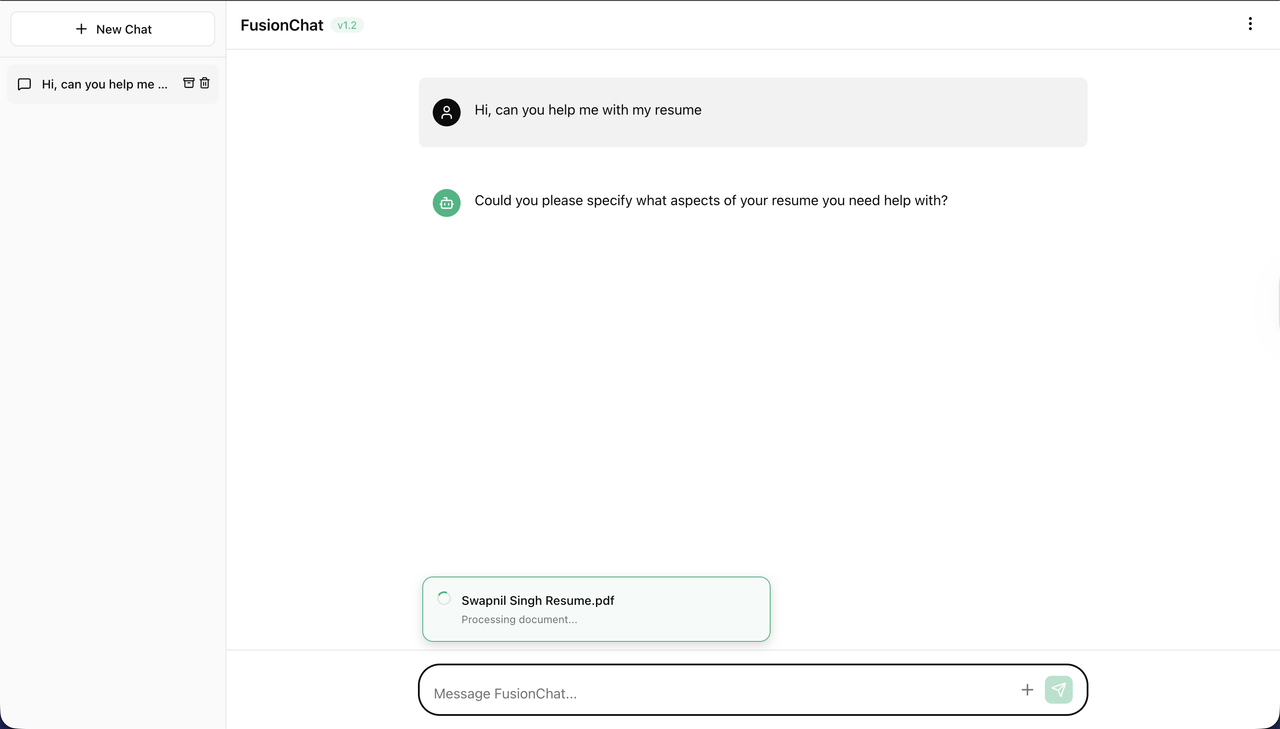
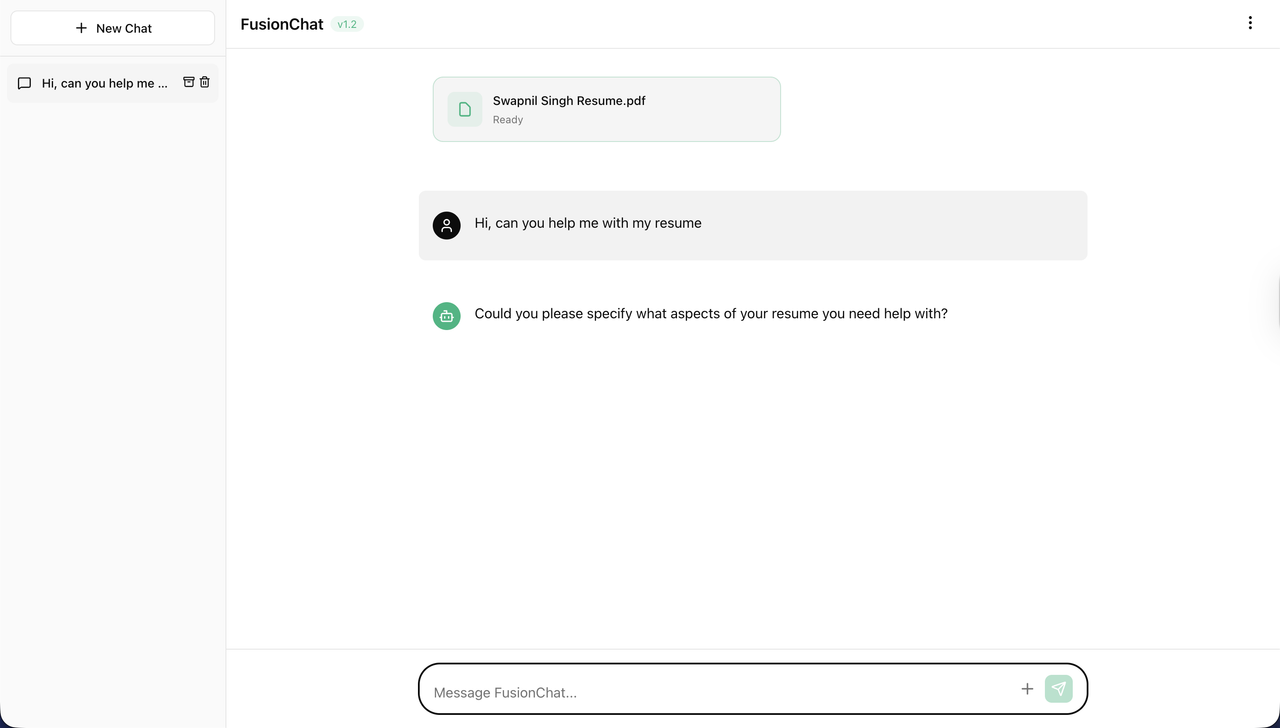
- Real-Time Processing: Live document processing status with visual feedback
- Modern UI: Clean, ChatGPT-inspired interface with smooth animations
- Docker Support: One-command deployment with full containerization
- FastAPI: High-performance async API framework
- OpenAI GPT-4o-mini: Language model for chat and embeddings
- Qdrant: Vector database for semantic search
- Neo4j: Graph database for entity relationships
- PostgreSQL: Relational database for chat and document metadata
- SQLAlchemy: Async ORM with PostgreSQL
- NLTK: Natural language processing for text chunking
- React 19: Modern UI library
- Vite: Fast build tool and dev server
- Framer Motion: Smooth animations and transitions
- Axios: HTTP client for API communication
- Lucide React: Beautiful icon library
Before installation, ensure you have the following:
- Python 3.11+
- Node.js 20+
- Docker & Docker Compose (for Docker setup)
- OpenAI API Key
-
Clone the repository
git clone https://github.com/hereisSwapnil/FusionChat.git cd FusionChat -
Set up environment variables
cp .env.example .env
Edit
.envand add your OpenAI API key:OPENAI_API_KEY=your_openai_api_key_here
-
Start all services
docker-compose up -d
-
Access the application
- Frontend: http://localhost:5173
- Backend API: http://localhost:8000
- API Docs: http://localhost:8000/docs
-
Clone the repository
git clone https://github.com/hereisSwapnil/FusionChat.git cd FusionChat -
Start databases with Docker
docker-compose up -d neo4j qdrant postgres
-
Backend Setup
cd backend
pip install -r requirements.txt

# Download NLTK data
python -c "import nltk; nltk.download('punkt'); nltk.download('punkt_tab'); nltk.download('stopwords')"
-
Frontend Setup
cd frontend npm install -
Environment Variables
Create
backend/.env:OPENAI_API_KEY=your_openai_api_key_here
-
Run the application
Terminal 1 (Backend):
cd backend
uvicorn app.main:app --reload
Terminal 2 (Frontend):
cd frontend
npm run dev
FusionChat/
├── backend/
│   ├── app/
│   │   ├── api/endpoints/      # API route handlers
│   │   ├── core/               # Configuration and utilities
│   │   ├── db/                 # Database clients and queries
│   │   ├── models/             # SQLAlchemy models
│   │   ├── schemas/            # Pydantic schemas
│   │   └── services/           # Business logic
│   ├── Dockerfile
│   └── requirements.txt
├── frontend/
│   ├── src/
│   │   ├── App.jsx            # Main application component
│   │   ├── App.css            # Application styles
│   │   └── index.css          # Global styles
│   ├── Dockerfile
│   └── package.json
├── docker-compose.yml          # Multi-container orchestration
├── DOCKER.md                   # Detailed Docker documentation
└── .env.example                # Environment template
- Create Chat: Start a new conversation or select an existing one
- Upload Documents: Attach PDFs or text files to enrich the knowledge base
- Processing Pipeline:
- Text extraction from documents
- Semantic chunking with NLTK
- Embedding generation with OpenAI
- Vector storage in Qdrant (per-chat collections)
- Entity and relationship extraction
- Knowledge graph construction in Neo4j
- Intelligent Retrieval:
- Vector similarity search for relevant chunks
- Graph traversal for related entities
- Context fusion for comprehensive answers
- AI Response: GPT-4o-mini generates responses using retrieved context
| Variable | Description | Default |
|---|---|---|
OPENAI_API_KEY |
OpenAI API key (required) | - |
NEO4J_URI |
Neo4j connection URI | bolt://localhost:7687 |
NEO4J_USER |
Neo4j username | neo4j |
NEO4J_PASSWORD |
Neo4j password | password |
QDRANT_HOST |
Qdrant host | localhost |
QDRANT_PORT |
Qdrant port | 6333 |
POSTGRES_HOST |
PostgreSQL host | localhost |
POSTGRES_PORT |
PostgreSQL port | 5432 |
POSTGRES_DB |
PostgreSQL database | fusionchat |
POSTGRES_USER |
PostgreSQL username | postgres |
POSTGRES_PASSWORD |
PostgreSQL password | password |
Contributions are welcome! Please feel free to submit a Pull Request.
This project is licensed under the MIT License - see the LICENSE file for details.