





Share Plugin allows sharing of text and images on Android and iOS platforms.
Features:
- Native share dialogs on Android and iOS
- Share content with other installed apps
- Supported share types:
- Text
- Images
- Arbitrary files (with MIME type support)
- Demo
- Installation
- Usage
- Signals
- Methods
- Classes
- Platform-Specific Notes
- Links
- All Plugins
- Credits
- Contributing
Try the demo app located in the demo directory.
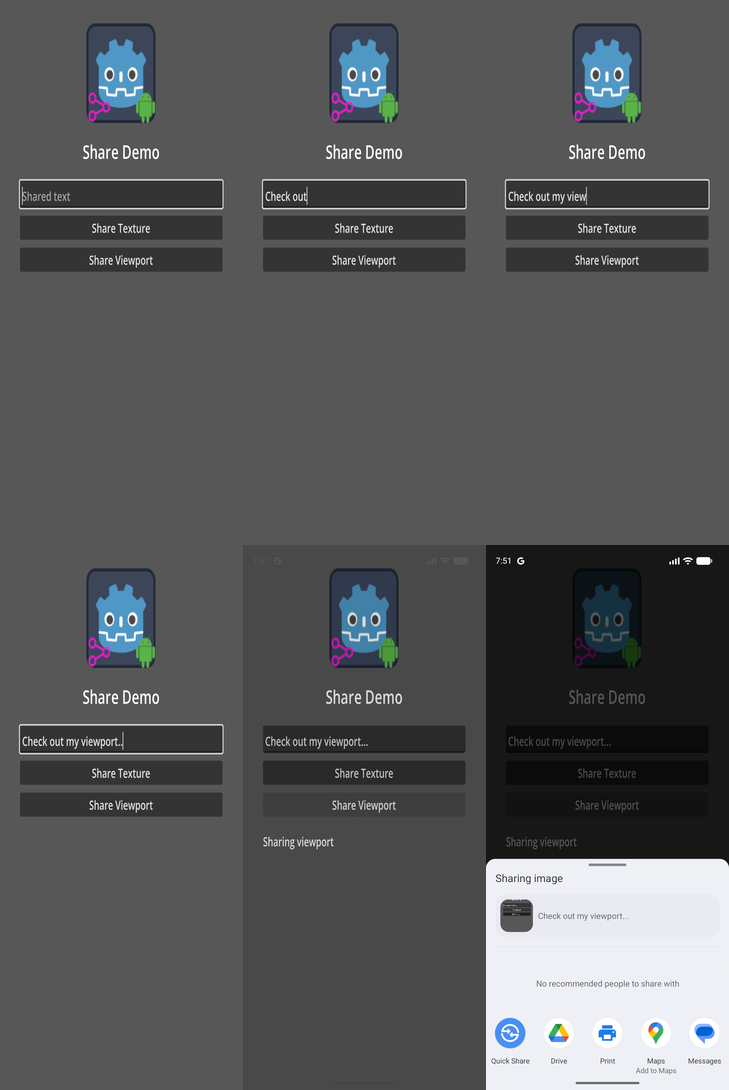
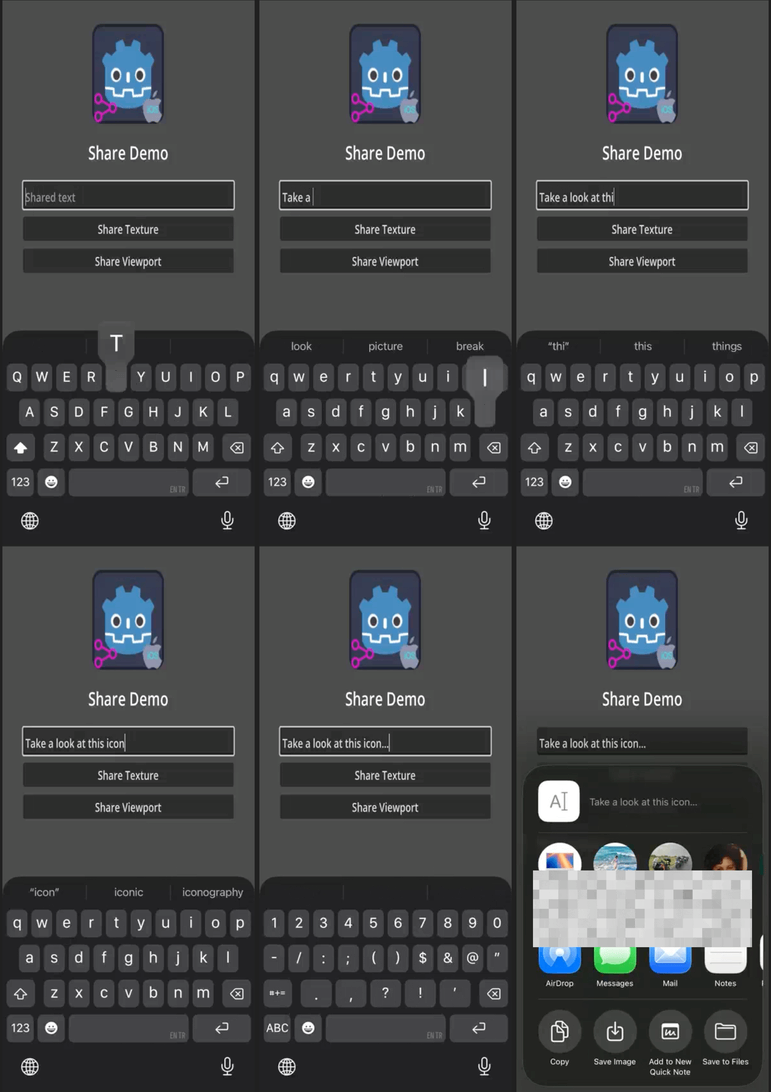
Important: Uninstall any previous versions of the plugin before installing a new one. If you are targeting both Android and iOS, make sure the addon interface version matches for both platforms.
- Open the Godot AssetLib and search for
Share - Click Download → Install
- Install to the project root with Ignore asset root enabled
- Enable the plugin via Project → Project Settings → Plugins
- For iOS, also enable the plugin in the export settings
- If installing both Android and iOS versions, you may safely ignore file conflict warnings for shared GDScript interface files
- Download the latest release from GitHub
- Extract the archive into your project root
- Enable the plugin via Project → Project Settings → Plugins
- For iOS, also enable the plugin in the export settings
Add a Share node to your scene and follow the following steps:
- use one of the following methods of the
Sharenode to share text or images: -share_text(title, subject, content)-share_image(full_path_for_saved_image_file, title, subject, content)- Note that the image you want to share must be saved under theuser://virtual directory in order to be accessible. TheOS.get_user_data_dir()method can be used to get the absolute path for theuser://directory. See the implementation ofshare_viewport()method for sample code. -share_viewport(viewport, title, subject, content)
share_completed: Emitted when...- iOS: the shared item is successfully sent
- Android: the user selects a share target from the chooser
share_canceled: Emitted when..- iOS: the user dismisses the share dialog without sending
- Android: the user returns to the app without selecting a target within a time threshold (default: 5000 ms)
share_failed: Emitted when an error occurs that prevents sharing.
Note: On Android, the share_completed signal only indicates that a share target was selected. It does not guarantee that the user actually completed the share action.
share_text(a_title: String, a_subject: String, a_content: String)- Shares plain text.share_image(a_path: String, a_title: String, a_subject: String, a_content: String)- Shares text along with an image located at the given file path.share_texture(a_texture: Texture2D, a_title: String, a_subject: String, a_content: String)- Shares text with an image generated from aTexture2D.share_viewport(a_viewport: Viewport, a_title: String, a_subject: String, a_content: String, a_flip_y: bool)- Shares text with an image captured from aViewport.share_file(a_path: String, a_mime_type: String, a_title: String, a_subject: String, a_content: String- Shares text along with a file at the specified path and MIME type.
- Encapsulates data to be shared.
- Properties:
title: Title that may be shown in the share dialog.subject: Subject of the shared content (commonly used by email clients).content: Main text content to be shared.file_path: Path to the file being shared.mime_type: MIME type of the shared file.custom_threshold: Time in milliseconds after which the plugin considers the share flow completed (Android only).
- Package name In your project's Android export settings, remove/replace the
$gennametoken from thepackage/unique_name - Build: Create custom Android gradle build.
- Registration: App must be registered with the Google Play.
- Troubleshooting:
- Logs:
adb logcat | grep 'godot'(Linux),adb.exe logcat | select-string "godot"(Windows) - Also check out: https://docs.godotengine.org/en/stable/tutorials/platform/android/android_plugin.html#troubleshooting
- Logs:
- Troubleshooting:
- View XCode logs while running the game for troubleshooting.
- See Godot iOS Export Troubleshooting.
- Export settings: Plugin must be enabled also in the export settings.
| ✦ | Plugin | Android | iOS | Latest Release | Downloads | Stars |
|---|---|---|---|---|---|---|
 |
Admob | ✅ | ✅ |   |
  |
 |
 |
Connection State | ✅ | ✅ |   |
  |
 |
 |
Deeplink | ✅ | ✅ |   |
  |
 |
 |
Firebase | ✅ | ✅ | - | - |  |
 |
In-App Review | ✅ | ✅ |   |
  |
 |
 |
Native Camera | ✅ | ✅ |   |
  |
 |
 |
Notification Scheduler | ✅ | ✅ |   |
  |
 |
 |
OAuth 2.0 | ✅ | ✅ |   |
  |
 |
 |
QR | ✅ | ✅ |   |
  |
 |
 |
Share | ✅ | ✅ |   |
  |
 |
Developed by Cengiz
Based on Godot Mobile Plugin Template v5
Original repository: Godot Share Plugin
See our guide if you would like to contribute to this project.
If this plugin has helped you, consider supporting its development! Every bit of support helps keep the plugin updated and bug-free.
| ✦ | Ways to Help | How to do it |
|---|---|---|
| ✨⭐ | Spread the Word | Star this repo to help others find it. |
| 💡✨ | Give Feedback | Open an issue or suggest a feature. |
| 🧩 | Contribute | Submit a PR to help improve the codebase. |
| ❤️ | Buy a Coffee | Support the maintainers on GitHub Sponsors or other platforms. |