一个无需电脑就可以在你的手机上运行Open-AutoGLM的程序
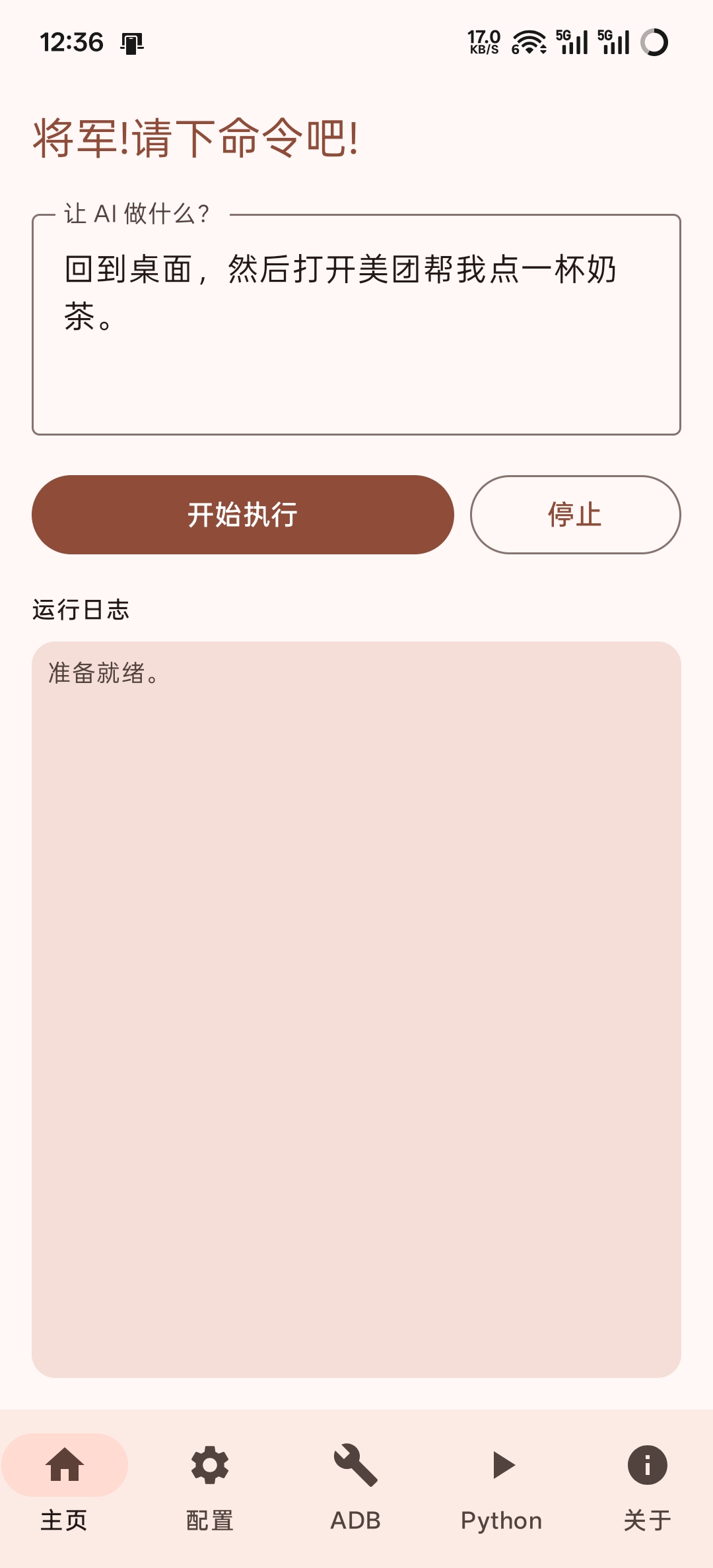
1.安装 Shizuku 并启动Shizuku服务
2.安装ADBKeyBorad 安装包 并在 设置-输入法 或者 设置-键盘列表 中启用 ADB Keyboard
3.在 https://open.bigmodel.cn 注册账号并保存自己的API密钥
4.在 releases页面 下载安装包并安装,注意: 需要手动给Autoglm-Android通知权限
5.启动软件并允许Autoglm-Android使用Shizuku,在软件配置页面填入自己的API密钥
你可以通过主页面输入指令开始让Autoglm操作你的手机,也可以在任意界面下拉通知栏并输入指令让Autoglm开始操作你的手机

1.安装python3.12,并在 app\build.gradle 的 chaquopy 配置块
chaquopy {
    defaultConfig {
        version "3.12"
        buildPython("C:/Program Files/Python312/python.exe")  <=== 这里替换为你的python解释器路径
        pip {
            options "--extra-index-url", "https://pypi.tuna.tsinghua.edu.cn/simple"
            install "Pillow"
            install file("libs/jiter-0.12.0-cp312-cp312-android_24_arm64_v8a.whl").absolutePath
            install "openai>=2.9.0"
            install file("Open-AutoGLM-main").absolutePath
        }
    }
}
将 buildPython 配置为你的python解释器路径
其实现在Android Studio应该就可以正常编译APP了,因为我提供了可以在chaquopy中使用的jiter的whl文件,如果你想自己编译jiter的wheel的话就往下看
2.通过termux制作适用于chaquopy的jiter-0.12.0-cp312-cp312-android_24_arm64_v8a.whl
执行下面的命令在Termux环境中安装jiter,这需要一段时间,等待蟒蛇造完轮子:
pkg update
pkg install openssl
pkg install python-pip libllvm libxml2 golang rust make cmake binutils build-essential nano patchelf
pip install maturin cython wheel -i https://pypi.tuna.tsinghua.edu.cn/simple
pip install jiter==0.12.0 -i https://pypi.tuna.tsinghua.edu.cn/simple
pip show jiter
你应该会看到这样的输出
~ $ pip show jiter
Name: jiter
Version: 0.12.0
Summary: Fast iterable JSON parser.
Home-page: https://github.com/pydantic/jiter/
Author:
Author-email: Samuel Colvin <s@muelcolvin.com>
License:
Location: /data/data/com.termux/files/usr/lib/python3.12/site-packages
Requires:
Required-by:
继续执行下面的命令:
cd /data/data/com.termux/files/usr/lib/python3.12/site-packages

mkdir -p ~/temp_wheel/jiter
mkdir -p ~/temp_wheel/jiter-0.12.0.dist-info

cp -r jiter/* ~/temp_wheel/jiter/
cp -r jiter-0.12.0.dist-info/* ~/temp_wheel/jiter-0.12.0.dist-info/

cd ~/temp_wheel/jiter/
rm -rf __pycache__
mv jiter.cpython-312.so jiter.so
patchelf --replace-needed libpython3.12.so.1.0 libpython3.12.so jiter.so
patchelf --print-needed jiter.so

cd ~/temp_wheel/jiter-0.12.0.dist-info/
rm RECORD
nano WHEEL
将最后一行的 Tag: cp312-cp312-linux_aarch64 改成 Tag: cp312-cp312-android_24_arm64_v8a 后,按 Ctrl+O 保存,回车,Ctrl+X 退出
继续执行命令
cd ~
python -m wheel pack temp_wheel
此时 ~/ 下就会有适用于chaquopy的 jiter-0.12.0-cp312-cp312-android_24_arm64_v8a.whl
WTFPL