
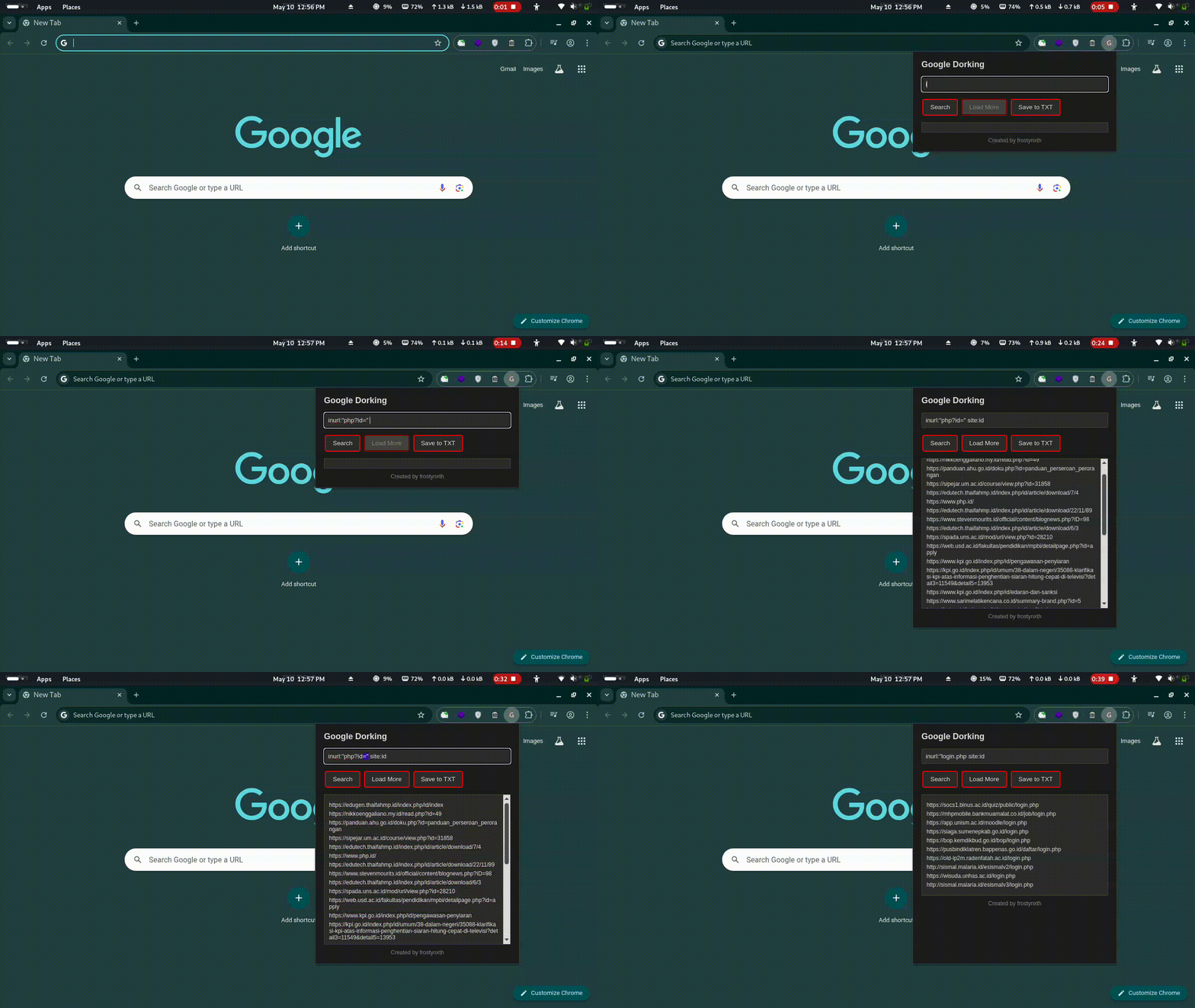
A Chrome extension designed to perform Google Dorking, automatically load search results, and save them to a TXT file. Created by frostynxth, this extension features a dark mode interface with red-stroke buttons for a sleek user experience.
- Google Dorking: Enter custom dork queries (e.g., inurl:login) to search for specific web pages.
- Automatic Result Loading: Fetches and displays up to 100 URLs per query, with pagination support.
- Load More: A "Load More" button to retrieve additional results (10 URLs per page).
- Save to TXT: Export all loaded URLs to a dorking_results.txt file.
- Dark Mode UI: A modern dark theme with red-stroke buttons for improved aesthetics and readability.
To use this extension, you need to set up the Google Custom Search API and obtain an API Key and Custom Search Engine ID (CSE ID).
- Visit the Google Cloud Console.
- Click "New Project", give it a name (e.g.,
Google Dorking Extension), and create the project.
- In the Cloud Console, navigate to:
APIs & Services > Library. - Search for "Custom Search API" and click Enable.
- Go to:
APIs & Services > Credentials. - Click "Create Credentials" > "API Key".
- Copy and save the generated API Key.
- Visit Google Programmable Search Engine.
- Click "New Search Engine", set it to search the Entire Web, and create it.
- Go to
Edit search engine > Setup, and copy the Search engine ID (CSE ID).
- Open
popup.jsin your project folder. - Replace:
YOUR_API_KEYwith your actual API Key.YOUR_CSE_IDwith your actual CSE ID.
- The API has a free quota of 100 queries per day. If exceeded, billing needs to be enabled.
- Keep your API Key and CSE ID secure – do not share them publicly.
Your Google Dorking Extension should now be fully functional with the Google Custom Search API.