A to do list that can auto categorize the created items into one of four categories: Watch, Eat, Read, or Buy. A date and priority can be given to each item. All the items can be edited if the autocategorization or other information is incorrect.
The user can mark an item as complete to move the item to a completed list. If the user no longer needs the item. It can be deleted.
The list can be filtered to show any one of the categories.
The app was designed with a mobile first approach.
Visit https://fgfl-smart-todo-list.herokuapp.com/login/1 or https://fgfl-smart-todo-list.herokuapp.com/login/2 to login as user 1 or 2. A login form has not been implemented, so these login endpoints are used to quickly test the app.
- Install psql and set up a user for your machine.
- Run
psqlto enter the database - Run the below code to create a new user and database for the project
CREATE ROLE labber WITH LOGIN password 'labber';
CREATE DATABASE midterm OWNER labber;- Create the
.envby using.env.exampleas a reference:cp .env.example .env - Update the .env file with your correct local information
- DB_USER:
labber - DB_PASS:
labber - DB_NAME:
midterm - DB_UCLASSIFY_READ_KEY: sign up for a free uClassify account at https://www.uclassify.com/ and add your read key here.
- Install dependencies:
npm i - Fix to binaries for sass:
npm rebuild node-sass - Reset database:
npm run db:reset
- Check the db folder to see what gets created and seeded in the SDB
- Run the server:
npm run local
- Note: nodemon is used, so you should not have to restart your server
- Visit
http://localhost:8080/
A log in form was not built. To login, send a GET request to the login route with the user id as a parameter.
Example: Enter the below into the browser to login. The number '1' can be replaced with another number for another user.
http://localhost:8080/login/1
- Node 10.x or above
- NPM 5.x or above
- PG 6.x
- jQuery 3.4.1 or above
- body-parser 1.19.0 or above
- ejs 2.6.2 or above

- mobile view of app

- full page view of app
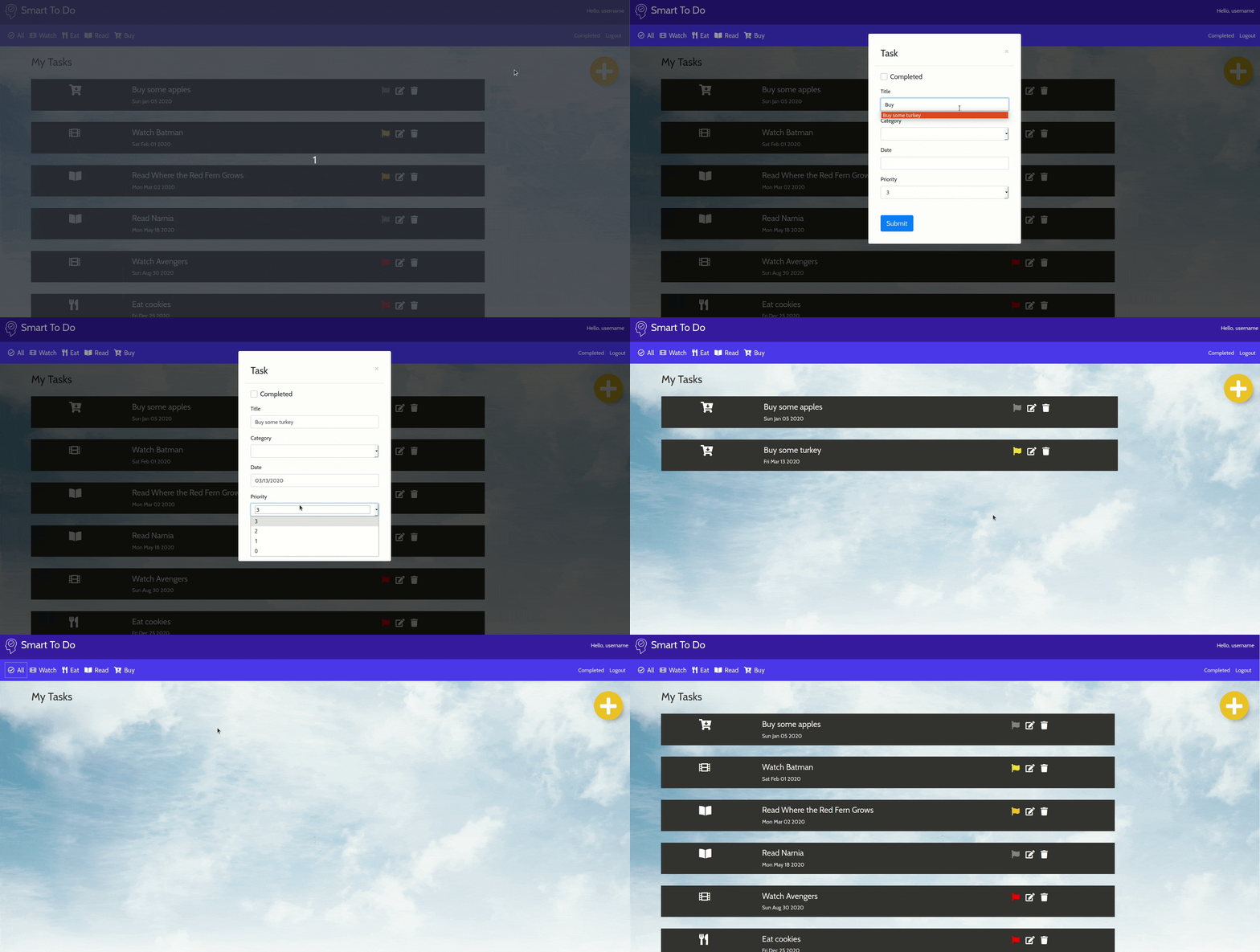
- Adding a new task. The category was left blank, so a category is auto assigned.
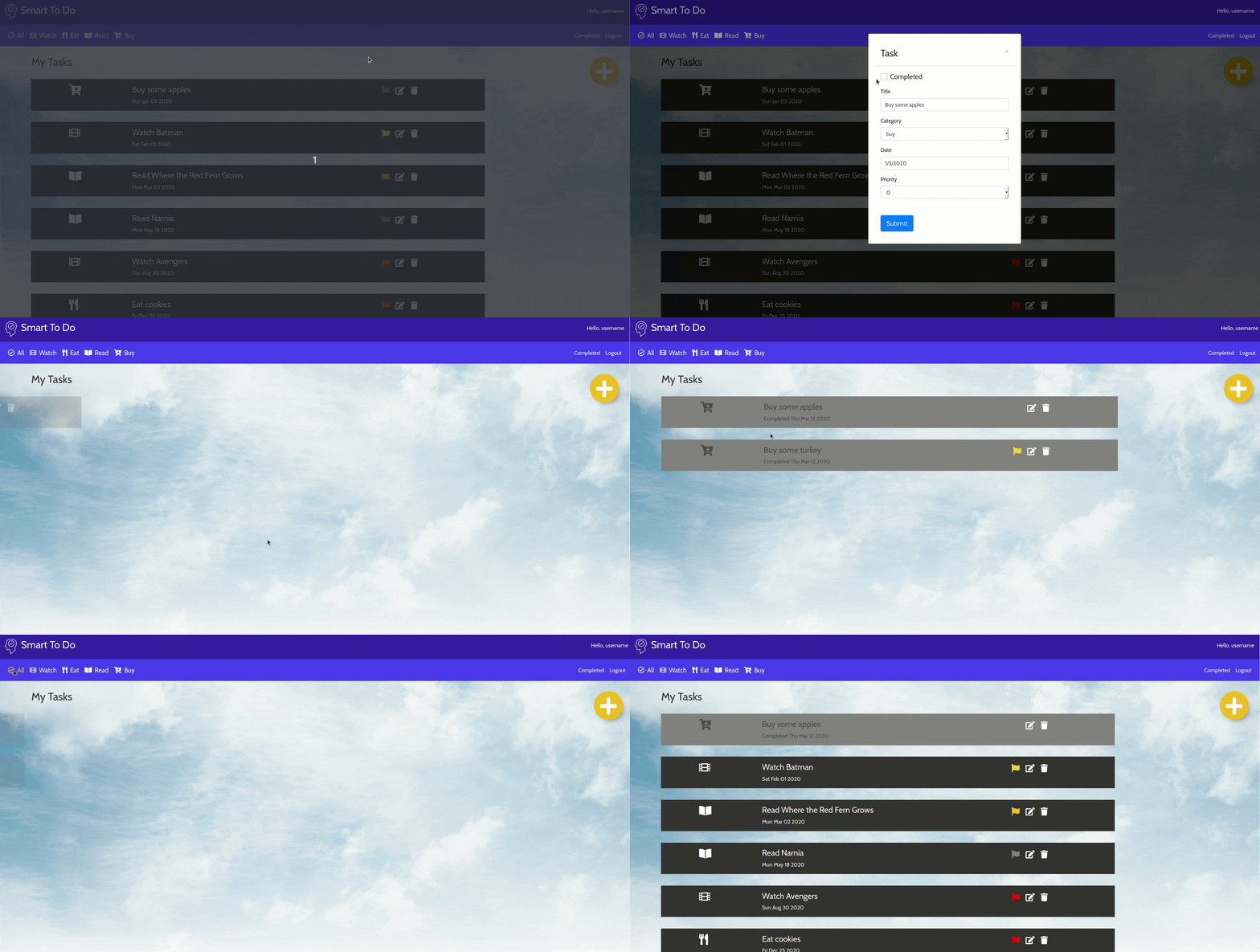
- Marking a task as complete.
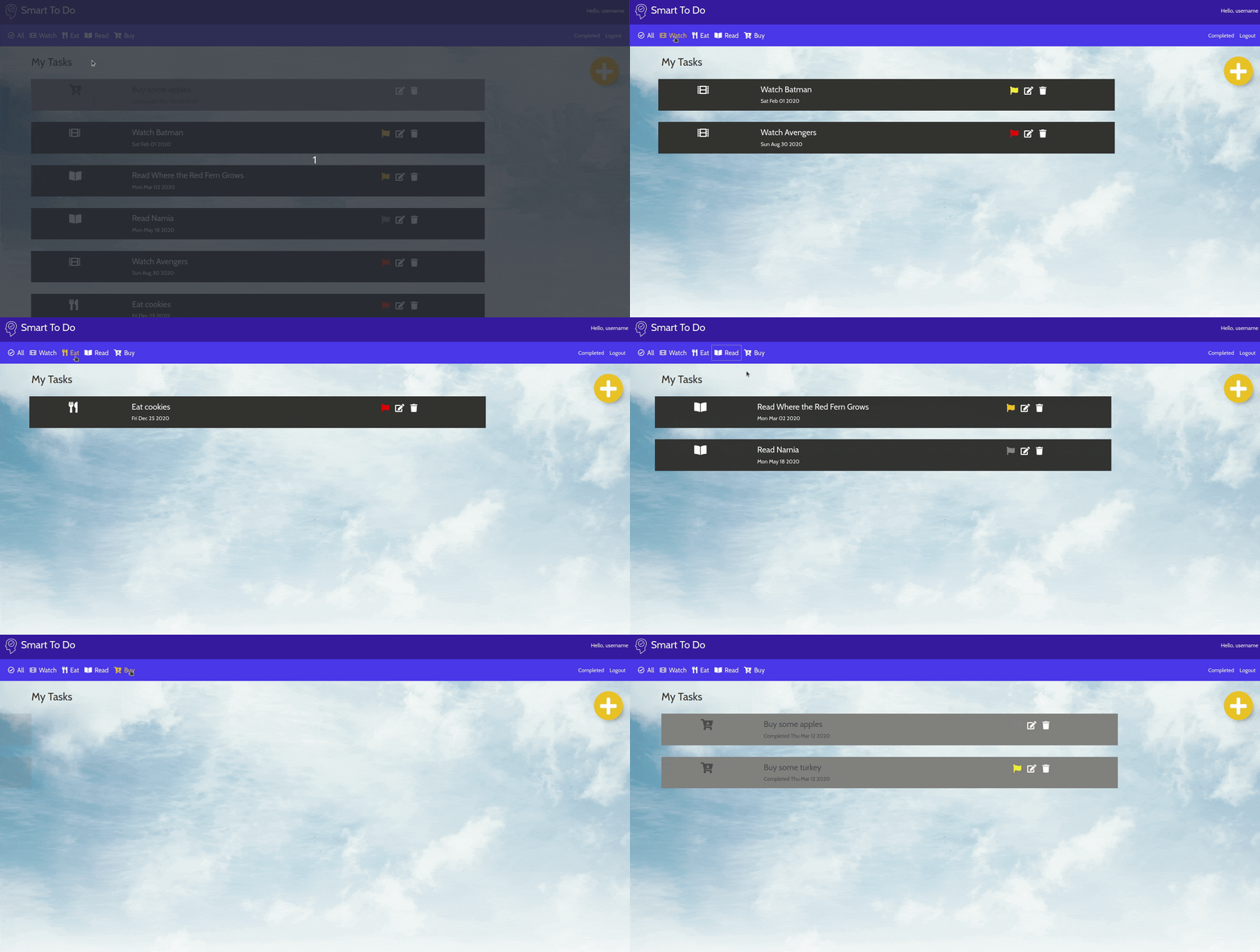
- Filtering our tasks by the categories.