At eva you can use ready to use agent template and just adjust the bot's messages to your needs.
- eva
- From version 3.4 onwards
Agent Template is a collection of flows provided by eva that can be used to establish a base for building conversations.
The solution is focused on the finance area, but there are many flows that can be leveraged as a reference, customized or even used for any trade or sector (such as login and chit-chats).
In Agent Template Banking, you will find 38 flows that can be used at the 10 most popular use cases, as shown in the picture below:
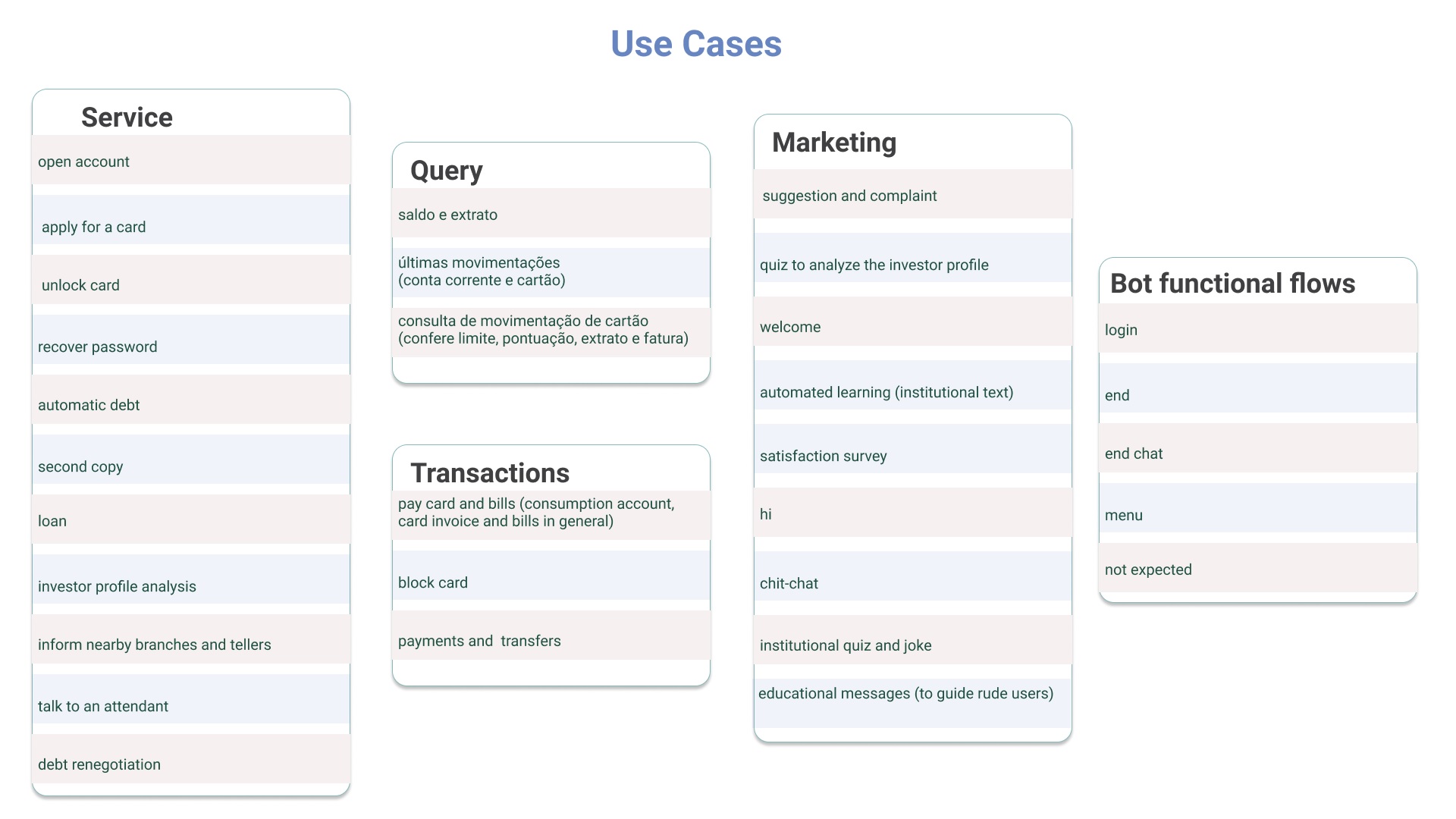
This feature include Intents, Entities and also all the other eva cells, such as Answer, Service, Jump, Input, Code and Rule. The purpose is to help you to build your own virtual assistant, to build your own flows, by offering a ready-made basis with the best UX writing practices in the market, as well as the best practices for using eva.
- Agent Template is a template. That is, you can use as a good foundation, but you must customize the informations for your own business. It means that you should create your own webservice, your own page links, etc... Reach our documentation to know more about how to use eva.
- The language is Spanish, but you can translate and edit information as you wish.
- This feature is only available for eva versions starting with 3.4
It's easy and can be done in just 5 steps:
- First, download the Agent Template zip file:
Spanish click here
Portuguese click here
English click here
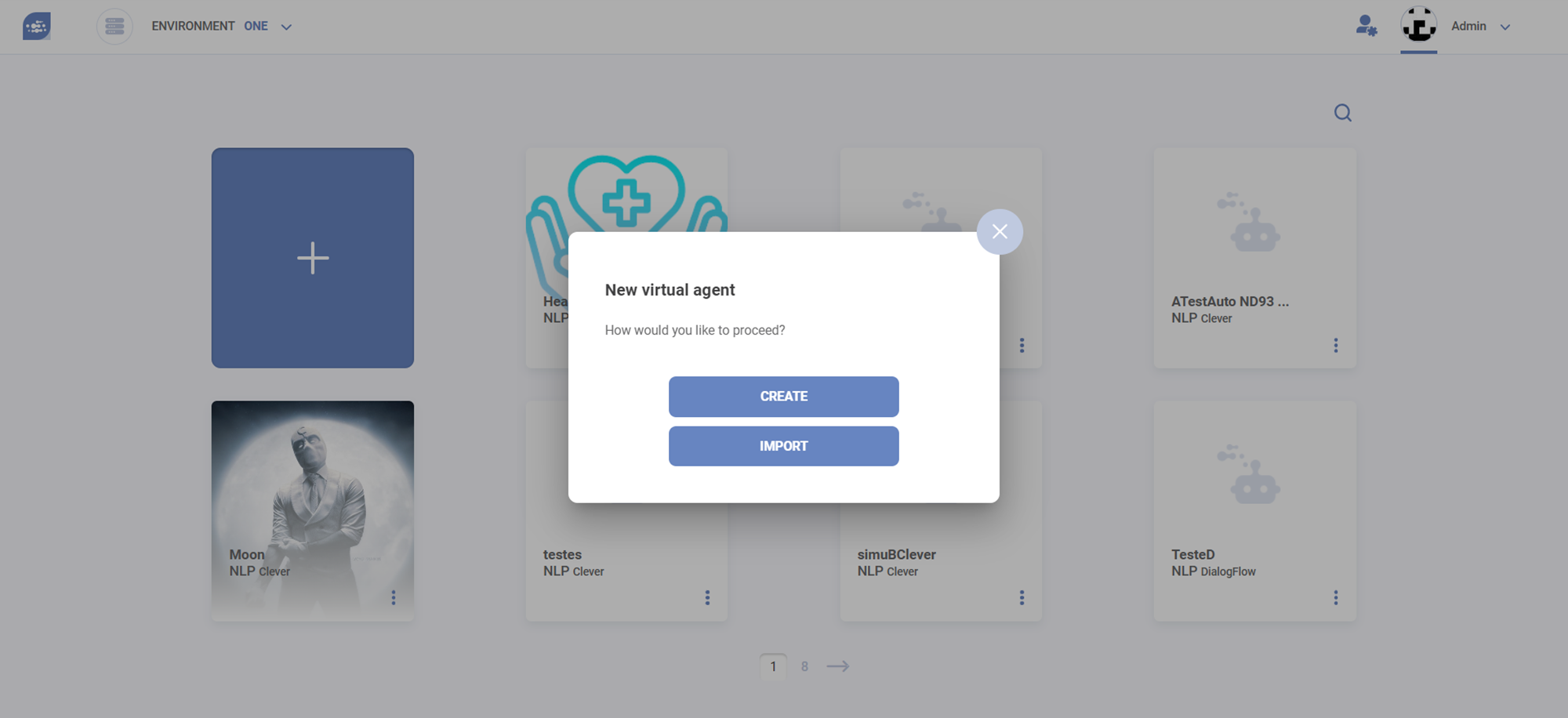
- Then, go to the cockpit, press the + button to add a new virtual agent, and choose "Import" (as seen below)
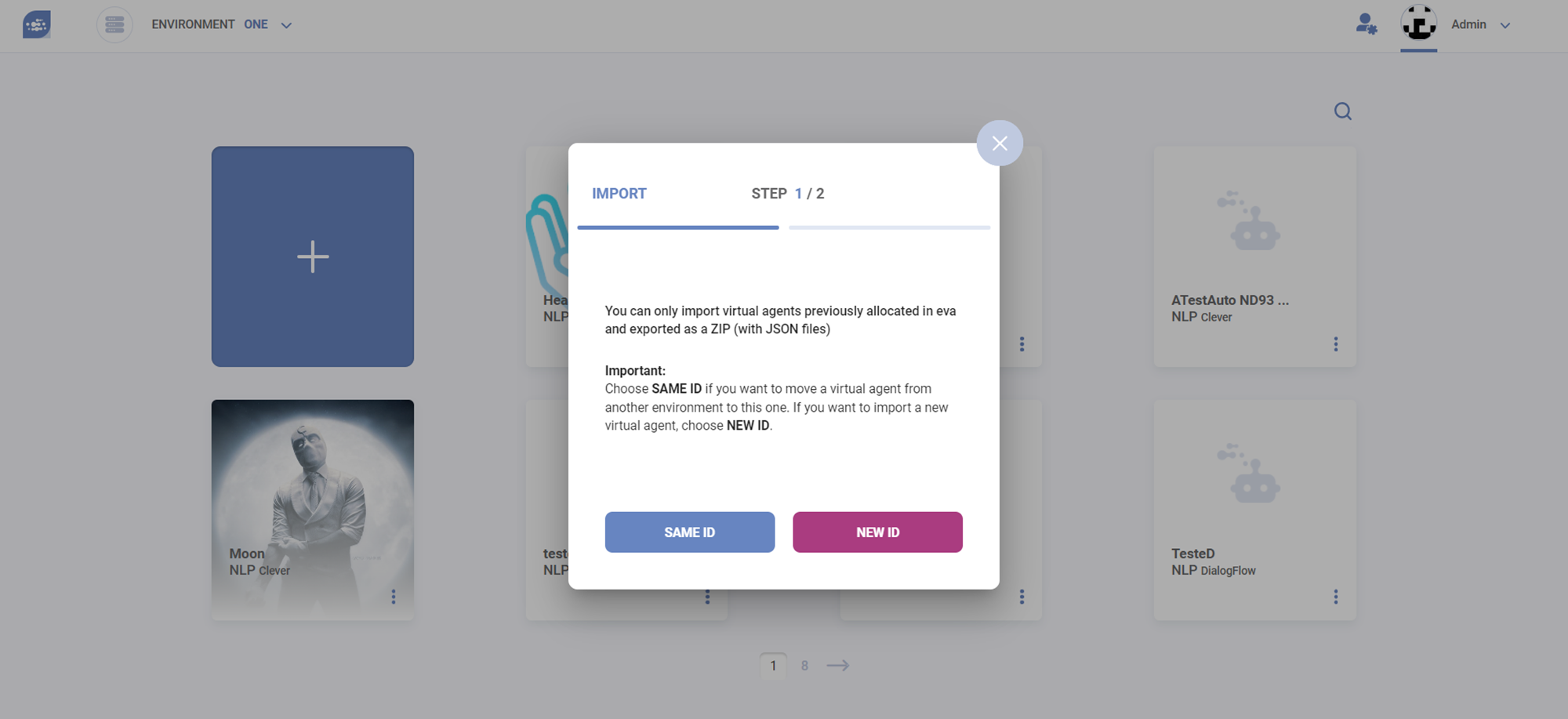
- Then, choose the option "new ID"
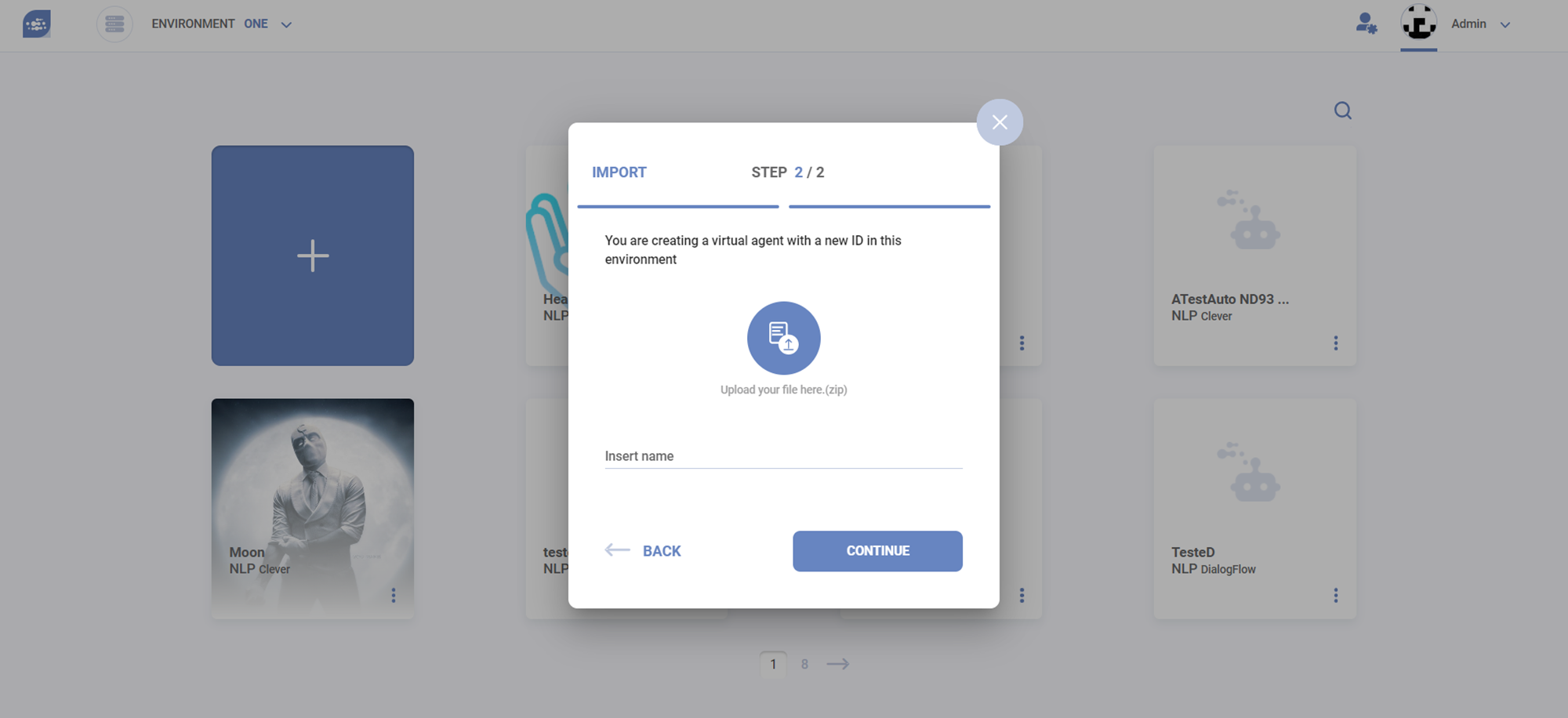
- Import the zip file and give your VA a name
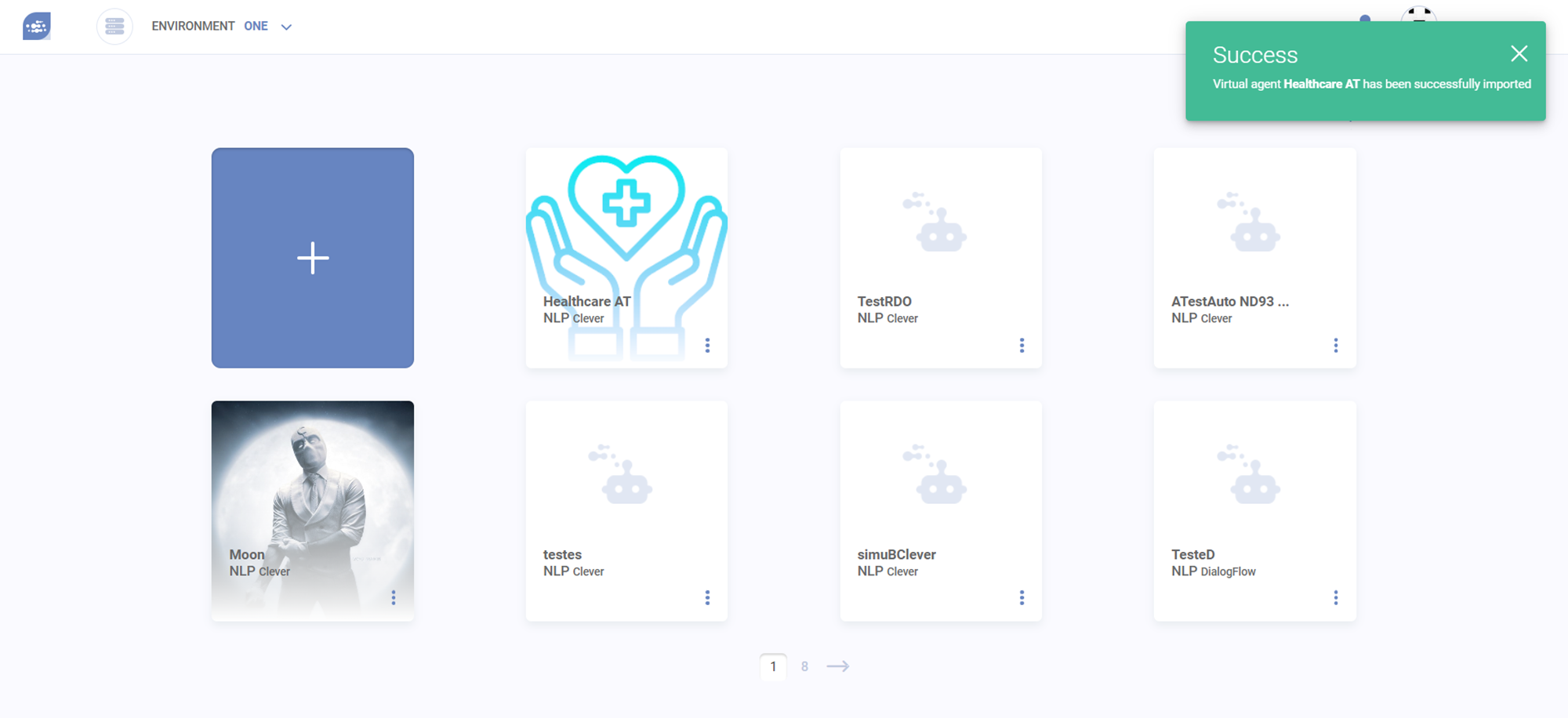
- All done! The virtual agent will be available in your library.
Copyright © 2021, All rights reserved. eva by NTT DATA product and its components are the property of NTT DATA. eva by NTT DATA is a software registered by NTT DATA