WormCat Batch is a command line tool that allows you to batch multiple runs of WormCat from a Microsoft Excel File or a directory path with WormCat formatted csv files.
Note: You can also run WormCat Batch as a docker container. Find more information on running WormCat Batch as a Docker container here.
WormCat Batch requires Python 3.5+ and R 3.4.1+ with a WormCat package installed.
If you are unsure if you have WormCat installed, you can run
find.package("wormcat") from an R command prompt.
If WormCat is not installed, you can follow the directions here to install WormCat.
Note: WormCat can be installed as an R package you; do NOT need to checkout the source unless you intend to modify WormCat. The readme file explains how to install WormCat as an R package.
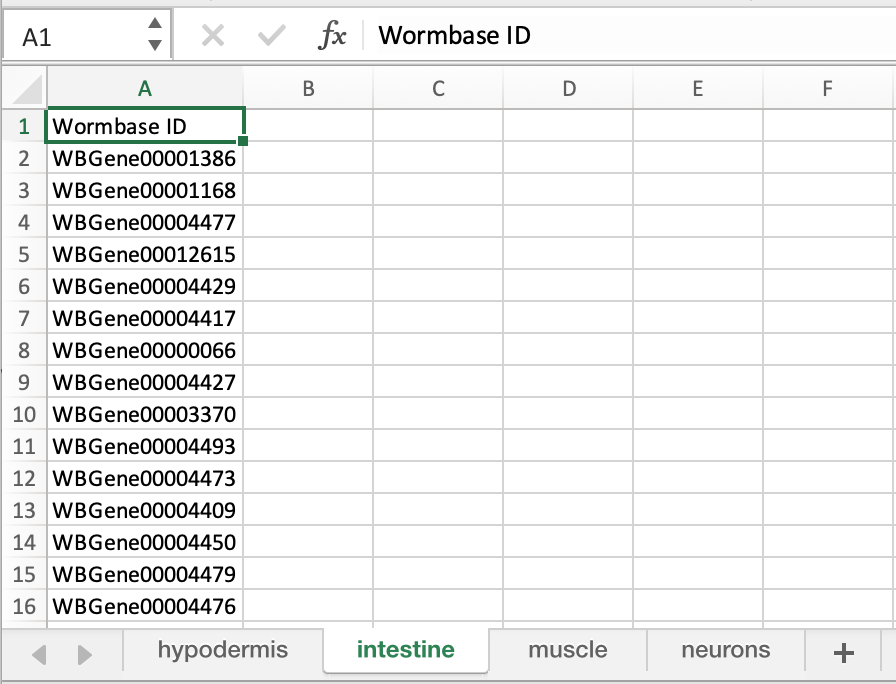
Once you have the R package installed, you will create an Excel Spreadsheet with the required data for batch execution.
See the file Example/Murphy_TS.xsl for details on formating the Excel.
Note:
- The Spreadsheet Name should ONLY be composed of Letters, Numbers and Underscores (_) and has an extension .xlsx, .xlt, .xls
- The Sheet Names within the spreadsheet should ONLY be composed of Letters, Numbers, and Underscores (_) other characters may cause the batch process to fail!
- Each sheet requires a column name 'Sequence ID' or 'Wormbase ID' (This column name is case-sensitive)
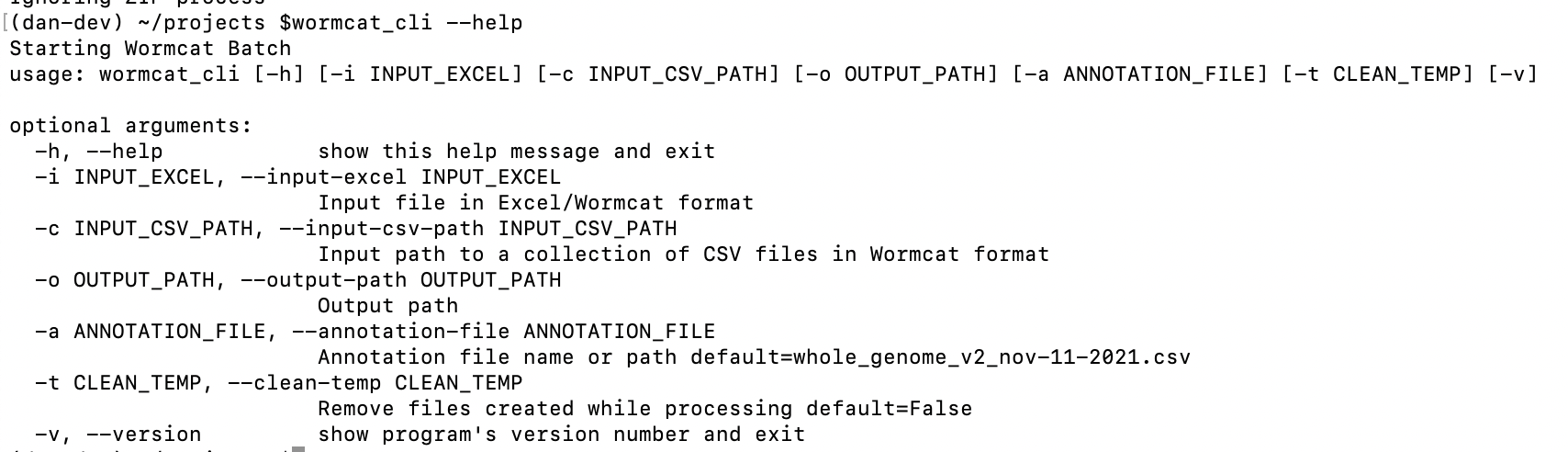
To run the batch process, open a terminal window, change the directory to your project directory.
$pip install wormcat_batch
$wormcat_cli --help
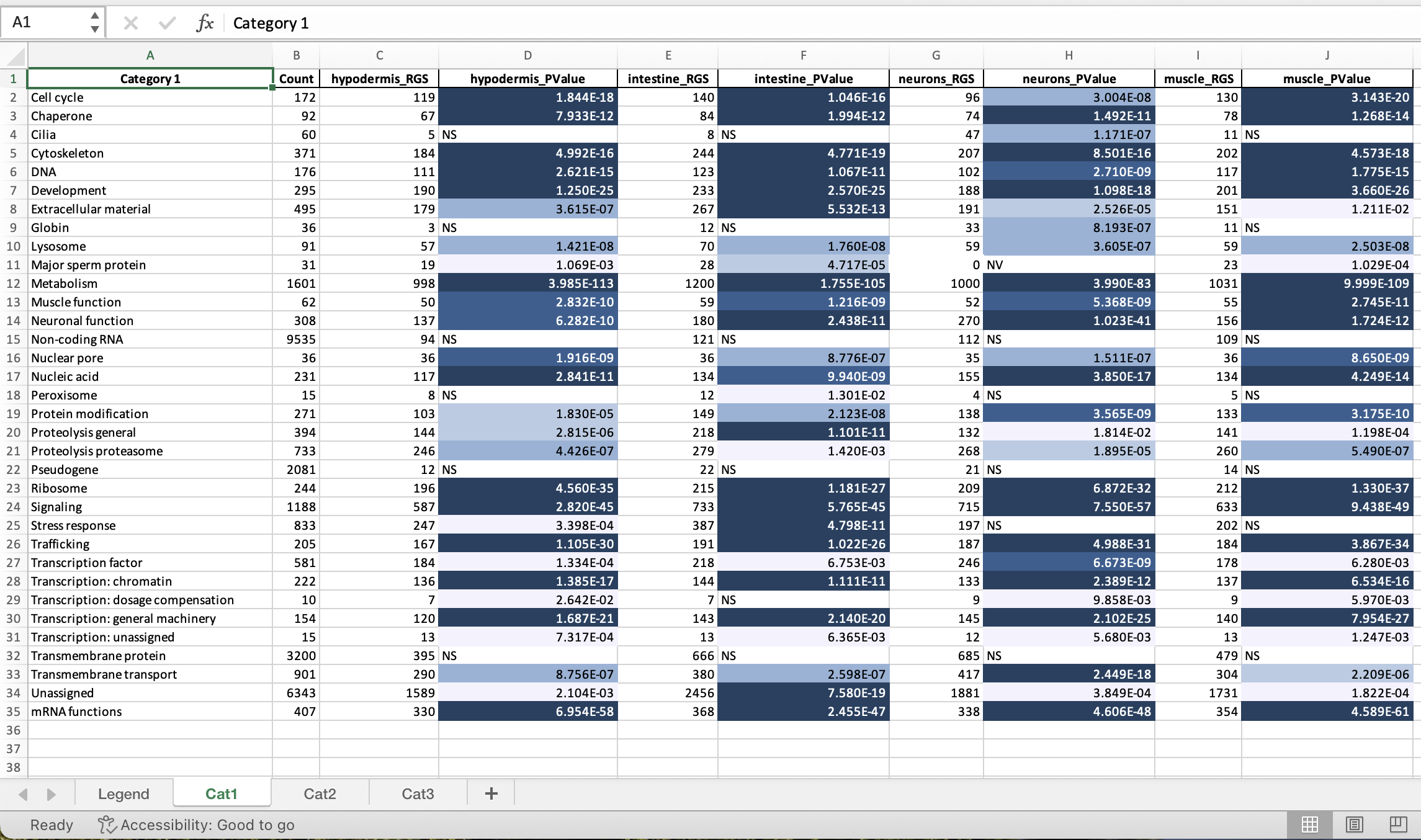
After execution, the Output Directory will contain all the WormCat run data and a summary Excel spreadsheet.
- conda activate <appropriate_env>
- pip install .
- cd /Users/dan/delme #some working directory
- wormcat_cli --input-excel ${PROJ_HOME}/Example/Murphy_TS.xlsx --output-path ./output
- wormcat_cli --input-csv-path ${PROJ_HOME}/Example/Murphy_TS_CSV--output-path ./output
- Advance the version number in setup.py
conda deactivate # twine is installed in base envincrement setup.py versioncd <project directory>rm -rf ./distrm -rf ./wormcat_batch.egg-infopython setup.py sdisttwine check dist/*twine upload --repository pypi dist/*git add .git commit -m "some comment"git push