Warning
USE zrok 1.0 - do not download zrok 2.0 at this time!
This repository is meant to help people use zrok to run Minecraft.
- download/install/start Minecraft server somewhere (accept the eula etc)
- download the latest zrok v1 for windows (as of mar-30-2026 1.1.10) do not download zrok2
- use windows explorer (win11+) or 7zip or something to ungzip and untar the download
- put the zrok.exe somewhere you can find, for example
c:\minecraft\zrok.exe - invite yourself to zrok using:
zrok invite. see https://docs.zrok.io/docs/getting-started/#generating-an-invitation
-
zrok enablethe server. see Enabling Your zrok Environment -
download: the start-server script
-
edit the script and update the PATH_TO_ZROK with the location of your zrok.exe
-
run
start-server.ps1(the script is not signed, research this if you don't understand it):powershell.exe -ExecutionPolicy Bypass -File start-server.ps1 -
after
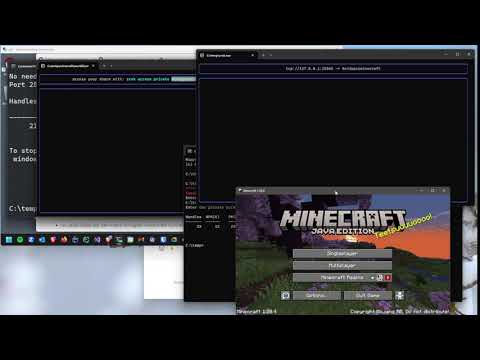
zrokstarts, there will be a private token that you need to distribute to the people you want to allow to access the Minecraft server: -

-
zrok enablethe client. see Enabling Your zrok Environment -
download the start-client script
-
update the start-client script and update the PATH_TO_ZROK with the location of your zrok.exe
-
run
start-client.ps1(the script is not signed, research this if you don't understand it):powershell.exe -ExecutionPolicy Bypass -File start-client.ps1 -
when the
start-client.ps1script executes, you'll be prompted to enter the secret token from the server: