This article was originally published @ https://davidezordan.github.io/blog:
Experiments with HoloLens, Bot Framework and LUIS: adding text to speech
Experiments with HoloLens, Bot Framework, LUIS and Speech Recognition
Recently, I had the opportunity to use a HoloLens device for some personal training and building some simple demos.
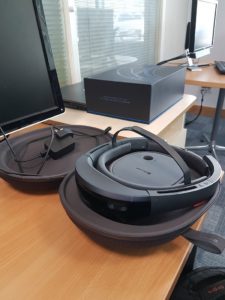
One of the scenarios that I find very intriguing is the possibility of integrating Mixed Reality and Artificial Intelligence (AI) in order to create immersive experiences for the user.
I decided to perform an experiment by integrating a Bot, Language Understanding Intelligent Services (LUIS), Speech Recognition and Mixed Reality via a Holographic 2D app.
The idea was to create a sort of "digital assistant"� of myself that can be contacted using Mixed Reality: the first implementation contains only basic interactions (answering questions like "What are your favourite technologies"� or "What's your name") but these could be easily be expanded in the future with features like time management (via the Graph APIs) or tracking projects status, etc.
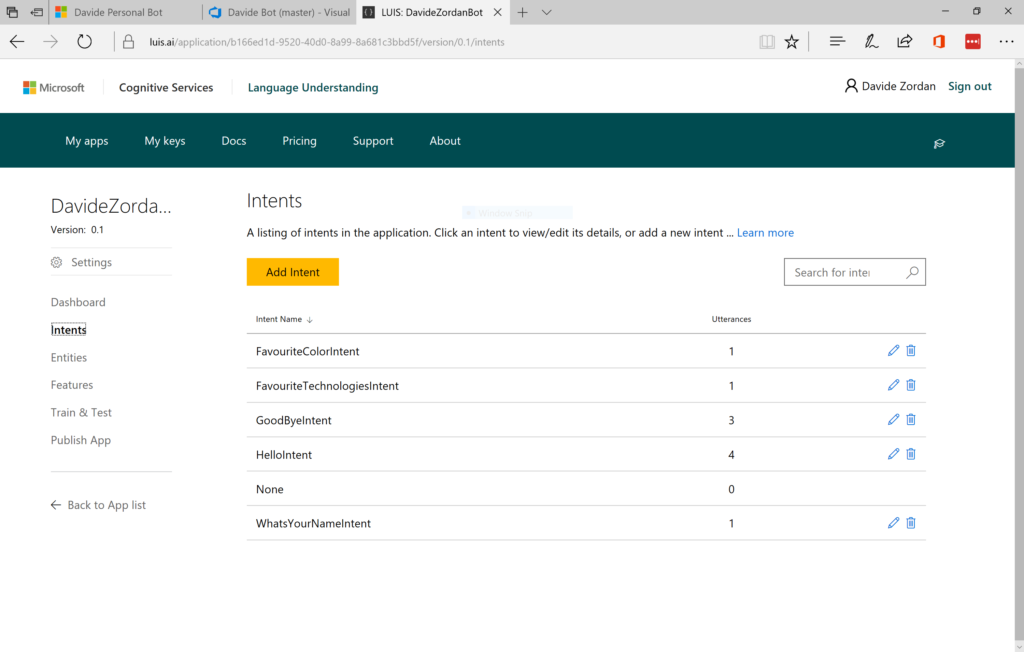
To start, I created a new LUIS application in the portal with a list of intents that needed to be handled:
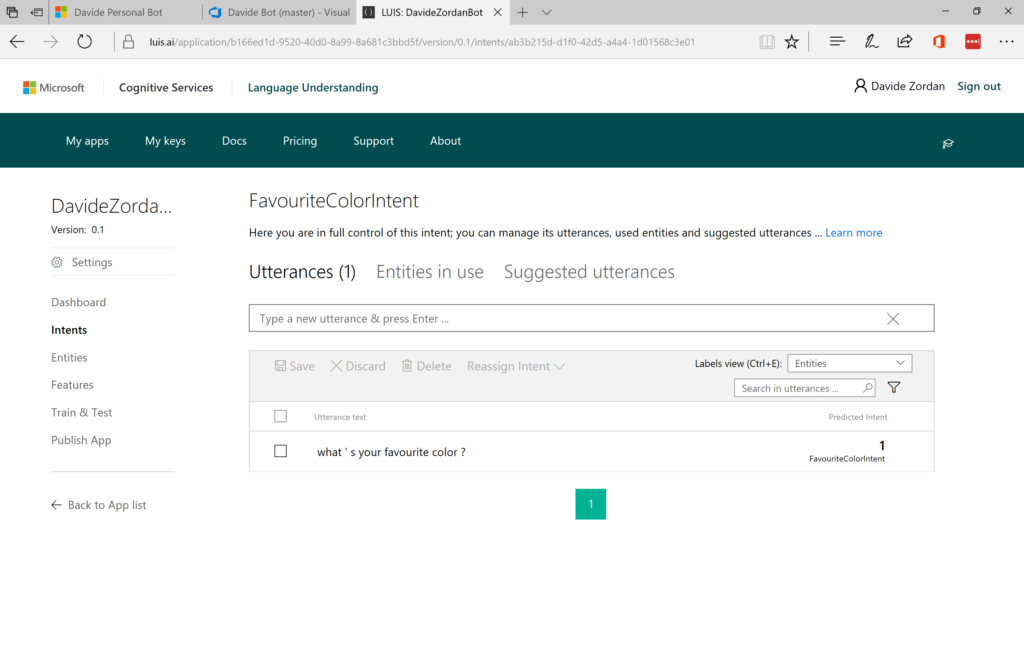
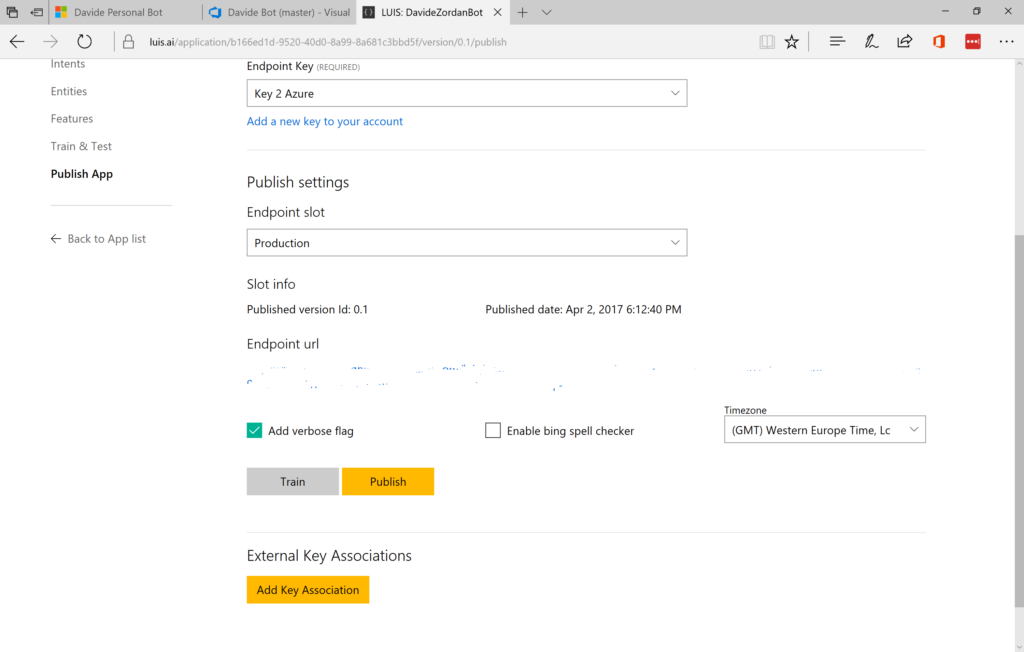
After defining the intents and utterances, I trained and published my LUIS app to Azure and copied the key and URL for usage in my Bot:
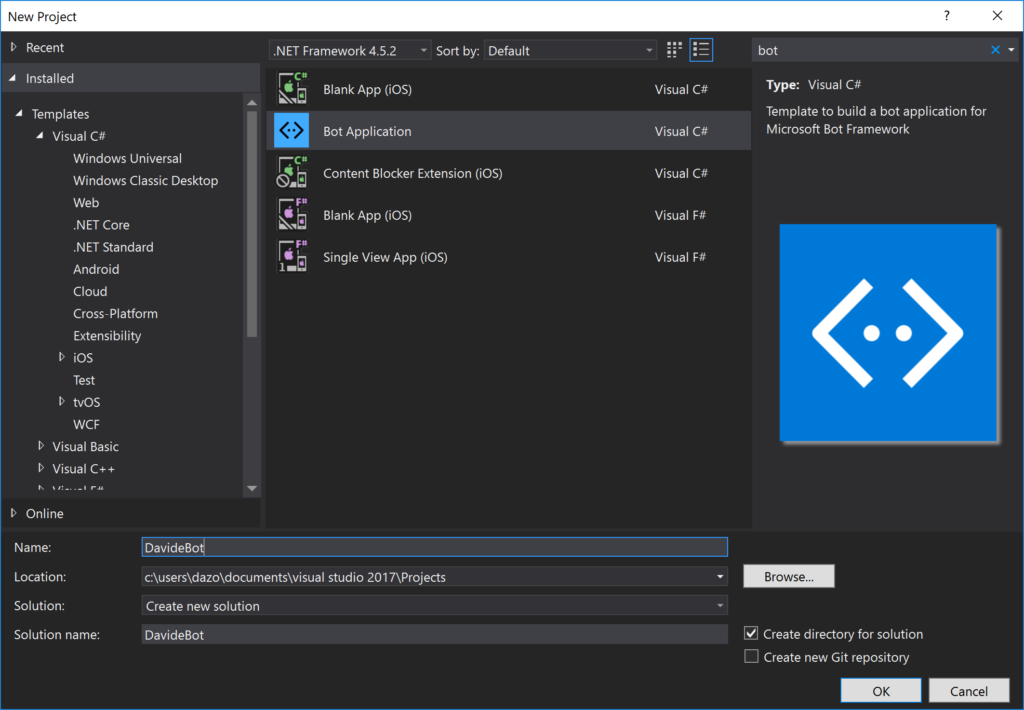
I proceeded with the creation of the Bot using Microsoft Bot framework downloading the Visual Studio template and creating a new project:
The Bot template already defined a dialog named RootDialog so I extended the generated project with the classes required for parsing the JSON from the LUIS endpoint:
public class LUISDavideBot
{
    public static async Task<DavideBotLUIS> ParseUserInput(string strInput)
    {
            string strRet = string.Empty;
            string strEscaped = Uri.EscapeDataString(strInput);

            using (var client = new HttpClient())
            {
                string uri = "<LUIS url here>" + strEscaped;
                HttpResponseMessage msg = await client.GetAsync(uri);

                if (msg.IsSuccessStatusCode)
                {
                    var jsonResponse = await msg.Content.ReadAsStringAsync();
                    var _Data = JsonConvert.DeserializeObject<DavideBotLUIS>(jsonResponse);
                    return _Data;
                }
            }

        return null;
    }
}


public class DavideBotLUIS
{
    public string query { get; set; }
    public Topscoringintent topScoringIntent { get; set; }
    public Intent[] intents { get; set; }
    public Entity[] entities { get; set; }
    public Dialog dialog { get; set; }
}

public class Topscoringintent
{
    public string intent { get; set; }
    public float score { get; set; }
    public Action[] actions { get; set; }
}

public class Action
{
    public bool triggered { get; set; }
    public string name { get; set; }
    public object[] parameters { get; set; }
}

public class Dialog
{
    public string contextId { get; set; }
    public string status { get; set; }
}

public class Intent
{
    public string intent { get; set; }
    public float score { get; set; }
    public Action1[] actions { get; set; }
}

public class Action1
{
    public bool triggered { get; set; }
    public string name { get; set; }
    public object[] parameters { get; set; }
}

public class Entity
{
    public string entity { get; set; }
    public string type { get; set; }
    public int startIndex { get; set; }
    public int endIndex { get; set; }
    public float score { get; set; }
}
And then processed the various LUIS intents in RootDialog (another option is the usage of the LuisDialog and LuisModel classes as explained here):
[Serializable]
public class RootDialog : IDialog<object>
{
    public Task StartAsync(IDialogContext context)
    {
        context.Wait(MessageReceivedAsync);

        return Task.CompletedTask;
    }

    private async Task MessageReceivedAsync(IDialogContext context, IAwaitable<object> result)
    {
        var activity = await result as Activity;

        if (activity != null)
        {
            await ProcessLuis(activity, context);
        }

        context.Wait(MessageReceivedAsync);
    }

    private async Task ProcessLuis(Activity activity, IDialogContext context)
    {
        if (string.IsNullOrEmpty(activity.Text))
        {
            return;
        }

        var errorResult = "Try something else, please.";

        var stLuis = await LUISDavideBot.ParseUserInput(activity.Text);

        var intent = stLuis?.topScoringIntent?.intent;
        if (!string.IsNullOrEmpty(intent))
        {
            switch (intent)
            {
                case "FavouriteTechnologiesIntent":
                    await context.PostAsync("My favourite technologies are Azure, Mixed Reality and Xamarin!");
                    break;
                case "FavouriteColorIntent":
                    await context.PostAsync("My favourite color is Blue!");
                    break;
                case "WhatsYourNameIntent":
                    await context.PostAsync("My name is Davide, of course :)");
                    break;
                case "HelloIntent":
                    await context.PostAsync(@"Hi there! Davide here :) This is my personal Bot. Try asking 'What are your favourite technologies?'");
                    return;
                case "GoodByeIntent":
                    await context.PostAsync("Thanks for the chat! See you soon :)");
                    return;
                case "None":
                    await context.PostAsync(errorResult);
                    break;
                default:
                    await context.PostAsync(errorResult);
                    break;
            }
        }
        return;
    }
}
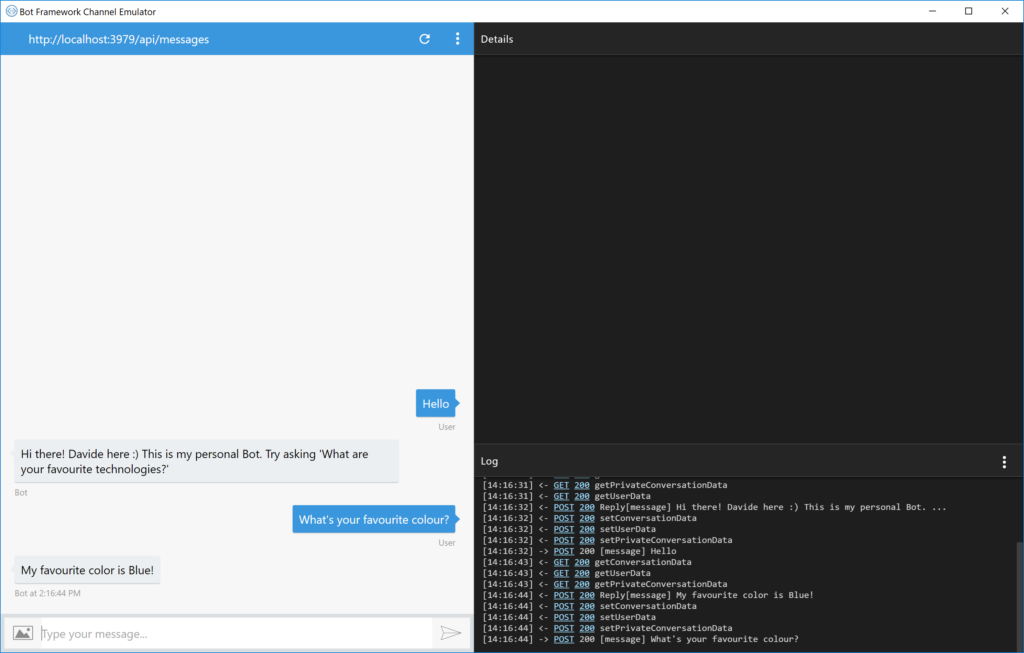
Then, I tested the implementation using the Bot Framework Emulator:
And created a new Bot definition in the framework portal.
After that, I published it to Azure with an updated Web.config with the generated Microsoft App ID and password:
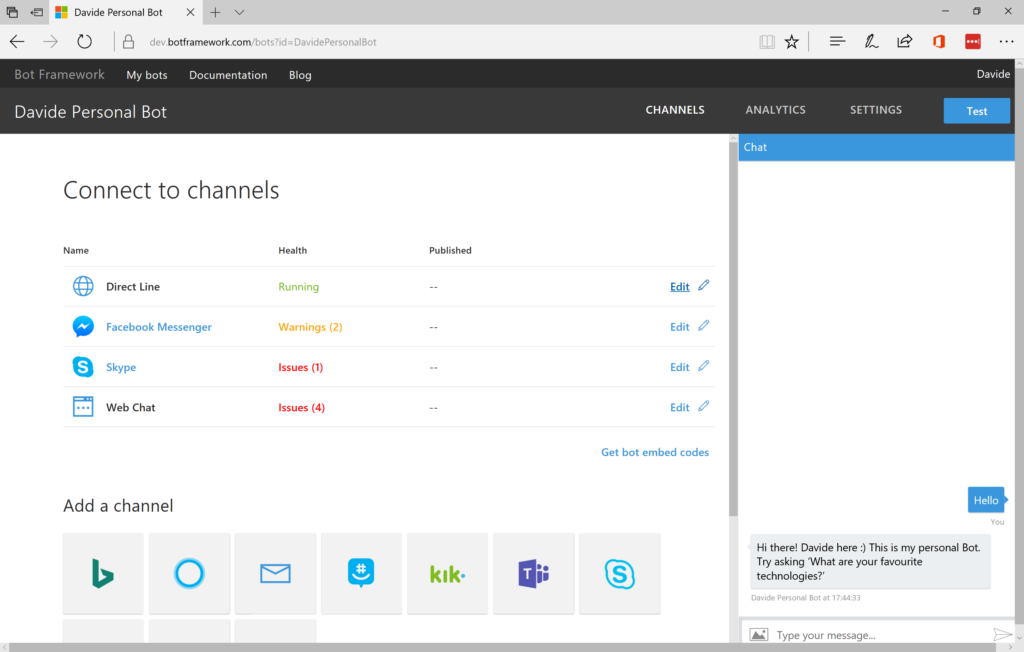
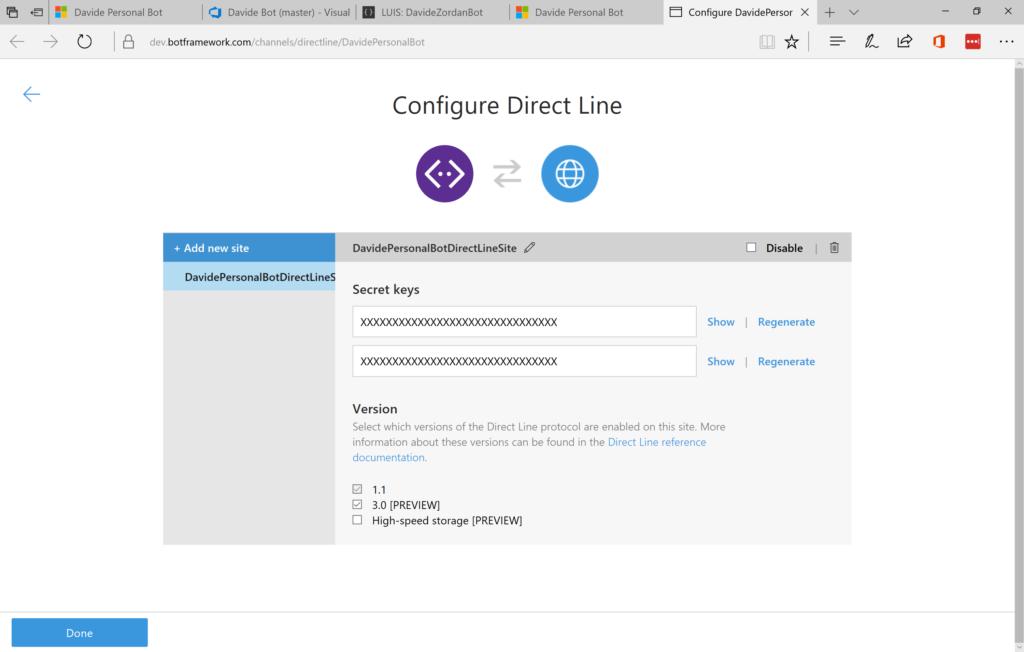
Since the final goal was the communication with an UWP HoloLens application, I enabled the Diret Line channel:
Windows 10 UWP apps are executed on the HoloLens device as Holographic 2D apps that can be pinned in the environment.
I created a new project using the default Visual Studio Template: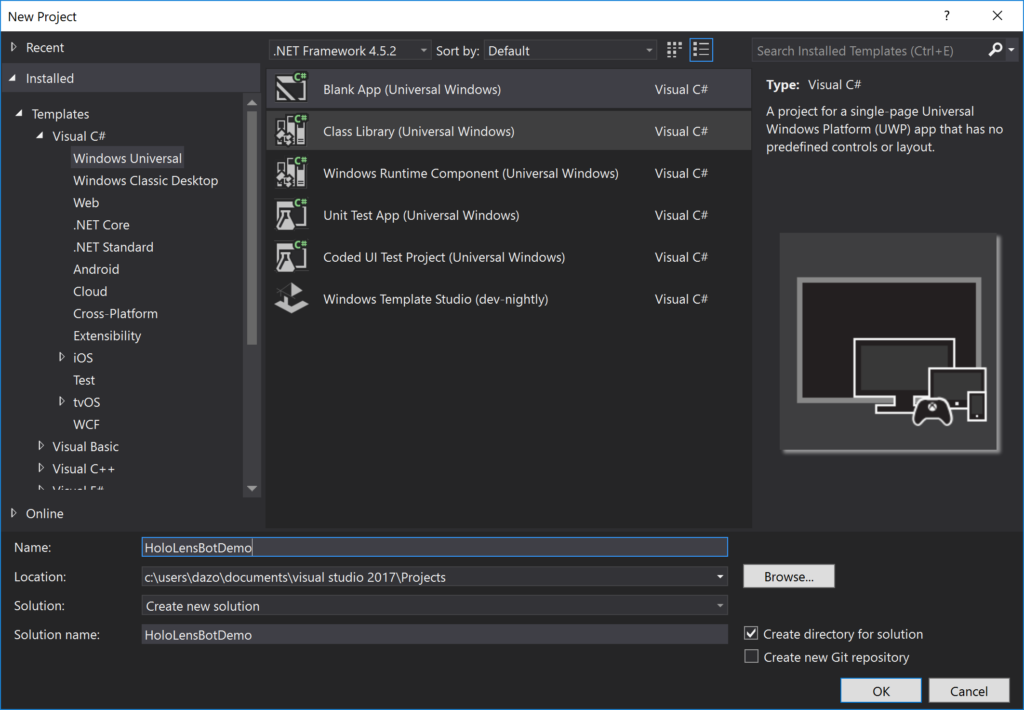
<Page
x:Class="HoloLensBotDemo.MainPage"
xmlns="http://schemas.microsoft.com/winfx/2006/xaml/presentation"
xmlns:x="http://schemas.microsoft.com/winfx/2006/xaml"
xmlns:d="http://schemas.microsoft.com/expression/blend/2008"
xmlns:mc="http://schemas.openxmlformats.org/markup-compatibility/2006"
mc:Ignorable="d">
<Grid Background="{ThemeResource ApplicationPageBackgroundThemeBrush}">
<Grid.ColumnDefinitions>
<ColumnDefinition Width="10"/>
<ColumnDefinition Width="Auto"/>
<ColumnDefinition Width="10"/>
<ColumnDefinition Width="*"/>
<ColumnDefinition Width="10"/>
</Grid.ColumnDefinitions>
<Grid.RowDefinitions>
<RowDefinition Height="50"/>
<RowDefinition Height="50"/>
<RowDefinition Height="50"/>
<RowDefinition Height="Auto"/>
</Grid.RowDefinitions>
<TextBlock Text="Command received: " Grid.Column="1" VerticalAlignment="Center" />
<TextBox x:Name="TextCommand" Grid.Column="3" VerticalAlignment="Center"/>
<Button Content="Start Recognition" Click="Button_Click" Grid.Row="1" Grid.Column="1" VerticalAlignment="Center" />
<TextBlock Text="Status: " Grid.Column="1" VerticalAlignment="Center" Grid.Row="2" />
<TextBlock x:Name="TextStatus" Grid.Column="3" VerticalAlignment="Center" Grid.Row="2"/>
<TextBlock Text="Bot response: " Grid.Column="1" VerticalAlignment="Center" Grid.Row="3" />
<TextBlock x:Name="TextOutputBot" Foreground="Red" Grid.Column="3"
VerticalAlignment="Center" Width="Auto" Height="Auto" Grid.Row="3"
TextWrapping="Wrap" />
</Grid>
</Page>
I decided to use the SpeechRecognizer APIs for receiving the input via voice (another option could be the usage of Cognitive Services):
private async void Button_Click(object sender, Windows.UI.Xaml.RoutedEventArgs e)
{
    TextStatus.Text = "Listening....";

    // Create an instance of SpeechRecognizer.
    var speechRecognizer = new Windows.Media.SpeechRecognition.SpeechRecognizer();

    // Compile the dictation grammar by default.
    await speechRecognizer.CompileConstraintsAsync();

    // Start recognition.
    Windows.Media.SpeechRecognition.SpeechRecognitionResult speechRecognitionResult = await speechRecognizer.RecognizeWithUIAsync();

    TextCommand.Text = speechRecognitionResult.Text;

    await SendToBot(TextCommand.Text);
}
The SendToBot() method makes use of the Direct Line APIs which permit communication with the Bot using the channel previously defined:
private async Task SendToBot(string inputText)
{
    if (!string.IsNullOrEmpty(inputText))
    {
        var directLine = new DirectLineClient("<Direct Line Secret Key here>");
        var conversation = await directLine.Conversations.StartConversationWithHttpMessagesAsync();
        var convId = conversation.Body.ConversationId;
        var httpMessages = await directLine.Conversations.GetActivitiesWithHttpMessagesAsync(convId);

        var command = inputText;
        TextStatus.Text = "Sending text to Bot....";
        var postMessage = await directLine.Conversations.PostActivityWithHttpMessagesAsync(convId,
            new Activity()
            {
                Type = "message",
                From = new ChannelAccount()
                {
                    Id = "Davide"
                },
                Text = command
            });

        var result = await directLine.Conversations.GetActivitiesAsync(convId);
        if (result.Activities.Count > 0)
        {
            var firstOrDefault = result
                .Activities
                .FirstOrDefault(a => a.From != null
                && a.From.Name != null
                && a.From.Name.Equals("Davide Personal Bot"));
            if (firstOrDefault != null)
            {
                TextOutputBot.Text = "Bot response: " + firstOrDefault.Text;
                TextStatus.Text = string.Empty;
            }
        }
    }
}
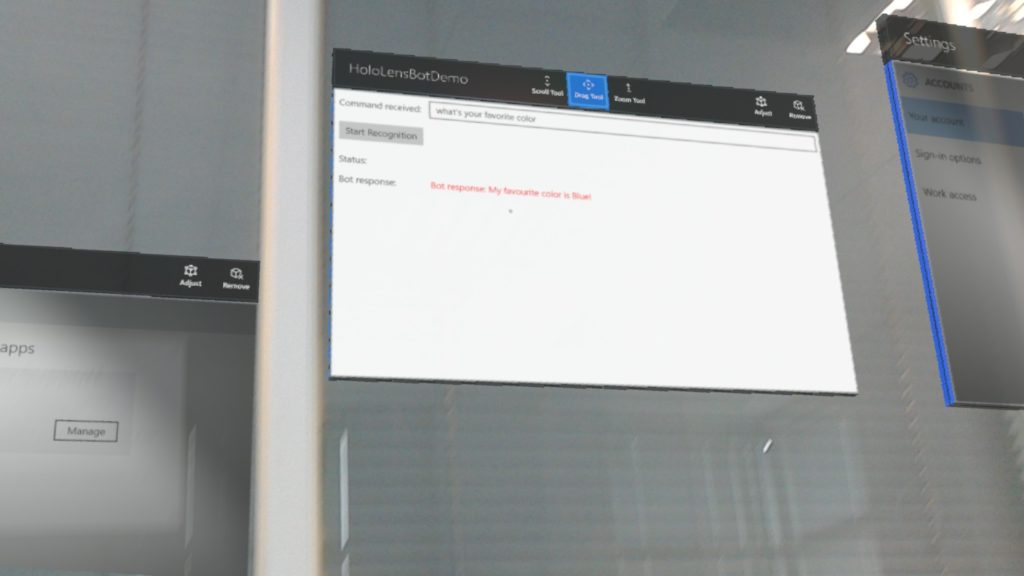
And then I got the app running on HoloLens and interfacing with a Bot using LUIS for language understanding and Speech recognition: