Fork of hiennguyen92/flutter_callkit_incoming with Android foreground service fixes and iOS speaker management for WebRTC VoIP apps.
The upstream plugin has issues with Android foreground service handling, Android vibration behavior, and lacks iOS speaker control needed for WebRTC VoIP apps that bypass RTCAudioSession.
1. Missing microphone foreground service type (Android 14+)
Android 14+ requires foreground services to declare all service types they use. The upstream plugin only declares phoneCall, but VoIP calls also need microphone. Without it, the system kills microphone access when the app goes to background, dropping call audio.
2. No foreground service for Flutter-initiated call accept
There are two ways to accept an incoming call: via the native notification (fires ACTION_CALL_ACCEPT → starts foreground service) or via the Flutter UI (calls setCallConnected() → fires ACTION_CALL_CONNECTED). The upstream plugin only starts the foreground service for the first path. When accepting from the Flutter UI, no foreground service was started, causing audio to drop in the background. The ACTION_CALL_CONNECTED handler also didn't show the connected notification with a call timer.
3. Notification channel overrides programmatic vibration
When an incoming call notification is posted, the notification channel's one-shot vibration pattern ([0, 1000, 500, 1000, 500]) overrides the continuous vibration started by CallkitSoundPlayerManager. Combined with DEFAULT_VIBRATE on the notification builder, this results in only 1-2 short buzzes instead of continuous ringing vibration.
Fix:
- Disabled vibration on the incoming call notification channel (
enableVibration(false),vibrationPattern = [0]) - Removed
DEFAULT_VIBRATEfrom notification builder, replaced withsetDefaults(0)+setVibrate([0]) - Bumped channel ID to
callkit_incoming_channel_id_v2(Android channels are immutable after creation) - Reversed order in
showIncomingNotification(): post notification first, then start vibration
4. Vibration filtered on Android 16+ (API 36)
Android 16 silently ignores Vibrator.vibrate() calls without AudioAttributes when in vibrate mode. Added AudioAttributes with USAGE_NOTIFICATION_RINGTONE to the vibrate call so Android treats it as a call-related vibration that should work in vibrate mode.
WebRTC's RTCAudioSession maintains internal state and actively reverts external audio route changes. This prevents CallKit's native speaker toggle from working — toggling speaker ON via CallKit gets immediately reverted by RTCAudioSession. This fork bypasses RTCAudioSession entirely and manages speaker state via AVAudioSession.overrideOutputAudioPort with a time-based protection window.
1. Audio route change observer — Detects speaker state changes via AVAudioSession.routeChangeNotification. Fires ACTION_CALL_TOGGLE_SPEAKER events to Flutter with deduplication (only fires when state actually changes). Includes a 2-second protection window: if speaker was set by the app and the route changes within 2s, it silently re-applies the override (catches WebRTC's internal setCategory calls). After 2s, route changes are assumed intentional (CallKit toggle, user action).
2. setSpeaker / reapplySpeaker MethodChannels — setSpeaker sets speaker state directly via overrideOutputAudioPort and starts the 2s protection window. reapplySpeaker does the same, used by the app after ADM restart to recover speaker state.
3. Speaker reapply after call-switch/unhold — During call-switch (Hold & Answer), CallKit fires didDeactivate/didActivate which resets the audio route. startAudioRouteObserver() refreshes the protection window on didActivate, and reapplySpeakerIfNeeded() re-applies the override at 0.5s and 1.0s after activation (the second reapply ensures CallKit's native UI syncs).
4. didDeactivate early return for held calls — When calls are on hold, didDeactivate returns early to preserve lastKnownSpeakerState and lastSpeakerOnTime across the audio session cycle.
Android:
| File | Change |
|---|---|
AndroidManifest.xml |
Added FOREGROUND_SERVICE_MICROPHONE permission, added microphone to service's foregroundServiceType |
CallkitNotificationService.kt |
Added createNotificationChanel() call in ACTION_CALL_ACCEPT handler |
CallkitNotificationService.kt |
Added ACTION_CALL_CONNECTED to ActionForeground list + handler in onStartCommand |
CallkitNotificationService.kt |
showOngoingCallNotification accepts isConnected param, passes true for CONNECTED |
CallkitNotificationService.kt |
startForeground() uses PHONE_CALL or MICROPHONE types |
CallkitIncomingBroadcastReceiver.kt |
ACTION_CALL_CONNECTED starts foreground service instead of showing a regular notification |
CallkitNotificationManager.kt |
Disabled vibration on incoming channel, removed DEFAULT_VIBRATE from builder, bumped channel ID to _v2, reversed notification/vibration order |
CallkitSoundPlayerManager.kt |
Added AudioAttributes with USAGE_NOTIFICATION_RINGTONE to vibrate() call for Android 16+ compatibility |
iOS:
| File | Change |
|---|---|
SwiftFlutterCallkitIncomingPlugin.swift |
Added ACTION_CALL_TOGGLE_SPEAKER constant |
SwiftFlutterCallkitIncomingPlugin.swift |
Added lastKnownSpeakerState (dedup) and lastSpeakerOnTime (2s protection window) properties |
SwiftFlutterCallkitIncomingPlugin.swift |
Added startAudioRouteObserver() / stopAudioRouteObserver() / handleAudioRouteChange() — native speaker detection with time-based auto-reapply |
SwiftFlutterCallkitIncomingPlugin.swift |
Added reapplySpeakerIfNeeded() — restores speaker at 0.5s + 1.0s after didActivate for audio + CallKit UI sync |
SwiftFlutterCallkitIncomingPlugin.swift |
Added setSpeaker MethodChannel — direct overrideOutputAudioPort + sets protection window |
SwiftFlutterCallkitIncomingPlugin.swift |
Added reapplySpeaker MethodChannel — same as setSpeaker, used for recovery after ADM restart |
SwiftFlutterCallkitIncomingPlugin.swift |
didActivate: early return for already-connected calls (skips interruption notification), calls reapplySpeakerIfNeeded() |
SwiftFlutterCallkitIncomingPlugin.swift |
didDeactivate: early return when calls are on hold (preserves speaker state across session cycle) |
Dart:
| File | Change |
|---|---|
lib/entities/call_event.dart |
Added actionCallToggleSpeaker to Event enum |
lib/flutter_callkit_incoming.dart |
Added setSpeaker(bool) and reapplySpeaker(bool) static methods |
analysis_options.yaml |
Added example/** exclude to fix pre-existing build errors |
A Flutter plugin to show incoming call in your Flutter app (Custom for Android/Callkit for iOS).




Our top sponsors are shown below!

Try the Flutter Video Tutorial 📹

- Show an incoming call
- Start an outgoing call
- Custom UI Android/Callkit for iOS
- Example using Pushkit/VoIP for iOS
Please make sure setup/using PUSHKIT FOR VOIP
Note: Please do not use on simulator (Callkit framework not working on simulator)
For version >= v2.5.0, please make sure install and use Java SDK version >= 17 (Android)
Run this command:
flutter pub add flutter_callkit_incomingOr add to pubspec.yaml:
dependencies:
flutter_callkit_incoming: ^latestAndroidManifest.xml:
<manifest...>
    ...
    <!-- Using for load image from internet -->
    <uses-permission android:name="android.permission.INTERNET"/>

    <application ...>
        <activity ...
            android:name=".MainActivity"
            android:launchMode="singleInstance"><!-- add this -->
        ...
    </application>
</manifest>
Proguard Rules:
The following rule needs to be added in the proguard-rules.pro to avoid obfuscated keys:
-keep class com.hiennv.flutter_callkit_incoming.** { *; }
Info.plist:
<key>UIBackgroundModes</key>
<array>
    <string>voip</string>
    <string>remote-notification</string>
    <string>processing</string> <!-- you can add this if needed -->
</array>import 'package:flutter_callkit_incoming/flutter_callkit_incoming.dart';this._currentUuid = _uuid.v4();
CallKitParams callKitParams = CallKitParams(
id: _currentUuid,
nameCaller: 'Hien Nguyen',
appName: 'Callkit',
avatar: 'https://i.pravatar.cc/100',
handle: '0123456789',
type: 0,
textAccept: 'Accept',
textDecline: 'Decline',
missedCallNotification: NotificationParams(
showNotification: true,
isShowCallback: true,
subtitle: 'Missed call',
callbackText: 'Call back',
),
callingNotification: const NotificationParams(
showNotification: true,
isShowCallback: true,
subtitle: 'Calling...',
callbackText: 'Hang Up',
),
duration: 30000,
extra: <String, dynamic>{'userId': '1a2b3c4d'},
headers: <String, dynamic>{'apiKey': 'Abc@123!', 'platform': 'flutter'},
android: const AndroidParams(
isCustomNotification: true,
isShowLogo: false,
logoUrl: 'https://i.pravatar.cc/100',
ringtonePath: 'system_ringtone_default',
backgroundColor: '#0955fa',
backgroundUrl: 'https://i.pravatar.cc/500',
actionColor: '#4CAF50',
textColor: '#ffffff',
incomingCallNotificationChannelName: "Incoming Call",
missedCallNotificationChannelName: "Missed Call",
isShowCallID: false
),
ios: IOSParams(
iconName: 'CallKitLogo',
handleType: 'generic',
supportsVideo: true,
maximumCallGroups: 2,
maximumCallsPerCallGroup: 1,
audioSessionMode: 'default',
audioSessionActive: true,
audioSessionPreferredSampleRate: 44100.0,
audioSessionPreferredIOBufferDuration: 0.005,
supportsDTMF: true,
supportsHolding: true,
supportsGrouping: false,
supportsUngrouping: false,
ringtonePath: 'system_ringtone_default',
),
);
await FlutterCallkitIncoming.showCallkitIncoming(callKitParams);Note: For Firebase Message:
@pragma('vm:entry-point')
https://github.com/firebase/flutterfire/blob/master/docs/cloud-messaging/receive.md#apple-platforms-and-android
For Android 13+, please requestNotificationPermission or requestPermission of firebase_messaging before showCallkitIncoming:
await FlutterCallkitIncoming.requestNotificationPermission({
  "title": "Notification permission",
  "rationaleMessagePermission": "Notification permission is required, to show notification.",
  "postNotificationMessageRequired": "Notification permission is required, Please allow notification permission from setting."
});For Android 14+, please use canUseFullScreenIntent and requestFullIntentPermission:
// Check if can use full screen intent
await FlutterCallkitIncoming.canUseFullScreenIntent();

// Request full intent permission
await FlutterCallkitIncoming.requestFullIntentPermission();this._currentUuid = _uuid.v4();
CallKitParams params = CallKitParams(
id: _currentUuid,
nameCaller: 'Hien Nguyen',
handle: '0123456789',
type: 1,
missedCallNotification: const NotificationParams(
showNotification: true,
isShowCallback: true,
subtitle: 'Missed call',
callbackText: 'Call back',
),
android: const AndroidParams(
isCustomNotification: true,
isShowCallID: true,
),
extra: <String, dynamic>{'userId': '1a2b3c4d'},
);
await FlutterCallkitIncoming.showMissCallNotification(params);CallKitParams params = CallKitParams(
id: _currentUuid,
);
await FlutterCallkitIncoming.hideCallkitIncoming(params);this._currentUuid = _uuid.v4();
CallKitParams params = CallKitParams(
id: this._currentUuid,
nameCaller: 'Hien Nguyen',
handle: '0123456789',
type: 1,
extra: <String, dynamic>{'userId': '1a2b3c4d'},
ios: IOSParams(handleType: 'generic'),
callingNotification: const NotificationParams(
showNotification: true,
isShowCallback: true,
subtitle: 'Calling...',
callbackText: 'Hang Up',
),
android: const AndroidParams(
isCustomNotification: true,
isShowCallID: true,
)
);
await FlutterCallkitIncoming.startCall(params);// End specific call
await FlutterCallkitIncoming.endCall(this._currentUuid);
// End all calls
await FlutterCallkitIncoming.endAllCalls();iOS: returns active calls from Callkit (only id), Android: only returns last call
await FlutterCallkitIncoming.activeCalls();Output:
[{"id": "8BAA2B26-47AD-42C1-9197-1D75F662DF78", ...}]Used to determine Incoming Call or Outgoing Call status in phone book(reset/start timer):
await FlutterCallkitIncoming.setCallConnected(this._currentUuid);Note: After the call is ACCEPT or startCall, please call this function. Normally it should be called when WebRTC/P2P is established.
iOS: returns deviceToken, Android: returns none
await FlutterCallkitIncoming.getDevicePushTokenVoIP();Output:
d6a77ca80c5f09f87f353cdd328ec8d7d34e92eb108d046c91906f27f54949cd
Important: Make sure using
SwiftFlutterCallkitIncomingPlugin.sharedInstance?.setDevicePushTokenVoIP(deviceToken)inside AppDelegate.swift (Example)
func pushRegistry(_ registry: PKPushRegistry, didUpdate credentials: PKPushCredentials, for type: PKPushType) {
    print(credentials.token)
    let deviceToken = credentials.token.map { String(format: "%02x", $0) }.joined()
    // Save deviceToken to your server
    SwiftFlutterCallkitIncomingPlugin.sharedInstance?.setDevicePushTokenVoIP(deviceToken)
}

func pushRegistry(_ registry: PKPushRegistry, didInvalidatePushTokenFor type: PKPushType) {
    print("didInvalidatePushTokenFor")
    SwiftFlutterCallkitIncomingPlugin.sharedInstance?.setDevicePushTokenVoIP("")
}FlutterCallkitIncoming.onEvent.listen((CallEvent event) {
switch (event!.event) {
case Event.actionCallIncoming:
// TODO: received an incoming call
break;
case Event.actionCallStart:
// TODO: started an outgoing call
// TODO: show screen calling in Flutter
break;
case Event.actionCallAccept:
// TODO: accepted an incoming call
// TODO: show screen calling in Flutter
break;
case Event.actionCallDecline:
// TODO: declined an incoming call
break;
case Event.actionCallEnded:
// TODO: ended an incoming/outgoing call
break;
case Event.actionCallTimeout:
// TODO: missed an incoming call
break;
case Event.actionCallCallback:
// TODO: click action `Call back` from missed call notification
break;
case Event.actionCallToggleHold:
// TODO: only iOS
break;
case Event.actionCallToggleMute:
// TODO: only iOS
break;
case Event.actionCallToggleDmtf:
// TODO: only iOS
break;
case Event.actionCallToggleGroup:
// TODO: only iOS
break;
case Event.actionCallToggleAudioSession:
// TODO: only iOS
break;
case Event.actionDidUpdateDevicePushTokenVoip:
// TODO: only iOS
break;
case Event.actionCallCustom:
// TODO: for custom action
break;
}
});Swift (iOS):
var info = [String: Any?]()
info["id"] = "44d915e1-5ff4-4bed-bf13-c423048ec97a"
info["nameCaller"] = "Hien Nguyen"
info["handle"] = "0123456789"
info["type"] = 1
// ... set more data
SwiftFlutterCallkitIncomingPlugin.sharedInstance?.showCallkitIncoming(flutter_callkit_incoming.Data(args: info), fromPushKit: true)

// Please make sure call `completion()` at the end of the pushRegistry(......, completion: @escaping () -> Void)
// or `DispatchQueue.main.asyncAfter(deadline: .now() + 1.5) { completion() }`
// if you don't call completion() in pushRegistry(......, completion: @escaping () -> Void), there may be app crash by system when receiving VoIP
Kotlin (Android):
FlutterCallkitIncomingPlugin.getInstance().showIncomingNotification(...)Alternative Swift approach:
let data = flutter_callkit_incoming.Data(id: "44d915e1-5ff4-4bed-bf13-c423048ec97a", nameCaller: "Hien Nguyen", handle: "0123456789", type: 0)
data.nameCaller = "Johnny"
data.extra = ["user": "abc@123", "platform": "ios"]
// ... set more data
SwiftFlutterCallkitIncomingPlugin.sharedInstance?.showCallkitIncoming(data, fromPushKit: true)
Objective-C:
#if __has_include(<flutter_callkit_incoming/flutter_callkit_incoming-Swift.h>)
#import <flutter_callkit_incoming/flutter_callkit_incoming-Swift.h>
#else
#import "flutter_callkit_incoming-Swift.h"
#endif

Data * data = [[Data alloc]initWithId:@"44d915e1-5ff4-4bed-bf13-c423048ec97a" nameCaller:@"Hien Nguyen" handle:@"0123456789" type:1];
[data setNameCaller:@"Johnny"];
[data setExtra:@{ @"userId" : @"HelloXXXX", @"key2" : @"value2"}];
// ... set more data
[SwiftFlutterCallkitIncomingPlugin.sharedInstance showCallkitIncoming:data fromPushKit:YES];
Send Custom Event from Native:
Swift:
SwiftFlutterCallkitIncomingPlugin.sharedInstance?.sendEventCustom(body: ["customKey": "customValue"])Kotlin:
FlutterCallkitIncomingPlugin.getInstance().sendEventCustom(body: Map<String, Any>)AppDelegate.swift:
@UIApplicationMain
@objc class AppDelegate: FlutterAppDelegate, PKPushRegistryDelegate, CallkitIncomingAppDelegate {

    override func application(
        _ application: UIApplication,
        didFinishLaunchingWithOptions launchOptions: [UIApplication.LaunchOptionsKey: Any]?
    ) -> Bool {
        GeneratedPluginRegistrant.register(with: self)

        // Setup VOIP
        let mainQueue = DispatchQueue.main
        let voipRegistry: PKPushRegistry = PKPushRegistry(queue: mainQueue)
        voipRegistry.delegate = self
        voipRegistry.desiredPushTypes = [PKPushType.voIP]

        // Use if using WebRTC
        // RTCAudioSession.sharedInstance().useManualAudio = true
        // RTCAudioSession.sharedInstance().isAudioEnabled = false

        //Add for Missed call notification
        if #available(iOS 10.0, *) {
          UNUserNotificationCenter.current().delegate = self as UNUserNotificationCenterDelegate
        }

        return super.application(application, didFinishLaunchingWithOptions: launchOptions)
    }

    // Add for Missed call notification(show notification when foreground)
    override func userNotificationCenter(_ center: UNUserNotificationCenter,
                                willPresent notification: UNNotification,
                                withCompletionHandler completionHandler:
                                   @escaping (UNNotificationPresentationOptions) -> Void) {

        CallkitNotificationManager.shared.userNotificationCenter(center, willPresent: notification, withCompletionHandler: completionHandler)
    }

    // Add for Missed call notification(action when click callback in missed notification)
    override func userNotificationCenter(_ center: UNUserNotificationCenter,
                                         didReceive response: UNNotificationResponse,
                                         withCompletionHandler completionHandler: @escaping () -> Void) {
        if response.actionIdentifier == CallkitNotificationManager.CALLBACK_ACTION {
            let data = response.notification.request.content.userInfo as? [String: Any]
            SwiftFlutterCallkitIncomingPlugin.sharedInstance?.sendCallbackEvent(data)
        }
        completionHandler()
    }

    // Func Call API for Accept
    func onAccept(_ call: Call, _ action: CXAnswerCallAction) {
        let json = ["action": "ACCEPT", "data": call.data.toJSON()] as [String: Any]
        print("LOG: onAccept")
        self.performRequest(parameters: json) { result in
            switch result {
            case .success(let data):
                print("Received data: \(data)")
                // Make sure call action.fulfill() when you are done (connected WebRTC - Start counting seconds)
                action.fulfill()
            case .failure(let error):
                print("Error: \(error.localizedDescription)")
            }
        }
    }

    // Func Call API for Decline
    func onDecline(_ call: Call, _ action: CXEndCallAction) {
        let json = ["action": "DECLINE", "data": call.data.toJSON()] as [String: Any]
        print("LOG: onDecline")
        self.performRequest(parameters: json) { result in
            switch result {
            case .success(let data):
                print("Received data: \(data)")
                // Make sure call action.fulfill() when you are done
                action.fulfill()
            case .failure(let error):
                print("Error: \(error.localizedDescription)")
            }
        }
    }

    // Func Call API for End
    func onEnd(_ call: Call, _ action: CXEndCallAction) {
        let json = ["action": "END", "data": call.data.toJSON()] as [String: Any]
        print("LOG: onEnd")
        self.performRequest(parameters: json) { result in
            switch result {
            case .success(let data):
                print("Received data: \(data)")
                // Make sure call action.fulfill() when you are done
                action.fulfill()
            case .failure(let error):
                print("Error: \(error.localizedDescription)")
            }
        }
    }

    func onTimeOut(_ call: Call) {
        let json = ["action": "TIMEOUT", "data": call.data.toJSON()] as [String: Any]
        print("LOG: onTimeOut")
        self.performRequest(parameters: json) { result in
            switch result {
            case .success(let data):
                print("Received data: \(data)")
            case .failure(let error):
                print("Error: \(error.localizedDescription)")
            }
        }
    }

    func didActivateAudioSession(_ audioSession: AVAudioSession) {
        // Use if using WebRTC
        // RTCAudioSession.sharedInstance().audioSessionDidActivate(audioSession)
        // RTCAudioSession.sharedInstance().isAudioEnabled = true
    }

    func didDeactivateAudioSession(_ audioSession: AVAudioSession) {
        // Use if using WebRTC
        // RTCAudioSession.sharedInstance().audioSessionDidDeactivate(audioSession)
        // RTCAudioSession.sharedInstance().isAudioEnabled = false
    }
}
Please check full example: Example
MainActivity.kt:
class MainActivity: FlutterActivity(){

    private var callkitEventCallback = object: CallkitEventCallback{
        override fun onCallEvent(event: CallkitEventCallback.CallEvent, callData: Bundle) {
            when (event) {
                CallkitEventCallback.CallEvent.ACCEPT -> {
                    // Do something with answer
                }
                CallkitEventCallback.CallEvent.DECLINE -> {
                    // Do something with decline
                }
            }
        }
    }

    override fun onCreate(savedInstanceState: Bundle?) {
        super.onCreate(savedInstanceState)
        FlutterCallkitIncomingPlugin.registerEventCallback(callkitEventCallback)
    }

    override fun onDestroy() {
        FlutterCallkitIncomingPlugin.unregisterEventCallback(callkitEventCallback)
        super.onDestroy()
    }


}
Please check full example: Example
| Property | Description | Default |
|---|---|---|
id |
UUID identifier for each call. UUID should be unique for every call and when the call is ended, the same UUID for that call to be used. Suggest using uuid. ACCEPT ONLY UUID | Required |
nameCaller |
Caller's name | None |
appName |
App's name. Used for display inside Callkit (iOS). | App Name, Deprecated for iOS > 14, default using App name |
avatar |
Avatar's URL used for display for Android. /android/src/main/res/drawable-xxxhdpi/ic_default_avatar.png |
None |
handle |
Phone number/Email/Any | None |
type |
0 - Audio Call, 1 - Video Call | 0 |
duration |
Incoming call/Outgoing call display time (second). If the time is over, the call will be missed | 30000 |
textAccept |
Text Accept used in Android |
Accept |
textDecline |
Text Decline used in Android |
Decline |
extra |
Any data added to the event when received | {} |
headers |
Any data for custom header avatar/background image | {} |
missedCallNotification |
Android data needed to customize Missed Call Notification | Below |
callingNotification |
Android data needed to customize Calling Notification | Below |
android |
Android data needed to customize UI | Below |
ios |
iOS data needed | Below |
| Property | Description | Default |
|---|---|---|
subtitle |
Text Missed Call used in Android/iOS (show in missed call notification) |
Missed Call |
callbackText |
Text Call back used in Android/iOS (show in missed call notification action) |
Call back |
showNotification |
Show missed call notification when timeout | true |
isShowCallback |
Show callback action from missed call notification | true |
| Property | Description | Default |
|---|---|---|
subtitle |
Text used in Android (show in calling notification) | Calling... |
callbackText |
Text used in Android (show in calling notification action) | Hang Up |
showNotification |
Show calling notification when start call/accept call | true |
isShowCallback |
Show hang up action from calling notification | true |
| Property | Description | Default |
|---|---|---|
isCustomNotification |
Using custom notifications | false |
isCustomSmallExNotification |
Using custom notification small on some devices clipped out in Android | false |
isShowLogo |
Show logo app inside full screen. /android/src/main/res/drawable-xxxhdpi/ic_logo.png |
false |
logoUrl |
Logo app inside full screen. Example: http://... https://... or "assets/abc.png" | None |
ringtonePath |
File name of a ringtone ex: ringtone_default. Put file into /android/app/src/main/res/raw/ringtone_default.mp3 |
system_ringtone_default using ringtone default of the phone |
backgroundColor |
Incoming call screen background color | #0955fa |
backgroundUrl |
Using image background for Incoming call screen. Example: http://... https://... or "assets/abc.png" | None |
actionColor |
Color used in button/text on notification | #4CAF50 |
textColor |
Color used for the text in full screen notification | #ffffff |
incomingCallNotificationChannelName |
Notification channel name of incoming call | Incoming call |
missedCallNotificationChannelName |
Notification channel name of missed call | Missed call |
isShowCallID |
Show call id app inside full screen/notification | false |
isShowFullLockedScreen |
Show full screen on Locked Screen (please make sure call requestFullIntentPermission for Android 14+) |
true |
| Property | Description | Default |
|---|---|---|
iconName |
App's Icon. Used for display inside Callkit (iOS) | CallKitLogo using from Images.xcassets/CallKitLogo |
handleType |
Type handle call generic, number, email, Recommended to use generic for more reasonable callkit display |
generic |
supportsVideo |
true |
|
maximumCallGroups |
2 |
|
maximumCallsPerCallGroup |
1 |
|
audioSessionMode |
None, gameChat, measurement, moviePlayback, spokenAudio, videoChat, videoRecording, voiceChat, voicePrompt |
|
audioSessionActive |
true |
|
audioSessionPreferredSampleRate |
44100.0 |
|
audioSessionPreferredIOBufferDuration |
0.005 |
|
supportsDTMF |
true |
|
supportsHolding |
true |
|
supportsGrouping |
true |
|
supportsUngrouping |
true |
|
ringtonePath |
Add file to root project xcode /ios/Runner/Ringtone.caf and Copy Bundle Resources (Build Phases) |
Ringtone.cafsystem_ringtone_default using ringtone default of the phone |
Please checkout repo GitHub:
Please check PUSHKIT.md for setup Pushkit for iOS.
- Run background
- Simplify the setup process
- Custom notification for iOS (Missing notification)
- Keep notification when calling
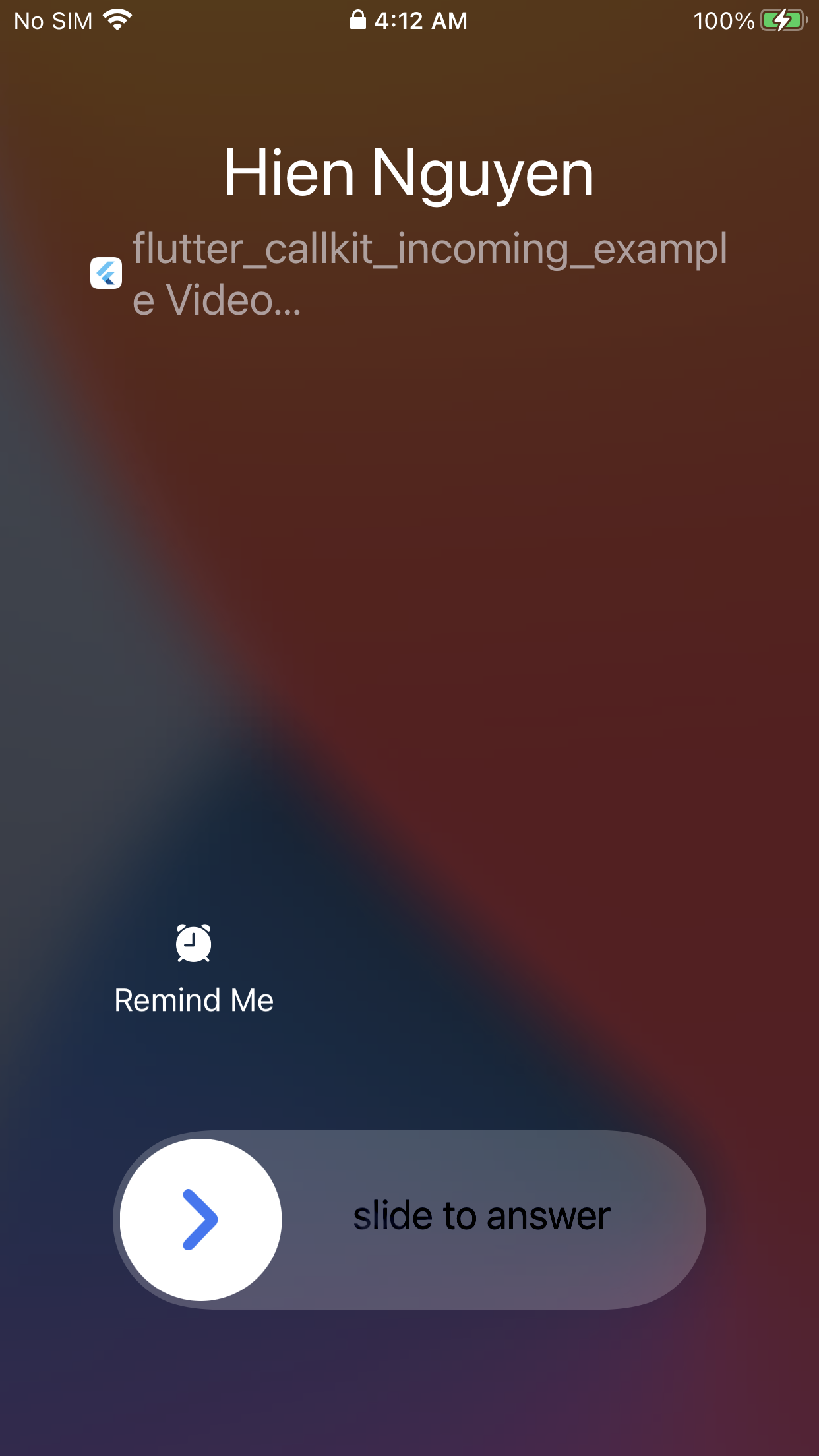
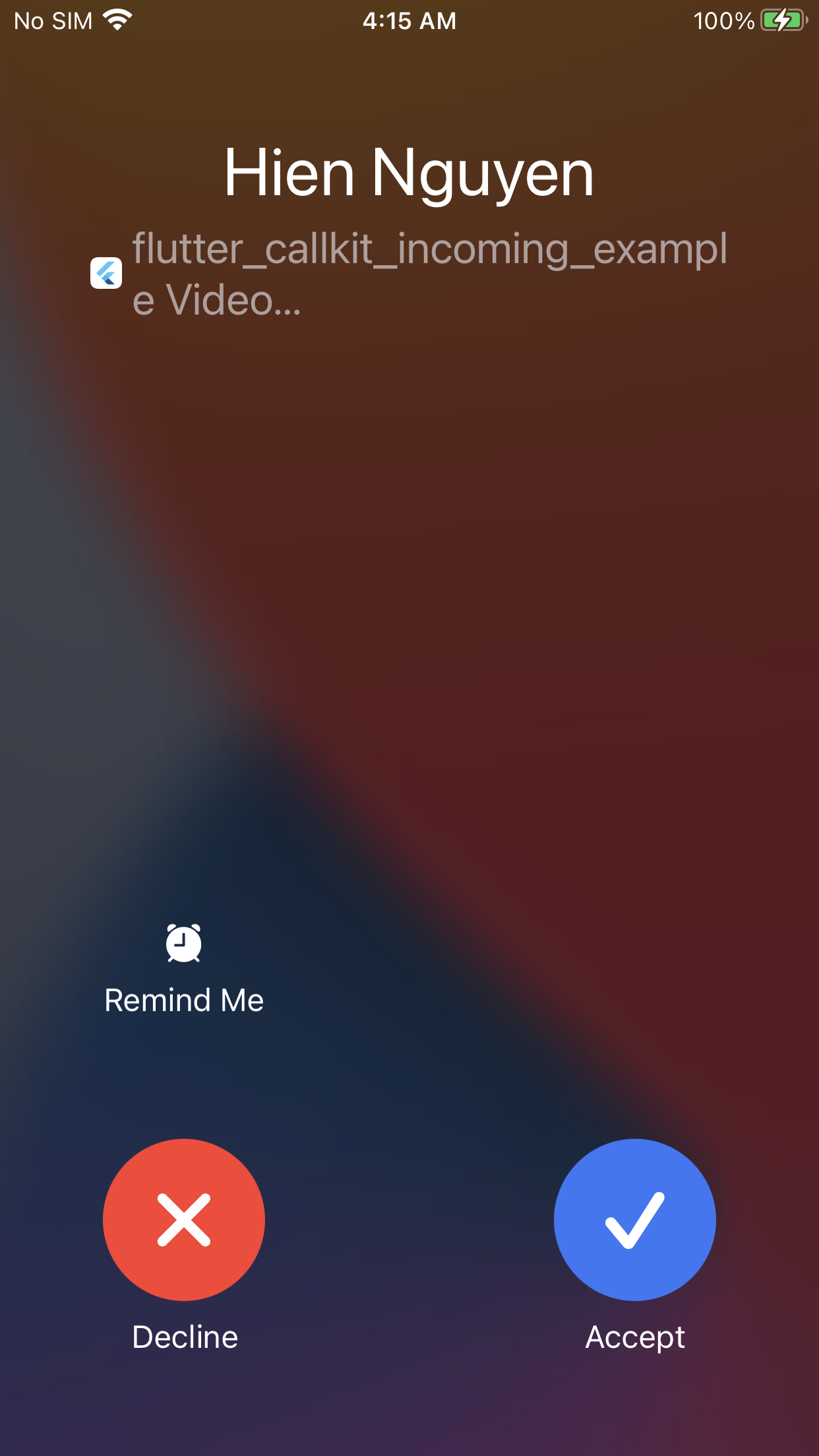
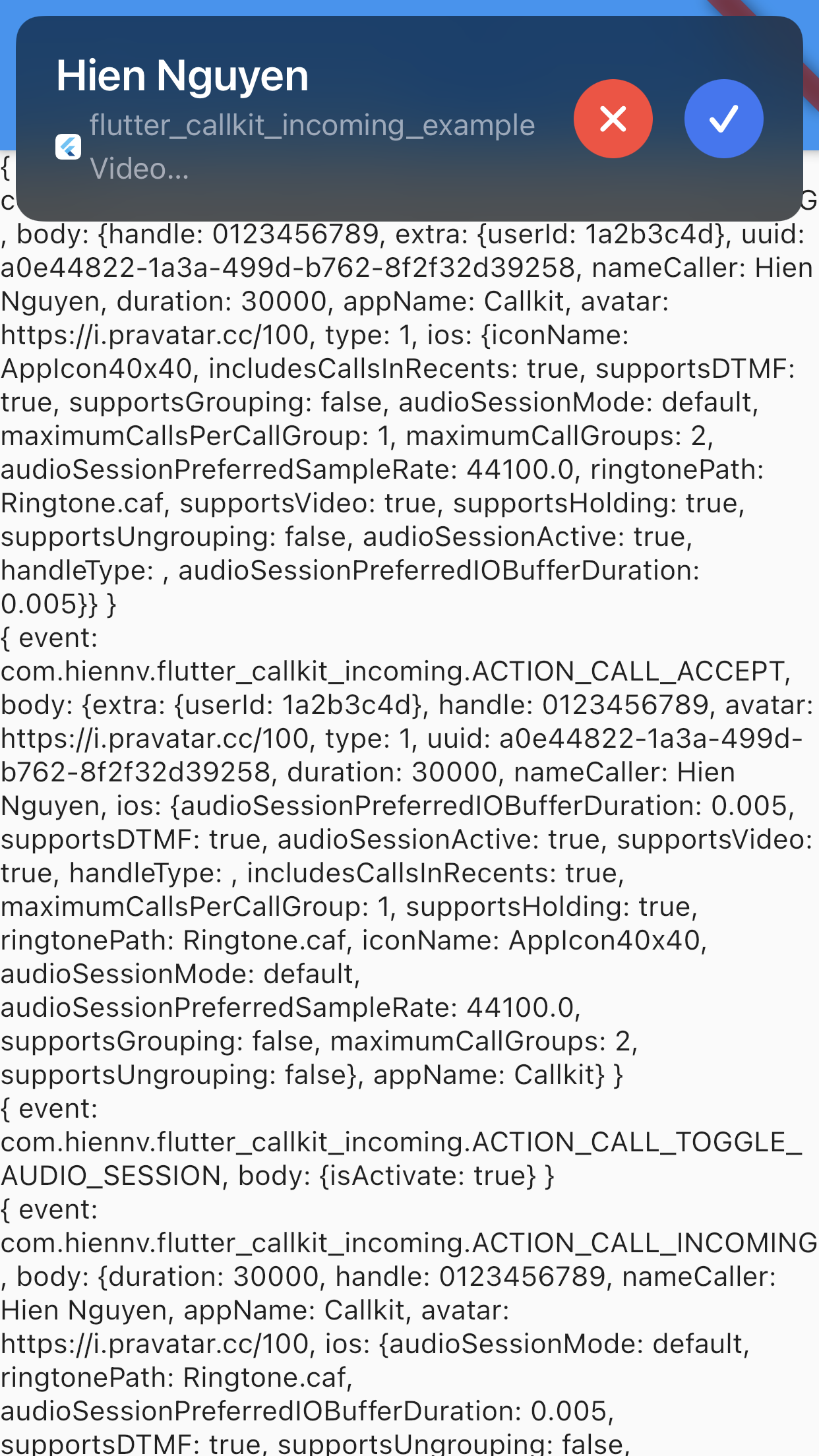
| iOS (Lockscreen) | iOS (Full Screen) | iOS (Alert) |
|
|
|
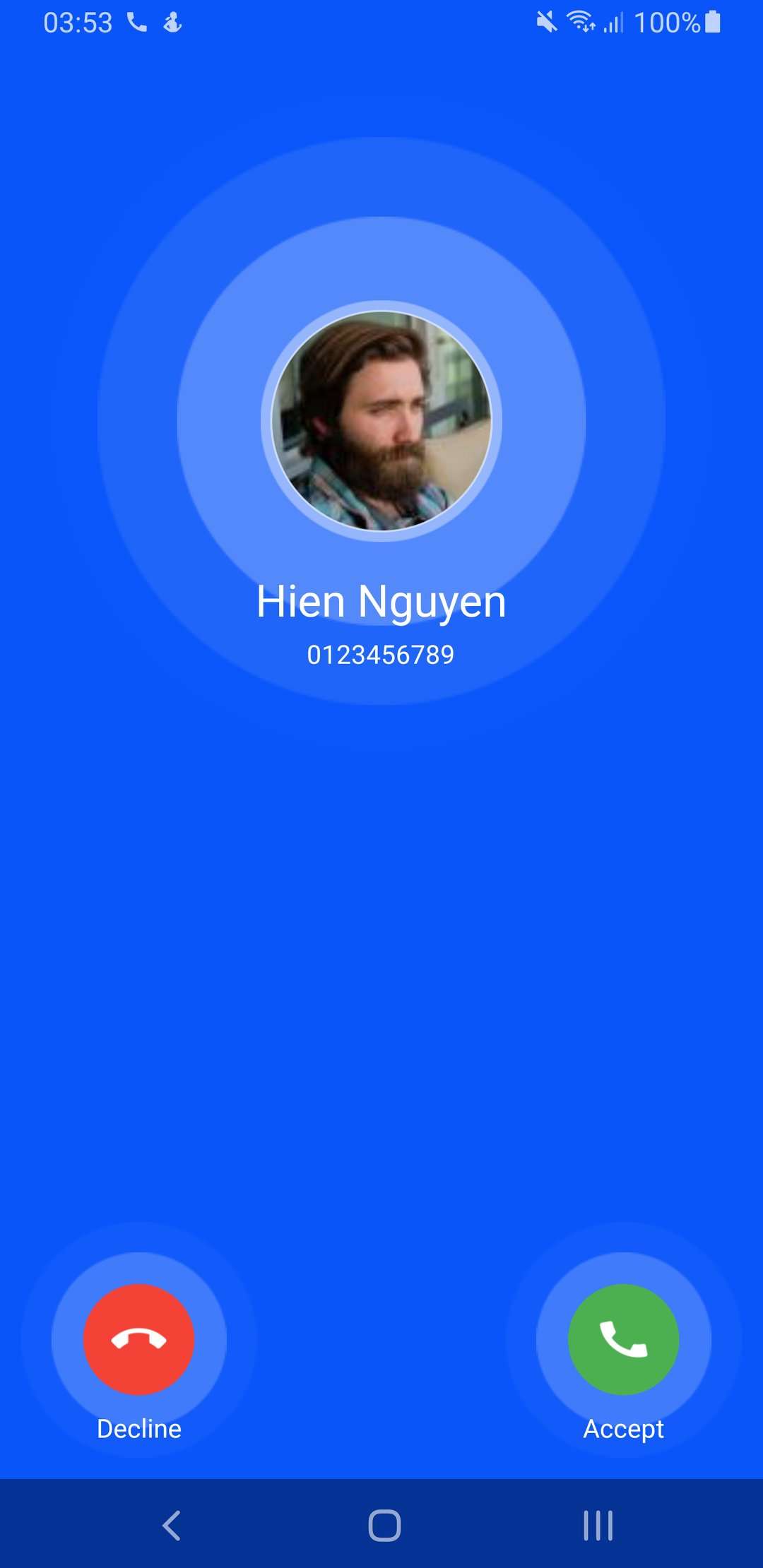
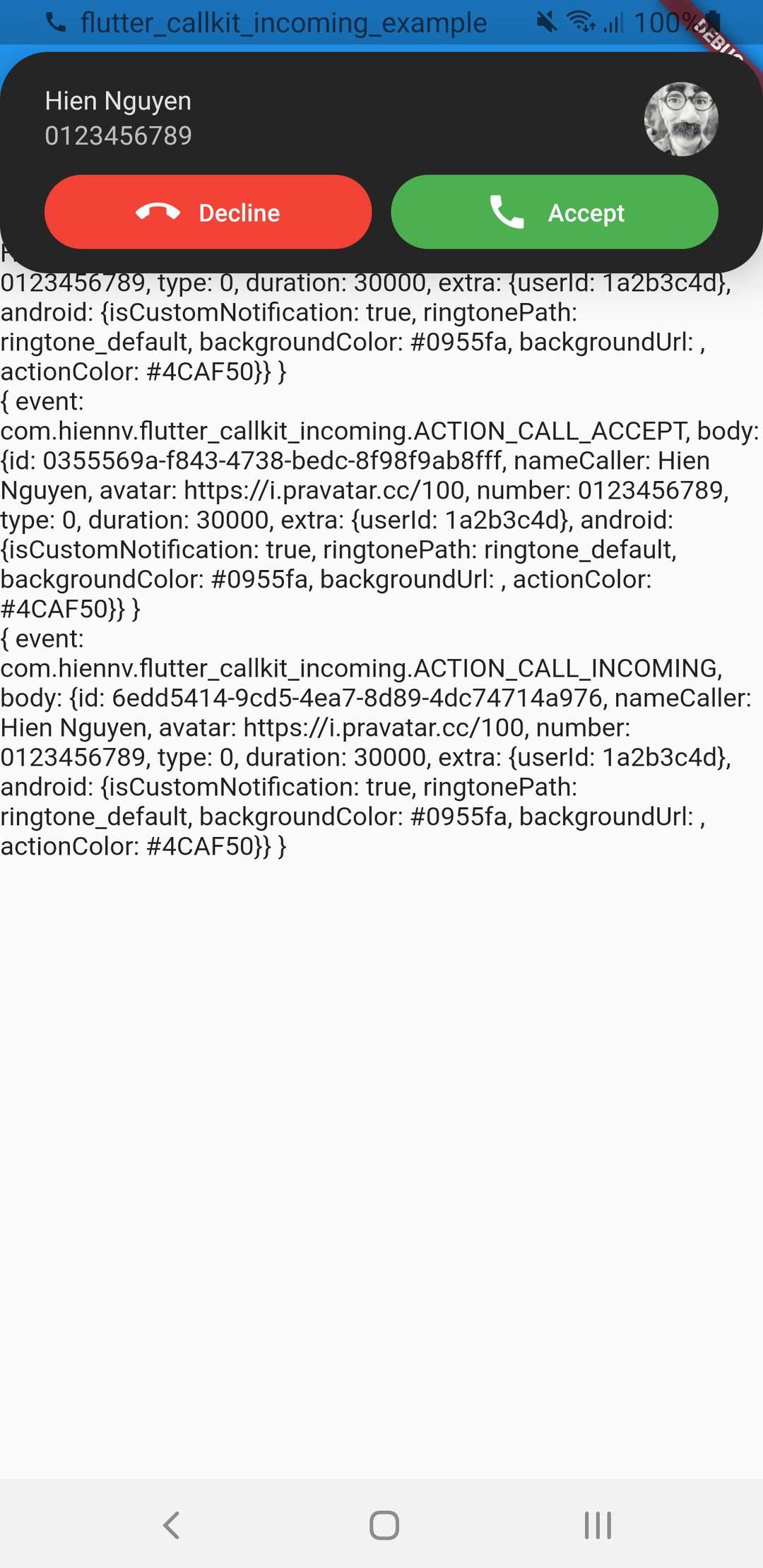
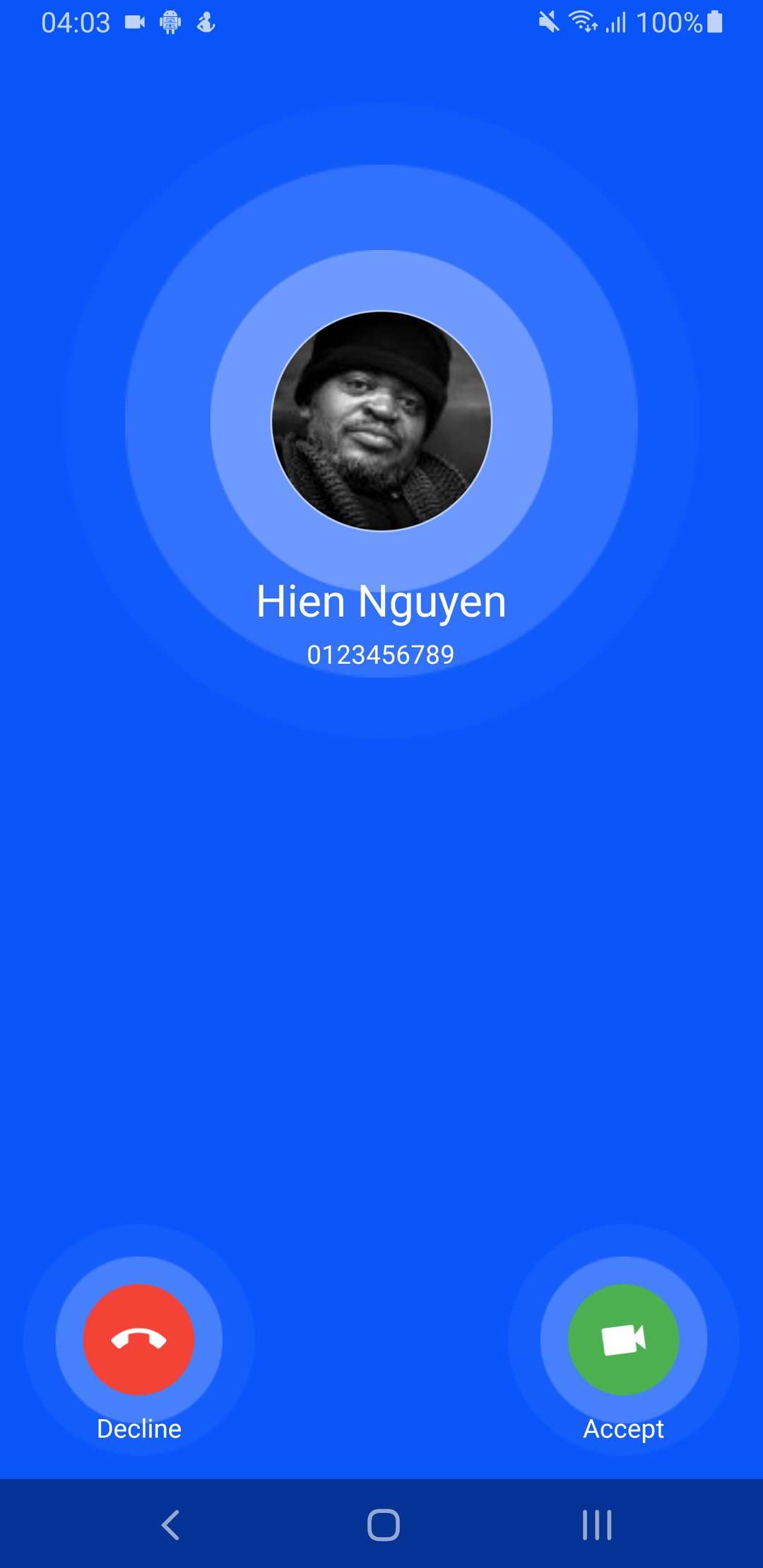
| Android (Lockscreen) - Audio | Android (Alert) - Audio | Android (Lockscreen) - Video |
|
|
|
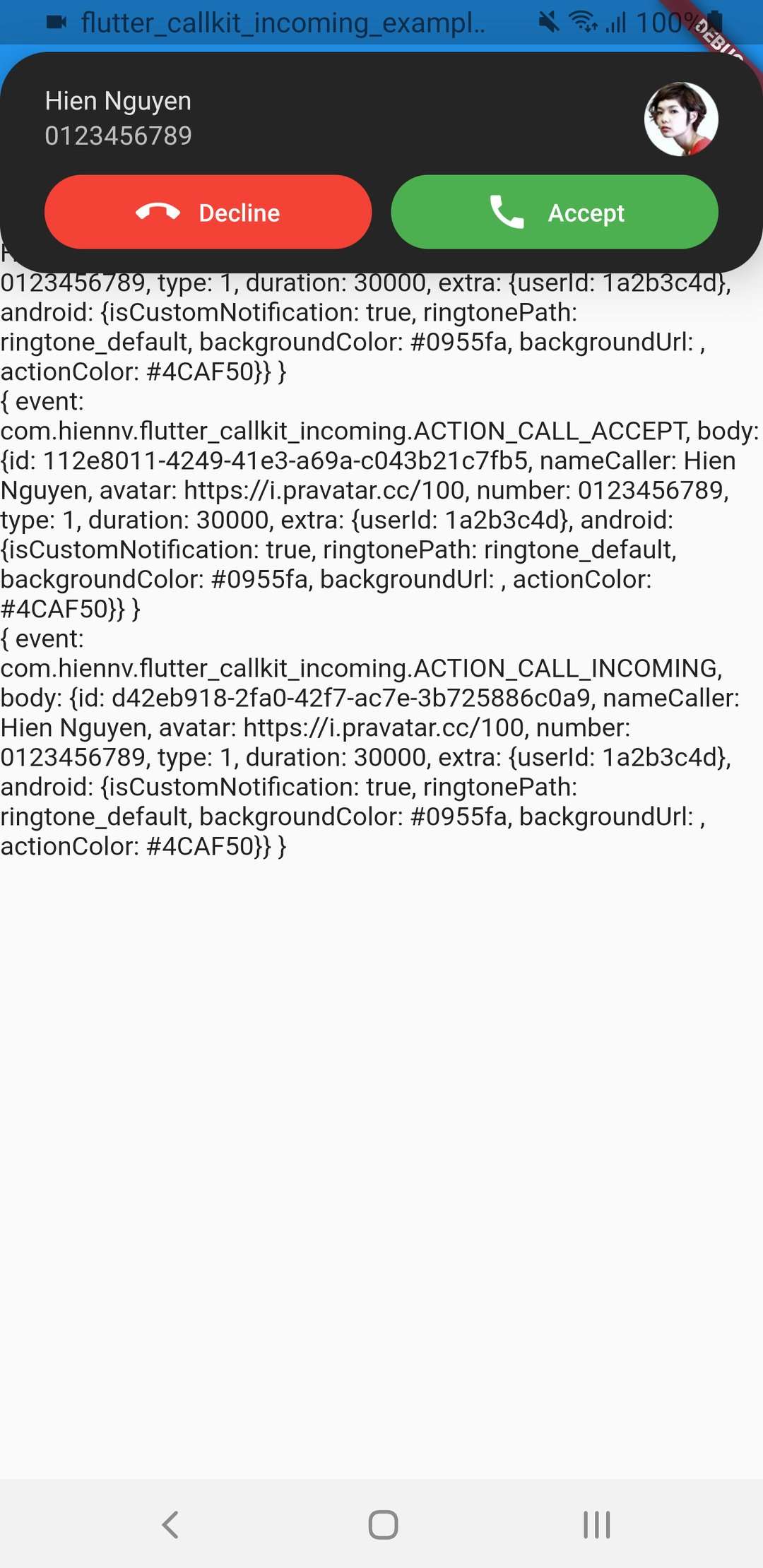
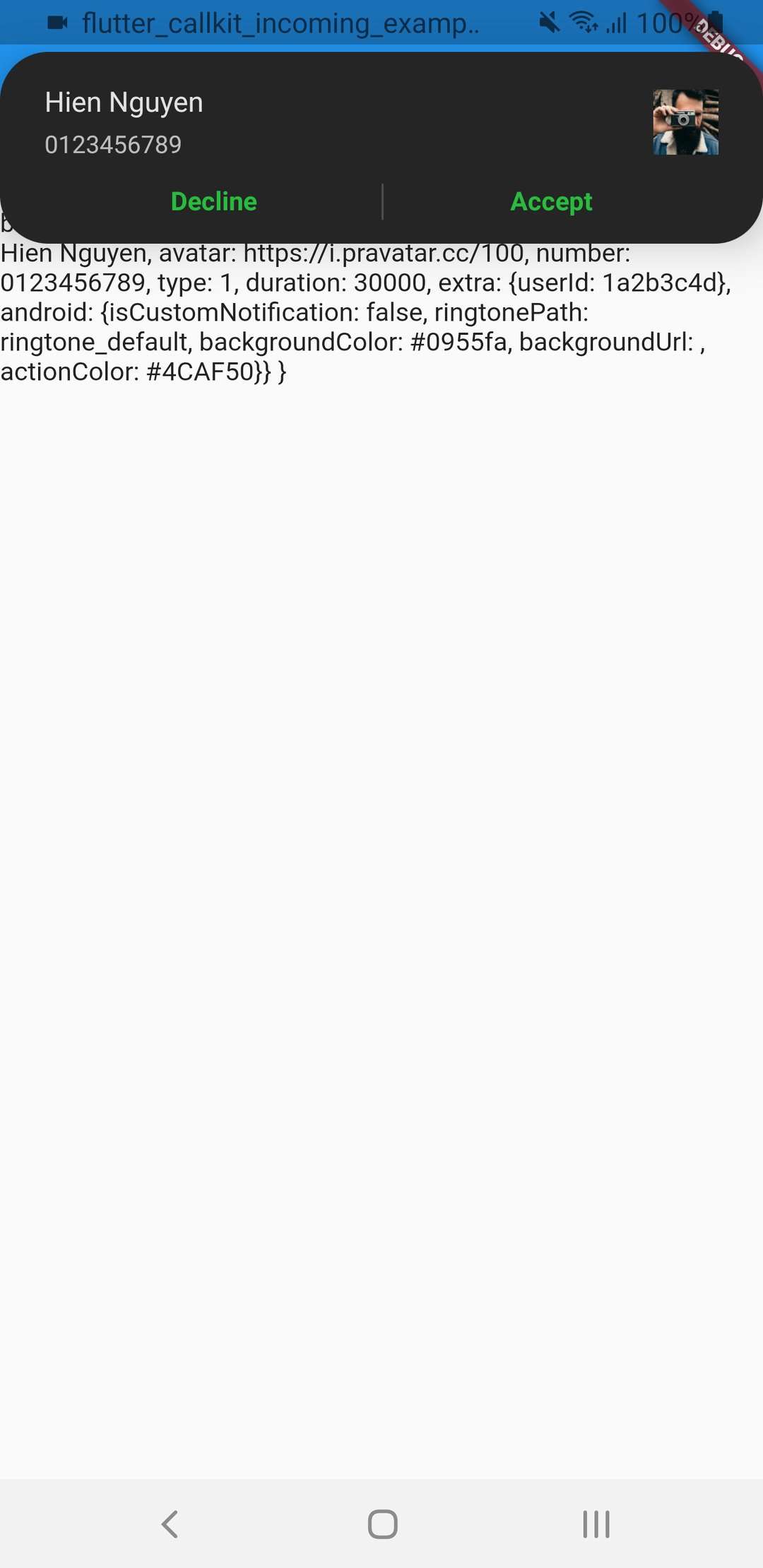
| Android (Alert) - Video | isCustomNotification: false | |
|
|