Setup
- StackBase is available through CocoaPods. To install it, simply add the following line to your Podfile:
pod 'StackBase'-
If you do not wish to use CocoaPods, you can download the framework directly. Simply unzip the file and add the derived .framework file to your project.
-
To use the example project, clone the repo or download it as a zip file. CocoaPods is not necessary.
Once you have properly installed StackBase, open up your main info.plist file. Add values for the following keys: Stackbase_API_KEY and StackBase_SECRET_KEY
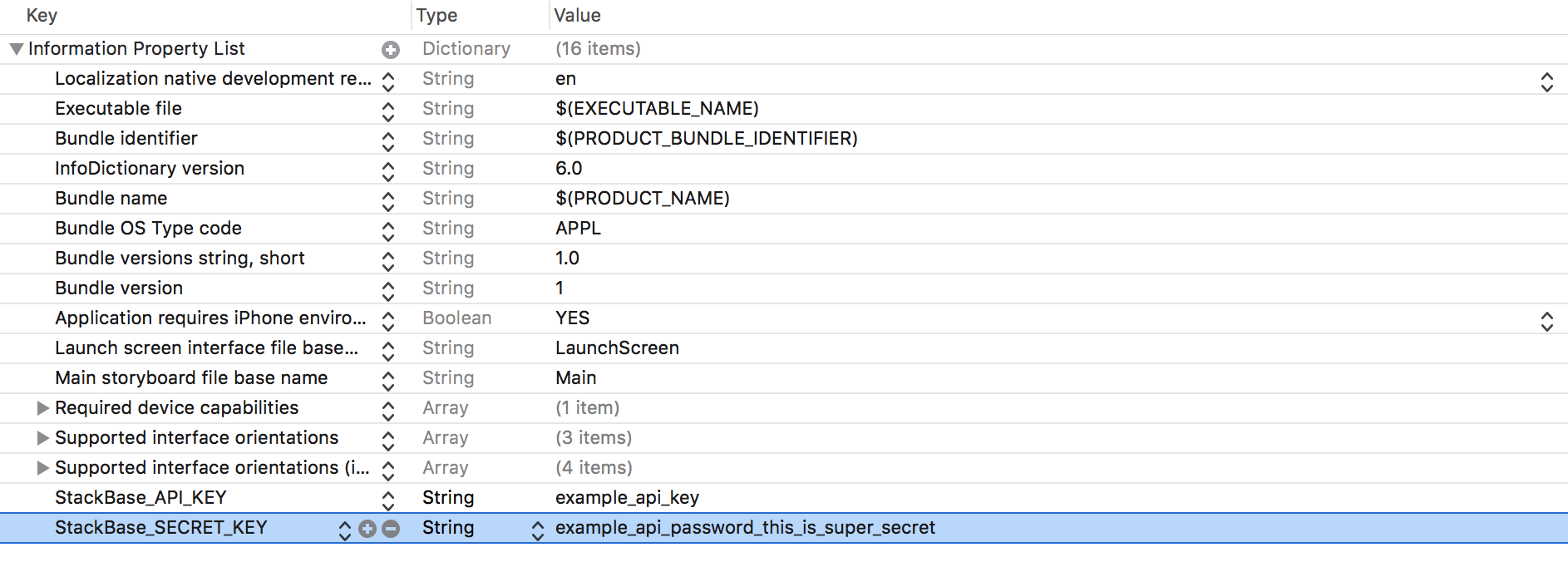
You can add the values to the property list manually, or paste source code below:
<key>StackBase_API_KEY</key>
<string>example_api_key</string>
<key>StackBase_SECRET_KEY</key>
<string>example_api_password_this_is_super_secret</string>
These keys will allow you to generate your own database.
-
If you do not specify keys, your client will use the public database, in which anybody can add, edit, and remove tables.
-
If you try to create a database and receive an access denied error, somebody with a different secret key may already be using your API key. However, given the embryonic state of this project two users picking the same API keys is highly unlikely. In the future, API keys will be generated to avoid this possibility.
-
You can create as many tables as you like in a database, as long as they have unique names.