 |
 |
|---|
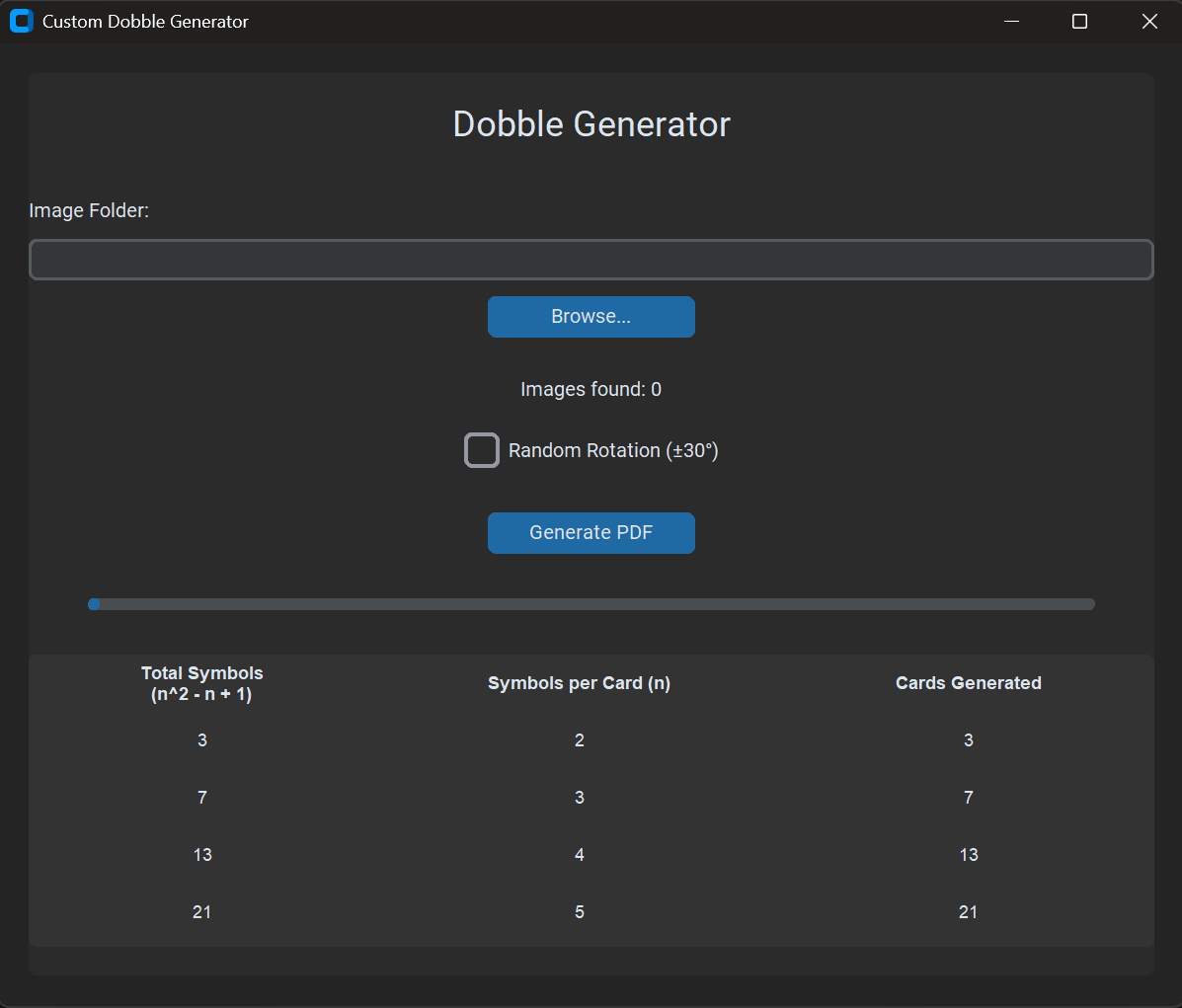
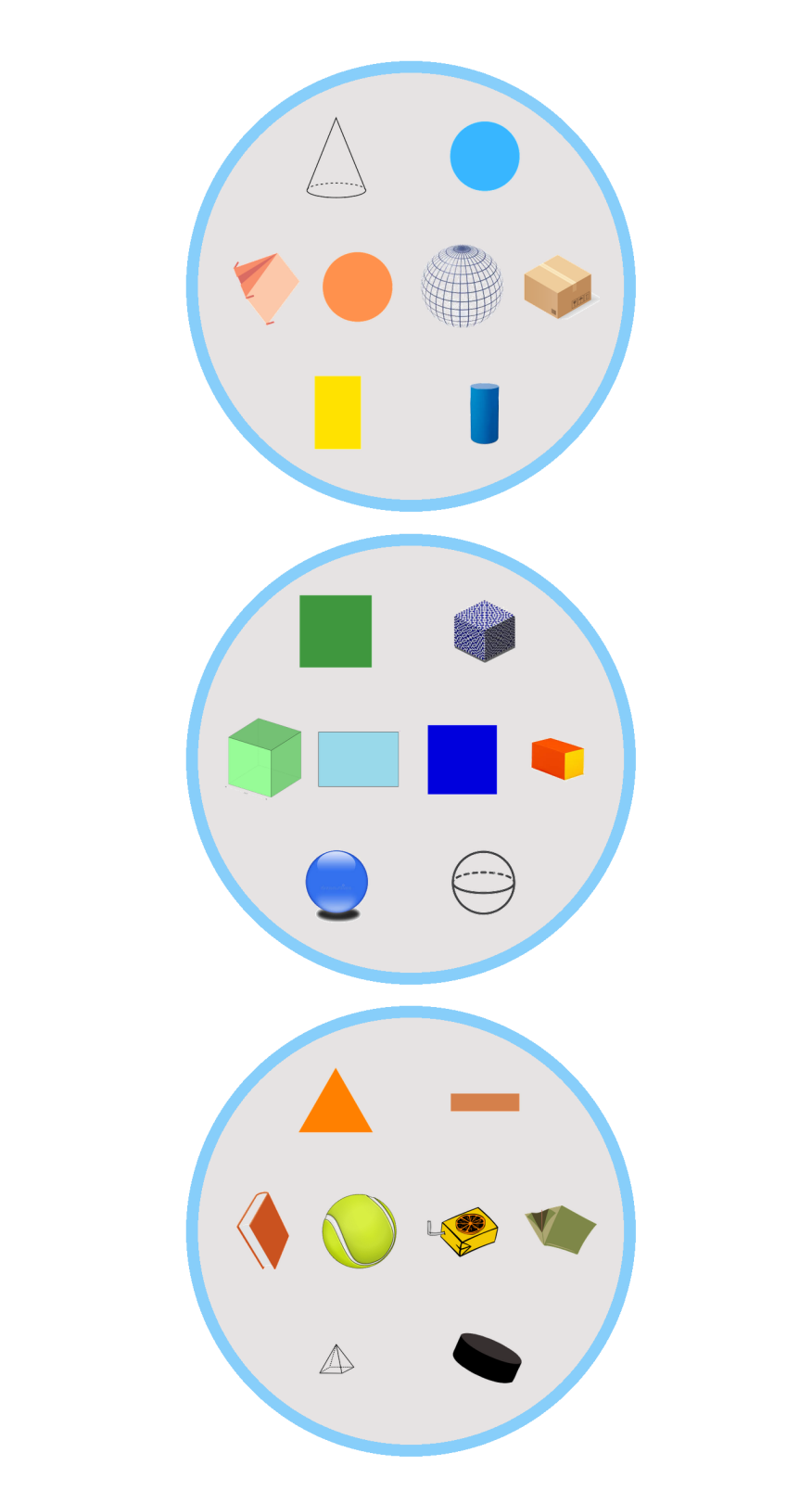
Create your own "Spot It!" style matching card games using your personal images.
Dobble Generator is a desktop application that allows you to generate printable PDF cards for the popular game mechanics found in Dobble (also known as Spot It!).
Simply point the application to a folder containing images, and it will mathematically construct a deck where every single card shares exactly one symbol with every other card.
-
Modern GUI: Built with
customtkinterfor a sleek, dark-mode friendly interface. -
Smart Image Processing:
-
Automatically removes white/near-white backgrounds from images.
-
Resizes images maintaining aspect ratio.
-
Optional random rotation (±30°) for added difficulty.
-
Mathematical Precision: Uses Finite Projective Plane logic to ensure perfect game balance.
-
Print-Ready Output: Generates a formatted A4 PDF containing all cards.
You can run this application by downloading the pre-built version or by running the source code.
Use this method if you want to play without installing Python.
-
Navigate to the releases page of this repository.
-
Download the executable for your operating system.
-
Extract the archive and run
DobbleGenerator.exe.
Use this method if you want to modify the code.
Prerequisites:
- Python 3.8 or higher.
Steps:
- Clone the repository:
git clone https://github.com/campio97/dobble-generator.git

cd dobble-generator
- Install dependencies:
pip install -r requirements.txt
- Run the application:
python dobble_generator_gui.py
- Prepare Images: Gather your images (JPG/PNG) in a single folder.
- Tip: Simple icons with white backgrounds work best.
-
Select Folder: Open the app, click "Browse...", and select your folder.
-
Check Requirements: The app counts your images. Ensure you have enough images for your desired deck size (see the Math table below).
-
Configure: Check "Random Rotation" if you want tilted symbols.
-
Generate: Click "Generate PDF".
-
Output:
-
dobble_cards.pdf: The printable sheet. -
card_x.png: Individual image files for each card (saved in your folder).
The game logic relies on Finite Projective Planes. To create a valid deck, you need a specific minimum number of images.
The algorithm uses the formula:
| Desired Symbols per Card | Minimum Images Required | Total Cards Generated |
|---|---|---|
| 3 | 7 | 7 |
| 4 | 13 | 13 |
| 5 | 21 | 21 |
| 6 | 31 | 31 |
| 7 | 43 | 43 |
| 8 | 57 | 67 |
Note: If you provide 35 images, the app will use the "6 Symbols" setting (requiring 31 images) and ignore the extra 4.
Contributions are welcome! Please feel free to submit a Pull Request.
-
Fork the project
-
Create your feature branch (
git checkout -b feature/NewFeature) -
Commit your changes (
git commit -m 'Add NewFeature') -
Push to the branch (
git push origin feature/NewFeature) -
Open a Pull Request