Releases: backmind/PSAliasFinder
PSAliasFinder 2.0.1

Bugfix release.
Fixed
The 2.0.0 provider enumerated aliases inside a private runspace, so only PowerShell's built-in aliases (ls, gci, ipmo, ...) were visible. Any alias defined in the user's $PROFILE — functions pointed at by Set-Alias — was invisible to the provider and never triggered feedback. 2.0.1 switches the internal PowerShell instance to RunspaceMode.CurrentRunspace, so Get-Alias now returns the complete alias table of the session that imported the module, user-defined entries included.
Upgrade
Install-Module PSAliasFinder -ForceAvailable on the PowerShell Gallery. No breaking changes from 2.0.0; config file and exported commands are unchanged.
PSAliasFinder 2.0.0
Full rewrite as a binary module on top of PowerShell 7.4's native IFeedbackProvider subsystem. Alias suggestions now render in the engine's [Feedback] block and follow $PSStyle.Formatting.Feedback* theming — no more PSReadLine Enter-key hook, no more Write-Host.
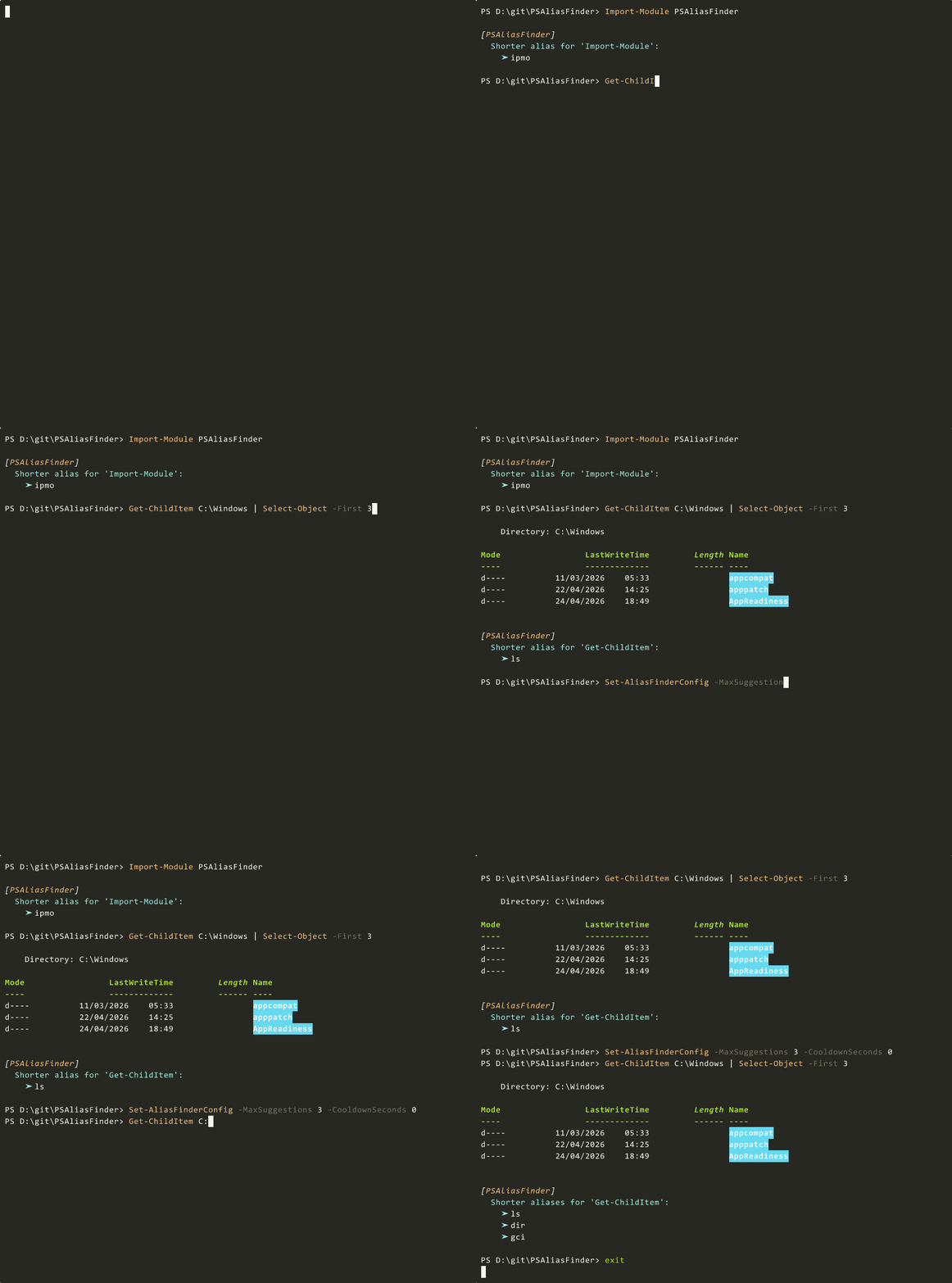
Install
Install-Module PSAliasFinder -Scope CurrentUser
Import-Module  PSAliasFinder
Available on the PowerShell Gallery.
Breaking changes
- Minimum PowerShell raised from 5.1 to 7.4. On 7.4 / 7.5 both
PSFeedbackProviderandPSSubsystemPluginModelexperimental features must be enabled (both graduated to mainstream in 7.6-preview.6, so nothing is needed on 7.6+). 5.1 and 7.0–7.3 users should stay on 1.0.0:Install-Module PSAliasFinder -RequiredVersion 1.0.0. Set-AliasFinderHookandTest-CommandAliasremoved. No shims.\$global:PSAliasFinderConfigno longer consulted. Configuration is persisted per-user at\$env:APPDATA\PSAliasFinder\config.jsonon Windows or~/.config/PSAliasFinder/config.jsonon Linux/macOS.
New
Get-AliasFinderConfig/Set-AliasFinderConfigwith-Enabled,-MinCommandLength,-MaxPipes,-MaxArguments,-MinCharsSaved,-CooldownSeconds,-MaxSuggestions, ignore list,-Reset,-PassThru. Changes apply without reimporting.- Per-command cooldown (default 30 min), ignore list, tunable top-N via
MaxSuggestions(default 1). PSALIASFINDER_CONFIG_DIRenv override for portable installs and CI.
See the README for full details.